


What is the total cost of an HTC Vive?

How much does an HTC Vive cost when I buy all accessories?
With the recent unveiling of a few new pieces of their virtual reality setup at CES 2017, it begs the question: How much is the total cost of an HTC Vive? Let’s break things down in terms of cost per item, and let’s also take a look at some PC options to run it.
Read more at VR Heads!
Digital Offers: Become an Ethical Hacker for under $45
There’s a digital war raging on the Internet, mostly out of sight from the average online user. On one side, there are the malicious hackers looking to steal sensitive information and cause havoc. On the other side, there are ethical hackers testing security measures and looking for potential exploits so they can be patched up before harm is done.

Ethical hackers are in high demand these days, as governments and corporations alike find themselves increasingly vulnerable to hacking attacks. If you’re up to the challenge, we’ve rounded up our favorite deals on ethical hacking and are offering them at a steep discount.
Certified Ethical Hacker Bootcamp
This bootcamp features 45 hours of content spread out over 144 lectures, throughout which you will gain practical experience with intrusion detection, policy creation, DDoS attacks, and more. You will learn about perimeter defenses, come to understand how Trojans, backdoors, viruses, worms are coded and spread, and learn how to scan & attack your own networks as practice.
Understand Trojans, backdoors, viruses, worms, & more.
All these valuable course materials will be available to you for life, and you can’t beat this deal — save 99% and get this bundle for only $45.
See at Android Central Offers
Ultimate Computer Security Bundle
This 7-course bundle will give you a comprehensive background – and certifications – in IT security, ethical hacking, Voice over IP security, data security, and more. Soon enough, you’ll be fully certified and ready to enter the computer security job market with a complete arsenal.
All told, a course bundle of this caliber would typically cost upwards of $600, but you can get it 95% off — that’s only $29! And once you’ve bought these web courses, you’ll be granted lifetime access.
See at Android Central Offers
Pay What You Want: White Hat Hacker 2017 Bundle
We’ve saved (potentially) the biggest savings for last. With this bundle, you’ll get access to up to eight different courses with values ranging from $50 to $200 and, as the title indicates, you pay only what you want.
If you pay below the average price paid, you’ll get Python For Android Hacking Crash Course: Trojan Perspective — a course featuring 3.5 hours of content spread over 26 lectures. You also get a course called Wi-Fi Hacking with Kali, which teaches you how to find and protect personal and corporate networks from potential security breaches. You can get both of those courses for a dollar if you so please… but if you play more than the average price paid (currently under $20) you’ll receive six more courses!
Beat the highest price paid and you’ll be added to the leaderboard and be entered to win an awesome prize!
See at Android Central Offers
Beginner’s guide to Star Wars: Force Arena

Feeling a little overwhelmed with Star Wars: Force Arena? I’m here to get you started.
Most multiplayer online battle arena (MOBA) games are pretty complicated. They have a lot going on the screen during battles, tons of different units you can deploy, and often they can be confusing to start.
Even with the in-game tutorial, I found there was quite a bit of information I wish I knew about Stars Wars: Force Arena before I started challenging real players from across the world. Luckily for you, I went through the confusion, so you don’t have to. This guide is meant to help you have a better understanding of some of the game’s mechanics, which hopefully will help you win!
Play Star Wars: Force Arena today!
Know the different card types

There are four types of cards in Star Wars: Force Arena and each one plays a different role. Not every deck has to have all four types to be successful, but balancing your deck with different kinds of cards is not a bad way to get a feel for the game. The card types are as follows:
- Leader: Prominent Star Wars characters (such as Princess Leia and Darth Vader) that lead your troops into battle. There are a ton of leaders in the game, but you can only have four of them (two Rebel Alliance and two Galactic Empire) activate at a time. You can swap leaders out as you acquire them.
- Squad: These are cards that will spawn units onto the battlefield. Stormtroopers, Wookie Warriors, and even Tanks are all squad cards.
- Support Cards: These are cards that affect the game in different ways but don’t spawn units onto the battlefield. These cards can help you hurt enemy units and structures — like X-Wings and Tie Fighters — or some provide status effects to units on the field — like stun grenades and Hyper-Adrenal.
- Structure: These cards will spawn structures onto the battlefield that can attack enemy units, good for defending your leader or turrets.
Card Rarity

Not all cards are created equal; some are significantly rarer to find; the rarer the card, the harder it is to find in the game.
- Legendary: These are leader cards and are the rarest cards in the game.
- Unique: These cards will have an orange background and are tied to a specific leader, meaning they can only be placed in decks with that leader. In the image above Director Orson Krennic is my leader and Death Squad Leader is his unique card.
- Epic: These cards are quite powerful and rarely in packs in the lower tiers.
- Rare: Not as hard to find as Epic cards, but you still won’t find any in lower tier bronze packs.
- Common: Just like the name says, you’ll find these cards all over. Common cards have gray backgrounds.
Understanding Card Stats
In Star Wars: Force Arena you deploy units by using different cards. Each leader has a deck of six cards that you can swap out from the Deck menu at any time. To build a good deck you are going to need to know how to read the cards stats.
General card stats

Every card has a list of basic stats that will tell you how much damage it does, how much health it has, and various other relevant information.
Most cards have these basic nine stats:
- Health: This number is how much health the any given unit or squad has.
- Movement Speed: How fast the unit moves during battle.
- Attack Range: How far away the unit can attack another target.
- Attack Power: The higher the attack power, the more damage the unit will do.
- Attack Speed: How fast the unit can attack.
- Deployment Time: How long it takes for the unit to appear on the field.
- Damage Per Second: The amount of damage the unit can inflict per second.
- Target: What type of enemy units the card will attack.
- Unit Count: How many units spawn when deployed.
Other important card stats

Certain cards have other unique stats that affect different units and structures on the field. You’ll mostly see these stats on specialize infantry and aerial support cards — the Dressellian Sniper and Tie Fighters are two prime examples.
- Leader/Squad Attack Power: How strong the card is against an enemy leader or squad.
- Building Attack Power: How strong the card is against enemy buildings. (Turrets and shield generators)
In the simplest terms, certain cards do different amounts of damage to different types of cards; that’s when you’ll see these two stats pop up.
Advantages and Disadvantages

I am still flabbergasted that the Star Wars: Force Arena tutorial doesn’t cover advantages and disadvantages because it’s so imperative that you know them to be successful.
You can see a list of what each cards advantages and disadvantages are by tapping on advantages when you’re looking at a card’s stats. Here you will see a list of other cards that your card is strong against and weak against.
Learning these advantages and disadvantages is often the difference between victory and defeat. If you see an enemy tank on the field, you will know what cards to use to counter the attack.
Upgrading cards

To progress further in Star Wars: Force Arena you will need to upgrade your cards; you do this by collecting multiple copies of the same cards. You get cards by opening packs, and there are currently about four ways to receive card packs.
- Play packs: Each time you play a match will earn you play points — three points for a win, two points for a draw, and one point for a loss. Once you have ten play points, you can open a victory card pack. You can only open two play packs every 24 hours.
- Free packs: These are time locked for a few hours at a time. The longer the wait, the better the cards.
- Victory packs: When you win matches you will be awarded a card pack. These take the time to unlock, but you can unlock them right away by using crystals. The longer the wait to open the better the cards.
- Purchase packs: Packs can be purchased with a premium currency called crystals. You do get some crystals in Play Packs, but it will take a long time to work up enough crystals to buy a pack.
Once you collect enough of one type of card, you will notice a green flashing bar underneath cards that are ready to upgrade in your Deck menu. Select the card you want to upgrade and then tap on upgrade. It will cost you credits to upgrade your cards, the higher the level of your card the more duplicates you’ll need to acquire and credits you will need to spend to power it up.
Level Up

Upgrading your cards is important because it gives you experience points and levels you up. When you level up the amount of health your turrets and shield generator have increases, making you harder to defeat on the battlefield.
Pro tip: if you’re going to spend money in this game early on, it’s better to invest in credits to level up as quickly as you can. Once you progress further in the game then switch to buying card packs will be more important.
Tiers and Divisions

Tiers and divisions are how Star Wars: Force Arena’s matchmaking system works. In practice, you should never have an opponent who is drastically above you or below you in the rankings. You climb divisions and tiers by collecting rating points.
As you win or lose matches, you will gain or lose rating points. You will climb divisions a couple of times before you reach a new tier, which will give you access to new (often more powerful) cards. Plus, the higher tier you are will give you access to better victory card packs.
Missions

Completing missions gives you the ability to unlock new leader cards and other various legendary cards. Once again the tutorial makes no mention completing missions, and it’s important to unlock critical heroes. I want Han Solo, thank you very much.
You complete missions by completing different objectives one at a time. You can see these objectives by tapping the yellow button in the top right corner right next to the settings button in any menu. Basic missions unlock specific leaders, while special mission unlocks a random legendary card.
Once you have completed an objective — like Open 1 Play Pack — you’ll need to come back to this menu to claim the objective as completed. Each objective also gives you various awards to help sweeten the deal. Always be working towards these objective as fast as you can.
Play Star Wars: Force Arena today!
What did you wish you knew?
What are some other aspect of Star Wars Force Arena you wish you knew before playing? Let me know in the comments below.
Best Samsung Galaxy S7 Charging Docks

What are the best charging docks for my Samsung Galaxy S7?
If you are really concerned about taking care of your Samsung Galaxy S7, you might be a bit hesitant leaving it charging on a table, where it’s free to be knocked off the ground by an errant elbow or a clumsy pet. That’s where a charging dock can come in real handy.
The Galaxy S7 is also special in that it supports Qi wireless charging, meaning you can elevate your Samsung Galaxy S7 off the table or counter with a dock that’ll also keep it fully charged when it’s time to go.
Samsung Fast Charging Wireless Stand

When looking for charging accessories for your phone, your best bet is typically whatever is offered by the phone’s manufacturer.
Samsung has combined style and function to create a wireless charging stand for your Galaxy S7 that takes full advantage of the Fast Charge capabilities of the phone. And since it’s made by Samsung, you can rest assured that it’s been properly tested with your device, and it also comes with a Fast Charge wall charger and warranty coverage for U.S. customers.
See at Amazon
Seneo Fast Wireless Charger
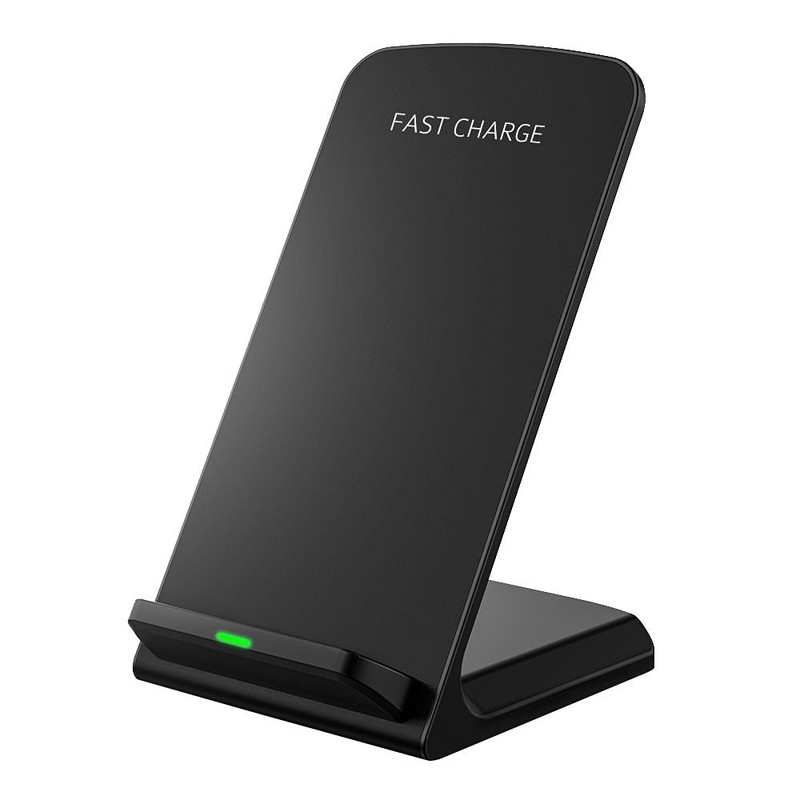
If you’re looking for a quality wireless charging dock that supports Fast Charging for your Galaxy S7, but for half the price of Samsung’s offering, the Seneo Fast Wireless Charger is right for you. Available for just over $20, this stand features a fairly sleek design with a LED indicator on the front to let you know when your phone is charging.
You’ll have to make sure to use the Fast Charger adapter that came with your phone to take advantage of the fast-charging capabilities — one isn’t included — which might explain the price difference from Samsung’s dock.
See at Amazon
Stouch Aluminum Android Charging Dock
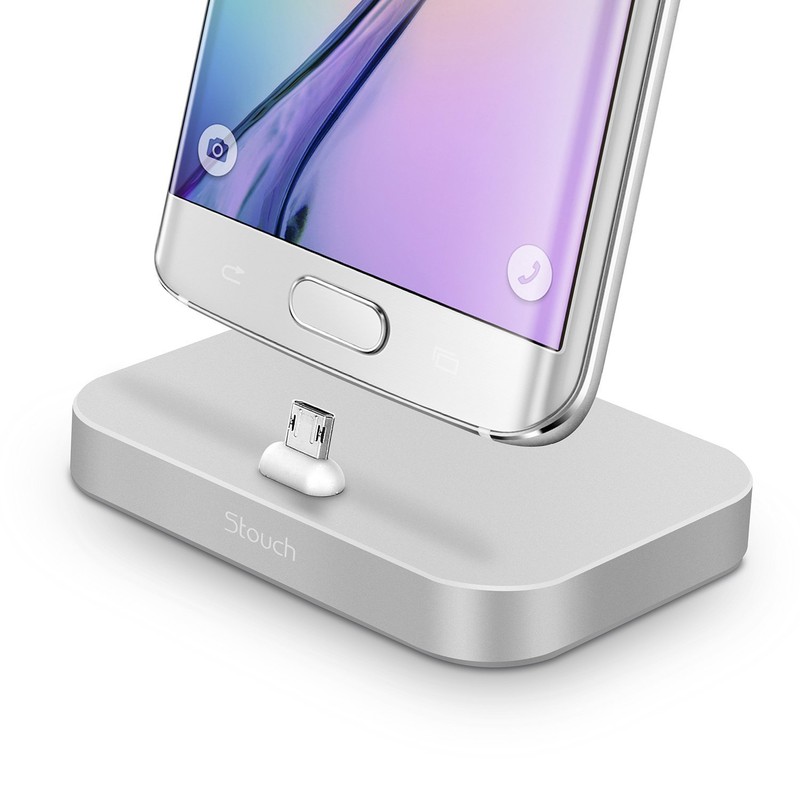
If style and minimalism are important features for you, you may be interested in this aluminum charging dock from Stouch. Simply plug your phone into the Micro-USB port on this brushed aluminum platform and you’re good to go. There’s no backing support for your phone, so you’ll want to make sure it’s not in a place where it might get hit or put any stress on that charging port connection.
The connector on the base is actually reversible, and is adjustable to a bunch of different viewing angles so you’ll always be able to check for notifications while you’re working at your desk.
See at Amazon
Lamicall Desktop Cell Phone Stand
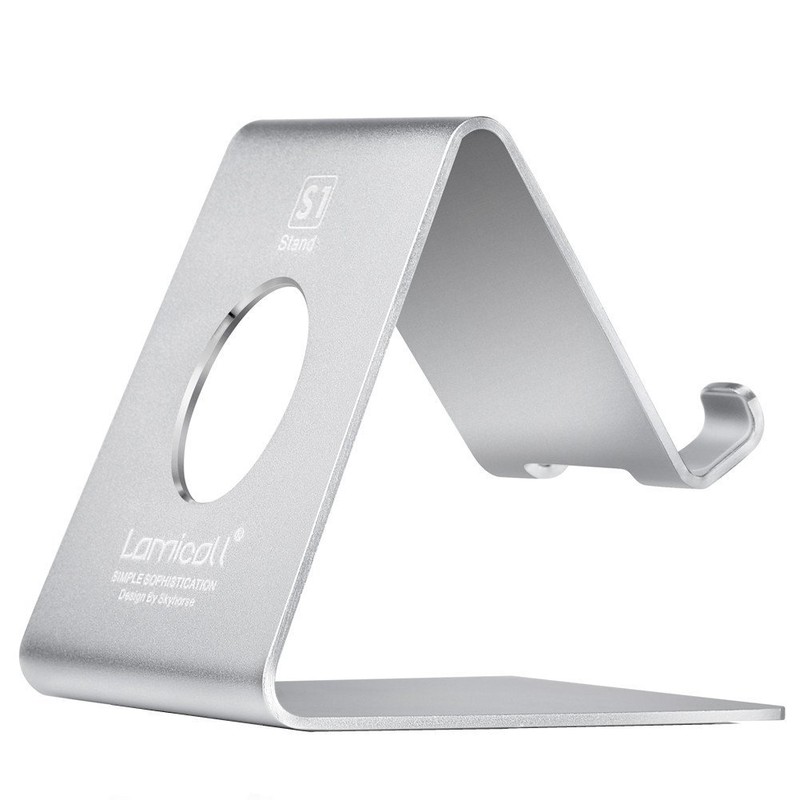
The Lamicall universal charging stand is another great option for your Galaxy S7 if you don’t care about wireless charging but still want to keep your phone off the table — plus, it’ll work with any phone or tablet you own.
You’ll also need to bring your own charging cable here. Otherwise, you get a stylish stand with and minimalist design on your desktop, featuring rubber feet on the bottom help to keep it secure on your desk, and rubber on the cradle helping to keep your phone secure. It’s available in silver, red or black.
See at Amazon
Your pick
What’s your go-to Galaxy S7 charging dock? Let us know in the comments!
Sony sends out invites for MWC event, Xperia flagship inbound?
Sony has confirmed its attendance at Mobile World Congress 2017 by sending out official invites to its press conference, the date and time for your diary is Monday 27 February at 8.30am CET (7.30am GMT), the opening day of the show. Sony of course hasn’t said what will be unveiled in Barcelona, but Xperia Blog thinks we’ll see two mid-range phones, with a flagship device delayed until IFA later in 2017.
- Next Sony Xperia flagship: What’s the story so far?
However there are rumours to suggest Sony will unveil an Xperia X2 flagship in February. It will mark a year since the Xperia X was released, so it’s plausible to expect its successor this year. If it is an X2 flagship that shows up in Barcelona, it will likely follow a similar OmniBalance design to previous phones, with a side-mounted power button with built-in fingerprint scanner.
- Mobile World Congress 2017: Nokia, Sony, Huawei smartphones and more
What’s less certain is the screen it will come with. There are conflicting reports of either a 5in or 5.2in full HD displays, or even a 5.5-inch 4K display. It would be good if the X2, if unveiled, comes pre-installed with Android Nougat 7.1, a large chunk of Sony’s current Xperia devices have been confirmed to be updated to Android 7.0, so the X2 should come with this at least.
We have just over a month to wait until Sony unveils its new phone or phones at MWC. We’ll bring you all the latest news and rumours as and when we hear them.
Mozilla’s new logo is kinda ://
It’s been six months since Mozilla, the non-profit organization in charge of maintaining Firefox, announced it was putting the future of its brand in users’ hands. Kinda, at least. The plan was to solicit entrants for a new wordmark or logo, before handing them off to in-house professionals to finish off the job. After some pretty out-there submissions — including one that would have seen a revival of Mozilla’s once-famous dinosaur — the winning design is markedly plain.
The logo is a very simple, lower-case slab serif wordmark, with a bold typeface evoking Courier and other popular coding fonts. (Before you ask, slab serif typefaces are like serif typefaces, but the projections are thick and… slabby.) That’s not to say it’s not a shrewd piece of design, though.
The clever part of the new logo is that the “ill” in the middle of “Mozilla” has been replaced by “://”, which forms part of every web address. Putting the heart of the internet inside your wordmark, if you’re an organization that aims to be at the heart of internet use and development, is pretty smart. The winning design will also break down to just its initial ‘m” for small print and things like favicons.
The wordmark was developed from “Protocol,” one of the first entrants that Mozilla showed off. But it definitely had more… life to it in previous iterations. In the second round, the wordmark was bordered by a form that accentuated the “://” characters further, but clearly since then the decision was made to opt for a simpler look.

Version 2.0 of the wordmark was a little more striking.
Mozilla hasn’t formally unveiled the rebrand yet — German site Caschys Blog posted the video, which is unlisted on YouTube — but you should see the logo announced formally soon. For what it’s worth, no one at Engadget seems to like it apart from me.
Update: Mozilla has now made the change official, and there are a few extra details that weren’t available at the original time of publishing. The font for the wordmark is called “Zilla,” and it was designed by Netherlands-based type foundry Typotheque. Mozilla says it was (surprise!) “selected to evoke the Courier font,” and also has a “journalistic feeling” that the organization believes reinforces its commitment to converse with others about internet health. It’s going to be “free and open to all.”
One final thing — the black border around the logo is supposed to signify text being highlighted. Neat, I guess, but I still prefer the weirdness of version 2.0.
Via: Caschys Blog
Source: Mozilla
A cheap Android One phone could come to the US this year
The Android One program that aimed to standardize expectations for low-cost phones launched in 2014 and hasn’t revolutionized the mobile arena so far. Still, Google is expected to make another run at the initiative, and a report by The Information claims that we can expect to see at least one approved device launch in the first half of 2017. The outlet isn’t sure who will make the phone, but LG is said to be a potential partner. A major point of the One program is enabling Google to provide updates directly, and this device should guarantee two years of “timely” updates including security patches.
Previous Android One phones have been available overseas for as low as $100, so this looks like a price jump, but still at the lower-midrange phone price. According to The Information, more devices could follow the initial launch, so we’ll have to see if prices come down. Whatever happens, it will be good to have a cheaper-than-Nexus Pixel option for people who prioritize access to the latest security patches and Android updates.
Source: The Information
Japan’s high-tech toilets are getting less intimidating
Japan is famed for its elaborate, high-tech toilets; and these elaborate, high-tech toilets are themselves famed for being nigh impossible for foreigners to decipher. Aware of the confusion many visitors face in getting to grips with the country’s “beautiful toilet culture,” nine manufacturers of luxurious thrones have put competition aside to agree on a new standardized and simple set of icons for common features.
From April, all toilets sold in Japan by these companies will feature the easier-to-understand instructions. There should be enough out in the wild, then, that tourists coming for the 2019 Rugby World Cup and Tokyo 2020 Olympics can avoid too many mishaps, such as soaking their genitals when they only wanted to flush.
Speaking to The Asahi Shimbun, head of the nine-strong group and president of toilet-maker Toto Madoka Kitamura said: “We are sure the new design of pictograms will help our products become more popular overseas, as well as offer hospitality to foreigners and show that Japan is a country that welcomes tourists.”
Via: The Guardian
Source: The Japan Sanitary Equipment Industry Association (Japanese)
NASA may rely on Russian shuttles for ISS missions until 2019
NASA is considering buying seats aboard the Soyuz spacecraft for 2019, according to a solicitation it filed recently. The agency originally wanted to end its dependence on Russia’s Soyuz spacecraft this year, but SpaceX and Boeing aren’t quite ready to take astronauts to the ISS. Boeing had to push back its first manned flight to the space station to December 2018 or later due to a design flaw with the Starliner. SpaceX also had to delay its plans after a Falcon 9 exploded on the launch pad last year. While both companies could very well be able to stick to their new timelines, NASA could be eyeing the purchase as an insurance in case of additional delays. Besides, seats on the Soyuz keep getting more expensive every year.
According to the filing, the seats NASA is looking at belong to Boeing, which got them from a lawsuit against Russian aerospace company Energia. Boeing VP John Elbon revealed that NASA “expressed some interest” and that the two entities will “go through the process and figure out if there’s an opportunity for [them] to make a deal.” Ars Technica also notes that the solicitation was filed shortly before NASA Administrator Charles Bolden, a proponent of commercial space, leaves office.
In addition to the seats aboard flights scheduled for 2019, NASA is also looking to purchase two more for 2017 and 2018. Since Russia is reducing its ISS personnel, there’s an extra space for a NASA astronaut on the spacecraft.
Via: Ars Technica, SpaceNews
Source: Federal Business Opportunities
Foxconn Planning New Facility to Help Apple Build Prototypes of New Products
Apple manufacturing partner Foxconn is planning to build a new facility next to the iPhone maker’s upcoming research and development center in Shenzhen, China, according to Nikkei Asian Review.
The report cites an unnamed source who claims the facility will enable Foxconn to “better help Apple create prototypes of new products in this new campus,” set to open in 2017. Apple’s own facility in Shenzhen, along with plans for another R&D center in Beijing, will allow it to collaborate more closely with Foxconn.
Foxconn has two existing large campuses in Shenzhen, where it has reportedly already been developing and testing new products. Most recently, the report claims Foxconn has been trying to build the wireless charging module for next-generation iPhone models expected to launch later this year.
iPhones will remain manufactured in the central Chinese city of Zhengzhou.
Tags: China, Foxconn
Discuss this article in our forums
 AIVAnet