


Microsoft privacy dashboard gives you control over your data
Microsoft has been accused of overstepping privacy boundaries with Windows 10, but it’s ready to try and regain some of that broken trust. It’s launching a web-based account privacy dashboard that lets you monitor and control the information Microsoft services use. You can view and wipe your Bing search history, Edge browsing history and your location activity. And if you’re worried about what Cortana Notebook and Microsoft Health are doing, you can edit your data for those services.
The company is also promising that Windows 10 Creators Update will have a better privacy experience from the start. You’ll walk through a new setup process that clarifies your privacy choices, whether you’re starting fresh with Windows 10 or already have it installed. Microsoft will also streamline its diagnostic data collection options to two (Basic and Full), and it’ll collect less data at that Basic level.
Will these address all the privacy concerns that have surfaced since Windows 10 arrived? Probably not. Microsoft promises that this is just a “first step,” however, and that you’ll have more control over your data in the long run. This isn’t a purely selfless gesture on Redmond’s part when it’s facing regulatory scrutiny over Windows 10 tracking, but it’s a welcome move all the same.
Source: Microsoft, Windows Experience Blog
These seven apps can help turn your old junk into money

Look around the home or office and chances are you’ll find items sitting there collecting dust. Whether it’s an old lamp, hooded sweatshirt, or pair of shoes, there’s probably something you’re holding on to for no good reason.
Maybe you’re just hanging on with the idea that some day you’ll have a yard sale. Perhaps you just forgot you even had it in the basement. Whatever it is, you’ve probably got junk that needs to go away.
As you know, one man’s trash is another man’s treasure. Why bother throwing items out in the garbage when you might be able to make a few bucks on them instead? There are tons of Android apps and services designed to help you sell your old stuff.
We’ve gathered up seven of them which we think rise to the top. There may be a little crossover between some of the titles, but each offers an ecosystem worth exploring. Moreover, you’ll find that the apps offer unique features and layouts which make them appealing.
LetGo

Essentially like having a flea market on your handset, LetGo gives users the ability to search through all sorts of local deals. With tons of categories to pick through, the app lets you talk privately with buyers or sellers so you can haggle on the cost. Speaking of which, there’s no fee to list or sell; everything you earn is yours. Create an account with Facebook or email and get to selling immediately.
eBay

As if you’ve never heard of it, eBay is an online service that brings together buyers and sellers from all over the world. It’s perhaps the first name in buying and selling your stuff and it’s one of the most trusted names in the space. The mobile app has grown leaps and bounds over the years and now, more than ever, it’s a cinch to list products for sale directly from your phone.
OfferUp

Like having a virtual classified section in your hand, OfferUp pairs buyers and sellers together in a visually appealing manner. Whether you’re looking to unload that unused tablet or hoping to pick up an extra coat for the winter months, this app will help you find what want.
Once you’ve found a local item that interests you, reach out to the buyer and chat them up. Or, check their reputation to see if they’ve been fair and easy to work with.
Listing your stuff couldn’t be much easier. With tons of categories to choose from, you’ll be able to unload an entire room’s worth of unused items. Make sure you build your reputation and raise your profile so buyers know they’re dealing with a trusted person.
Carousell
 With a selling system that promises to be as easy as posting an Instagram picture Carousell listings can be done in as little as 30 seconds. There are no fees associated with selling and the service does not take a commission off the top. Carousell Groups make it easy to buy and sell in interest groups, neighborhood groups, school groups and other trusted manners.
Choose up to four pictures for each item you plan to sell to help buyers get a food feel for what’s being offered. Once you’ve got it listed, share it with Facebook Pages, Groups, and other social media. Keep at it and you’ll earn verified badge to help boost credibility in the marketplace.
VarageSale
If you’re the type of person who doesn’t want to bother with shipping items out once they’re sold, you might want to try your hand at VarageSale. Designed as a local classified platform, it connects you with others in your immediate area. Members connect with Facebook so you’ll get real names, pictures, and reviews to consider before making a decision. Follow your favorite sellers or categories; rate your transactions and leave feedback for the next person.
Wallapop
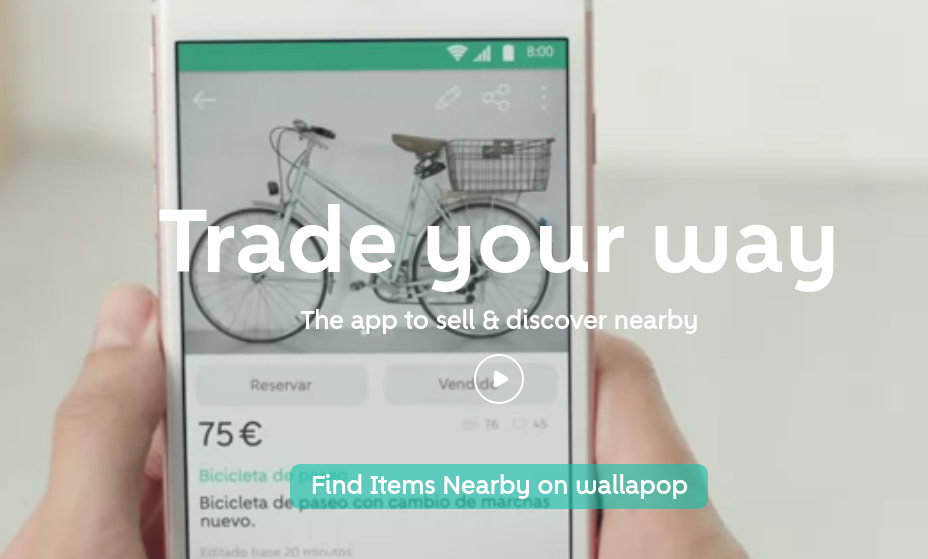
Although you can use Wallapop in pretty much any market, you’ll get the best results from one of the following cities: New York, Chicago, Washington DC, Philadelphia, Miami, Boston, Houston, Dallas, Austin, St. Louis, Los Angeles, San Diego, and San Francisco. Fast, easy, and free to sell, listing is a simple as taking a picture and attaching a price. It’s like carrying around a tiny flea market in your pocket.
5miles

Another one that works great for those looking to buy and sell locally, 5miles keeps things confined to –wait for it– a five mile radius. Use GPS and zip code to look up thousands of items, send an offer via text, and chat with sellers. If you’re looking to buy, the app lets you list items for free; the service also lets you search for roommates, housing, freelance jobs, and more.
Conclusion
There’s no shortage of apps and services to choose from when it comes to unloading your old stuff. Given we’re in a new year here and your resolution is to save money or take a nice vacation, these apps are here to help. Have you had any experience with anything else along the way? Let us know in the comments which one you trust the most with your stuff.
Frigidaire Professional Glass Door Refrigerator Release Date, Price and Specs – CNET

The Frigidaire Professional Glass Door Refrigerator
Frigidaire
In fancy fridge design, windows and smart extras are all the rage. Frigidaire plans to get in on the action with its new Professional Glass Door Refrigerator, an appliance equipped with a large transparent panel.
Frigidaire and its parent company Electrolux showed off the new Professional Glass Door Refrigerator at KBIS 2017. A smoky glass pane covers the fridge’s main compartment and remains ordinarily opaque much the time. Movement near the fridge door, however, will trigger interior lights that activate making the window transparent. The idea here is to see what’s in the refrigerator without cracking its door open and wastefully venting cold air outside.
Of course the see-through fridge isn’t new. The first appliance like this we first spotted was a motion-sensing model from Haier at IFA 2015. The “InstaView” fridges from LG are also built to perform a similar trick.
Granted these LG models are exorbitantly priced and will set you back anywhere from $4,200 to $4,500. While the Frigidaire Professional Glass Door isn’t cheap by any means, the appliance’s expected retail price of $2,699 is a heck of a lot less. It’s also of a wide-body body design that mimics restaurant kitchens.
As part of the deal though you get Frigidaire’s latest exterior surfacing, called black stainless steel, which it says can resist smudges and greasy fingerprints. Look for the Professional Glass to arrive in stores by April 2017.
Smeg Portofino Release Date, Price and Specs – CNET

The Smeg Portofino ranges will come in seven different colors.
Tyler Lizenby/CNET
Smeg wants to jazz up its ranges’ cooking performance as well as its looks with the brand’s new Portofino line. The Italian appliance manufacturer had three of the new Portofino ranges on display at the Kitchen and Bath Industry Show (KBIS) Tuesday.

The Portofino ranges’ ovens will include three convection fans.
Tyler Lizenby/CNET
The bright colors of the ranges were the main attraction for folks at the show, but Smeg has worked on the guts of the appliances to improve how well your food bakes. The Portofino ranges will have three convection fans built into the back of the oven cavity. These fans circulate the hot air in your oven as you bake so your food cooks more evenly.
Ovens with a single convection fan have become common in the $1,000-or-less price range, and we’ve seen brands like LG include two fans in their ovens. The addition of a third convection fan shows that Smeg, which has only been available in the US for about a decade, is serious about drawing customers to the brand by improving its ovens’ performance (we weren’t too impressed when we reviewed a Smeg range last year) and doubling down on unique design.
The Portofino line will be available in North America in September. The ranges will cost $4,000 if you want it in red, yellow, white, orange, black or olive green; the stainless steel model will cost $3,500.
Features
- 36 inches wide (30-inch-wide models will be available in 2018)
- Five burners
- Available in gas or dual-fuel (a gas cooktop with an electric oven)
- 4.5-cubic-foot oven capacity
Electrolux Solaro 2.0 Dishwasher Release Date, Price and Specs – CNET
Sorry, but your old dishwasher stinks at drying dishes. At least that’s what Electrolux would have you believe. According to the appliance maker, the $1,099 Electrolux Solaro 2.0 Dishwasher dries kitchenware the right way instead of the wrong way around.
Unlike ordinary dishwashers which blow air around wet items in a closed system, the Solaro 2.0 is designed to push moist air outside of its drum when drying. The benefit of this approach claims Electrolux is a machine with superior dish drying performance.

There’s a third rack up top for utensils and tools.
Tyler Lizenby/CNET
Indeed the company makes the boast that the Solaro can power through a full wash/dry cycle in just 30 minutes. Of course Electrolux does qualify this statement, and says the appliance achieved the result when cleaning only enough dishware for six place settings.
Expect the Electrolux Solaro 2.0 to hit stores in April 2017.
Other features
- Two wash zones to handle troublesome items such as bottles and casserole dishes
- Removable rack for utensils and cooking tools
- Exterior Floor Light shines to indicate when dishes are done
HTC Bolt review: the better data speed might not be worth it
When we reviewed the HTC 10 in early 2016, we dubbed it the comeback we had been waiting for. HTC managed to address many of our complaints with the previous year’s One M9, while also making major refinements to features like BoomSound. Although it didn’t quite outdo the Samsung Galaxy S7 Edge, it surely gave consumers an excellent alternative to Samsung’s predictable flagship.
Hot HTC stories
- HTC Bolt hands on
- Analysts: HTC Bolt won’t sell well
- HTC teases January 12th reveal
Appropriately named after famous Jamaican sprinter Usain Bolt, the HTC Bolt is the first smartphone to support Sprint’s LTE Plus network, which promises unprecedented data speeds. But are faster data speeds enough to make the HTC Bolt worth your pretty penny? Let’s find out in our written HTC Bolt review!
Design

The HTC Bolt shares many of the design cues that were introduced by its cousin, the HTC 10. It features a similar premium metal unibody build, similar large side chamfers, and is available in the same color options. We really like the HTC 10’s design, and that opinion mostly translates to this design as well.
The Bolt feels just as well-built and remarkably solid in the hand as the 10, and the large chamfers provide an expectedly nice transition to the flat sides. The power button features a different tactile design than the volume keys in order to make it more easily discoverable. This actually works quite well in practice, and we have to give HTC credit for continually delivering excellent, clicky-feeling buttons.

Of course, there are a couple of notable differences that distinguish the Bolt from the 10. To our disappointment, the curved back has been flattened, removing a bit of the ergonomic feel from the 10 that we’ve come to love. The surface doesn’t seem as glossy this time around though, making the phone less slippery in the hand. That’s important, too, as the Bolt has received a size bump to 5.5″, from 5.2″ on the 10.
The curved back has been flattened, removing a bit of the ergonomic feel from the 10 that we’ve come to love
In addition to some other minor changes, the Bolt also introduces what many have been asking for a while now: water resistance. The phone’s IP57 certification allows the phone to be submerged in up to one meter of water for up to thirty minutes. Although, HTC explicitly states to avoid intentionally submerging the phone, as liquid damage may not be covered under warranty.

It’s worth noting that the HTC Bolt’s IP57 rating is less than the Samsung Galaxy S7‘s IP68 rating. Since the first number represents protection from dust, and the second number represents protection from water, this indicates that the Bolt is only slightly less resistant to dust and water, and can still withstand a good amount of dust and less than one meter of water, but not beyond one meter like the S7.

The illuminated navigation keys on the bottom of the phone are placed in the standard layout, and the center home button also functions as a fast and accurate fingerprint reader. It may not be the fastest out there, but it seems faster than the Galaxy S7’s reader, which is to say that it works very well. Similar to many other home/fingerprint reader combos, this button is merely capacitive, so it does not physically press down.
Display

The HTC Bolt features a 5.5″ QHD Super LCD 3 display, which is quite frankly wonderful. This display seems to be slightly different than the one used on the HTC 10, but it still exhibits excellent contrast, has very nice colors, and doesn’t appear oversaturated.
The Bolt’s display exhibits excellent contrast, has very nice colors, and doesn’t appear oversaturated
Viewing angles are also pretty good, but are not exceptional. We wish the display was brighter for better sunlight visibility, as it can seem a bit dim while outdoors, especially when in sunny conditions. Thankfully, the Bolt’s display is covered in the latest Corning Gorilla Glass 5, so you shouldn’t have to worry too much about scratching it.
During our testing, we noticed an odd issue where the Bolt would improperly recognize touch screen input system-wide. This was most noticeable while scrolling, when the phone would show some amount of jitter, despite a lack of finger movement. A simple restart temporarily fixed this issue, but it kept coming back a day or two later, occurring on our review unit on four separate occasions. Hopefully this issue is isolated and can be resolved with a future software update.
Performance

Perhaps ironically, the HTC Bolt is being powered by the now two-year-old Qualcomm Snapdragon 810. This is definitely a head scratcher at first, as the Snapdragon 820 and Snapdragon 821 offer better performance, more efficiency, and less heat issues. It’s not a cost issue, as the Bolt is positioning itself clearly in the flagship territory. So, why on earth would they ship a phone with such an old processor?
HTC was presumably forced to settle with the 810 with its X10 LTE modem
Well, it seems that HTC was unable to use more recent processors since were not certified to support Sprint’s LTE Plus network during development, which is ultimately the core purpose of this phone. HTC was presumably forced to settle with the 810 with its X10 LTE modem, but it’s not all doom and gloom.
Real world, day-to-day performance is absolutely fine. That can be partially credited to the many disabled system animations, which make the experience feel a tad snappier than stock Android. As expected from the older 810, synthetic benchmark scores are decent, but not great, as shown below.


For memory, the Bolt includes 3 GB, which should be enough for most users. We would have liked to see HTC maintain the 4 GB amount from the HTC 10, given the phone’s premium price tag, but sadly it looks like this will have to do.
I did notice the phone getting warm fairly frequently while using the Bolt, but the phone always remained reasonably comfortable to hold. That was unfortunately not the case while charging, however, when the device would often heat up incredibly to the point of some concern. This may be due to the Snapdragon 810, poor internal heat dissipation, or a bit of both, but it’s certainly a turn off.
Hardware

In the United States, the HTC Bolt is exclusive to Sprint, so you will be not able to use it with any other carrier. However, if you are on Sprint, the main selling point of the Bolt is its support for Sprint’s new LTE Plus Network, which uses 3×20 MHz Carrier Aggregation to provide faster cellular data speeds, at least in theory.
Although the new network is an improvement over Sprint’s traditional LTE, our speed tests while connected to LTE Plus showed less than 20 megabits per second during non-peak times and less than 10 megabits per second during peak times. These speeds are relatively unimpressive, and not even available everywhere (check the coverage map here).
In our experience, Sprint’s general network is still very bad; for our testing, we didn’t receive any LTE Plus coverage in a city of around fifteen thousand people and instead received a very weak LTE signal that frequently dropped to 3G or dropped completely, even in some urban areas. Even after finding a full normal LTE signal, speeds capped at around two and a half megabits per second, which is worse than what we would expect from 3G.
The experience is still very much a compromise for consumers
Sprint is marketing LTE Plus as sort of a panacea, but it needs to be much faster and more accessible. That means more LTE Plus coverage, as well as more and better LTE Plus compatible smartphones, both of which will likely come with time. The current coverage as well as the Bolt are fair starts, but the experience is still very much a compromise for consumers. It’s generally difficult to justify that compromise, too, given the oftentimes superior competing carriers and the high price tag of getting access to what is largely a half-baked network.
Network issues are not HTC’s fault, but since this phone is exclusive to Sprint, we feel that these issues are important to discuss in this review. Obviously, if you’re outside of the United States and are looking to purchase the very similar HTC 10 evo, you can disregard our complaints with Sprint.

In addition to the nano SIM card slot, the Bolt includes another slot for a microSD card, if you’d like to add to the 32 GB of internal storage. We appreciate that HTC has kept this as an option for the Bolt.
Although the HTC Bolt does not have HTC’s premium BoomSound, its side-firing speaker performs well. It gets fairly loud while maintaining low distortion levels, and still sounds leaps and bounds better then the Galaxy S7‘s speaker. It’s more than good enough for most scenarios, but if you want the louder, higher-quality BoomSound, you’ll want to instead consider the HTC 10.

Following in Apple’s footsteps, the HTC Bolt does not include a 3.5mm headphone jack and instead relies on the charging port for wired audio. In this case, you’ll need either USB Type-C headphones for external audio or Bluetooth headphones to listen to music externally. It appears that the Bolt is using the same 24-bit DAC as the HTC 10, as audio output is similarly excellent.
The HTC Bolt also includes BoomSound Adaptive Audio, which allows you to setup a profile to customize the audio output. This is best demonstrated when using the bundled pair of USB Type-C headphones. These headphones are able to scan your ear structure and the surrounding area and then communicate back with the software to adjust to the best profile possible.
It’s very neat, and we found the adjustments to be noticeably better. You can manually re-scan by tapping the persistent notification when the headphones are plugged in, which we feel worked well enough.

We don’t take issue with the inherent lack of a headphone jack, as it seems to be the future path, but we are disappointed with HTC’s accommodations for customers making the quite early transition from 3.5mm to USB Type-C. The manner in which they have presented this change is very anti-consumer for more than a few reasons.
Out of the box, you cannot use 3.5mm headphones
HTC doesn’t include a 3.5mm to USB Type-C adapter in the box, and the reviews for every third-party adapter we looked at explicitly stated that they did not work with the HTC Bolt. So, out of the box, you cannot use 3.5mm headphones, which is like throwing ice in an already cold bucket of water.
Thankfully, HTC is now offering a free headphone adapter for HTC Bolt buyers. However, the offer is only valid for customers who purchase the phone before January 31st, and cannot be purchased as an accessory.
So, as of the time of writing, if you miss the deadline or your adapter wears out, you will not be able to use 3.5mm headphones with the Bolt. Even Apple, of all companies, includes an adapter in the box with the iPhone 7, and sells extras for just $9. HTC is blatantly ignoring the needs of consumers, and for a phone that costs so much, not including an adapter is quite plainly inexcusable.
Battery Life
Despite a small bump in battery capacity to 3200mAh from 3000mAh with the 10, our real world battery tests delivered disappointing results. While using the HTC Bolt, we could barely make it through a full day of use while averaging just two hours and forty minutes of screen on time, as shown below.


While these tests were conducted with a relatively poor cellular connection, which may have negatively impacted our results, they are still quite concerning. Even if you do live in an area where you can receive a good connection, we wouldn’t expect anything over a full day of use with three and a half hours of screen on time.

Although the device does support Quick Charge 2.0, HTC does not specify how quickly the Bolt should charge. That may be because, in our testing, the phone is only capable of going from zero to twenty-five percent in thirty minutes. While that may sound good for some who have yet to experience Quick Charge, much cheaper phones have been able to charge upwards of fifty percent in the same time period, while also offering significantly better battery life.
Camera

Starting with the rear camera, we’re looking at a 16 MP f/2.0 shooter with Optical Image Stabilization, which delivers images similar in quality to those produced by the HTC 10. That is to say, the camera is very good, despite not quite delivering the best results out there.
HTC Bolt camera samples:

Images are plenty sharp near the center, have a pleasing color profile, and offer good dynamic range. They aren’t oversaturated, either, and generally look quite nice in good lighting conditions. The corners are a bit soft, but it’s not incredibly noticeable unless you’re looking for it.
In low-light conditions, the Bolt holds up decently. As expected, images appear more grainy, offer less punchy of colors, and are slightly softer, likely as a result of noise reduction. With that said, they’re often still more than adequate for sharing with others.

The front facing camera is actually an 8 MP f/2.4 shooter, and delivers excellent results. Front-facing cameras often seem like an afterthought for many smartphones out there, so we’re happy to see HTC pay some true attention to this detail.

For video recording, the HTC Bolt does 4K at 30p, so you will be able to capture very high-quality recordings. However, these recordings are limited to six minutes, so for longer captures, you’ll have to figure something else out. You can see a sample video in our video review, linked at the very top of this page.
Unless you need the best of the best, this camera setup will certainly meet your needs
Unless you need the best of the best, this camera setup will certainly meet your needs. The camera app itself is also quite pleasant to use, and offers a number of different modes such as HDR, Panorama, Pro, and Hyperlapse.
Software

The HTC Bolt’s software is identical to that of the HTC 10. It’s running HTC’s Sense UI, so the same great features like Blinkfeed and Themes are available here as well. Everything from the lock screen to the quick toggles receives tasteful tweaks, and the features that HTC has added are generally quite nice.

The overall software experience implemented by HTC is excellent, without straying too far from the design and mechanics of stock Android. We may not have a single favorite Android skin, but HTC’s Sense UI is certainly one of the best we’ve had the pleasure of using.
In addition to its nice software skin, the HTC Bolt runs Android 7.0 Nougat out of the box, which is the latest software from Google. We’re very happy to see HTC taking software support seriously, and hope that they will continue to do so in the future via OS and security updates.
The software experience is brought down heavily by Sprint


Unfortunately, the software experience is brought down heavily by Sprint. There are more than thirty individual bloatware apps, more than half of which cannot be uninstalled. This is, of course, can be very frustrating to the end user. It doesn’t help that some of the third-party apps send notifications without consent nor does the intrusiveness of Sprint’s apps.


For example, whenever you connect to even a WPA2 protected Wi-Fi network, the Sprint Secure Wi-Fi app shows a pop up warning you of the “unsecure connection” and proceeds to try to upsell a VPN service. This is almost always unnecessary for private WPA2 connections, but the larger issue is how unexpectedly intrusive the software is.
Gallery

Price
The HTC Bolt is available in both Gunmetal and Glacial Silver on Sprint for a base price of $600, with 24-month financing available at $25 per month. We expect that this phone will go on sale frequently, so if you’re interested in purchasing one, you’ll want to keep an eye out for those.
Conclusion

Unfortunately, the HTC Bolt is perhaps the most compromised smartphones that we’ve recently reviewed. Although we generally like its design, display, and camera, the HTC Bolt simply has too many small issues for its $600 price tag for us to make even a conditional recommendation. It’s hard to ignore the much better phones at nearly half the price like the ZTE Axon 7 and OnePlus 3T.

Sprint seems to have had a large amount of input in the HTC Bolt, and it shows from the problematic two-year-old processor to the overwhelming amount of pre-installed bloatware. If you’re determined to stay with Sprint, we recommend waiting for either the HTC 11 or Samsung Galaxy S8, which should be released with LTE Plus support within the next few months. If LTE Plus isn’t important to you and you need a phone now, you can’t go wrong with the better overall and slightly cheaper HTC 10.
Thank you for checking out our review of the HTC Bolt for Sprint. We want to know: would you buy a smartphone for better data speeds alone? We’d love to hear your thoughts on this in the comment section below!
The dumbest stuff we found at CES 2017

It can’t all be good at CES, and these products … definitely weren’t.
There was a lot of great stuff at CES 2017. This stuff, however, was not on that list. From vibrating jeans to a smart shower, we could do without this stuff today, tomorrow, and forever.
Tinder VR

Tinder thought it’d be a good idea to use CES as a means to make a statement about how technology reduces our ability to make IRL connections.
The company’s mission is “to get people together to have real experiences in the real world,” but it also wanted to make a VR headset. So how do you reconcile those disparate ideas? By annoying everyone with a technology-free “VR headset.”
The Tinder VR headset is essentially two pairs of goggles connected in the middle. When you strap one side of the device to your head and a stranger straps the other side of the device to theirs, you’re forced to gaze into each other’s eyes and suss out the contents of their soul.
Because CES is the best time and place to make a statement about the state of society and genuine communication … cue eye roll
U by Moen

You know what’s better than a shower that turns on unfailingly with hot, pressurized water? Nothing, but Moen thought it could improve the shower anyway.
U by Moen is a “smart shower” that promises to help you “shower like never before.” If you’re wondering what that means, it apparently means controlling your shower with a smartphone app. The app lets you set a timer for your shower (because I definitely want my shower telling me when it’s time to get out, not the other way around), features a start and stop control (make sure your device is water resistant!), lets you control the temperature so you can get it just right, and notifies you when your shower has reached the perfect preset temperature (because we’re all brewing coffee and tea with our shower water?).
The U by Moen requires a custom installation that starts at $1200 and the whole thing connects over WiFi. Because we all need a WiFi connected shower. We definitely need that. Yep. Def.
Withings Hair Coach

What do you get when you cross a microphone with a hairbrush? I wish I had a punchline, but alas, it’s the award-winning (as in won awards) Withings Hair Coach.
The Withings Hair Coach is set to hit the market this fall and promises to be the future of hair care. Using built-in sensors, the Withings Hair Coach hairbrush analyzes your hair health and routine. It claims to track the following:
- Dryness
- Damage
- Breakage
- Tangling
- Force & rhythm of brushing
- Gestures
- Stroke count
It tracks all of those data points using a microphone that listens to the sound of your hair being brushed, 3-axis load cells that measure the force of your brushing, an accelerometer and a gyroscope, and conductivity sensors for determining if it’s brushing dry or wet hair.
Basically, it’s a crap-ton of technology packed into a hairbrush that’ll tell you you’re really bad at brushing your hair. So if you’re into that sorta thing, the Withings Hair Coach is for you! I’ll be over here brushing my hair blissfully ignorant of my poor technique.
CMRA

My colleague Cella Lao Rousseau has already shared five reasons why she’s fine living in a world without CMRA, and CES gave us a few reasons more.
In theory, a wrist-mounted camera seems like a good idea, right? When we went to check out the tech at CES, we were greeted with a prototype device and absolutely no demo. In fact, there weren’t any demos available throughout all of CES.
If there’s one thing we should all have learned by now, it’s that gadgets don’t exist until they do (I call it the Crowdfunding Caution), so until I see the thing in action (and the company addresses Cella’s concerns), it gets the big ol’ DUMB stamp.
Essential Vibrating Jeans

I mean, need we really say more than “vibrating” and “jeans” in the same sentence before your eyes start rolling? Didn’t think so.
The Essential Vibrating Jeans are meant to offer up notifications with a slight buzz … in your pants. To be fair, there is one use case that makes a little sense: GPS feedback. Much like Apple Watch, the pants can give you separate vibrations for left turns and right turns.
Unfortunately, the company also imagines a world where students and employees can receive notifications from their teachers and bosses, respectively … in their pants. Because buzzing a subordinate’s pants is definitely a good idea.
(Please excuse me while I go switch off the HR alarm.)
Moore USB Drive

The Moore USB Drive claims to be able to offer unlimited data storage anytime, anywhere — even when there’s no internet connection available.
The flash drive is supposed to connect to a cloud storage system and — thanks to a special artificial intelligence algorithm — it automatically knows what data you need on the device at all times and makes sure it’s available locally.
Let me kick you a scenario: The flash drive is 32GB and you’ve uploaded 3,200GB of data. You get on an airplane and you’re looking for a movie you edited from a couple years ago — the ingenious AI will have the movie ready for you! You don’t need internet access and you don’t need to sync.
BWAHA! Nope. I’m thinking this company thinks we’re dumb.
GraalPhone

The first dumb thing about the Graalphone is that it claims to be coming in late 2017, but it’s only offering up mockups on its site (Crowdfunding Caution, folks!).
The Graalphone claims to be “the perfect synthesis between efficiency and fun,” which just means it’s a tablet, a computer, a smartphone, and a 2D and 3D camera. Y’know, no big.
The tablet and computer features a 7-inch screen, full-on keyboard, Microsoft Windows, and Android OS. The slide-out smartphone features a 5-inch screen with Android OS. Oh, did we mention the camera features 5X optical zoom? That thing zooms right on outta the casing … err, it would if it were real.
I’ll gladly eat my graal if this thing ever makes it to market.
See anything stupid?
Were you keeping track of the happenings at CES? What’s the dumbest thing you saw?
HTC U Ultra design revealed in series of leaked photos
HTC U Ultra sports a second screen and no headphone jack.
A new series of leaked photos — possibly taken at a CES 2017 briefing room — appear to show the design of the HTC’s forthcoming device, the U Ultra. As first reported by HTC Source, the 10 leaked photos offer multiple angles of the new device, which is set to be officially announcement by HTC at 3:00 a.m. ET on January 12.
From what we can tell from the photos, HTC has followed in the footsteps of the LG V20 with the inclusion of an always-on second screen in line with the front-facing camera. According to what’s shown in the photos, the second screen will be home to notifications, weather updates, date and time, and battery percentage. The phone’s build features a curved metal body design, with a USB-C charging port on the bottom next to the speaker, and a main camera featuring dual-flash with a look and placement that’s very reminiscent to the one’s found on Samsung Galaxy S7.
Another thing definitely worth noting is the apparent lack of a headphone jack. This would be in line with HTC’s vision for smartphones moving forward, as the HTC Bolt — released exclusively on Sprint back in November 2016 — also did away with the headphone jack, including a USB-C to 3.5mm adapter instead.
Event spoilers aside, we’ll still have to wait for HTC’s event to get the full specs and details of this new device. But based on these photos alone, are you hyped for the HTC U Ultra? You can check out HTC’s teaser trailer for the launch event below.
It is all about U. Join us live 12 Jan 2017 (3AM EST/12AM PST) #BrilliantU https://t.co/JnC81xU7AV pic.twitter.com/4c65hmnPfb
— HTC USA (@HTCUSA) January 10, 2017
Less than 1% of active Androids running Nougat, 29.6% on Marshmallow
Marshmallow is running on nearly one third of Android phones, while Nougat sees slow growth.
Google’s latest report on Android version distribution amongst active devices shows that nearly 30% of devices are now running on Marshmallow, up from 26% this time last month. Lollipop and KitKat both saw a slight dip, but together are still running on more than half of all Android devices.

Meanwhile, Nougat saw minuscule growth over the month of December — from 0.4% to 0.7% (split between versions 7.0 and 7.1). 2017 should see devices new and old adopt the latest Android software, but the typical rate of adopting a new Android version continues to be present even a couple months into Nougat being available.
One has to wonder how much of those KitKat and Lollipop numbers are holding strong in part to the growing prevalence of cheaper Android TV boxes and tablets that are typically running older software with no prospect of being updated. Anything running KitKat in 2017 isn’t going to see any major platform update, and the same goes for just about any Lollipop device.
So that begs the question: How many Android devices do you own, and what versions of Android are they running? Let us know in the comments.
Android Nougat
- Android 7.0 Nougat: Everything you need to know
- Will my phone get Android Nougat?
- Google Pixel + Pixel XL review
- All Android Nougat news
- How to manually update your Nexus or Pixel
- Join the Discussion
 AIVAnet