


RAVPower’s awesome portable power banks are as low as $20 right now!
Right now you can save big on RAVPower’s portable power banks at Amazon, dropping the prices as low as just $20. There are a variety of capacities available to pick between, depending on your needs from the pack. With batteries starting at 12000mAh and going as high as 26800mAh, you’ll easily be able to charge multiple devices on the go, and even several times at that. These small power banks have dual outputs so you can hook up two phones, a phone and a tablet, or any other combination of electronics that you need to charge.

This deal is only good for today, November 14, so don’t miss out. Which capacity will you be picking up? Let us know in the comments which works best for you.
See at Amazon
Galaxy S8: Samsung reportedly considering pressure-sensitive display, because of course they are

But the technology isn’t the hard part — developer support is.
Just like last year, the rumor mill is churning over the possibility of Samsung including a pressure-sensitive display (like Apple’s 3D Touch) in its upcoming flagship phone. This time the source of the speculation is Korean outlet The Investor, which has been coughing up Galaxy S8 rumors for the past couple of weeks, citing “multiple industry sources.”
“Samsung is mulling to adopt the force touch technology partially from the S8 but the full adoption qill (sic) come in one or two years,” an official of a Samsung supplier on condition of anonymity.
“It is a matter of time before other major Android smartphone makers deploy the technology that will help enhance user interface.”
That’s a mightily hedgy statement there. “Mulling” to adopt. “Partially” in the S8. Who knows what that actually means.
But if some kind of pressure-sensitive screen tech makes it to the Galaxy S8, it’s not entirely surprising. The technology already exists — Apple and Huawei have been using it since 2015. The broader challenge is how to implement this — and justify the extra thickness demanded by a pressure-sensitive display — in a way that people actually care about. Even Apple, with its 3D Touch implementation, has had a hard time getting developers onboard, and even using pressure sensitivity in its own apps in a way that’s more than a neat gimmick. iOS 10 improves things a bit, but it’s far from a killer app for the latest iPhones.
Will the Galaxy S8 be able to weigh an orange?
Google has made baby steps towards 3D Touch-like functionality with Android 7.1’s App Shortcuts — the feature in Pixel phones which lets you jump to a specific area of apps by long-pressing. But so far, that’s it. Huawei implemented its own “Force Touch” in the Mate S and P9 Plus, but this too was functionally dubious, allowing users to zoom in on photos or (I am not making this up) weigh an orange.
So it’s less a case of whether Samsung can do it, more whether it can solve the UX puzzle. Part of that involves getting developers onboard with a feature which (to start with) will only be available on a couple of very expensive phones.
We’ll find out early next year with any luck — earlier reports point to the Galaxy S8 series breaking cover sometime between late February and April.
More: Samsung Galaxy S8 rumor roundup
5 reasons I keep coming back to Nova Launcher

I’ve used a lot of launchers over the years, but my first is still my favorite.
I was a Nova Launcher fan before I was an Android enthusiast, and the launcher has only gotten better over the years. Nova is a wonderful launcher for users at any level. Sure, I’ve spent my fair share of time on Action Launcher, Apex Launcher, and so many others trying to find what made my home screen the best it could be… and so far, the answer has been a resounding Nova. The benefits over other launchers can seem small, but in a launcher market that’s as tight as this one, those small benefits can make a huge difference in the launcher that we’ve called one of the best things to happen to Android.
Robust Google Drive support

Whenever I change or reset phones, one of the first things I do on a phone after disabling Google Play Music and installing my apps is getting my home screen in order. On Nova Launcher, that process is ridiculously simple thank to Google Drive integration, and it makes pulling out a holiday theme year after year a breeze.
From the wallpaper picker to the Backup/Restore function, Nova Launcher can pull your launcher and theme elements straight out of the cloud. No downloading locally and saving to a particular folder, just tap Documents or Document Storage, swipe in from the left side of the screen, and tap Drive.
Subgrid positioning

As a very particular themer, everything has its place on my home screen and I want it exactly in its place to avoid covering up the wallpaper or throwing off the balance of a home screen. Subgrid positioning in Nova Launcher gets you the consistency of a grid with just enough give to get your widgets and apps in just the right place.
Subgrid positioning is like crack to a themer, and boy, am I hooked. Try lining up the Deadshot widget from our Suicide Squad theme on Google Now Launcher and then try it again on Nova. Arrange your home screen icons in a pyramid or honeycomb pattern in Nova Launcher. Subgrid positioning means that you can get everything exactly where you want it.
Folder customization

Folders might seem ho-hum in Nova Launcher compared to Action Launcher’s Covers, but I’ve got a secret for you: Nova Launcher can do Covers too, and do them better. Long-press a folder, Edit it, and tap Swipe to open folder to enable it. Want to have the tap open something other than the first app in the folder? Sure thing. You can set the tap action on your swipe folder to any app, shortcut, or activity Nova allows for its gestures, which is a lot.
Another benefit to Nova’s folders is in their visual customization. If you want to make a folder look like anything but a small grid or stack of icons in Action Launcher, you have to enable the folder’s Cover, then change the icon of that first app in the folder. Nova doesn’t care what’s first in the folder, or whether you’re using a swipe folder, you can set your folder’s icon just like any app. As someone with folders occupying most of her dock, this is quite a valuable feature to me.
More: Making the most of home screen folders
Gesture selection and placement

Gestures are in a lot of launchers, but no one, not even Action Launcher, does them as well as Nova Launcher. Remember how you could assign any shortcut as a swipe gesture to a folder? You can do that with any app shortcut, too. This means that even without the App shortcuts in Android 7.1, you can add a shortcut to your Inbox icon that takes you straight to composing a new email. You can add a gesture to your dialer icon that direct dials your mom — in fact, you should go do that right now.
Then we have one and two-finger gestures to use on any blank space on our home screen, like double-tap and two-finger swipes. My double-tap gesture is set to something new, and I’m already in love with it. My HTC 10, like many phones, has double-tap to wake, and double-tap to sleep on certain screens. Unfortunately, third-party launchers are not one of them. Well, Nova Launcher recently added a shiny new gesture option called Screen lock. While it can’t instantly power off the screen, it turns the screen black for five seconds before using screen timeout to shut the screen off for real, and it works fabulously.
App drawer organization

There are lots of ways that launchers try to organize their app drawers: app type, most recently used, most frequently used, and of course, good old alphabetical. For those who haven’t found a magic algorithm for organizing their apps, there’s also another method available on Nova Launcher: tabs and folders. And while it can seem chaotic and tedious, it’s really not — it’s a system I’ve used for the last four years.
While you can’t deviate from the A-Z sorting of apps in the app drawer, you can break up that long list into more manageable sections with tabs. I have five tabs for my apps: Genie for utility and customization apps, Sparkle for office and work apps, Crown for communication apps, Void for entertainment and gaming apps, and the default Apps tab for miscellaneous and seldom used apps. I can also group apps in folders within these tabs to help keep things clean and easy to sift through.
By using categories I made, it’s easier to find my apps and easier for me to avoid the time suck apps in Void when I need to get something done. It’s not for everyone, but if the organization styles you’ve tried before haven’t worked, maybe Nova will let you craft one that works for you.
Versatility

By far, though, the best part of Nova is that it doesn’t just work for me: it works for Android users of all types. Whether you just want to replace the ugly icons that came on your phone or you have your own system for organizing your digital life, Nova is there for you. New users can ease themselves into the launcher and experts can dive into the minutiae all with the same launcher and the same setting system.
If you want to try out Nova Launcher without having to completely rebuild your home screen, that’s fine, and it’s easy to import your home screen layouts from another launcher within Nova Settings > Backup & import settings > Import. If you need help finding your way around, ask. There are Nova Launcher users everywhere, in our comment sections, in our forums, on social media. There are whole communities on Google+ devoted to Nova Launcher and Nova Launcher themes.
And if you need any help puzzling out what those settings in Nova Launcher mean, we have a comprehensive Nova Setting guide right here for you, too!
More: Best Android Launchers
Get a lifetime of 1TB cloud backup from Zoolz for just $39
Our current, tech-obsessed world demands a storage solution for your multimedia data, the most convenient being cloud-based storage which you can access from anywhere. Most cloud-based storage services charge a monthly fee, which, over time, adds up to quite a fee.
Those of you sick of subscription fees need a storage solution that requires a single payment for a lifetime of access. More importantly, you need cloud storage that is encrypted and can be accessed from all your devices.
Right now, Android Central Digital Offers has a deal on 1TB of cloud storage from Zoolz — a single payment of $39 gives you lifetime access. Does this seem cheap? It is! This is 98% off the regular price of $3600.

You will never be charged any extra fees, and you can access your cloud storage from multiple devices. Your data is protected with 256-AES encryption to better safeguard your stuff, and you can schedule backups and throttle bandwidth during uploads. Place files you know you won’t soon need in cold storage — takes three to five hours to access — or place files you frequently need in standard storage that can be accessed instantly.
Considering 1TB of storage from other popular services costs about $10 per month, this deal will pay for itself in four months, and you can keep using it forever. Even if you don’t think you need it now, you probably will need it in the future. Don’t miss this great opportunity to snag 1TB of cloud storage for only $39!
See at Android Central Digital Offers
ZTE Axon 7 Mini review: Smaller, but not as quick
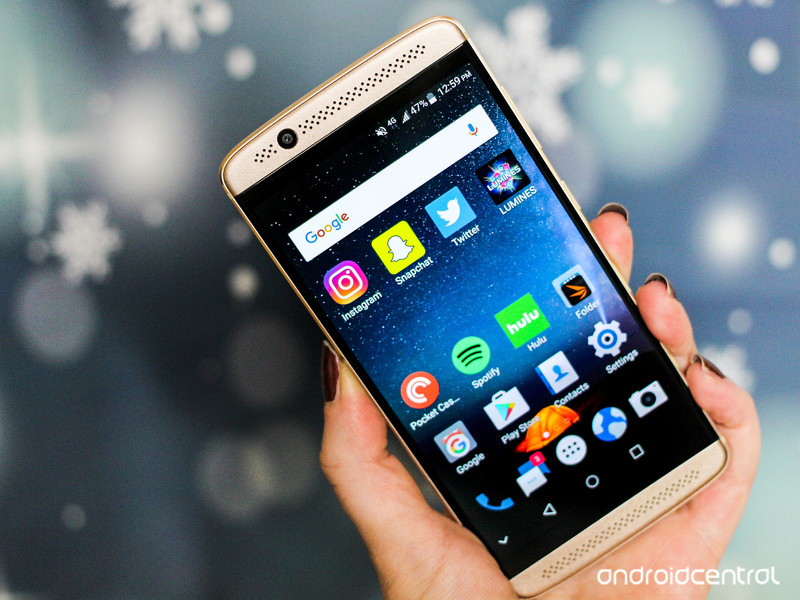
A shiny little smartphone package that’s almost a better deal than its sibling.
Remember small phones? The kind that easily fit into your pocket, a small clutch purse, or even your car’s cup holder? Compact devices are making a comeback and ZTE is one of those companies that’s latching on to the trend.
The Axon 7 Mini is indeed a shrunken-down version of its larger, 5.5-inch counterpart, the Axon 7 — and that’s precisely what makes it such a good deal. You’re getting the same svelte, aluminum unibody hardware, in addition to stereo speakers, solid mid-range specifications, and a camera that’s pretty decent in favorable lighting conditions for $100 less than its older sibling. But the Axon 7 Mini would have been a better deal if its software didn’t require so much editing.
The bottom line
The ZTE Axon 7 Mini is a capable, compact little package that’s a worthy consideration at its $300 starting price point. But be forewarned that its software could become a force to reckon with over time.
The Good
- Solid, stylish build
- Packs more into its pricepoint than other manufactuters
- It’s a small phone!
The Bad
- Software is packed with gimmicks galore
- Camera struggles in low light environments
- Not all apps will play nice with its mid-range processor
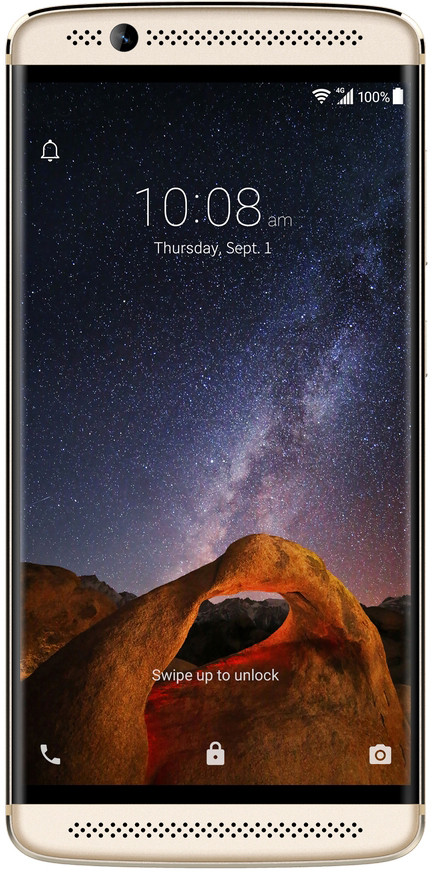 |
5.81 147.5 mm |  |
| 2.80 in71mm | 0.31 in7.8mm |
- Display:
- 5.2-inch Full HD
- AMOLED Display
- 1080×1920 resolution (423ppi)
- Camera:
- 16MP, ƒ/1.9 lens, PDAF
- 8MP front camera, ƒ/2.2 lens, 1080p
- Battery:
- 2705 mAh capacity
- Quick Charge 2.0
- Chips:
- Qualcomm Snapdragon 617 processor
- Octa-core 1.5GHz
- 3GB RAM
- 32GB internal storage
- microSD slot with adoptable storage
About this review
I (Florence Ion) am reviewing the ZTE Axon 7 Mini after spending a week with it on AT&T’s network in the San Francisco Bay Area. The phone is running Android 6.0.1 Marshmallow under ZTE’s MiFavor UI 4.0. It did not receive software updates during my testing period.
ZTE Axon 7 Mini Hardware
One of the biggest complaints I hear is that smartphones these days are “just too big.” That’s all gradually changing, however, as more manufacturers concede to the fact that consumers like to have a choice. In this case, you can choose between ZTE’s larger, supercharged Axon 7 smartphone, or the similarly-styled, mid-range Axon 7 Mini that’s a bit more pocketable.
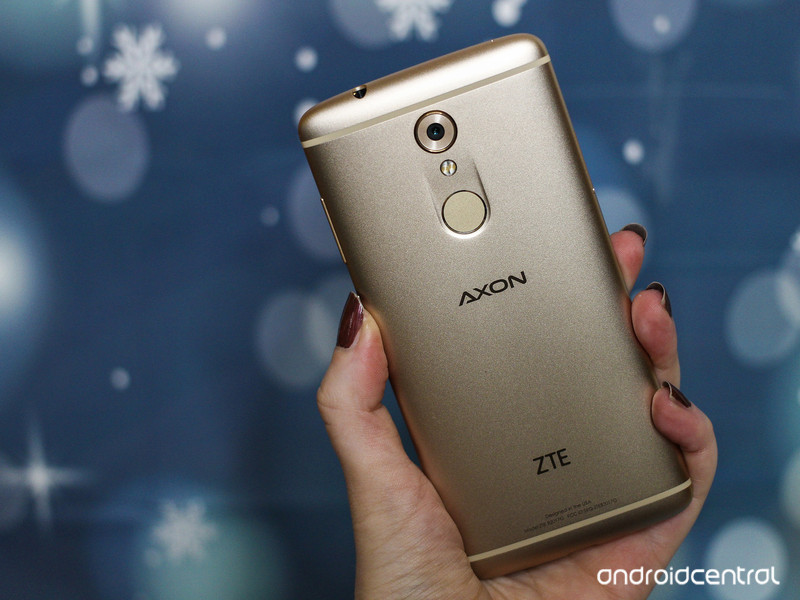
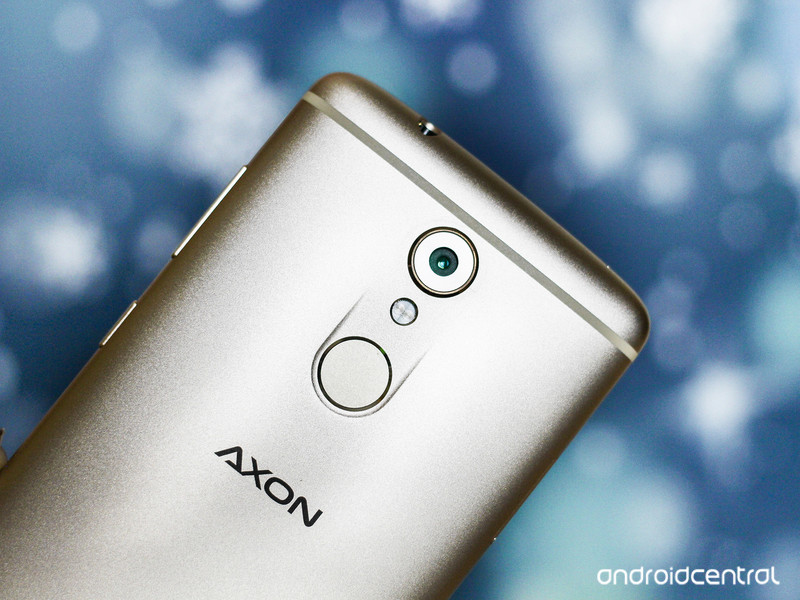
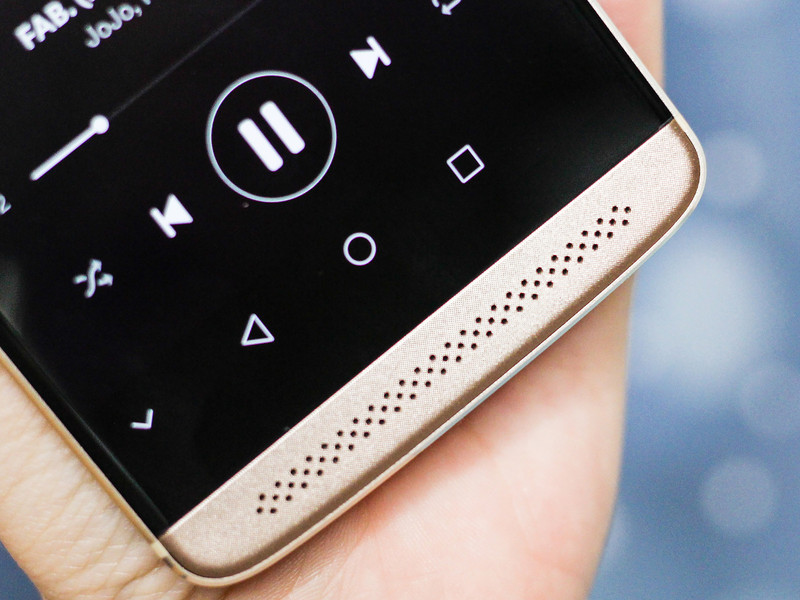
The Axon 7 Mini’s aluminum gold chassis is hot. It’s striking. And the Mini’s futurustic style makes you feel like you’re carrying a device worth more than its price tag. The Mini’s patterned and perforated speaker grilles also give it a cool edge and you’ll notice that each speaker feels velvety to the touch. It’s a nice contrast against the device’s smooth back plate. And if you’re just not that keen on gold, the Axon 7 Mini comes in silver, too.
One bummer of wielding a smaller device is that you’re oftentimes compromising on the display size, but not so with the Axon 7 Mini. ZTE clearly whittled down as much as it could of the chassis around the Mini’s 5.2-inch 1080p AMOLED display. There’s almost no bezel on either side.
Using this phone gave me nostalgia for the smaller phones I used to wield simply because the Axon 7 Mini is easier to accommodate. I don’t usually have this much luck with the Pixel XL, for instance; I have to choose a bag very carefully to accommodate its extra bulk, and I’m usually doing finger acrobatics to hold on to it, my car keys, and my wallet at the same time. By contrast, the Axon 7 Mini can be operated one-handed, and you won’t feel like you’re reaching across a scorching desert as you’re extending an index finger along the back of the phone towards the rear-facing fingerprint sensor.
The Axon 7 Mini can be operated one-handed, and you won’t feel like you’re reaching across a scorching desert to access its fingerprint sensor.
The Axon 7 Mini makes me a little nervous with its protruding optics. I don’t mind the center placement of the lens, but having it stick out so much that even the clear plastic case included in its box doesn’t shield it makes it seem as if this were an overlooked design decision. I like the lens to be flat on the backside so that when you put on a case, there’s a bit of buffer between the ground and the camera.
Casual games like Lumines run fine on the device’s mid-range Qualcomm Snapdragon 617 processor and 3GB of RAM. But expect to encounter the occasional slow down. I experienced a few of my own with apps like Snapchat and Hulu. There were also a few instances where apps like PCMark crashed seemingly for no apparent reason. I’ll be curious to see what ZTE’s MiFavor UI 4.0 runs like six months from now, which is typically when systems start to exhibit slowdown. For now, expect relatively speedy performance as long as you’re limiting your usage to two tasks at a time.
I’ll be curious to see what ZTE’s MiFavor UI 4.0 runs like six months from now.
Lastly, everyone’s favorite topic: Battery life. I kept the Axon 7 Mini for about three days on standby and it reminded me of one of those demon-possessed porcelain dolls — it just wouldn’t die! The Mini told a different story under duress, however. I left it on overnight for a PCMark battery rundown benchmark and its 2705 mAh battery lasted just under five hours with the screen set to 200 nits. It’s the best battery performance we’ve seen in a while from a phone this price. ZTE also includes a QuickCharge 2.0 charger in the box. In my testing, it managed to replenish close to 40 percent in about 45 minutes. It’s not as fast as what some flagships offer with QuickCharge 3.0, but ZTE had to cut costs somewhere.
ZTE Axon 7 Mini Software
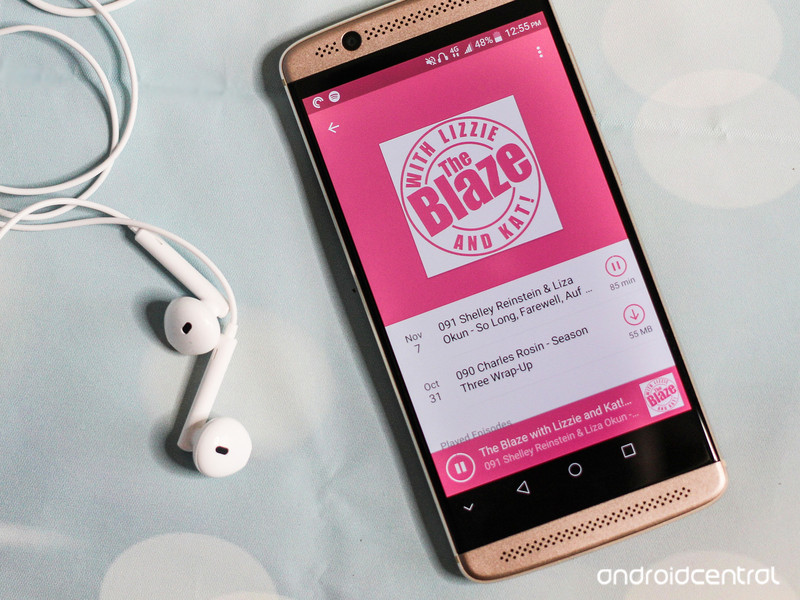
ZTE’s interpretation of Android is the second-least offensive of the Chinese OEMs. MiFavor UI 4.0 retains the app drawer and sports Marshmallow’s icon style, but it’s not nearly the same experience as using a phone built by a Google. Its extra features are polarizing, too. For instance, while I appreciate the ability to review a screenshot before saving it, I absolutely abhor the little arrow that lives the navigation bar — this exists solely so that you can hide it if the app you’re using won’t hide it for you, but it was more of a nuisance than a helping hand.
There’s also the Mi-Pop virtual navigation keys, which act like a chat head and don’t disappear when you’re playing a game. They’re exhausting to learn to use and frankly not needed considering the Axon 7 Mini’s compact screen size.
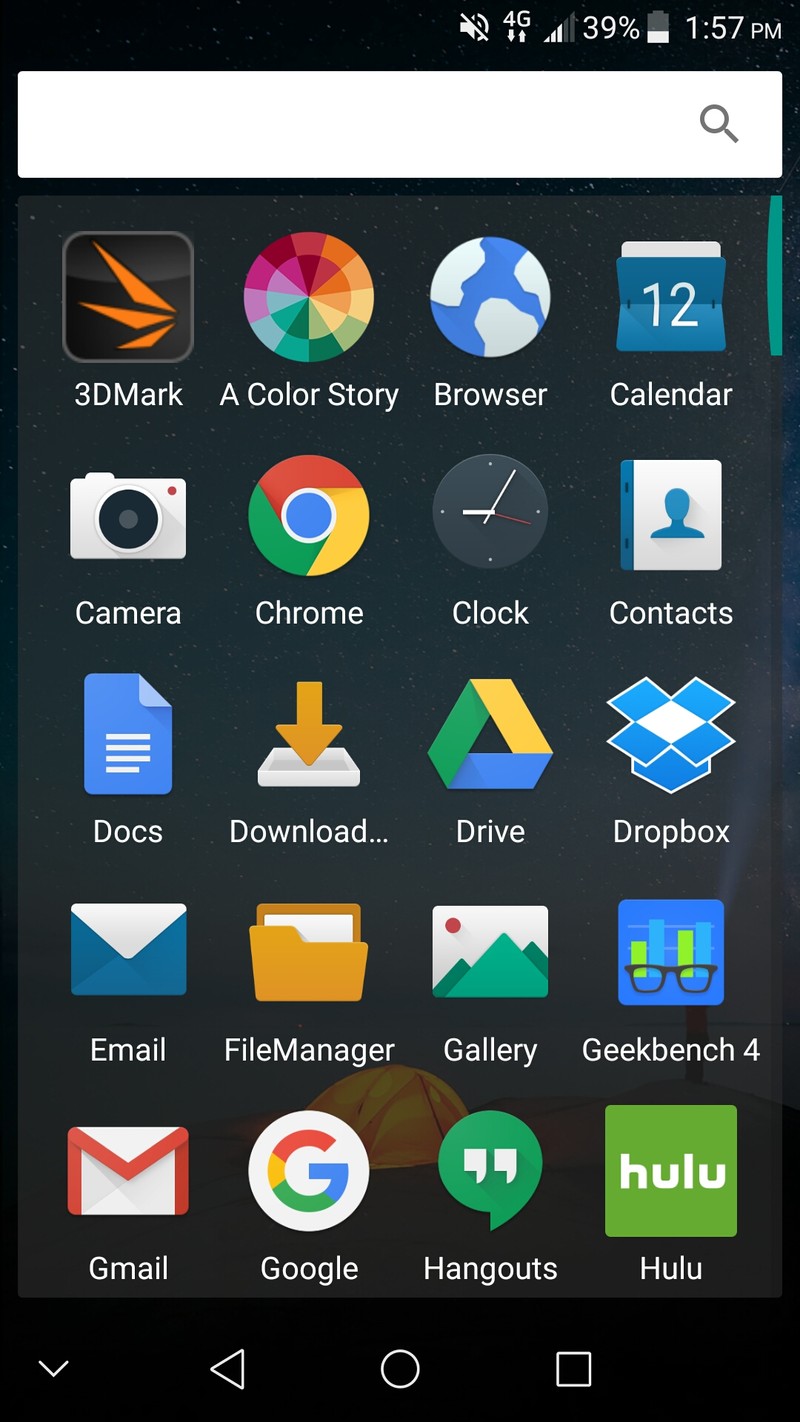
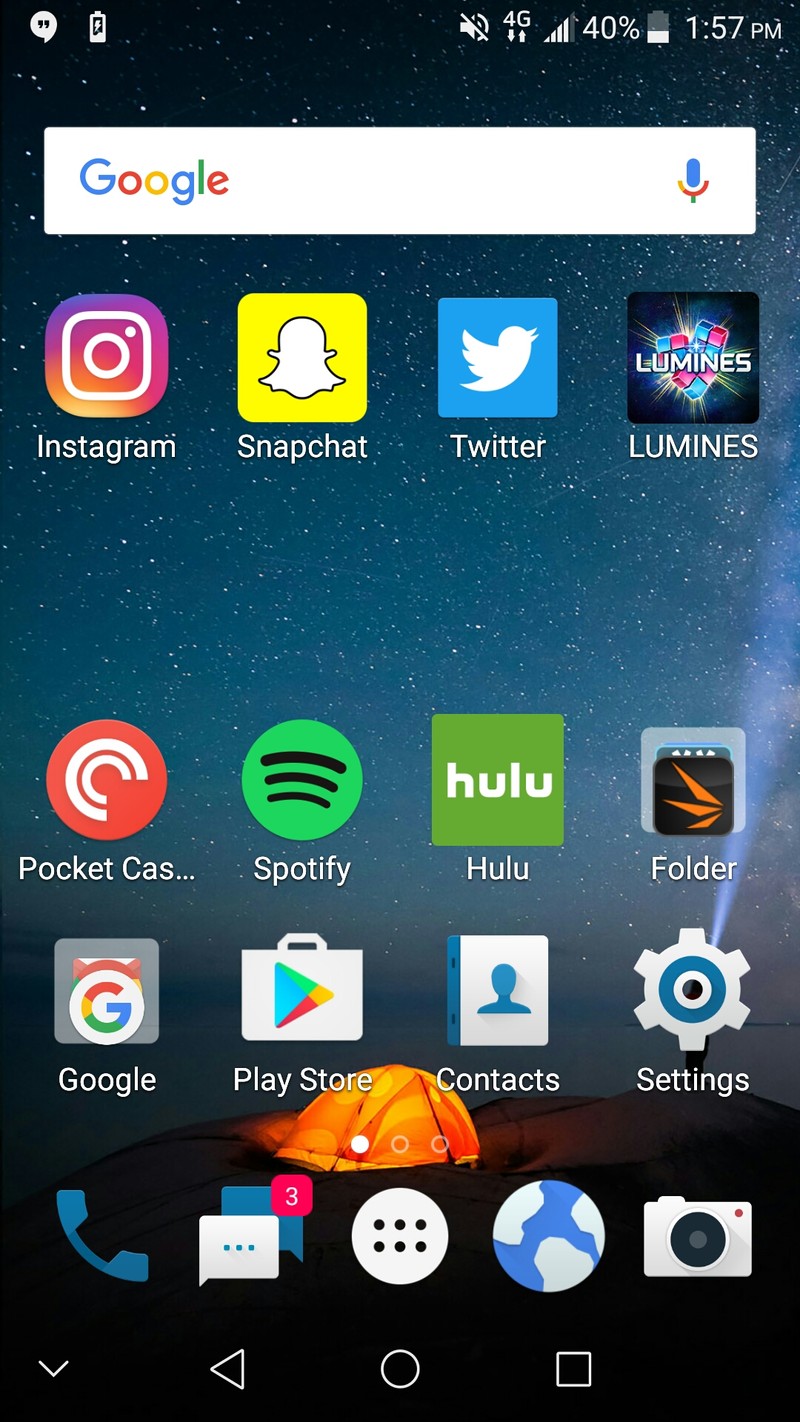
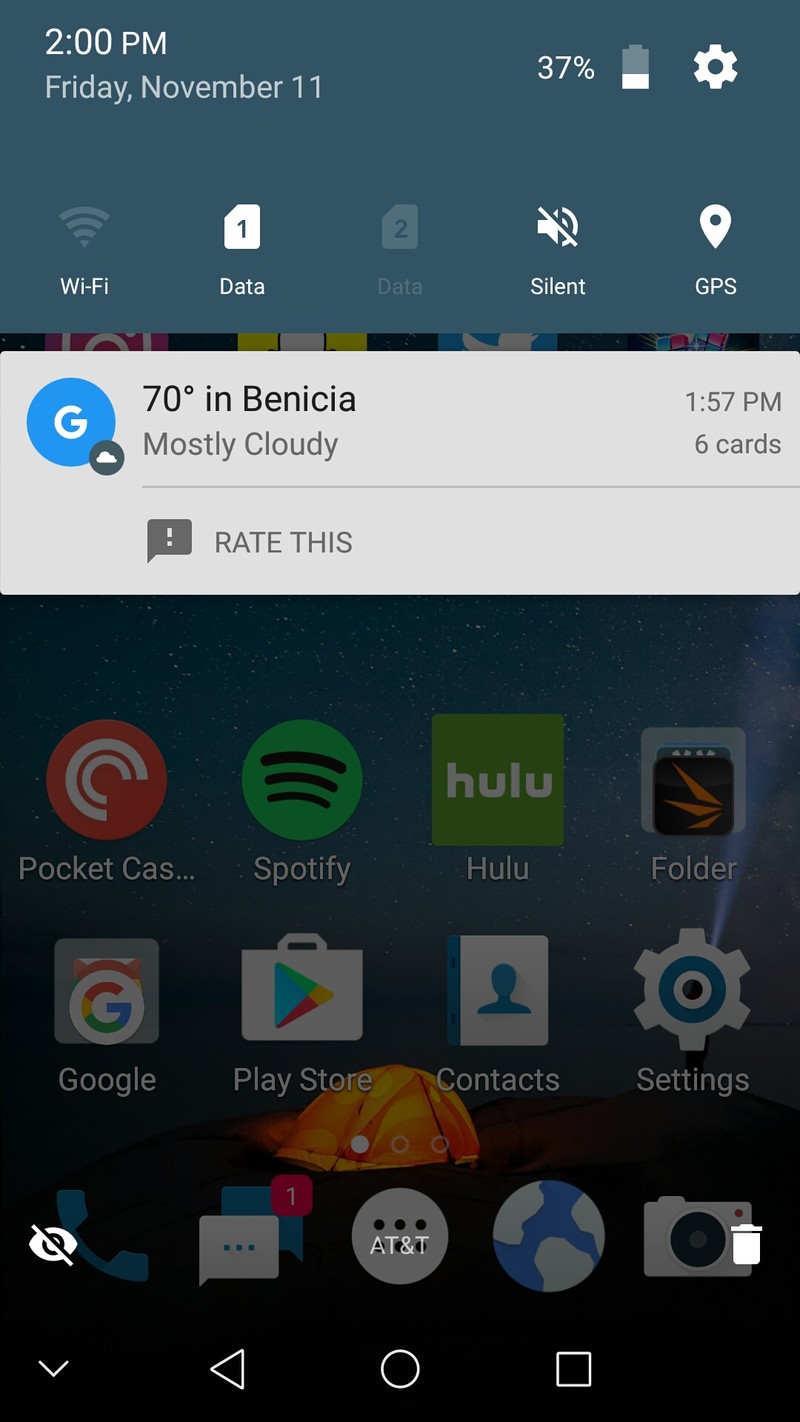
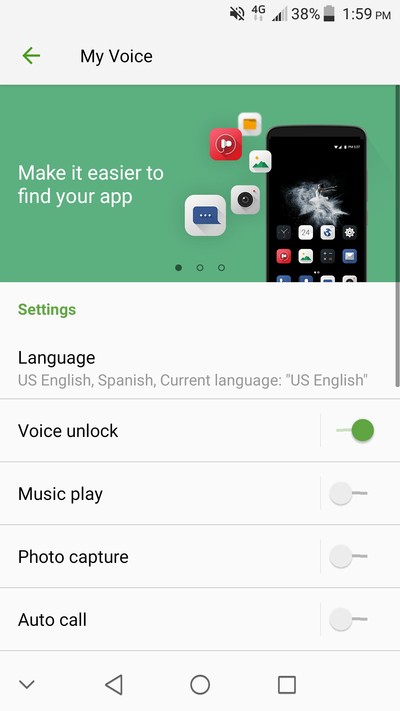
MiFavor UI is not a bad rendition of Android, but I wish ZTE would have taken a hint from the OnePlus method.
And then there are the experimental features, like the app that lets you control the Axon 7 Mini with just your voice. It’s not the best feature addition, considering it barely works half the time, and you’re better off just using Google Now.
MiFavor UI is not a bad rendition of Android. But I wish that ZTE would have taken a hint from the OnePlus method. At the very least, MiFavor UI is much more palatable than Huawei’s EMUI.
ZTE Axon 7 Mini Cameras
The Axon 7 Mini is equipped with a 16-megapixel rear-facing camera. It boasts an aperture of f/1.9, digital image stabilization, touch to focus, face detection, and instant exposure control, which shows up as a slider option in the viewfinder. Basically the same specs as its larger counterpart.








The Mini’s camera is not always particularly fast. I went for a walk with just the phone in my hand to snap photos of the sunset and while I liked the color composition of the photos I captured, I was saddened when I got home and realized that many of the snaps were either blurry or out of the focus. That lack of optical image stabilization can be a bit of a bummer in varying light conditions. Any of the photos that were in focus weren’t particularly sharp, either.
The Axon 7 Mini is also quite sensitive to lighting, which is why it’s so prone to producing blurry photos. If you use the tap-to-focus functionality, the photo will tend to expose to the area you’ve tapped rather than the entire scene. As exhibited in the first photo in the gallery below, this can be problematic in outdoor environments.
If you look at the last picture in the gallery above, you’ll see I shot the last photo with one of the Axon 7 Mini’s extra camera features, referred to as “Super Night Mode.” It’s helpful, but there’s a bit of a learning curve. I would have appreciated if Super Night Mode popped up with an alert, for instance, to consider using a tripod so that I could take better night shots. Instead, I came out with a blurry photo. The rest of the Axon 7 Mini’s extra camera features would also benefit from this kind handholding, if only to get new users into the groove.
On the plus side, the Axon 7 Mini’s manual mode is pretty robust. It has all the same controls as Samsung and LG’s flagships and you can set the shutter open for up to seven seconds. However, there is no ability to shoot in RAW, so don’t expect to become a professional smartphone photographer with this kit in hand.
The Axon 7 Mini is pretty decent at video stabilization. The only shakiness I experienced was from my own terrible camera work. Regardless, while the Mini doesn’t record as smoothly as the Google Pixel, it’s substantial enough for pointing-and-recording. I also appreciated that I didn’t have to touch the screen to maintain focus while recording, though you will notice a bit of blur in between scenes as the Mini constantly attempts to adjust the focus, especially in low-light environments.

As for selfies, you’ll do fine with the Axon 7 Mini in your hand. Its 8-megapixel front-facing camera is capable in well-lit environments, and its f/2.2 aperture ensures that you can still snap a headshot when the lights are down low. I also appreciate that ZTE’s beautify mode isn’t as alien-like as LG and Samsung’s.
ZTE Axon 7 Mini Odds and Ends
For a smaller smartphone starting at $300, the Axon 7 Mini is pretty well-equipped. In addition to the features covered here, the Mini also has an expansion slot for a microSD card that doubles as a SIM tray for when you’re overseas. Additionally, it sports a USB Type-C port, which is quickly becoming the standard for Android devices across the board. There’s also a generous 32GB of storage inside, which is double what you normally find in a phone this price.
ZTE has bundled in a plethora of audio features, including a chip for Hi-Fi Recording, as well as dual noise-suppression microphones. Its Dolby-made dual speakers are also pretty impressive for jamming out to Spotify tunes, though you’ll quickly hear its limitations the louder you go.
Should you Buy it? Sure
The Axon 7 Mini made an impression not because of its smaller size, but because of how much polish ZTE put into it. You’ll sense it the minute you take it out of its box. Inside, it’s nestled neatly by ample padding, protected as if it were a high-end flagship device. The trick is that even though it looks like one and boasts some of the same features, it doesn’t nearly cost as much. At $300, you’re getting a mix of high-end features paired with mid-range specifications in a stylish, compact little package. If you’re looking for a deal, the Axon 7 Mini is it.
See at Amazon
Best free apps for Google Daydream

It’s time to take phone based VR experiences to the next level with Google Daydream.
Google Daydream has arrived, bringing a slew of terrific apps with it. There are a fair few to pick from and try out, but you may already recognize a few from PlayStation VR and Gear VR.
If you don’t have the time to try all of them out, don’t worry! We’ve collected the best free apps on Google Daydream for you.
Read more at VR Heads!
Black Friday UK laptop deals: the best laptop deals online
This year’s Black Friday lands on 25 November and you can expect a range of great laptop deals between now and then. There’ll be loads of savings on laptops, netbooks and notebooks – so plenty of opportunity to grab a bargain in time for Christmas or as a treat for yourself.
Keep this page bookmarked as we’ll be updating it with the biggest and best laptop deals we find as the days tick by right up to Cyber Monday.
Amazon Black Friday laptop deals
Amazon is probably the most well-known when it comes to Black Friday and Cyber Monday deals. This year is going to be no exception; Amazon’s Black Friday sale has already started early and it’s running from 14 to 25 November. With two weeks of sales and discounts, there’s bound to be some awesome laptop deals to snap up.
- Lenovo Ideapad 100 15.6-Inch Laptop for £299.99 (save £120) – click here to get this deal
- Dell Inspiron 7000 13.3 Inch 2-in-1 Touchscreen Ultrabook for £740.49 (save £158) – click here to get this deal
John Lewis Black Friday latop deals
John Lewis’ Black Friday deals don’t start until the day itself, but its commitment to being “Never Knowingly Undersold” means you can theoretically snatch a bargain all year round as they’ll match to competitors prices.
With the company’s famous dedication to quality and customer service, it’s worth trying to find a laptop deal at John Lewis.
- Dell XPS 13 Notebook, Intel Core i5, 8GB RAM, 256GB SSD, 13.3″ Screen for £999.95 (save £100) with 3 year guarantee – click here to get this deal
- Dell XPS 15 Laptop, Intel Core i5, 8GB RAM, 1TB HDD + 32GB SSD, 15.6″ Full HD screen for £1,099.95 (save £100) with 3 year guarantee – click here to get this deal
Argos Black Friday laptop deals
Argos is another online retailer that’s officially starting its Black Friday deals on the 25 November. The advantage of Argos being you can order a deal online and they’ll hold it at the local store for you for 7 days and avoid the queues or the slow seasonal deliveries.
In the run up to Black Friday, Argos are running a number of discounts on various products so there are still some laptop deals to be had.
- Microsoft Surface Pro 4 12.3 Inch M3 with Keyboard for £699 (save £150) – click here to get this deal
- Lenovo Yoga 900 Intel Core i5 13.3 Inch 8GB 265GB Laptop for £1,029 (save £90) – click here to get this deal
- Acer One 10 10.1 Inch Intel Atom 2GB 32GB 2-in-1 Laptop for £129.99 (save £50) – click here for this deal
Tesco Direct Black Friday laptop deals
Tesco Direct is another strong favourite for Black Friday shoppers and this year the Tesco Direct Black Friday sale will be running from 21 November to 1 December so there’s loads of time to grab a great deal.
In the meantime, there are some current discounted laptops worth considering.
- Lenovo V110 15.6″ Intel Core i5 Windows 10 4GB RAM 128GB for £369 (save £60) – click here to get this deal
- HP 13 Stream, 13-inch Laptop, Intel Celeron, 2GB RAM, 32GB HD for £179 (save £20) – click here for this deal
Currys/PC World Black Friday laptop deals
If you’re looking for a good laptop deal this Black Friday then Currys and PC World might be a good port of call. The current page for Currys Black Friday deals mentions savings of up to £600 on HP laptops and we’d expect to see a range of other great offers on laptops there too.
You’ll also want to bear in mind the price promise that Currys/PC World say will still apply to Black Friday prices as well, so shopping around and comparing prices could pay off. Current laptop deals from Currys/PC World include:
- ASUS X540SA 15.6″ Laptop for £249.99 (save £150) – click here to get this deal
- HP Pavilion x360 15-bk060sa 15.6″ 2 in 1 laptop for £399.99 (save £100) – click here for the deal
- ASUS X541SA 15.6″ Laptop for £249 (save £100.99) – click here to get this deal
- HP Pavilion 15-au076sa 15.6″ Laptop for £329 (save £100.99) – click here for this deal
- DELL Inspiron 15 5000 15″ Laptop for £399 (save £100.99) – click here for this deal
Very Black Friday laptop deals
Very is probably one of the most under-rated online retailers when it comes to Black Friday deals, but last year the website apparently racked up 321 orders per minute! With that in mind, there’s bound to be some good deals on laptops to look forward to once Black Friday begins in earnest.
Very’s current Black Friday page shows they’ll be running the deals from Friday 25 November. Not to be left behind though, Very currently has a few laptop deals worth casting your eye over.
- Lenovo IdeaPad™ 305 Intel® Core™ i3 Processor, 8Gb RAM, 1Tb Hard Drive, 15.6″ screen Laptop for £349 (save £180) – click here for this laptop deal
- Acer Aspire ES 15, Intel Celeron Processor, 4Gb RAM, 500Gb Hard Drive, 15.6″ Laptop for £289 (save £90) – click here for this deal
Dell Black Friday laptop deals
If you’re looking to buy straight from the manufacturer, then look no further. Dell have a page dedicated to Black Friday deals that will include a range of laptop deals. Stay tuned for more here.
More Black Friday UK deals
- Best Black Friday UK phone deals: Apple, Samsung, Android phone deals galore
- Best Black Friday UK TV deals: 4K, HDR, OLED TVs and more
- Best Black Friday UK games deals: Amazing PS4, Xbox One and Nintendo deals
Climate change temperature hikes could be worse than thought
So long as us humans don’t cut back on our use of fossil fuels, typical estimates have Earth’s average temperature climbing 2.6 to 4.8 degrees Celsius above pre-industrial levels by the year 2100. That kind of climate change would be bad enough, but new data suggests that we might be underestimating the temperature shift. Researchers studying a reconstruction of 784,000 years of climate data now suspect that the real hike could be much higher, between 4.8C and 7.4C. They noticed that the climate appeared more sensitive to greenhouse gases whenever it was warmer — and guess which way the planet’s temperature is headed right now?
Of course, it’s not possible to travel back in time and verify the reconstructed temperature changes. There may be blips that we can’t account for. However, Professor Michael Mann (best known for his “hockey stick” graph illustrating human-made climate change) tells the Independent that the data appears “sound,” and the analysis is “quite defensible.” And if it is, that suggests that the need to reduce harmful emissions is that much more urgent — politicians can’t ignore science in the name of propping up coal and oil companies. While there’s no guarantee that we’ll trigger an inescapable cycle that leads to Venus-like heat, higher average temperatures could spark additional flooding and desertification.
Via: The Independent
Source: Science Advances
MIT is trying to crack wireless VR, too
Smartphone-based virtual reality headsets are great and all, but for the best games and experiences you need a dedicated facehugger tethered to a powerful PC like it’s a diver’s lifeline. Wireless hardware is one of the inevitable next steps for VR, and a company called TPCAST is already developing a cord-cutting peripheral for the Vive, supported by HTC’s VR accelerator program. MIT’s Computer Science and Artificial Intelligence Laboratory (CSAIL) is making headway in this area too, today releasing research into a wireless system that’s both headset-agnostic and could address some unforeseen problems with peripherals like TPCAST’s.
MIT CSAIL’s prototype system, known as MoViR, uses millimeter waves to send data from a transmitter that’s hooked up to a computer to the headset’s receiver. These high-frequency radio waves are capable of maintaining wireless connections at speeds over 6 Gbps — enough bandwidth to stream the two, high-definition feeds required for VR — but the signal doesn’t penetrate objects well. As VR games and experiences typically require you move around in physical space, there is a high chance of your floor-standing lamp or flailing arms blocking the signal and impacting performance, in turn breaking the immersion.
To solve this problem, CSAIL’s system includes a millimeter wave “mirror” — an intermediate device that receives the original broadcast and tracks the position and orientation of the wearer in real-time, always aiming the signal directly at the headset receiver. In this way, the millimeter waves can avoid furniture, limbs and anything else that could interfere and impact performance.

As the image of the signal bouncer above shows, the system is still very much a prototype, though researchers hope to create neater, smartphone-sized hardware in the future that could be used with any VR headset. Subsequent work will also entail measuring and potentially improving the latency of the system — on paper, this shouldn’t be too much of an issue, but the team has primarily focused on developing the mirror thus far.
With various companies, including headset manufacturers themselves, and researchers working on solving the finer problems of wireless VR, hopefully it won’t be too long before we can forget that inelegant, stop-gap solutions like backpack PCs were ever a thing.
Mars is much drier than expected
As if we needed another reminder that Mars isn’t exactly friendly to life, researchers from Scotland’s University of Stirling have revealed that the planet is more arid than Earth’s driest deserts. That might not exactly sound surprising, but it’s yet another wet (dry?) blanket on the usefulness of surface-level Mars water. The researchers also measured a chemical weathering rate on Mars for the first time, a process that relies heavily on moisture in the atmosphere. It can take between 10 to 10,000 times as long on Mars for meteorites to form equivalent levels of rust as on Earth, according to the research paper.
“Evidence shows that more than 3 billion years ago Mars was wet and habitable,” wrote Dr. Christian Schröder, Lecturer in Environmental Science and Planetary Exploration at the University of Stirling and Science Team Collaborator for the Mars Opportunity rover. “However, this latest research reaffirms just how dry the environment is today. For life to exist in the areas we investigated, it would need to find pockets far beneath the surface, located away from the dryness and radiation present on the ground.”
The findings come after other reports suggested that surface water on Mars, if it even exists, would be too salty to be drinkable. There’s still hope we’ll find some traces of life on Mars below its surface, as Dr. Schröder points out, but that won’t help much with potential manned missions to the planet like SpaceX’s ambitious plans.
Source: University of Stirling, Nature
 AIVAnet