


Apple Unveils New 13-Inch Entry-Level MacBook Pro
Today at its October 2016 Town Hall event, Apple announced an entry-level 13-inch MacBook Pro that it is positioning as an appealing alternative for potential buyers of the MacBook Air, the 13-inch version of which remains available to buy for now, with the 11-inch version being discontinued.
The new entry-level Pro takes on many of the design features of the rest of the range, except for Apple’s new Touch Bar, which replaces the traditional function key strip in the rest of its new Pro MacBooks.
The new entry-level MacBook Pro is 12 percent thinner than the current MacBook Air. It’s also 13 percent smaller in volume, while staying the same weight.
Apple’s senior VP Phil Schiller says the new entry-level MacBook Pro is faster than the MacBook Air in “every way.” It has a 2.0GHz Intel Core i5 processor, 8GB RAM, a 256GB SSD, Intel Iris 540 Graphics, a larger Force Touch trackpad, two Thunderbolt 3 ports, and a new second-generation butterfly mechanism keyboard.
The entry-level MacBook ships starting today and is available starting at $1,499. In contrast, the existing MacBook Air with 1.6GHz processor and 128GB storage and is still available at $999. The new entry-level 13-inch MacBook Pro can be pre-ordered online now and will ship in 2-3 weeks.
Related Roundup: MacBook Pro
Tag: October 2016 event
Buyer’s Guide: Retina MacBook Pro (Buy Now)
Discuss this article in our forums
New MacBook Pro Models Now Available for Purchase as Apple Store Comes Back Online
The Apple Store has just come online following today’s event, and the three new MacBook Pro models announced this morning are now available for purchase.
Available in Space Gray and Silver in 13 and 15-inch sizes, pricing on the new MacBook Pro starts at $1,499 for the entry-level model with no Touch Bar and goes up to $2,799 for the 15-inch machine.
The entry-level 13-inch machine, available to ship starting today, features a 2.0GHz Core i5 processor, 8GB of 1866MHz RAM, a 256GB SSD, Intel Iris Graphics 540, and two Thunderbolt 3 ports. It is priced at $1,499.
The mid-level 13-inch machine with a Touch Bar features a 2.9GHz Core i5 processor, 8GB of 2133MHz RAM, a 256GB SSD, Intel Iris Graphics 550, four Thunderbolt 3 ports, and a Touch Bar and Touch ID. It’s priced at $1,799.
The high-end 13-inch machine features the same internals as the mid-level machine, but with a 512GB SSD for $1,999.
As for the 15-inch Retina MacBook Pro, the entry-level machine starts at $2,399 and includes a 2.6Ghz quad-core processor, 16GB of 2133MHz RAM, a 256GB SSD, a Radeon Pro 450 with 2GB memory, four Thunderbolt 3 ports, and a Touch Bar and Touch ID.
The high-end 15-inch Retina MacBook Pro features a 2.7GHz Core i7 processor, 16GB of 2133MHz RAM, a 512GB SSD, a Radeon Pro 455 with 2GB memory, four Thunderbolt 3 ports, and a Touch Bar and Touch ID.
There are also several build-to-order upgrade options available for improving the processor, storage space, and graphics card.
All MacBook Pro models with a Touch Bar and Touch ID ship out in two to three weeks.
Related Roundups: MacBook Air, MacBook Pro
Buyer’s Guide: MacBook Air (Don’t Buy), Retina MacBook Pro (Buy Now)
Discuss this article in our forums
Apple No Longer Sells a Mac With a CD Drive
Apple has discontinued its non-Retina legacy MacBook Pro, the last Mac it sold with a built-in CD/DVD drive. The 13-inch notebook had not been updated since June 2012, but it remained available for purchase on Apple’s website for $1,099 until today.
Apple continues to sell a standalone SuperDrive for $79 that connects with a traditional USB cable. As with the 12-inch MacBook, a dongle would be needed to use the SuperDrive with new MacBook Pros that have switched to USB-C ports.
Tag: Apple retail
Discuss this article in our forums
Apple Still Offering 2015 13-inch MacBook Air, 11-inch MacBook Air Discontinued
Apple did not update the MacBook Air line as expected today, signaling that it will slowly phase out the MacBook Air machines in favor of the MacBook and MacBook Pro lineups.
While there is no new MacBook Air available for purchase, Apple is continuing to offer the 13-inch MacBook Air models that were last updated in 2015. The 11-inch MacBook Air has been officially discontinued and can no longer be purchased from Apple.
Pricing on the MacBook Air continues to start at $999 for the 1.6GHz/8GB/128GB model, which is likely why Apple has kept it in the lineup for now. At $999, the MacBook Air is $500 cheaper than the new entry-level MacBook Pro and $300 cheaper than the entry-level Retina MacBook.
At today’s event, Apple positioned the new entry-level MacBook Pro as a viable MacBook Air replacement, because the MacBook Pro is now nearly as thin and light as the MacBook Air.
Apple’s entry-level MacBook Pro features a 2.0GHz processor, 8GB RAM, 256GB storage, Intel Iris Graphics 540, and two Thunderbolt 3 ports. It does not include a Touch Bar or Touch ID support, which allows Apple to sell it for $1,499 instead of $1,799, the price of the entry-level MacBook Pro that has those two features.
Related Roundup: MacBook Air
Buyer’s Guide: MacBook Air (Don’t Buy)
Discuss this article in our forums
Apple Continues to Sell Base Model 2015 MacBook Pros at Same Price Points
While new MacBook Pros with faster specs and a Touch Bar launched earlier today, Apple continues to sell base model 2015 13-inch and 15-inch MacBook Pros on its website for the same entry-level prices of $1,299 and $1,999 respectively. Higher-end models with faster specs and more storage are no longer available for purchase.
2015 MacBook Pros should remain a popular option among customers who prefer having access to a broader range of ports, such as MagSafe, two USB-A ports, two Thunderbolt ports, HDMI, a 3.5mm headphone jack, and an SD card reader.
The new MacBook Pros have four Thunderbolt 3 ports and a 3.5mm headphone jack only. Thunderbolt 3 carries power, USB, DisplayPort, HDMI, and VGA video out over a single port. As with the 12-inch MacBook, customers will have to purchase standalone dongles to connect certain devices and accessories.
2015 MacBook Pros, of course, have traditional function keys rather than Apple’s new Touch Bar that provides contextual controls based on the app you are working in or system task you are carrying out.
Related Roundup: MacBook Pro
Tag: Apple retail
Buyer’s Guide: Retina MacBook Pro (Buy Now)
Discuss this article in our forums
Apple Teams Up With LG for 4K and 5K Displays Designed for New MacBook Pro
During today’s event, Apple announced that it has teamed up with LG to create 4K and 5K UltraFine Displays specifically designed to work with the new 13 and 15-inch MacBook Pro models that debuted this morning.
Priced at $1,299.95, the 27-inch 5K LG UltraFine Display features a 5120 x 2880 resolution and P3 wide color gamut. It uses multi-stream transport so it’s powered by a single Thunderbolt 3 cable, which can also charge the MacBook Pro at the same time with up to 85W of power delivery.
Three downstream USB-C ports are built into the back of the display to power additional devices and accessories, and it includes built-in stereo speakers, a camera, and a microphone. The 5K display is only compatible with the new MacBook Pro, as it requires a Thunderbolt 3 connection.
Apple and LG are also offering a 21.5-inch 4K monitor, with a resolution of 4096 x 2304 and P3 wide color gamut for $699.95. It’s able to connect to the MacBook Pro or MacBook using a single USB-C or Thunderbolt 3 cable, which can also provide 60W of power for charging.

It too includes three downstream USB-C ports to power additional devices and accessories, plus it includes built-in stereo speakers. Because it doesn’t require Thunderbolt 3 connectivity, the 4K LG display works with any Mac that has a USB-C port.
The LG UltraFine 4K Display is currently available for purchase from Apple’s website and will ship out in 5 to 6 weeks. The LG UltraFine 5K Display is currently listed as “Unavailable” on Apple’s website and cannot yet be purchased. Apple says it will launch in December.
It is not clear what this partnership means for the future of Apple-branded displays. Apple discontinued its Thunderbolt Display earlier this year, but there were rumors suggesting a 5K display with an integrated GPU is in the works. It is not clear if the LG monitors have replaced that rumored product, or if Apple is making them available until it can produce a new Apple-branded display.
Related Roundup: Thunderbolt Display
Buyer’s Guide: Displays (Don’t Buy)
Discuss this article in our forums
Apple Updates Final Cut Pro X With Revamped Interface, Magnetic Timeline and Touch Bar Support
Apple today released a major update for Final Cut Pro X, its video editing software aimed at professionals. Today’s update includes a new look for the software, support for the Touch Bar included in the new MacBook Pro, and a host of other features.
Final Cut Pro X features a revamped interface that’s designed to streamline the layout for optimal screen space on the MacBook Pro, plus it includes a darker, flat look for more focus on content. There are customizable workspaces that let users select ideal layout options for organizing, editing, and color grading, even across more than one monitor. Full support for wide color workflows is included.
“This is our biggest update to Final Cut Pro X since we completely redesigned it five years ago,” said Susan Prescott, Apple’s vice president of Apps Product Marketing. “The new version features a sleek interface and adds powerful new editing features that go far beyond what’s possible with traditional, track-based video editing apps; and integration with the revolutionary Touch Bar gives professional video editors a whole new way to interact with Final Cut Pro X.”
There’s a new Magnetic Timeline to make it easier to see a full film at a glance. Dialogue, music, and effects are all highlighted with custom color coding, and there’s now an option to drag and rearrange the vertical layout of a timeline or highlight audio roles during the editing process.
The Final Cut Pro X update also includes support for the Touch Bar on the MacBook Pro, introducing dynamic controls that change based on which tool is in use. With the Tool Bar, users can do things like adjust audio levels, trim, navigate through a timeline, initiate playback, and more.
Motion 5.3 and Compressor 5.3 have also been updated with Touch Bar support and a new darker look to match the Final Cut Pro X update. Motion 5.3 includes support for wide color workflows and 3D text enhancements, plus it offers a new Align behavior for quickly connecting separate objects. Compressor 4.3 features wide color support and updates and improvements that make it quicker to deliver packages to the iTunes Store.
Final Cut Pro X can be downloaded from the Mac App Store for $299.99. [Direct Link]
Motion can be downloaded from the Mac App Store for $49.99. [Direct Link]
Compressor can be downloaded from the Mac App Store for $49.99. [Direct Link]
Tags: Final Cut Pro X, Motion, Compressor
Discuss this article in our forums
Roundup: Hands-On With Touch Bar on New MacBook Pros
One of the headline features of Apple’s new MacBook Pros is the Touch Bar, a Multi-Touch-enabled strip of glass above the keyboard that provides instant access to tools and commands that change contextually based on the app you are using or system task you are carrying out. It also has Touch ID built in.
Siri and Touch ID (Image: AOL)
The all-new Touch Bar replaces the standard row of function keys on the new MacBook Pros, with system controls like an escape key, power, volume, and brightness still accessible at times. The middle part of the Touch Bar is the Control Strip, which changes automatically based on what you are doing.
Apple provided the media with an opportunity to demo the new Touch Bar following its “Hello Again” event earlier today, and a number of websites have now published early hands-on looks at the new feature. Read ahead for a roundup of Touch Bar first impressions alongside photos of it in action.
 Image: Dieter Bohn/The Verge
Dieter Bohn at The Verge noted the Touch Bar has a matte finish, which gives the on-screen controls a little more of a physical feel:
What you might not have gathered from the keynote is that it has a matte finish, which makes the buttons on it somehow feel a little more physical. It’s bright, but not so bright that it distracts — it seems to be about on par with the brightness of the backlit keyboard.
Bohn added that the Touch Bar controls can be rearranged, while you can long-press on buttons to get to functions faster. Tapping and holding on Reply, for example, allows you to slide your finger over to Reply All. There is no haptic feedback when tapping controls, but Bohn said the Touch Bar worked accurately.
Brian Heater at TechCrunch said the Touch Bar is “glossy” but “not quite slick,” making it “frictionless enough so as to run a finger across with little effort.”
The new Touch Bar is essentially a secondary Retina display that Heater described as “quick and responsive” during his demo:
It’s quick and responsive, reacting to multi-touch and the amount of pressure the user applies. It also adapts quite quickly as you toggle between different apps. It’s a really cool and really versatile new addition – like having a small mobile display embedded directly into the Notebook.
While the Touch Bar is mostly grayscale, it has some color. When using apps such as Messages, for example, you can access a row of frequently used emojis.
 Image: Brian Heater/TechCrunch
Michael Gorman at Engadget said Touch ID on the Touch Bar is “considerably faster than typing in a password” to unlock your Mac:
Plus at the right edge of that strip lies a Touch ID sensor, that allows folks to login to their Macs via their fingertips. In the limited time I spent with the new Pro, that sensor worked as it should — which is to say considerably faster than typing in a password.
Ina Fried at Recode said the Touch Bar “looks like the kind of thing that those who spend all day on a laptop will grow to really love.”
AppleInsider shared a brief hands-on video:
Apple’s new MacBook Pros with Touch Bars are available for pre-order today and will begin shipping in 2-3 weeks. Pricing starts at $1,799 for the 13-inch model, while the 15-inch model starts at $2,399. A new 13-inch MacBook Pro with traditional function keys is available for $1,499 and ships as early as today.
Related Roundup: MacBook Pro
Tag: Touch Bar
Buyer’s Guide: Retina MacBook Pro (Buy Now)
Discuss this article in our forums
Jaybird X3 Wireless Sport Headphones: Improved sound, comfort and price make the X3s a winner
Jaybird has been a pioneer in wireless audio for almost a decade, and in a field that seems crowded and stagnant, it continues to push the limits. Almost a year after Jaybird announced the next iteration the ultra popular X2 wireless sport headphones, it has finally released the X3 Wireless Sport Headphones.
Arguably wireless headphones are more important now than ever with Apple doing away with the 3.5 audio jack. Yet Jaybird saw the need for wireless headphones way before Apple ever dreamt of killing off the audio jack, and is now several generations into its products.
Unlike other manufacturers that have vast product lines, Jaybird focuses solely on wireless headphones and the results speak for themselves. The X3 headphones are the latest shining star from Jaybird and are well worth your attention if you love listening to music.
Design

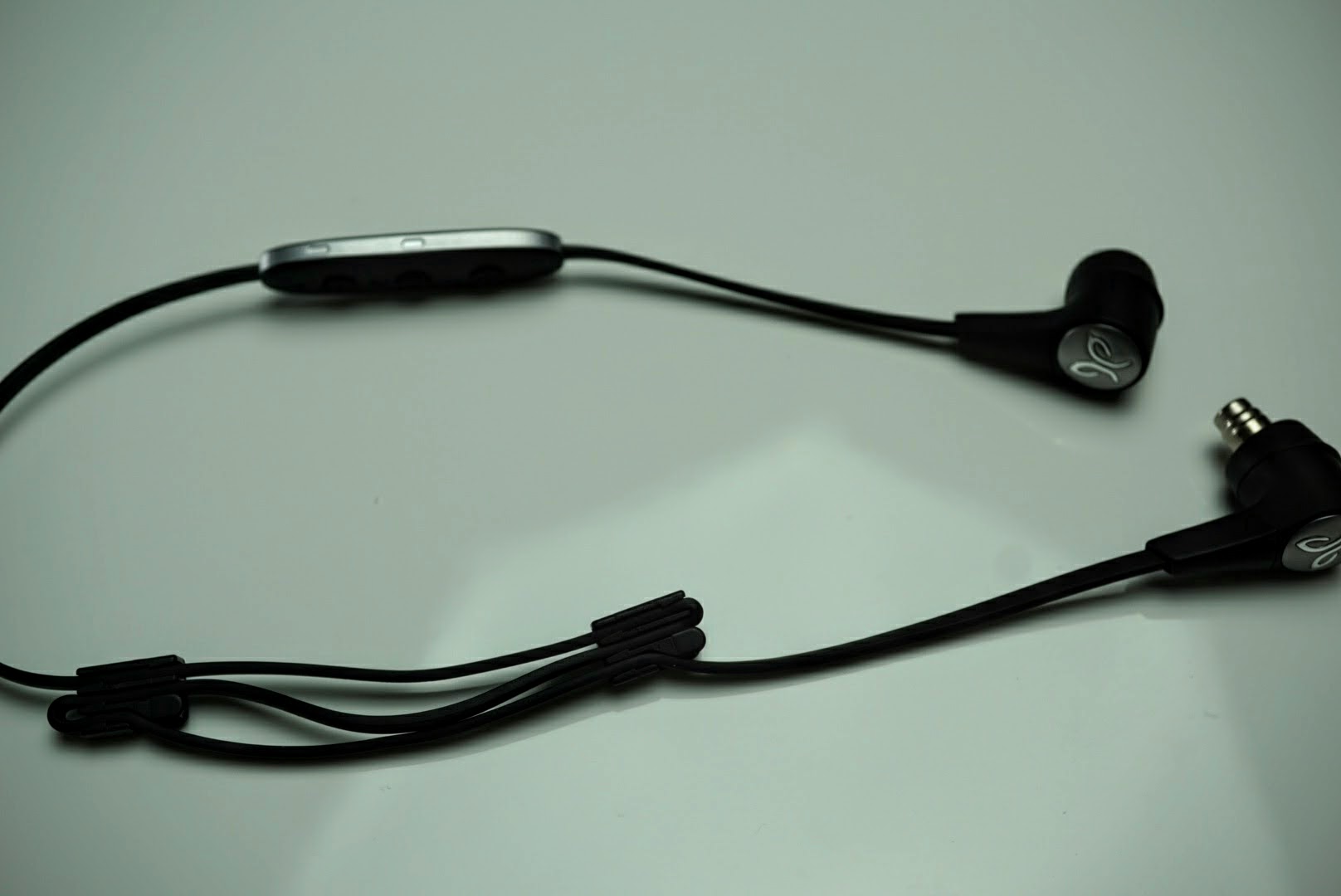
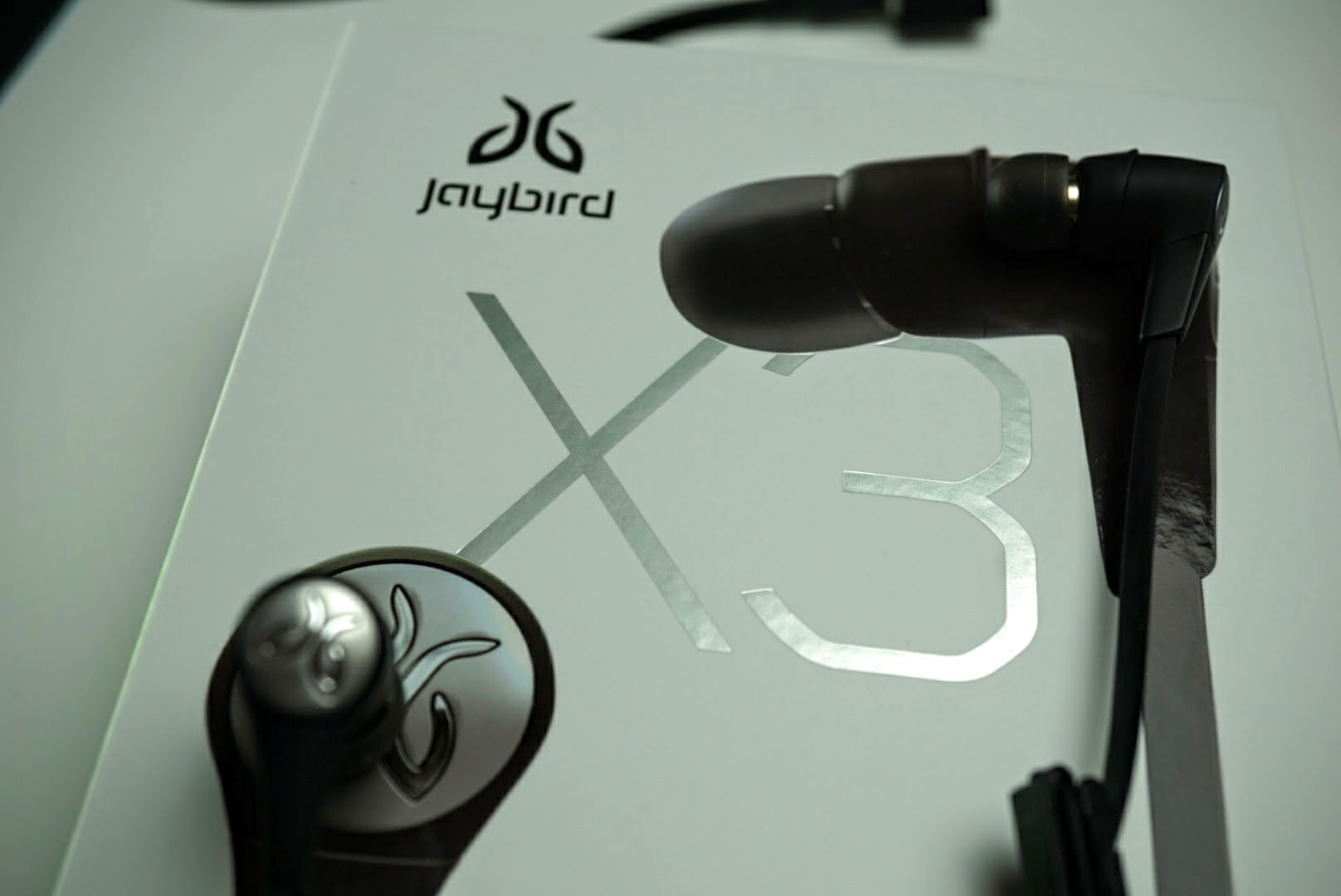
If you know the Jaybird X2 Wireless Sport Headphones, then you’ll be familiar with the X3s. They aren’t true wireless headphones with one wire that connects each earpiece, however there is no cable that connects to your audio device. The X3 headphones are made with metal and ultra durable polymers that are about 40% smaller than their predecessor.
An inline remote house the power button (play/pause, answer/end call), microphone, and +/- buttons for controlling volume and tracks. The inline remote is also where you charge the headphones with the included adapter. The design is very familiar to other wireless headphones, but remember that Jaybird was one of the first to come up with this design.
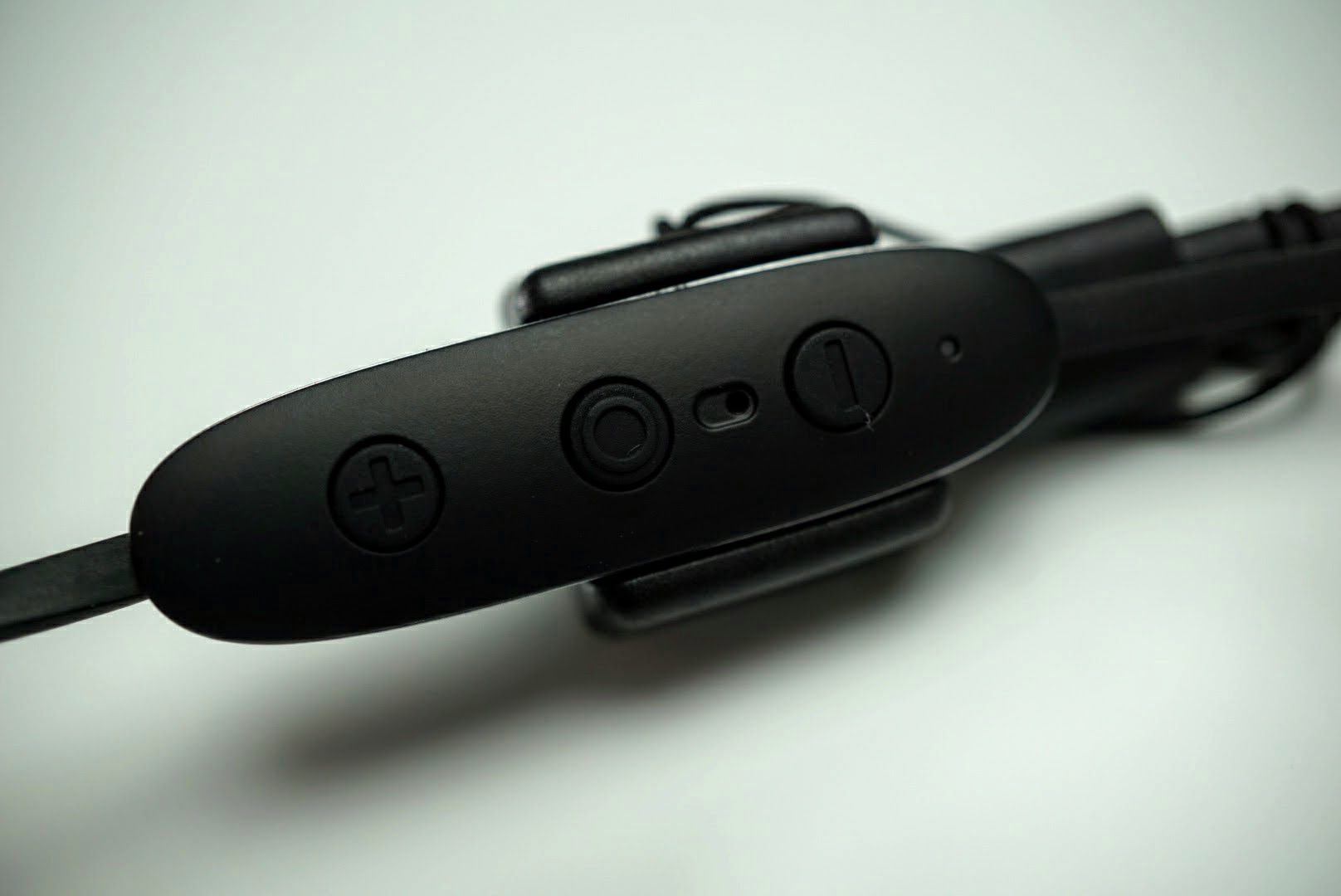
The wire that connects the two earbuds is worn behind the neck with the remote hanging just below your ear.
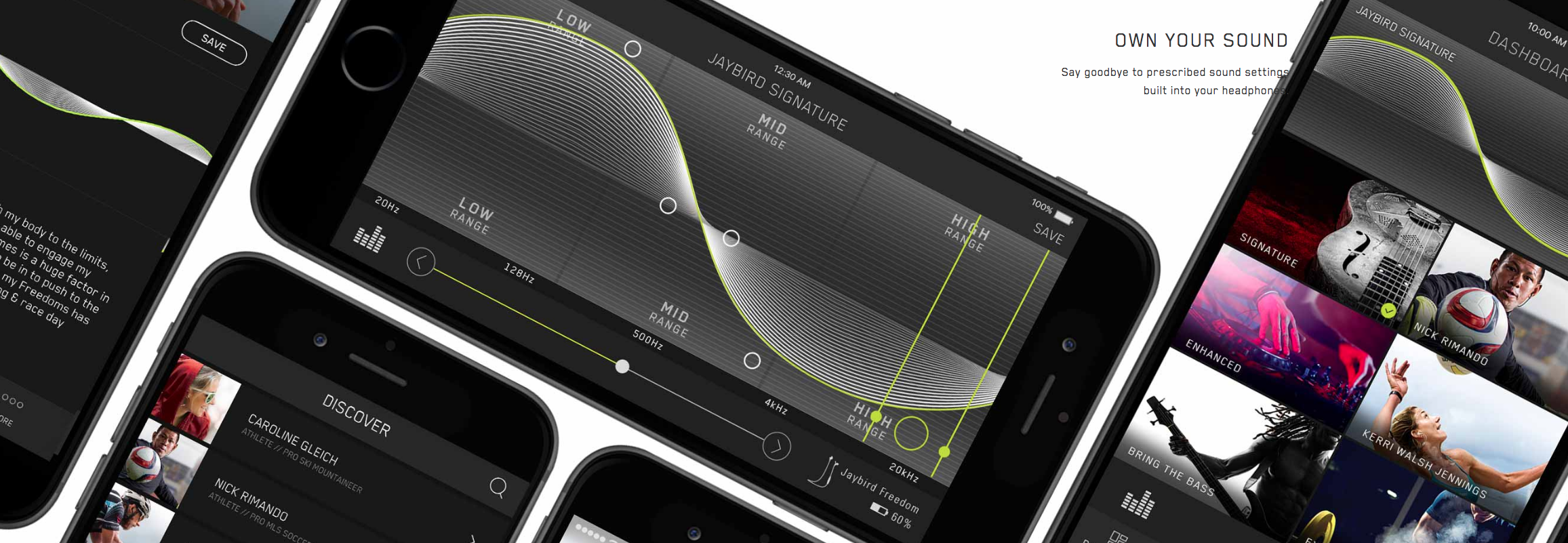
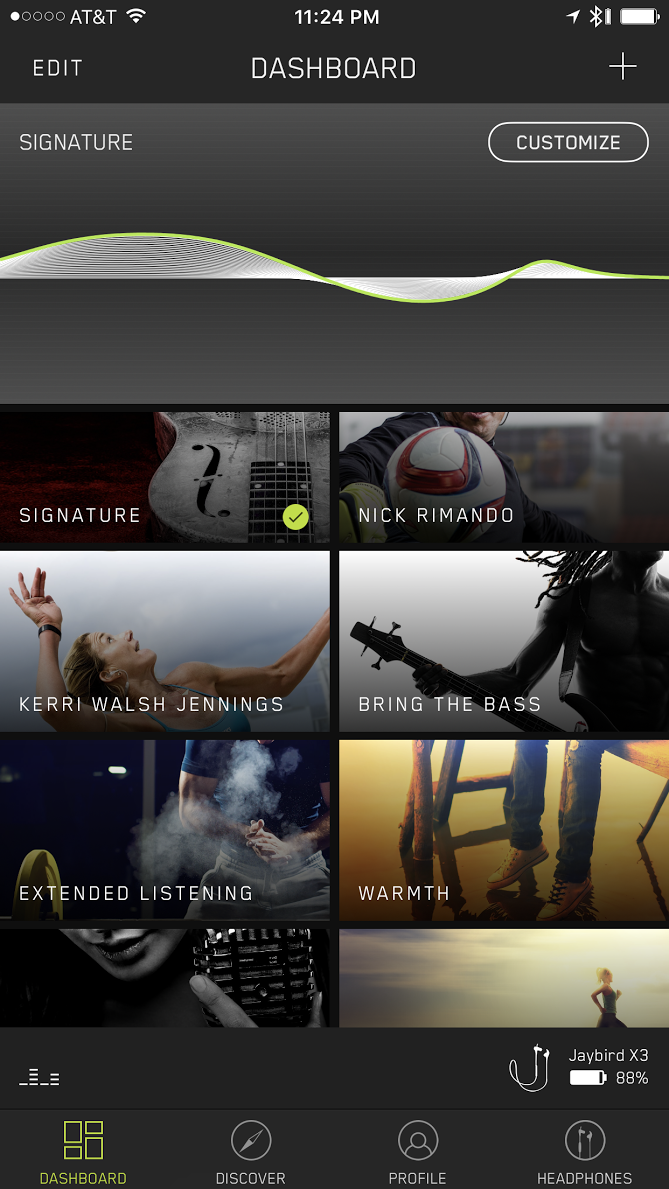
What creates the sound are 6mm drivers in each ear piece that are tunable through Jaybird’s iOS and Android MySound app. Almost all other wireless headphones are tuned to suit a large audience, but with the MySound app, you can adjust the sound settings and firmware within the X3 headphones for complete control and customization.
6mm drivers allowed Jaybird to shrink the size of each earbud. Size has been a typical limitation with most users as wireless earbuds are usually large and generally only suitable for men.
Similar to its other headphones, Jaybird designed the X3 headphones to last eight hours on a single charge.
The X3 headphones are also waterproof which is important since they are designed for sport use.
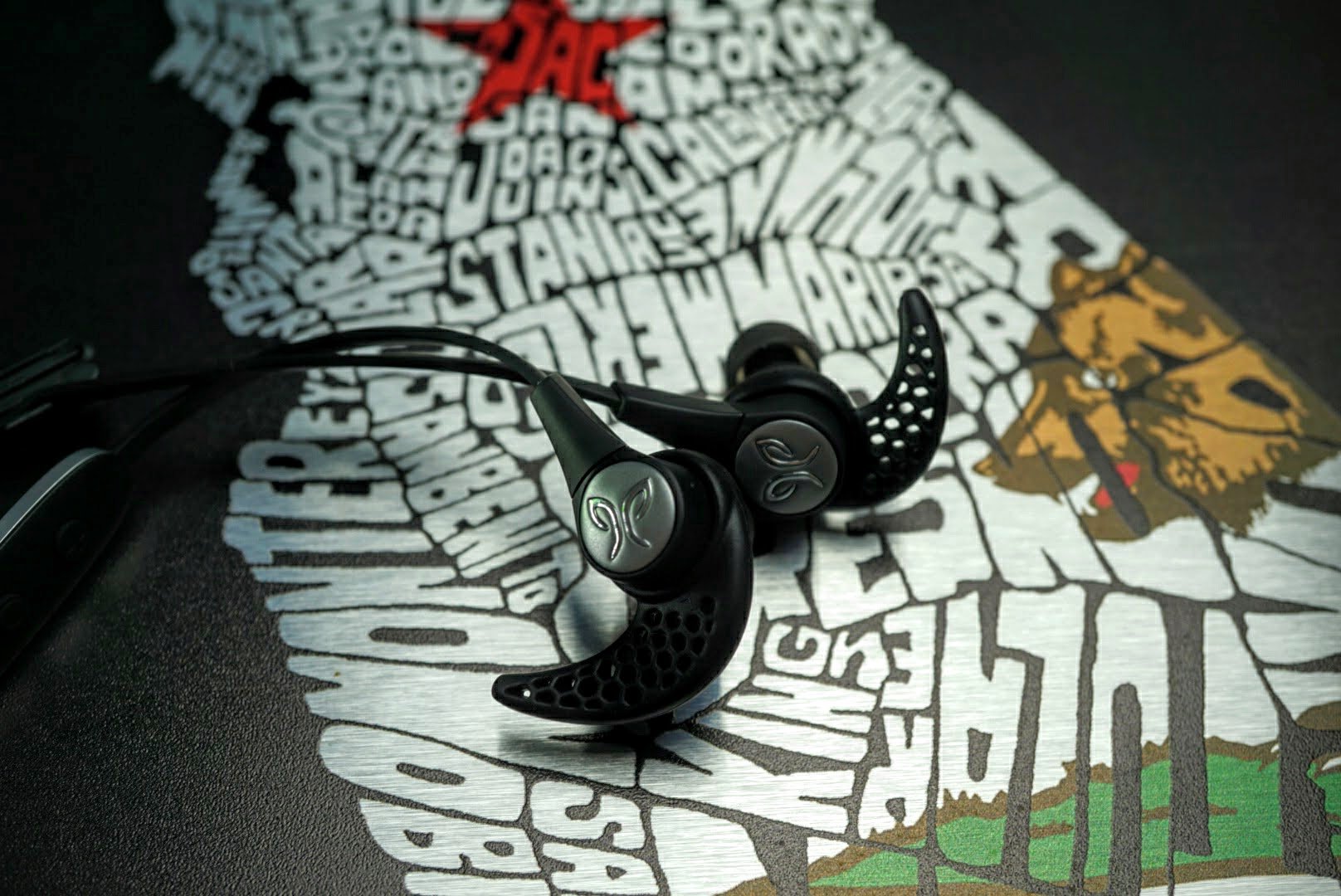
Included in the box are Jaybird’s patented ear fins, comply foam and silicone tips, shirt clip, charging cable, carrying case, cable shorteners, and a carrying case.
Sound and Usage

If you know Jaybird, then you know that it focuses on the entire package. Build, functionality, fit and sound quality are all equally important. It must master each category before it releases a product, and the X3 Sport Wireless Headphones definitely checked each box.
For me, nothing matters more than sound quality. But sound quality won’t really matter if the headphones don’t fit right, and fit won’t matter if the headphones aren’t durable. That’s why Jaybird gives users the ability to customize the sound anyway they want with the MySound app, while offering a plethora of tips and ear fins to get the right fit.
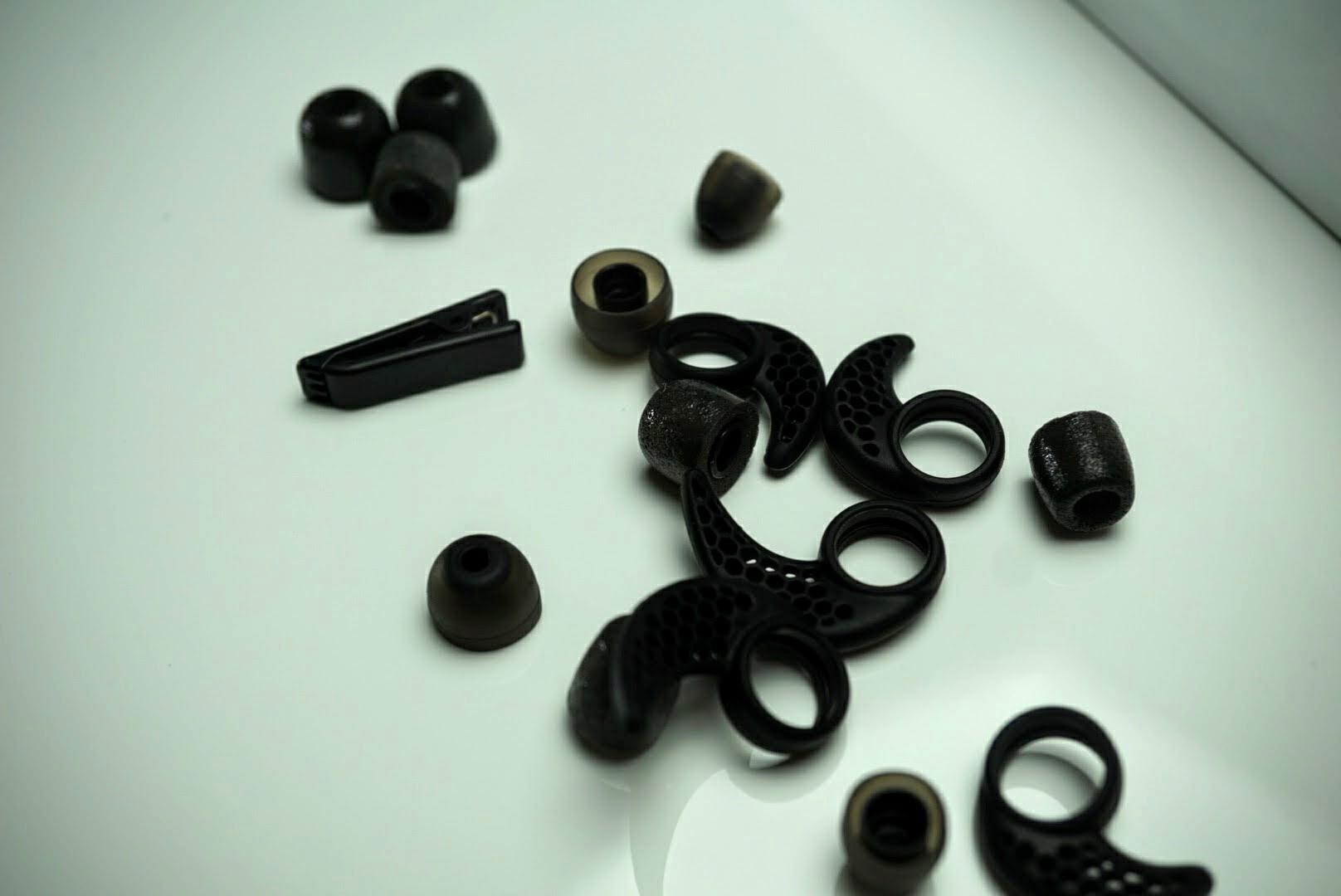
I chose to go ear fin free, and wore my X3s over my ears with cable shorteners to keep the headphones behind my head. This offered the most comfortable fit for me, especially in the gym. I am a gym rat and have been for the past 20 years. I can’t do wireless headphones that rest on my neck. When I am squatting, the bar sits across my traps and neck and can be extremely uncomfortable when a few hundred pounds is pressing a wire into my neck.
While comply memory foam tips are very comfortable and form fitting, I also chose to go with the soft silicone tips since they don’t dampen sound. With a proper fit, the headphones block out almost all of the outside noise and that allows me to truly enjoy my music. I did play with some of the sound presets that Jaybird offers in the app, but was more than satisfied with the balanced sound signature out of the box.
I’ve listened to dozens of different earbuds, wired and wireless, and Jaybird makes the best sounding wireless earbuds you can buy under $200. I’m not sure how the engineers managed to deliver so much sound over Bluetooth and compact 6mm drivers, but they sound detailed, rich and have a large sound stage. Lows are punchy and deep, highs are crisp and clear, and the mids are energetic and balanced that round out the entire sound package. However if you want more bass, less treble, or any combination, you can adjust the firmware settings through the app.
The mid-range sound is probably the most important aspect of sound reproduction. Many sport headphones, and generally many wireless headphones, focus on over emphasizing bass since people love to feel their music. That’s what you get with Beats Audio, but that kind of sound isn’t typically favored by most audiophiles.
Headphones that are too focused on highs can be detailed and analytic, but are tiring to listen to after a short period of time. I can imagine Jaybird sound engineers spending hundreds of hours in a sound lab perfecting the sound signature and they hit a home run with what they produced. If I were one of those engineers, I’d be pretty damn proud of myself for the X3 headphones, because they’re extremely good.
Battery
Jaybird claims eight hours of playback on the X3 headphones, and that amount is on the high end for wireless headphones. I averaged 6-9 hours of playback over two weeks of solid usage. I work out everyday, for a minimum of one hour and went about a week between charges.
Charging the headphones from almost dead to full took less than an hour. Jaybird managed to squeeze the batteries into each earbud while shrinking the size and maintaining the same playback time as its larger predecessor.
Wireless connection and microphone
The Jaybird X3 Sport Wireless Headphones have a newly designed antenna that offers an incredibly strong wireless connection. If you’re using a smartphone, you don’t have to worry about carrying it in front of your face to maintain a strong connection. Or if you’re using a smartwatch that allows music streaming without a smartphone like current Android Wear devices, there will be no signal issues no matter which wrist you wear it on.
I paired my X3 headphones to multiple smartphones, carried them in both pockets, and even left my phone underneath the dumbbell rack while I wandered the gym. I easily walked over 30 feet away and forgot my phone was across the room until the signal cut out at about 50 feet away. Other than that one signal drop from 50 feet, I never once experienced a connection issue with my Nixon Mission Android Wear, iPhone 7 Plus or Pixel XL.
I took several calls on the X3 headphones while I was on vacation in Maui. With a strong wireless signal, and clear microphone, I never once experienced issues with background noise or poor call quality. Keep in mind, Maui gets rather windy in the afternoons, and I dealt with that and background noise while laying out at the beach.
Many manufacturers make call quality a throw in feature, but Jaybird made sure this was an area that met its high standards.
Overall
Jaybird managed to build a great set of wireless headphones in the X3s. They’re not cheap at $129.99, but considering the quality of the build, sound output, battery life, MySound app, and call quality, it’s one of the better priced headphones when you factor in the entire package.
The Jaybird X3 Sport Wireless Headphones are designed to fit all ears, from small to large and are good enough to use beyond sport activities. If you’ve never used Jaybird headphones, or if you own the X2s, I highly recommend you try out the X3 Sport Wireless Headphones. You will not be disappointed.
Jaybird X3 Wireless Sport Headphones are expected to be available at jaybirdsport.com on Oct. 27, 2016 and in Best Buy stores and bestbuy.com in the U.S. and Canada in November 2016, for a suggested retail price of $129.99. The wireless headphones areavailable in four colors with metal accents: Blackout (Black and Silver), Sparta (White and Gold), Alpha (Military Green and Dark Chrome) and Road Rash (Red and Dark Chrome).
4 HDR TVs Under $700 For Chromecast Ultra

What is the best HDR TV to buy for your new Chromecast Ultra?
So you just picked up one of Google’s newest Chromecast Ultra and now you want a great HDR TV to take full advantage of it? There are a number of great options available that come in a variety of sizes and prices, and picking the right one can be a difficult task. Each brand offers a slightly different look, some have smaller bezels than others, and others may just appeal more to your personal style, so let’s take a look at some of the best options available right now.
Hisense 50H8C 50-inch

Hisense may not be a common household name in many places, but that doesn’t mean you should overlook its television sets. Over the past few years the company has made huge improvements to its sets, adding a number of key features that people look for when buying their next television. From its built-in smart features to HDR compatibility and more, you get a whole lot more than you would imagine when buying the Hisense 50H8C.
From PCMag’s review of the TV:
The Hisense 50H8C offers very good performance at a very low price for a 4K television. Even with its excellent color accuracy, though, it fails to stand out in the rapidly expanding budget 4K category. Hisense’s Linux-based, Android-like smart TV interface is a bit awkward compared with the more accessible systems used in Roku TVs, and the fact that only half of the HDMI ports are HDMI 2.0 (and those ports are the less conveniently placed ones) hinder this otherwise strong television.
It may not offer all the bells and whistles that some other sets do, or the best performance, but for the price it is hard to beat this one. You can pick up the 50-inch Hisense for just $450 at many retailers, making it quite a deal.
See at Amazon
Samsung UN40KU7000 40-inch

Samsung has been making great TV sets for years, and is a brand that many tend to gravitate towards when considering a new option for their living room. In the recent years, Samsung has really refined its design, bringing the bezels down to some of the slimmest available while adding some great smart features at the same time. Picture quality is usually not a concern when it comes to Samsung panels, and that holds true with this model as well.
From CNET’s review:
The set supports HDR (high dynamic range) content in HDR10 format only. It lacks the Dolby Vision HDR support found on Vizio’s and LG’s 2016 HDR TVs. It’s still too early to determine whether one HDR format is “better” than the other, and I definitely don’t consider lack of Dolby Vision a deal breaker on this TV — instead it’s just one more factor to consider.
The KU7000 series offers a great sharp picture, and the TV has super slim bezels. You’ll notice the whole TV is extremely thin, and the Smart Remote makes navigating the menus and apps on the television even easier. The KU7000 comes in 40-, 43-, 49-, 55- and 65 inch versions, so you can find the right size for your room, with prices starting at just under $550.
See at Amazon
LG Electronics 43UH6100 43-inch

LG is another one of the big names in the home theater space, and for good reason. Over the years LG has made some reliable television sets that have continued to push the envelope. From adding webOS to its sets, to pushing the limits on the panel, LG has kept itself relevant in the space. The company offers a variety of models at all different price tags, but the lower cost models aren’t any worse when it comes to quality.
From user reviews in the AVS Forum:
Initally I wanted to get the 43UH6100 see how I liked it, and decide to spend more on the UH6500 or move to something like the M43. But as far as I can tell I am really happy with the UH6100 and I am not sure its worth the hassle of a return to BB and then having to order the UH6500 (only available to me from online – Amazon is where I was going to go). I could get a bad panel and then have to deal with online returns and exchanges. Unless someone can say that the UH6500 is a must have improvement over the UH6100.
When compared to other models, it appears as though the UH6100 offers great performance at a more affordable price point. You’ll have solid HDR performance, a decent amount of available ports, and nice thin bezels to make it look great, even when powered off. Coming in at right around $600, this one is a bit more expensive than some of the other options, but if you prefer LG it is a great choice.
See at Amazon
VIZIO SmartCast M-Series 50-inch

VIZIO started off making lower-end televisions at more affordable prices. Over the years, the company has stepped up its quality and functionality, and now it is a bigger player in the market. With the new SmartCast M-Series you’ll notice stunning colors, plenty of ports to hook up your must-have devices, and even an Android-powered remote. That’s right, the included 6-inch tablet remote runs on Android Lollipop and allows you to log into your Google account to easily access all of your existing content that is tied to your account.
From B&H’s hands-on review:
A notable addition to the entire 2016 lineup of VIZIO’s M series displays is the ability to handle 4K HDR video. While UHD 4K resolution is pretty common these days, High Dynamic Range (HDR) is just beginning to spread its wings. HDR itself isn’t a new technology—camera enthusiasts have been familiar with its ability to deliver enhanced contrast and color reproduction for years. As it currently stands, there are two competing HDR standards, known as HDR10 and Dolby Vision. Thankfully, VIZIO realizes the last thing its consumers want to deal with is another format war.
Beyond HDR support, VIZIO has also added support for many smart TV functions, so you’ll be able to browse the web and more right from your TV. VIZIO is offering a few different sizes ranging from 50-inches all the way up to 80-inches, but its priced higher than most others. The 50-inch comes in at $700, but the price seems justified based on the quality you are getting here.
See at Vizio
Your favorite?
Do you have a preferred HDR TV that isn’t listed here? If so, be sure to drop a link with a description in the comments so that others can check it out as well!
If you don’t already have a Chromecast Ultra, now is a great time to pick one up. You can grab one from the Google Store, Best Buy and select other retailers as well.
See at Best Buy
 AIVAnet