


Amazon’s latest Prime perk is free books and magazines
While members of the Amazon Prime club get all kinds of benefits with their subscription, bookworms don’t receive a great deal of special treatment. Sure, they can borrow one e-book for free each month and access new novels early, but the all-you-can-read Kindle Unlimited service requires a separate, $10 per month subscription of its own. That isn’t changing today, but Amazon has just announced something of a light version of Unlimited called Prime Reading, which is now available to Prime subscribers in the US.
Prime Reading lets members access over a thousand “popular” books for free, from The Hobbit to Lonely Planet guides, as well as full issues of well-known magazines, comics and short works from the Kindle Singles catalog (including Classics). The carousel of content will rotate too, so you should find new things added to the Prime Reading list fairly often. With winter fast approaching, it’s time to get your neglected e-reader recharged, the fire stoked and some free stuff downloaded.
Source: Amazon
Netflix and Girl Scouts team up to get kids into STEM
Netflix has revealed a collaboration Melinda Gates would approve of. The streaming service has teamed up with Girl Scouts of the USA for a project that aims to encourage young girls to pursue careers in science, technology, engineering and math. To start with, they launched an online resource called STEM Superstars Guide that scouts across the US can access to find out more about what pursuing a career in those fields mean. Volunteers can also check it out to find activities they can do and ideas they can use to start relevant conversations.
In addition, Netflix has invited troops from Silicon Valley to its headquarters on October 4th, where scouts met female reps from big-name tech corporations, including Google, Instagram, Intel and Twitter. The kids also got an early look at the new season of the Netflix original Project MC2, featuring teen spies saving the world with the powers of science and technology. Plus, they got to perform some experiments inspired by the show.
According to the company, 50 percent of young women ultimately decide that a career in STEM isn’t for them despite showing early interest in those fields. This partnership aims to change that. Besides being an attempt to keep girls interested in pursuing STEM careers, this project also wants to show them that there are many female role models whose footsteps they can follow. And that includes Girl Scouts interim CEO Sylvia Acevedo, who’s a rocket scientist herself:
“As a lifelong Girl Scout who grew up to pursue rocket science, I know the impact our program can have on girls interested in STEM. My Girl Scout experience was a key element in empowering me to enter the engineering field when most females didn’t pursue STEM. I am so thrilled to work with Netflix to ensure more girls have the interest, drive and determination to pursue and lead in STEM-related fields.”
Source: Girl Scouts
Roku makes it easy to launch a streaming TV channel
Roku just showed off its latest players upgraded with features like 4K and HDR, and now it’s working on getting more stuff for owners to watch. That will come via its new Roku Direct Publisher tool, which lets the people who have videos make a channel for the box, without having to do any coding. Of course, you will need somewhere to host the content for your streaming channel, but if you already have that then getting content in front of Roku’s 10 million or so active accounts (those that have actively streamed in the last 30 days) is as easy as writing this blog post.

To show off what it’s capable of, a number of new partners are delivering channels built with the tool, including names like Rolling Stone, Us Weekly and Cracked. Also, using the Direct Publisher setup also means content is included in Roku’s universal search, which it recently announced covers over 100 channels. While other set-top box entries like the Apple TV, Fire TV, Chromecast and Android TV get a lot of attention, the company points out survey results earlier this year from Comscore showing it has a 49 percent share of the market.
All of that means being in front of more eyeballs, which can mean more money, especially with access to Roku’s ad sales platform. Channels built this way don’t support subscription or video on-demand fees (yet), so if you’re looking to profit immediately that’s the option available.

Of course, as a viewer, this just means that the next time you turn on your (relatively modern) Roku box / TV / stick you can expect to see even more options. If the channels are easy to make, update and discover, then there are even more reasons to push content on the platform (if you ever choose to watch something other than just Netflix).
Beats By Dre Chief Marketing Officer Omar Johnson Leaving Company Next Month
One of the instrumental executives who oversaw the rise of Beats By Dre as a brand, chief marketing officer Omar Johnson, has announced that he is leaving the company on November 1 (via Fast Company).
Johnson didn’t give a specific reason as to why he is leaving the company, but his departure date will mark six years since he came onboard in 2010.
Back then he was vice president of marketing before being named CMO in 2012, two years before Apple would come in and acquire the brand for $3 billion.
Working with the ad agency R/GA, Johnson helped craft some of the most well-known Beats By Dre advertisements, fueling its “transition from a curiosity to a constant presence in pop culture.”
An example of one of the ads Johnson helped create
Although his departure from the company wasn’t explained, Beats co-founder and current Apple Music executive Jimmy Iovine commented on the announcement, describing Johnson as “one of the most talented marketing executives” he’s ever met and an instrumental factor in what Beats By Dre eventually became.
In an email, Beats co-founder Jimmy Iovine said, “Omar Johnson is a one of the most talented marketing executives I’ve ever met and we couldn’t have built Beats without him. He has my support in his future endeavor.”
After Johnson leaves, his former “right-hand man” Jason White will become executive vice president of marketing at Beats. Before he’s gone for good, Johnson is said to focus on putting the finishing touches on two new global brand campaigns that will be debuting soon.
Tag: Beats by Dre
Discuss this article in our forums
Apple Remains World’s Most Valuable Brand Despite First-Ever Drop in iPhone Sales
Apple remains the world’s most valuable brand this year, topping Interbrand’s annual rankings for the fourth consecutive year.
Apple’s valuation rose 5% to $178.1 billion, ahead of tech rivals like Google, Microsoft, and Samsung, despite iPhone sales declining for the first time this year in line with the company’s first revenue decline since 2003. Apple’s brand value has steadily risen since 2002, when it was worth $5.2 billion, according to the study.
Apple shows how ecosystems drive value. Analysts have often pointed out that “Apple has superior products.” While true, this opinion undersells the brilliance of Apple’s functionally integrated model. Its software, hardware, and touchpoints are connected not just by beautiful design aesthetics, but by a level of interoperability that justifies the Apple premium and discourages defections to another platform. And the more data you share, the more personal it becomes—adding new devices is painless and the thought of switching increasingly unpromising. Apple is the Alpha of Cohesiveness in full effect.
However, perhaps more reflective of its recent declines, Apple did not make Interbrand’s list of the top growing brands in 2016:

Coca-Cola, Toyota, Mercedes-Benz, and GE were the only companies outside the technology industry to make the top ten, which also included IBM and Amazon. Coca-Cola’s brand value dropped 7% to $73.1 billion, continuing its decline since Apple overtook it for the top spot in 2013, according to Interbrand.
Interbrand is one of several brand rankings released each year, with others including Forbes and BrandZ. Apple has consistently performed well in these studies over the past decade as its revenue has ballooned on the strength of iPhone sales. Apple remains the world’s most valuable company with a $611 billion market cap.
Tag: Interbrand
Discuss this article in our forums
Galaxy Note 7 back on sale at T-Mobile

Product page now reassures customers that the new version won’t explode.
With the official recall wrapping up, today’s the day T-Mobile U.S. puts the Samsung Galaxy Note 7 — in its new, entirely safe form — back on sale. It’s right at the very bottom of T-Mo’s list of “featured” phones, but very much available to buy, priced $849.99 to buy outright, or $32.50 per month for 24 months, with $69.99 payable upfront.
A notice at the top of the page reassures buyers that this Galaxy Note 7 is the fixed model, and not the one that’s liable to catch fire or explode while charging.
The Galaxy Note7 was recalled by the U.S. Consumer Product Safety Commission (CPSC) on September 9th. This Galaxy Note7 has been approved by the CPSC for all purchases and exchanges.
T-Mobile is the first major U.S. carrier to put the Note 7 back up for sale, just a few days after carriers in Samsung’s home market. Elsewhere, we’re looking at new sales beginning again in Europe from October 28.
Anyone been waiting on new Note 7 sales to start up again? Shout out in the comments!
MORE: Reasons to buy the Galaxy Note 7 when it goes back on sale
See at T-Mobile
Samsung Galaxy Note 7
- Galaxy Note 7 recall: Everything you need to know
- Samsung Galaxy Note 7 review
- The latest Galaxy Note 7 news!
- Here are all four Note 7 colors
- Complete Galaxy Note 7 specs
- Join the Note 7 discussion in the forums!
Verizon
AT&T
T-Mobile
Sprint
Google Pixel: Here’s how much space you really get in the 32GB models

It’s not as simple as a single number, but here’s a breakdown of how much of that 32GB you’ll actually be able to use.
Google’s Pixel phones only come in two storage configurations — a base model 32GB, and a pricey 128GB model, for which you’ll pay a $100 premium. So if you’re looking to save some cash on what’s already a pretty expensive phone, you might be wondering just how much space you really get on the cheaper 32GB Pixel. Well, here’s the answer.
It’s not as simple as a single number, because of the way Android app updates work, but here’s a quick breakdown:
- The formatted capacity of the phone is 29.7GB — that’s how much space there is in total.
- The OS takes up 5.39GB, leaving you with around 24.3GB of space for your own stuff on a freshly unboxed 32GB Pixel
- … But updates to built-in apps have to come out of that. Google’s demo units had 1.22GB taken up by apps, so a more realistic starting number would be around 23GB
A few things to note here. Even if you don’t install any third-party apps, subsequent updates to built-in apps will whittle that number down further, over time. That’s because updates to preinstalled apps occupy the same space as newly installed apps from the Play Store. (Even if you don’t update, just using your phone accumulates cached data which also takes up space.)
MORE: How to free up storage space on Android
Secondly, more than 5GB might seem a bit steep for what’s still a relatively barebones Android 7.1 experience, but it’s worth remembering that Nougat’s seamless updates feature is likely at play here. In order to update faster and more easily — and with less chance of bricking due to a software update — phones shipping with Android 7.0 or above duplicate the partitions where the Android OS lives. This redundancy is a good thing, but it also takes up a few extra gigabytes.
MORE: How seamless updates work in Android 7.0
Still, 23GB (give or take) is about on par with what you’d expect from a modern 32GB Android phone — the real test will come when the likes of Samsung and LG start pushing out mid-range phones with Nougat. Losing a few extra gigabytes on a 32GB “Google experience” phone isn’t a huge deal. But factor in a heavier UI layer (like Samsung’s TouchWiz) and more built-in apps, and a future 16GB handset might end up with a lot less space available to the user.
Google Pixel + Pixel XL
- Google Pixel and Pixel XL hands-on preview
- In pictures: Google Pixel and Pixel XL
- Pixel + Pixel XL specs
- Understanding Android 7.1 Nougat
- Verizon is the exclusive U.S. carrier for the Google Pixels
- Join the discussion in the forums!
Google Store
How to upload videos and manage the YouTube app for Android
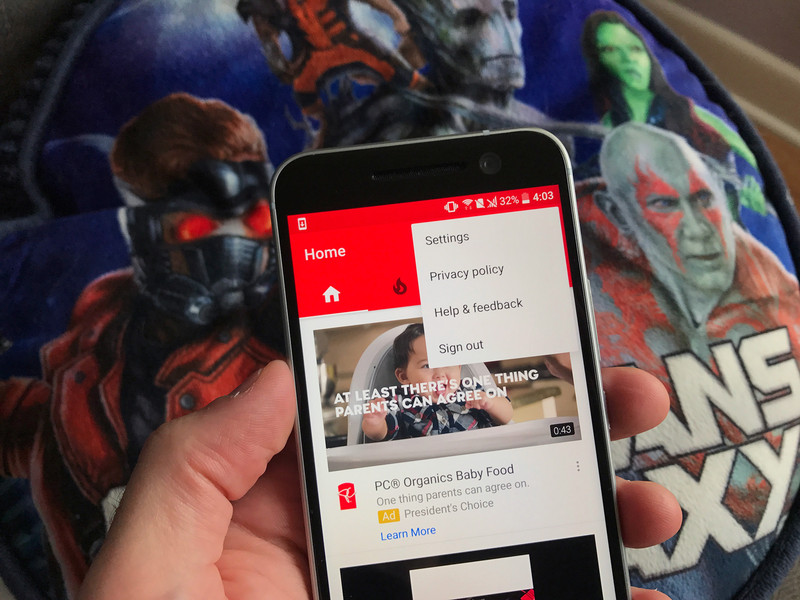
How do I upload to YouTube on Android?
Watching videos and subscribing to channels is what YouTube’s all about, but there’s so much more you can do, like uploading your own videos, messaging other YouTubers, and all those settings that’ll help make your experience more enjoyable and help keep your data usage to a minimum.
Here’s how to manage YouTube so that it works for you.
- How to upload videos
- How to change upload network preferences
- How to limit mobile data usage
- How to manage notifications
- How to disable Autoplay
- How to enable/disable Restricted Mode
- How to change content location
- How to clear your history
How to upload videos
You can upload video straight from your phone to the YouTube app.
Launch YouTube from your home screen or the app drawer.
Tap the account button. It looks like a person.
Tap My Videos.

Tap the upload button. It’s an upward arrow with a line under it.
Tap an existing video or tap the video button at the top of your screen to take video.
Enter a title and description for your video.

Tap the dropdown menu under Privacy.
Tap a privacy option:
- Public: Anyone can search for and view your video
- Unlisted: Anyone with a link can view your video but won’t find it in a search
- Private: Only you can view your video
Tap the next button on the top right of your screen. It’s the arrow.

Depending on the length of your video and your internet connection, it could take anywhere from seconds to an hour to upload.
How to change upload network preferences
You can set whether or not you want to upload videos when not connected to Wi-Fi. If you don’t want to eat up too much data, you’ll want to upload only when connected to Wi-Fi.
Launch YouTube from your home screen or the app drawer.
Tap the more button on the top right of your screen. It’s the three vertical dots.
Tap Settings.

Tap General.
Tap Uploads.
Tap either Only when on Wi-Fi or On any network.

How to limit mobile data usage
Launch YouTube from your home screen or the app drawer.
Tap the more button on the top right of your screen. It’s the three vertical dots.
Tap Settings.
Tap General.
Tap the switch next to Limit mobile data usage. When enabled, you’ll only be able to stream in HD when connected to Wi-Fi.

How to manage notifications
Launch YouTube from your home screen or the app drawer.
Tap the more button on the top right of your screen. It’s the three vertical dots.
Tap Settings.
Tap Notifications.

Tap the switch next to each notifications setting you’d like to disable.
Tap Subscriptions: Notify me via.
Tap Push and email, Push only, or Email only.

How to disable Autoplay
Do you find it ridiculously annoying when you’ve played a video and the next suggested video starts immediately after? You can turn that off.
Launch YouTube from your home screen or the app drawer.
Tap the more button on the top right of your screen. It’s the three vertical dots.
Tap Settings.
Tap General.
Tap the switch next to Autoplay.

How to enable/disable Restricted Mode
Restricted Mode is a way to filter content that may be deemed inappropriate for children. It can get a little annoying, though, if you enjoy reading the comments, since it hides those by default (because YouTube comments).
Launch YouTube from your home screen or the app drawer.
Tap the more button on the top right of your screen. It’s the three vertical dots.
Tap Settings.
Tap General.
Tap the switch next to Restricted Mode to enable/disable it.

How to change content location
You won’t be able to view region-locked content, since that has more to do with your Google account and other factors, but you can change what videos might be suggested for you, as well as what ads you see.
Launch YouTube from your home screen or the app drawer.
Tap the more button on the top right of your screen. It’s the three vertical dots.
Tap Settings.
Tap General.
Tap Content location.
Tap a region.

How to clear your history
You can’t really watch anything lewd on YouTube, but if you need to clear your search or watch history, you have the option.
Launch YouTube from your home screen or the app drawer.
Tap the more button on the top right of your screen. It’s the three vertical dots.
Tap Settings.
Tap Privacy.
Tap either Clear watch history or Clear search history (or both).
Tap OK when prompted.

Questions?
Let us know in the comments below!
Best Buy offering $100 gift card and free Chromecast if you pre-order a Pixel and activate on Verizon

The Pixel and Pixel XL are now up for pre-order in the U.S., with the 32GB Pixel retailing for $649 and the Pixel XL starting at $769. Best Buy is set to roll out a launch promotion wherein the retailer will offer a $100 gift card and a Chromecast 2015 for free to all customers pre-ordering the Pixel and Pixel XL and activating them on Verizon.

The deal isn’t live yet, so you’ll have to wait a while before you can pre-order either handset from Best Buy. The promotion doesn’t include the Daydream VR headset that is bundled with all pre-orders from the Google Store and Verizon, but the $100 gift card and Chromecast more than makes up for it.
If you’re looking for an unlocked option, the Google Store is still your best bet for getting the Pixel and Pixel XL.
Where to buy the Pixel and Pixel XL in the U.S.
Google Pixel + Pixel XL
- Google Pixel and Pixel XL hands-on preview
- In pictures: Google Pixel and Pixel XL
- Pixel + Pixel XL specs
- Understanding Android 7.1 Nougat
- Verizon is the exclusive U.S. carrier for the Google Pixels
- Join the discussion in the forums!
Google Store
Amazon’s latest perk for Prime members includes free e-books and magazines
Amazon Prime members already get free two-day shipping, access to Prime Video, Prime Music, Audible, and unlimited photo storage with Amazon Drive. Amazon is now adding another perk to the program called Prime Reading that lets customers read from a rotating list of over a thousand titles that feature best-selling books, current magazines, comics, and more.

Prime Reading will be available for free to all current Prime subscribers, and features best-selling Kindle titles including The Hobbit, Harry Potter and the Sorcerer’s Stone, The Man In the High Castle, The Millionaire Next Door, Half Way Home and When I’m Gone. Customers will also be able to access several magazines, including Bon Appétit, National Geographic Traveler, People, Sports Illustrated, HGTV, Popular Mechanics, Golf Digest, Runner’s World, and more.
The service is available on the Kindle, Amazon’s Fire tablet, as well as the free Kindle app on Android and iOS. Prime members also have access to the Kindle Owners’ Lending Library, through which they can borrow one book every calendar from the Kindle catalog.
If you’re already a Prime subscriber, you can now get started with Prime Reading. Not on Prime? Subscribe for $99 a year.
 AIVAnet