


How to upload videos and manage the YouTube app for Android
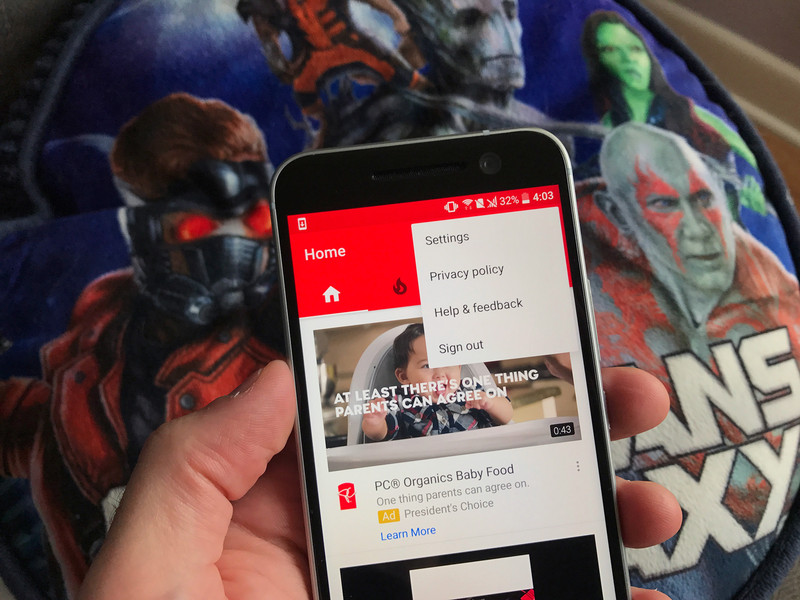
How do I upload to YouTube on Android?
Watching videos and subscribing to channels is what YouTube’s all about, but there’s so much more you can do, like uploading your own videos, messaging other YouTubers, and all those settings that’ll help make your experience more enjoyable and help keep your data usage to a minimum.
Here’s how to manage YouTube so that it works for you.
- How to upload videos
- How to change upload network preferences
- How to limit mobile data usage
- How to manage notifications
- How to disable Autoplay
- How to enable/disable Restricted Mode
- How to change content location
- How to clear your history
How to upload videos
You can upload video straight from your phone to the YouTube app.
Launch YouTube from your home screen or the app drawer.
Tap the account button. It looks like a person.
Tap My Videos.

Tap the upload button. It’s an upward arrow with a line under it.
Tap an existing video or tap the video button at the top of your screen to take video.
Enter a title and description for your video.

Tap the dropdown menu under Privacy.
Tap a privacy option:
- Public: Anyone can search for and view your video
- Unlisted: Anyone with a link can view your video but won’t find it in a search
- Private: Only you can view your video
Tap the next button on the top right of your screen. It’s the arrow.

Depending on the length of your video and your internet connection, it could take anywhere from seconds to an hour to upload.
How to change upload network preferences
You can set whether or not you want to upload videos when not connected to Wi-Fi. If you don’t want to eat up too much data, you’ll want to upload only when connected to Wi-Fi.
Launch YouTube from your home screen or the app drawer.
Tap the more button on the top right of your screen. It’s the three vertical dots.
Tap Settings.

Tap General.
Tap Uploads.
Tap either Only when on Wi-Fi or On any network.

How to limit mobile data usage
Launch YouTube from your home screen or the app drawer.
Tap the more button on the top right of your screen. It’s the three vertical dots.
Tap Settings.
Tap General.
Tap the switch next to Limit mobile data usage. When enabled, you’ll only be able to stream in HD when connected to Wi-Fi.

How to manage notifications
Launch YouTube from your home screen or the app drawer.
Tap the more button on the top right of your screen. It’s the three vertical dots.
Tap Settings.
Tap Notifications.

Tap the switch next to each notifications setting you’d like to disable.
Tap Subscriptions: Notify me via.
Tap Push and email, Push only, or Email only.

How to disable Autoplay
Do you find it ridiculously annoying when you’ve played a video and the next suggested video starts immediately after? You can turn that off.
Launch YouTube from your home screen or the app drawer.
Tap the more button on the top right of your screen. It’s the three vertical dots.
Tap Settings.
Tap General.
Tap the switch next to Autoplay.

How to enable/disable Restricted Mode
Restricted Mode is a way to filter content that may be deemed inappropriate for children. It can get a little annoying, though, if you enjoy reading the comments, since it hides those by default (because YouTube comments).
Launch YouTube from your home screen or the app drawer.
Tap the more button on the top right of your screen. It’s the three vertical dots.
Tap Settings.
Tap General.
Tap the switch next to Restricted Mode to enable/disable it.

How to change content location
You won’t be able to view region-locked content, since that has more to do with your Google account and other factors, but you can change what videos might be suggested for you, as well as what ads you see.
Launch YouTube from your home screen or the app drawer.
Tap the more button on the top right of your screen. It’s the three vertical dots.
Tap Settings.
Tap General.
Tap Content location.
Tap a region.

How to clear your history
You can’t really watch anything lewd on YouTube, but if you need to clear your search or watch history, you have the option.
Launch YouTube from your home screen or the app drawer.
Tap the more button on the top right of your screen. It’s the three vertical dots.
Tap Settings.
Tap Privacy.
Tap either Clear watch history or Clear search history (or both).
Tap OK when prompted.

Questions?
Let us know in the comments below!
Best Buy offering $100 gift card and free Chromecast if you pre-order a Pixel and activate on Verizon

The Pixel and Pixel XL are now up for pre-order in the U.S., with the 32GB Pixel retailing for $649 and the Pixel XL starting at $769. Best Buy is set to roll out a launch promotion wherein the retailer will offer a $100 gift card and a Chromecast 2015 for free to all customers pre-ordering the Pixel and Pixel XL and activating them on Verizon.

The deal isn’t live yet, so you’ll have to wait a while before you can pre-order either handset from Best Buy. The promotion doesn’t include the Daydream VR headset that is bundled with all pre-orders from the Google Store and Verizon, but the $100 gift card and Chromecast more than makes up for it.
If you’re looking for an unlocked option, the Google Store is still your best bet for getting the Pixel and Pixel XL.
Where to buy the Pixel and Pixel XL in the U.S.
Google Pixel + Pixel XL
- Google Pixel and Pixel XL hands-on preview
- In pictures: Google Pixel and Pixel XL
- Pixel + Pixel XL specs
- Understanding Android 7.1 Nougat
- Verizon is the exclusive U.S. carrier for the Google Pixels
- Join the discussion in the forums!
Google Store
Amazon’s latest perk for Prime members includes free e-books and magazines
Amazon Prime members already get free two-day shipping, access to Prime Video, Prime Music, Audible, and unlimited photo storage with Amazon Drive. Amazon is now adding another perk to the program called Prime Reading that lets customers read from a rotating list of over a thousand titles that feature best-selling books, current magazines, comics, and more.

Prime Reading will be available for free to all current Prime subscribers, and features best-selling Kindle titles including The Hobbit, Harry Potter and the Sorcerer’s Stone, The Man In the High Castle, The Millionaire Next Door, Half Way Home and When I’m Gone. Customers will also be able to access several magazines, including Bon Appétit, National Geographic Traveler, People, Sports Illustrated, HGTV, Popular Mechanics, Golf Digest, Runner’s World, and more.
The service is available on the Kindle, Amazon’s Fire tablet, as well as the free Kindle app on Android and iOS. Prime members also have access to the Kindle Owners’ Lending Library, through which they can borrow one book every calendar from the Kindle catalog.
If you’re already a Prime subscriber, you can now get started with Prime Reading. Not on Prime? Subscribe for $99 a year.
Best Rugged Android Phone

Life is tough enough. The Galaxy S7 Active is the best phone to let you traverse the perilous, waterlogged journey ahead.
Best Overall
Samsung Galaxy S7 Active

See at AT&T
It is truly a bummer that the Galaxy S7 Active is an AT&T exclusive because this is a smartphone worthy of all SIMs. Inside, it’s packed with the same stellar components as the rest of the Galaxy S7 family, including a Snapdragon 820 processor and 4GB of RAM. It also offers a massive 4000mAh battery, in addition to a rugged, dust-proof, and water-resistant enclosure. Its 5.1-inch Super AMOLED display is bright enough to see in the great outdoors and sits behind a shatter-resistant protective coating that can withstand the toughest of falls.
Bottom line: The Galaxy S7 Active is what other consumer-oriented rugged smartphones should aim to be like.
One more thing: If you’re bummed about the exclusivity of this particular device, you might consider the next best thing for your Galaxy S7: An Otterbox case.
Why it’s the best
It’s basically a more robust Galaxy S7 with a better battery.
The Galaxy S7 Active is a great example of what works when a manufacturer attempts to ruggedize one of its existing smartphones. Samsung took the best parts of the Galaxy S7 — its components, its camera capabilities, its other extra bits — and shoved it all into a shock-resistant case. It’s also stylish enough that it’s not a complete outlier; You don’t immediately look at this phone and go, “Well, that’s certainly not geared for me.” The idea is that anyone who wants a tougher smartphone can have it without sacrificing features and aesthetics.
Best MacGyver phone
CAT S60

See at Amazon
The Cat S60 is an unlocked, GSM-compatible smartphone with FLIR thermal imaging available at the touch of a button. CAT swears this is “the world’s most waterproof smartphone,” as it can survive depths of up to 5 meters for an entire hour—that’s 30 minutes more than any of the Galaxy S7 variants claim to last. It’s also drop-proof up to 1.8 meters and reinforced with a strengthened die cast frame, which makes it perfect for perilous environments like construction sites. However, there are some downsides, like the fact that the CAT S60 has a mere 13-megapixel rear-facing camera and it runs on a mid-range Snapdragon 617 processor—the same SoC that’s inside the HTC One A9.
Bottom line: If you’re out in the field on a daily basis and you’re with T-Mobile or AT&T, you have a choice of the CAT S60 as your badass daily driver.
One more thing: The Cat S60 will not work with Sprint, Verizon, or any of their MVNOs.
Best Verizon-compatible phone
Motorola Droid Turbo 2

See at Verizon
It’s really too bad that Motorola keeps its exclusives with Verizon, because the Droid Turbo 2 is still pretty impressive even a year later. This smartphone features Motorola’s ShatterShield technology, so the 5.4-inch POLED Quad HD display is essentially shatterproof. It also comes with a massive 3,760mAh battery, a 21-megapixel rear-facing camera, and 32GB of onboard storage with expandable memory. And best of all, this phone has received its Marshmallow update.
Bottom line: If you’re on Big Red and you’re in need of a smartphone that can withstand all that life throws at you, the Droid Turbo 2 is a worthy consideration.
One more thing: You can order a replacement Moto Shattershield Lens if you scratch up your Droid Turbo 2.
Best Overall
Samsung Galaxy S7 Active
See at AT&T
It is truly a bummer that the Galaxy S7 Active is an AT&T exclusive because this is a smartphone worthy of all SIMs. Inside, it’s packed with the same stellar components as the rest of the Galaxy S7 family, including a Snapdragon 820 processor and 4GB of RAM. It also offers a massive 4000mAh battery, in addition to a rugged, dust-proof, and water-resistant enclosure. Its 5.1-inch Super AMOLED display is bright enough to see in the great outdoors and sits behind a shatter-resistant protective coating that can withstand the toughest of falls.
Bottom line: The Galaxy S7 Active is what other consumer-oriented rugged smartphones should aim to be like.
One more thing: If you’re bummed about the exclusivity of this particular device, you might consider the next best thing for your smartphone: An Otterbox case.
You can’t have HDR on your PS4 and PSVR plugged in at the same time
Sony will finally release its virtual reality headset, the PlayStation VR, next week, with pre-orders shipping and stores stocking the device from Thursday 13 October.
We’ve been playing with one ourselves, with a full review to hit Pocket-lint very soon, but we’ve been made aware of one weird fact that we can’t quite fathom: the PSVR processor unit does not pass through HDR video.
That might not matter to you as you don’t have a HDR-enabled TV or you might not even have a scooby what we’re talking about, but considering HDR was a massive speaking point at the recent PlayStation Event in New York it seems strange that the company’s biggest new release doesn’t support it.
- Sony PSVR exposed: What you get in the box and what you still need to buy
- Sony PS4 Pro: Release date, specs and everything you need to know
- Best VR headsets to buy in 2016, whatever your budget
We’re not talking about the headset itself – that wasn’t likely to have or even need HDR support – but the small box that connects it to your PS4 is also incapable of transmitting the high dynamic range video signal.
HDR was added to all PlayStation 4 consoles, including the original and recently released Slim. It is also, along with 4K, a major feature of the forthcoming PS4 Pro. It gives far greater contrast levels and a much wider colour gamut so that those with HDR-enabled sets can see more natural, vibrant colour representation.
Pocket-lint
The PSVR processor unit is capable of feeding video to both the headset and a TV at the same time, taking a HDMI signal from the PlayStation 4 and passing it through to each device. But while it can pass both 1080p and 2160p signals, it is not compatible with HDR.
That means, to get HDR to your TV, you will have to unplug the PSVR PU and hook your PS4 directly to your TV each and every time you want to have the benefit of HDR gaming.
It’s a huge shame as one of the biggest draws of the PSVR was that it feeds both a TV and the headset simultaneously through HDMI. Neither the Oculus Rift nor HTC Vive VR devices offer the same.
Maybe we’ll get a firmware update that will alter that, but we suspect the unit is fairly dumb in that respect and cannot be changed.
You’ll be able to read more about this and other features and impressions of the PlayStation VR in our review soon.
DxO Mark is another smartphone benchmark you can ignore
Google took to the stage in San Francisco yesterday at its Made By Google event to launch a range of new products, including the Pixel and Pixel XL smartphones.
Replacing the Nexus programme with devices more firmly aimed at the premium smartphone owner, the company gave over a lot of time to talking about the camera.
This script is familiar for anyone who has witnessed a smartphone launch. In this world camera one-upmanship you’ll be told how this smartphone is better, faster, more detailed, how the DSLR is an anachronism, the decaying vestige of time gone by. Cameras are dead, long live the smartphone!
A worrying trend that’s emerging to backup this dialogue, however, is qualification. Google turned to DxO Mark as a value to say that its camera is better than the iPhone. It even used a primary-school style number line to demonstrate how much better than the iPhone it is.
From this line we can clearly see that the Pixel is 3 better than the iPhone 7.
What’s missing from this line is the backstory of turning to DxO Mark to qualify the goodness of a smartphone camera.
DxO Mark has been assessing cameras and lenses for some time, regularly publishing results of their findings. With a move over to smartphones, there’s a league table, a chart, that reports these findings, along with its score.
One of the first smartphones that started talking about being top of the table was the Sony Xperia Z5, with its score of 87. HTC made a song and dance about the DxO score with the launch of the HTC 10. It managed 88, which remarkably, was the same as the Samsung Galaxy S7 edge, both then the best smartphone cameras.
The thing about these scores is that they’re easy to point to as a measure of greatness. However, pick up your Samsung Galaxy S7 edge and you’ll find the camera gives you better results than the HTC 10. Samsung’s camera offers a much better experience, regardless of DxO Mark’s results.
We’re not saying that DxO Mark isn’t valid in its testing, we’re saying that offering the score it achieves as a qualifying value for smartphone performance is hokum. We’ll end up in a situation where smartphone reviewers base their results on this benchmark result as they often do with AnTuTu scores, and discussions about smartphone merits with friends will fall into soulless despair as benchmark stats are reported, rather than personal experiences that actually matter.
So can we shelve this camera benchmark please? Everyone has great cameras on their phones, let’s focus on innovative features and enriched experiences, rather than boasting about arbitrary scores.
Video game voice actors push for standardized contracts
In the midst of a protracted squabble, the union representing voice actors has come up with a contract for low-budget indie game developers. SAG-AFTRA is promoting a new agreement for titles under $250,000 that would limit difficult vocal sessions (presumably involving yelling or other vocal gymnastics) to two hours. Actors would also be paid double for such work, and collect residuals above the normal rate ($825.50 for four hours) for games that sell 500,000 units or more.
SAG-AFTRA threatened a strike last year after its previous agreement expired, and negotiations with indie game producers for a new one broke down. Actor and alpha geek Wil Wheaton unwittingly became the poster boy for the cause after tweeting support for the union and explaining in a post why actors need a new deal. Noting that producers have ignored concerns about tough vocal sessions, he said that afterwards, “your voice is wrecked .. and over years and years of this, it’s going to build up into serious and permanent damage.”
Your voice is wrecked .. and over years and years of this, it’s going to build up into serious and permanent damage.
Producers and critics, however, argue that the indie game industry works on tiny margins, so it can’t afford residual payments. They add that developers and programmers work much longer hours than voice actors.
The union failed to carry out its strike threat, and the situation reached an impasse this summer. The contract that voice actors are proposing is essentially the same one that producers rejected before. As a result, Deadline notes, few game producers are expected to sign the deal.
SAG-AFTRA does have a plan “B,” however — it is saying that vocal stress is a workplace safety issue and has also made a claim before the Occupational Safety and Health Administration (OSHA). “We’d rather not have to petition for new regulations,” it said in a statement, “but since the videogame employers are unwilling to address vocal stress in negotiations in a real way, we are investigating this further to protect the voices of our members.”
Sky Q’s Split Screen puts two matches on one TV
If you love sport, picking a match to watch on TV can be a nightmare. Murray’s semi-final against Wawrinka? Or Nadal’s clash with Djokovic? When both are happening simultaneously, you have to pick one or the other (or find a second screen and keep it nearby). Sky is trying to fix this problem with “Split Screen,” a new feature for Sky Q which lets you watch two games side-by-side. It should work for “any multi-match or multi-camera event” broadcast by Sky through its Red button service.
The World Cup qualifiers (October 6-11), the F1 Japan Grand Prix (October 7-9) and the ATP Shanghai tournament (October 11-14) will be the first events to support the new feature. Later, Sky’s cricket and La Liga coverage will include a similar option. You simply press the red button, open the Sky Sports app and select “Match Choice” before choosing a second stream. Be warned though — both fixtures have to be from the same sport. So you can’t watch the tennis and a World Cup qualifier at the same time.
Alternatively, you can select “Highlights” to watch some standout moments while “the main event” is still happening. In the case of Formula 1, this could be a brilliant overtake or a dreadful pit stop. The same option will be available for the Premier League, giving you an easy way to re-watch a particularly bone-crunching tackle or physics-defying goal.

Split Screen is a welcome feature, but one that sounds a little half-baked. The dream, of course, would be true split-screen channel viewing. If you could have Sky Sports 1 and Sky Sports 2 on opposing sides — regardless of what sport or match they’re showing — that would be something special.
Source: Sky
Honda’s 3D-printed customizable EV has motorcycle bones
Honda aren’t the first to reveal vehicles with 3D-printed panels, details and more. Hoever, it’s certainly one of the biggest, so it’s efforts warranted a closer look. Fresh off the heels of the Paris Auto Show, Honda showed off its Variable Design platform for micro EVs: petite cars where space — and weight — is at a premium. The automaker wants to offer a vehicle with a customizable layout where drivers can choose what they need. That could be lowered entry points at the doors for senior drivers, a hatchback trunk for delivery vehicles, or space for a family of three. (Somehow!) Take a closer look:
I was a bit cautious of the idea of an entire vehicle composed of 3D-printed panels, but Honda’s spokesperson outlined how it took design and engineering from its motorcycle division, resulting in a light but safe pipe-based skeleton under the panelling. This is apparently what gives the “micro commuter model” structural integrity. The company had some assistance from design firm Kabuku, which added a cute bird design to both the hatchback trunk, as well as accents on the door and seat.

The majority of the car has that familiarly, rough 3D-printed surface to it, but despite being the early first step in Honda’s efforts to offer a heavily customizable electric vehicle, today’s prototype could very much move. A handful of journalists and businessmen got to sit inside and drive it very briefly around a faux Japanese village corner. 3D-printing entire car bodies could lead to reduced design times and cheaper costs. But that’s if it becomes a bigger thing. For now, it’s a hopeful platform that’s still in development.
Facebook Completes Rollout of Messenger App End-to-End Encryption
Facebook has announced that the rollout of cryptographic features for its massively popular Messenger chat service has completed, bringing end-to-end encryption to the largest messaging network in existence.
Back in July, the social network company said it was testing the privacy feature on a limited basis which would eventually be rolled out to all 900 million users of the app. On Tuesday, Facebook told Wired that rollout had finished.
Messenger now implements the same highly regarded cryptographic Signal Protocol that the company’s WhatsApp platform uses to encrypt messages, but the Messenger app needs to be updated and the feature turned on for it to work.
A new “Secret Conversations” option can now be found at the top-right of the app’s New Message screen, provided that users have enabled the option from the Me profile settings screen.
The encryption protocol covers one-to-one text chats and stickers used within threads, but does not currently support the use of videos and GIFs.
Messenger users who update the app will also get to use a new Snapchat-style option that erases messages after a specified duration.
Messenger is free on the App Store [Direct Link] for iPhone, iPad, and Apple Watch.
Tags: Facebook Messenger, privacy, Encryption
Discuss this article in our forums
 AIVAnet