


Google Maps adds Lyft and Gett to its ride hailing options
Users searching for directions from Point A to Point B in Google Maps just got a few more options for getting there. According to the official Google Maps blog, both the iOS and Android versions now include estimated fares and wait times for ridesharing services Lyft and Gett when searching in cities in the United States.
Google Maps actually rolled out the feature for Uber way back in 2014 and other competing ridesharing services were added outside the US earlier this year, alongside Gett in New York City. With today’s addition of Lyft, Google Maps now offers options from nine different ridesharing services in 60 different countries. (Of course, which options are available to you will depend on which city and country you’re in.)
The ride hailing feature works exactly as you might expect: a “ride services” tab with a taxi icon now shows up alongside the driving, transit and walking directions. Switching to the tab brings up a list of available ridesharing services and the various ride types, such as Lyft Line or UberX, offered by each. Lyft estimates should start showing up for users wherever Lyft is available, but Gett is still limited to New York City for now.
Source: Google Maps
Those new AirPods will work with non-Apple devices
Despite listing software requirements to the contrary in yesterday’s press release, The Verge reports that Apple’s new AirPods will work with devices other than its own. By doing so, you’ll forfeit the proximity pairing feature that using the wireless earbuds with an iPhone affords and you won’t be able to use Siri. During yesterday’s announcement, the official PR for the audio accessories listed software requirements of iOS 10, watchOS 3 or macOS Sierra. However, it seems that’s only the case if you want to employ all the tools AirPods have to offer.
Apple says that using the AirPods with a device from another manufacturer is pretty dull. The company explained to The Verge that the in-ears “just lose the magic when not used with an Apple device.” Of course, that “magic” is the quick connection, a virtual assistant and the ability to move easily between devices without having to re-pair them. It sounds like the earbuds will function as basic Bluetooth headphones if you connect them to a non-Apple gadget. The AirPods go on sale next month for $159 so you won’t have to wait long to see how little “magic” there is when you use them with an Android device.
We’ve reached out to Apple for more information on the matter and we’ll update this post when/if we hear back.
Source: The Verge
Google Photos will compensate for your shaky-cam Live Photos
The latest update for Google Photos brings some of the same features introduced in the standalone Motion Stills app into the main product, making it easier to edit, stabilize and share Live Photos taken on an iPhone. Like Motion Stills, Google Photos uses advanced stabilization to create moving images with frozen backgrounds or wide, sweeping pan shots.

Once you’ve edited those wobbly Live Photos into something a little more stable, Google Photos now allows you to export the finished product as a video file to your camera roll — meaning you can actually share them with friends on Android devices. In addition to the new stabilization feature, the latest update also adds some new photo organizational features like the ability to sort photos in albums chronologically and choose new thumbnails for your friends’ faces in People.
The update is available now in the App Store and will be coming next to Google Photos for Android and the web. Google also updated the Motion Stills app today, adding a feature that allows users to superimpose text over videos made from Live Photos.
Via: VentureBeat
Source: Google
FAA officially warns against using Galaxy Note 7 on airplanes
Samsung’s slightly explosive new phone is drawing more critical attention, this time from the FAA. The government agency has apparently heard about the Galaxy Note 7 recall, and after some consideration issued a statement. The FAA “strongly advises passengers not to turn on or charge these devices on board aircraft and not to stow them in any checked baggage.” According to Gizmodo, the FAA will update its statement as more info becomes available, so even this might not be the end of things.
FAA Statement on Samsung Galaxy Note 7 Devices https://t.co/NADpT5Jma4 pic.twitter.com/e9uJvNmUUq
— The FAA (@FAANews) September 8, 2016
Source: FAA
Xbox One S helped Microsoft outsell the PS4 in August
The Xbox One outsold the PlayStation 4 in August, thanks to a boost from Microsoft’s latest console, the Xbox One S. A 2TB model of the Xbox One S hit shelves on August 2nd for $400 and sales of the new console are bundled under the broader “Xbox One” banner. The Xbox One S supports HDR, 4K gaming, streaming and Blu-ray, and it’s 40 percent smaller than the launch model.
Microsoft didn’t include sales figures in today’s announcement, though it did take the opportunity to poke fun at Sony. The PlayStation 4 Pro is Sony’s version of a 4K console, though we discovered yesterday that it doesn’t have an Ultra HD Blu-ray player. This is odd coming from the company that ushered in the gaming console Blu-ray player with the PS3.
With that in mind, Xbox Marketing CVP Mike Nichols offered the following in today’s statement about Xbox One S sales (emphasis added): “Thanks to our fans and their excitement for new Xbox One games and the recently launched Xbox One S, which is the only console available this holiday with built-in UHD 4K Blu-ray, 4K video streaming and HDR for video and gaming, Xbox One was the best-selling console in the U.S. in August, according to NPD Group.”
Sick burn, Nichols.
The 1TB and 500GB versions of the Xbox One S hit the market in late August; the 1TB model is $350 and the 500GB edition is $300. And then there’s Project Scorpio, the VR-ready 4K behemoth that Microsoft plans to drop in late 2017. Sony is also iterating on the current console generation, with plans to release the PS4 Pro on November 10th and a slimmer version of the PS4 on September 15th.
First thoughts and impressions of the Huawei Honor 8
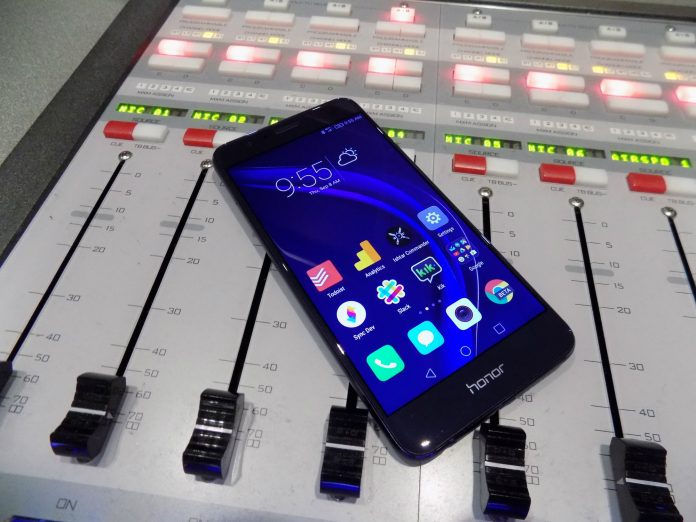
2016 will be known as the year of the budget flagship device with the release of the ZTE Axon 7, OnePlus 3, and the Huawei Honor 8. We recently got our hands on the Honor 8 and while our full review isn’t ready just yet, we do have some initial impressions to pass along.
Huawei is starting its push into the United States and the likes of LG and Sony should be worried. It has shown that it can be a true powerhouse in Asian markets and now Huawei taking what its learned there and bringing it to our shores. With build materials rivaling the Samsung Galaxy S7 and one of the most interesting takes on mobile software, the Honor 8 is unlike anything else on the market right now.
Everything down to the packaging was well thought out by Huawei. The phone slots into the box instead of sitting atop of the books, charger, and cable like every other device on the market. It’s these little things that show Huawei is focused on doing things differently. Not every change is for the better, but it is truly focused on making its own phone, a big departure from the Google-guided Nexus 6P of last year.
Build
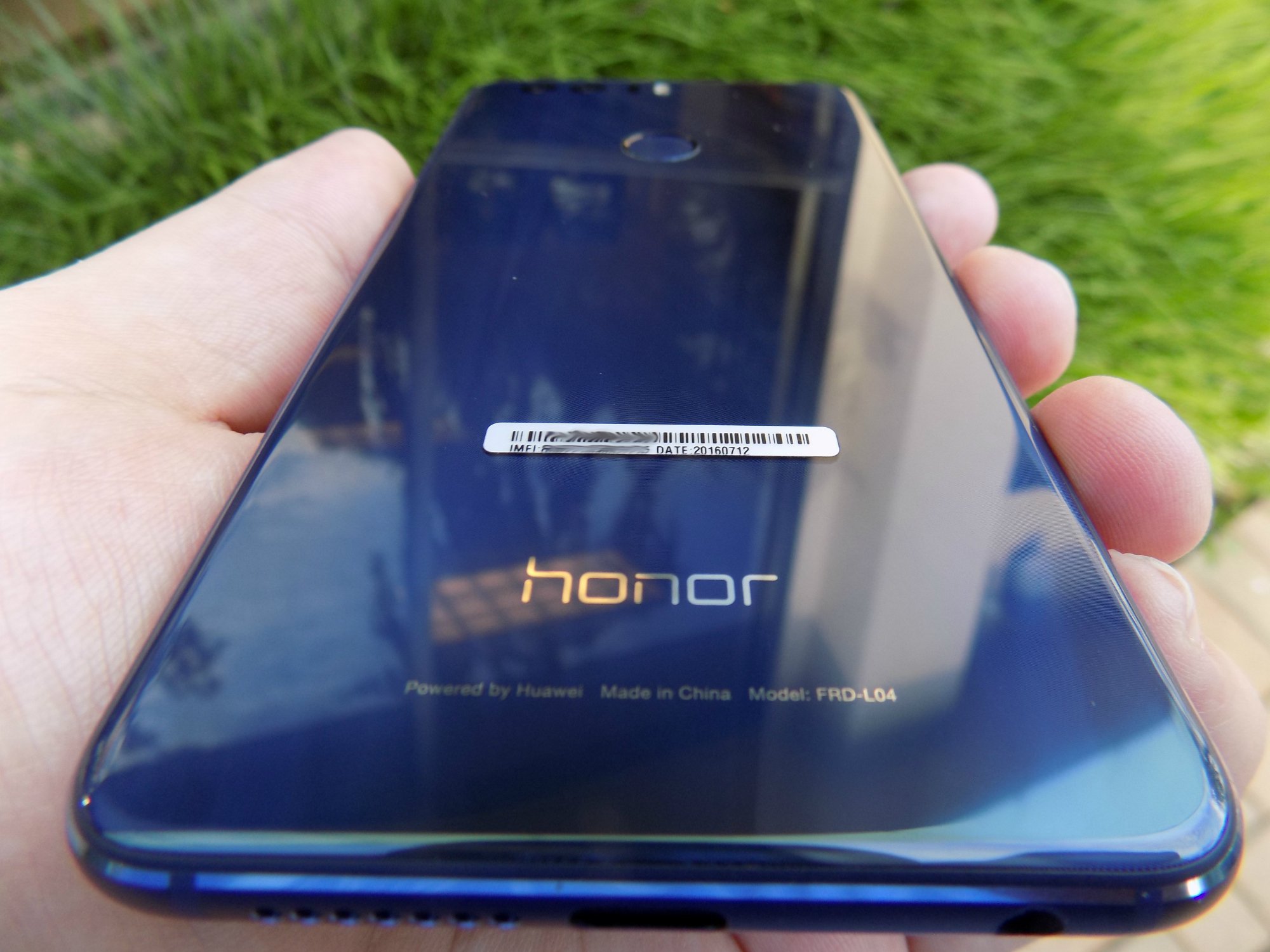
Wow. I knew that the build quality and materials on the Honor 8 were supposed to be good, but I can honestly say that I’m blown away. The Honor 8 falls just short of the Samsung Galaxy S7 in terms of build quality. But, It’s pretty close. The phone definitely channels the S7 with its glass and metal build, while keeping a more rounded edge. Those who handled the phone in our short time with it mentioned how much the sides looked and felt like an iPhone.
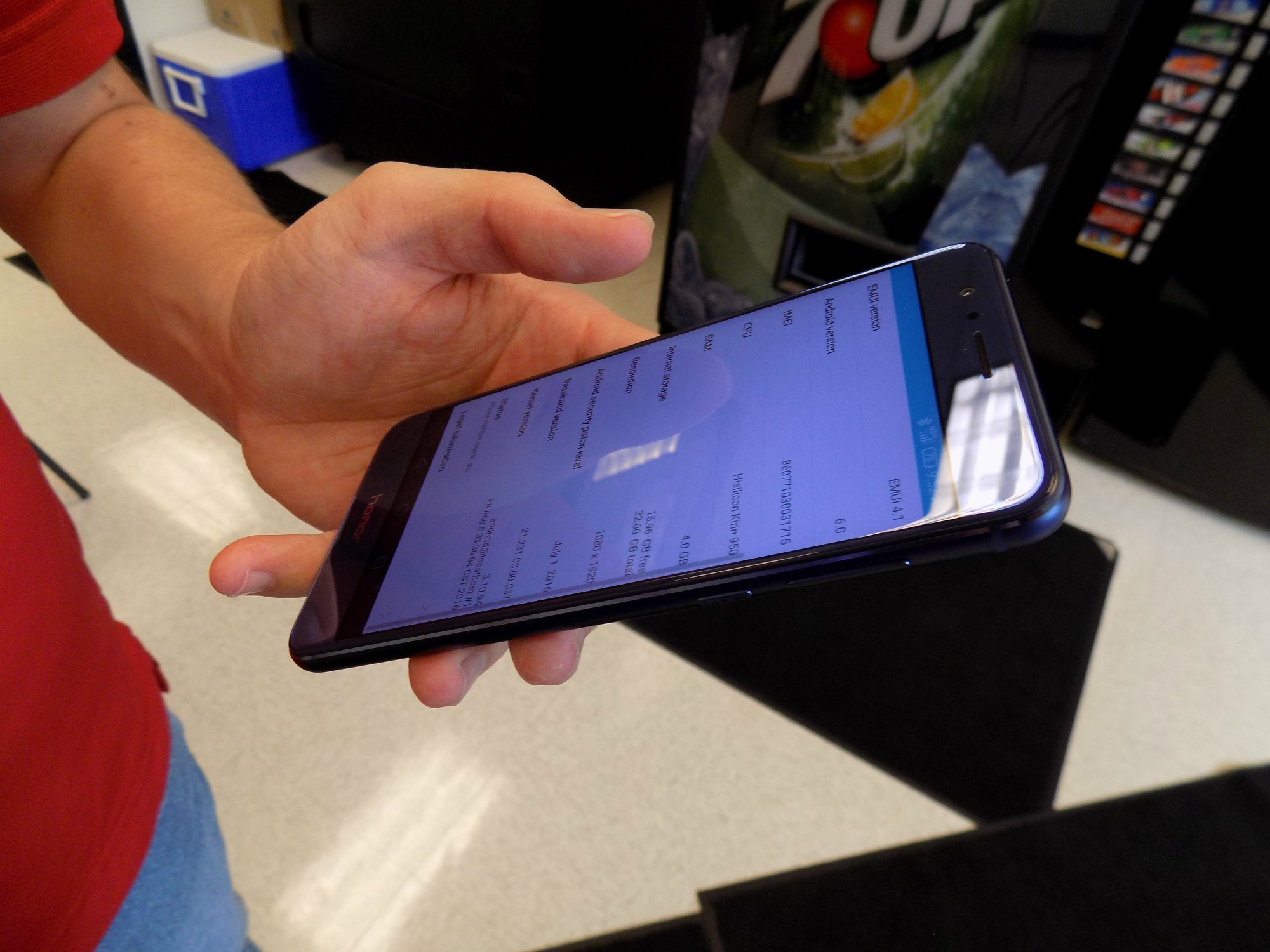
The Honor 8 may not feel as dense or solid as the S7 but it does weigh the almost the exact same, 153 oz for the Honor 8 and 152 oz for the S7. Both phones are also remarkably close in size. The Honor 8 is a few millimeters taller and wider and a half a millimeter thinner. After using a Nexus 6P for a few days, I was blown away how light the Honor 8 felt the first time I picked it up.
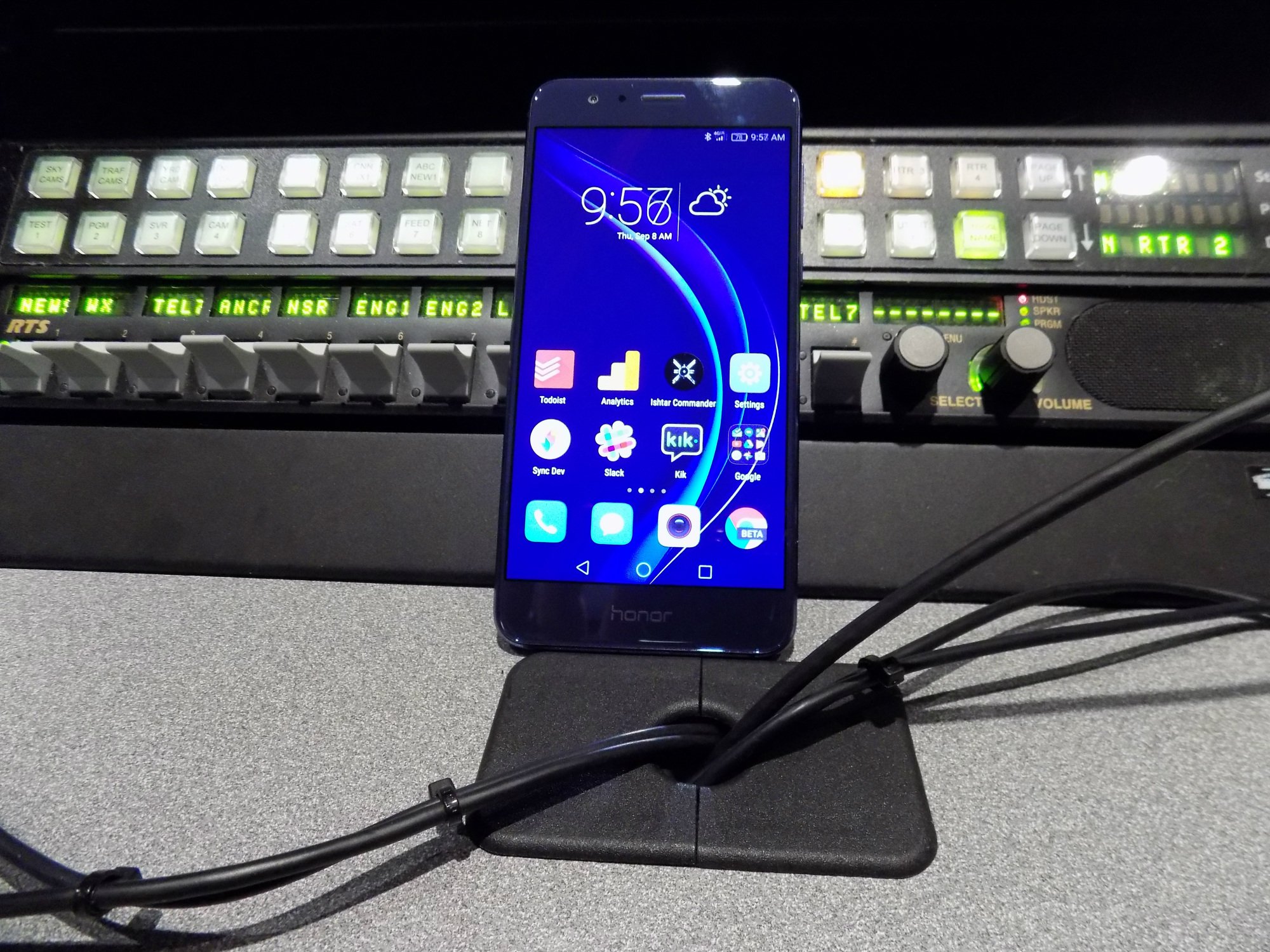
The bezels are slim and the power and volume buttons are clicky. These are two things that can truly ruin the experience with a phone and Huawei did well here. The bottom chin isn’t massive and the top of the phone is just big enough to hold the speaker and sensors. Overall I’d say it’s a pretty compact device that can easily be used in one hand.
Even though the Honor 8 looks excellent and feels great in the hand, I do wonder about how well it will hold up to scratches and falls. Phones like this tend to be fragile and I can tell my behavior changes when I’m using them as a daily driver. Added onto the suspected fragility of the device is how slippery it is. It reminds me a lot of the Samsung Galaxy S6 which is notorious for sliding off level surfaces. You won’t be able to just let this sit on your leg or a pillow because it will slide off as I found out in my first 24 hours with the phone.
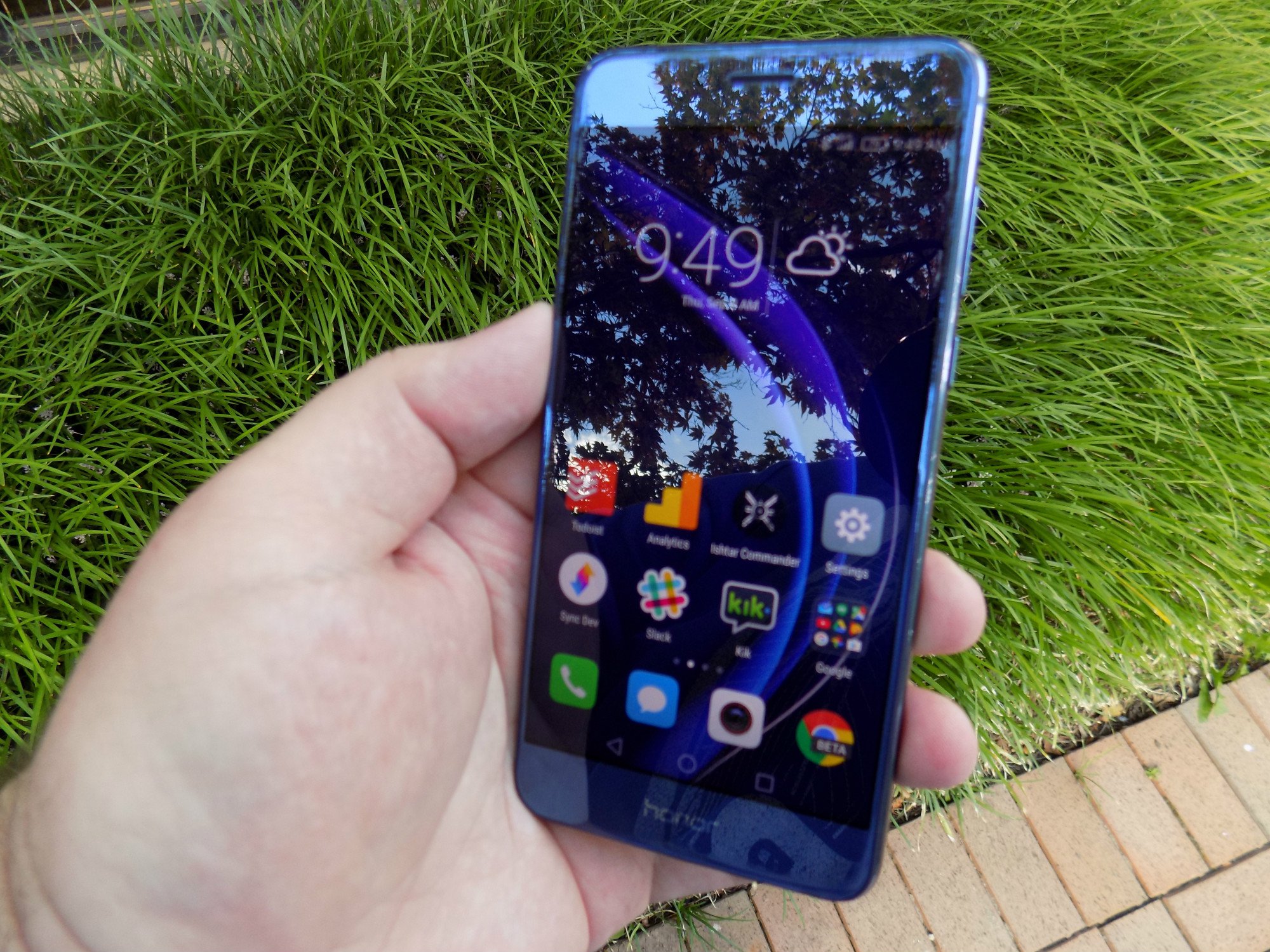
If you’re one of the many people out there that feel Samsung ruins its devices by putting its branding on the front of the phone, you may feel the need to pass on the Honor 8. The Honor name is printed on the bottom chin of the phone and interestingly enough, the exact same logo is in the exact same place on the back of the phone. I know why Huawei is doing this, but it doesn’t look great and I wish they would’ve just stuck to the branding on the rear of the phone.
I find it ridiculous that this is even an issue but yes, there is a 3.5mm jack for your wired headphones.
Software
After only a small amount of time playing with the Honor 8, I feel like I could write entire books about software customizations that Huawei made atop of Android 6.0. The Honor 8 runs EMUI, or Emotion UI 4.1. If you want Android customization with all of the charms of iOS (no app drawer!) then EMUI might be for you.
To be honest, I’ve found myself a little bored with Stock Android as of late so EMUI is a nice change of pace. EMUI touches every part of the OS much like LG’s skin but goes even further with its customization. You will not find settings and options where you normally would in Stock Android. Sometimes that’s for the better, sometimes not.
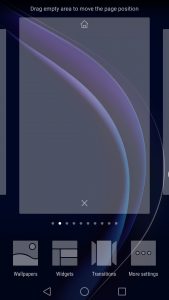
The notification shade is redesigned to have two panes, one for notification and one for shortcuts that you get to with a swipe to the right. The shortcuts are what you would expect to find nested in the Stock Android notification shade, WifI, Bluetooth, Auto-rotate and the rest. One of the coolest things that Huawei did here, and it does extend to some other places like the messaging app, is give your notifications more of a timeline feel with times and an order to how your notifications show up. It may not be any different in practice to how stock 6.0 shows notifications, but it does make you feel more on top of your day when looked at in this view.

The lack of the app drawer does mean that apps are everywhere and there are plenty preloaded onto the Honor 8. The Tools folder has 9 preloaded apps for everything from the Weather app to the Mirror app. We’re also greeted by a Top Apps folder that has such crapware as Facebook, Twitter, Shazam, Booking.com, News Republic, Lyft, and a few Huawei apps. I know adding these apps in are money-makers for Huawei and if that’s what keeps the cost down, I’m alright with adding these in as long as they can be uninstalled- which these can.
We’ll delve deeper into the software here in our full review, but suffice to say, if you’re looking for something different, EMUI certainly offers a different experience.

So far, I’m impressed. There have been a few little hiccups like some struggles scrolling through long lists but that might be chalked up to the phone breaking in. I’m trying to keep in mind that this is a $400 phone but it feels like it’s punching above its weight. The build quality feels like a device twice the price and will challenge the best from Samsung, LG, Sony, and HTC.
We’re going to spend a few weeks with the Huawei Honor 8 so we can bring you a thorough review. Let us know what you think about the Huawei Honor 8. Is it something you’d consider? Does the software disqualify it for you? Let us know down in the comments.
Amazon’s Alexa may soon butt into your conversations
Amazon’s Alexa may soon be interrupting your conversations with traffic notifications and other important announcements, if you want her to.
Amazon is eyeing spoken push notifications for the Amazon Echo, and it could either be a really great or a really terrible thing depending on how the service is set up. For instance, if Alexa could offer notifications customized by time, place and type, it could perhaps let you know if the email you’ve been waiting for about that event coming up has arrived. It could alert you to terrible traffic conditions in relation to appointments you need to make.
That’s looking on the bright side, however, as Alexa’s spoken notifications could quickly bug users, even though it’s an interesting suggestion for a feature. It would need a large set of customizational tools and permissions to work as flawlessly as it should in theory, but perhaps Amazon could figure it out.
Amazon hasn’t yet offered any comment on the situation, but on a personal front it wouldn’t be too obnoxious to have Alexa cutting in if her interjections are important. There’s always an “off” button, after all.
How to live stream NFL games when you don’t have cable – CNET
The NFL season begins this week. In a Super Bowl rematch, the Carolina Panthers and Denver Broncos kick things off on Thursday, September 8.
NFL games are broadcast on CBS and Fox on Sunday afternoons, NBC on Sunday nights and ESPN on Monday nights. The Thursday night game is on NFL Network, but five — out of 18 — are simulcast on CBS, followed by another five on NBC. (And, for the record: CNET is a division of CBS.)
Related stories
- Sling TV adding NFL Network and RedZone just in time for regular season kickoff
- PlayStation Vue adds NFL Network, RedZone and more local CBS stations
- Complete NFL coverage at CBS Sports
But you don’t need a cable subscription, however, to enjoy live NFL games. Cord cutters have more options this season than ever before, especially if they opt for online streaming. Live NFL action is coming to PlayStation Vue, Sling TV and Twitter. Verizon Wireless subscribers can stream games on their phones for free. And, depending on where you live, DirectTV’s Sunday Ticket can be streamed without a satellite dish.
Like an NFL referee, let’s go under the hood for an official review to take a closer look at your professional football streaming options this season.
Non-streaming option: Free over-the-air TV
Let’s start with the free option. If you live in an area with good reception, you can get football games for free on over-the-air broadcast channels just by attaching an affordable (under $30) indoor antenna to nearly any TV. In addition to the games on CBS, Fox and NBC, if your local team is playing on ESPN or NFL Network, that game will usually be simulcast on a local station, too. In other words, barring blackouts (if the game isn’t sold out), you should be able to watch your local team for free every week. That’s a lot more than you can say for baseball, basketball or hockey.
PlayStation Vue
Sony’s live TV streaming service offers all the networks — ESPN, Fox, NBC and CBS — that show NFL games, and has added NFL Network and NFL RedZone for this season.
There are three Vue subscription plans. The top two plans — Core for $34.99 or Elite for $44.99 a month — include NFL Network and its Thursday night games. (The $29.99-a-month Access plan features the basic network games.) Core and Elite subscribers can add NFL RedZone for the season for a one-time charge of $39.99.
Channel lineups vary by region, so check out which channel you get on the PlayStation Vue Plans page.
Sling TV
Sling TV announced last month that it will offer the NFL Network and NFL RedZone channels. With the basic $20 Sling Orange package, you can watch games on ESPN, Fox and NBC. For $25 a month, the Sling Blue package adds the NFL Network’s Thursday night games. And for another $5 a month, Sling Blue subscribers can add NFL RedZone, a fast-paced show that bounces around live NFL games to show you every touchdown scored on Sunday.
CBS, which typically carries AFC games on Sunday afternoons, is not available on Sling TV. You might be able to get the local CBS station on the aforementioned over-the-air antenna, but note that CBS’s online streaming service, CBS All Access, is not a valid workaround for football: NFL games are unavailable because of licensing restrictions.
Unlike the above two options, Twitter is streaming live NFL games free of charge. It remains to be seen how the games will be streamed on Twitter, but you will be able to watch on any Internet-connected device. Twitter will stream 10 Thursday night games, starting week 2 when the New York Jets visit the Buffalo Bills on September 15. Here’s the schedule of games, which kick off at 8:25 p.m. ET.:
- Sept. 15: New York Jets at Buffalo Bills*
- Sept. 22: Houston Texans at New England Patriots*
- Oct. 6: Arizona Cardinals at San Francisco 49ers*
- Oct. 13: Denver Broncos at San Diego Chargers*
- Oct. 20: Chicago Bears at Green Bay Packers*
- Nov. 17: New Orleans Saints at Carolina Panthers**
- Dec. 1: Dallas Cowboys at Minnesota Vikings**
- Dec. 8: Oakland Raiders at Kansas City Chiefs**
- Dec. 15: Los Angeles Rams at Seattle Seahawks**
- Dec. 22: New York Giants at Philadelphia Eagles**
*also on CBS and NFL Network
**also on NBC and NFL Network
Verizon Wireless
Verizon Wireless subscribers can stream the local broadcasts of Sunday afternoon games as well as national broadcasts on Thursday, Sunday and Monday nights via the NFL Mobile app. Live NFL streaming via Verizon previously cost $5 a month and is now included for subscribers, unless you run up data charges while watching hours of the NFL each Sunday while on a cell signal. For $1.99 a month, you can watch the NFL RedZone via the app.
DirectTV NFL Sunday Ticket.TV
DirectTV’s Sunday Ticket is the only way to watch every out-of-market Sunday NFL game, whether you subscribe to its $60-a-month Choice package yourself or frequent a sports bar that does.
You don’t need a satellite dish, however, to get the Sunday Ticket. DirectTV now offers NFL Sunday Ticket.TV. It costs $49.99 a month and is available only if you live where DirectTV satellite service is not offered. College students can get a Sunday Ticket app subscription for only $24.99 a month. With Sunday Ticket.TV, you can stream games on your computer, streaming devices such as Apple TV and Roku, and mobile devices via the NFL Sunday Ticket app.
Sunday Ticket is great for hardcore NFL fans, serious fantasy football players and those who don’t live in the same market as their favorite team.
The best ways to sell or trade in your Apple Watch – CNET
The Apple Watch Series 2 is finally here…and I have to admit, it looks pretty appealing with its waterproofing, built-in GPS and brighter screen. But before you jump on the preorder train, you might want to consider what you’re going to do with your original Apple Watch. (After all, it’s not the kind of thing that can be easily repurposed.)
The time to sell (or trade in) your Apple Watch is now — Apple has already dropped the price to $269 — so here’s what you need to do.
Before you sell
Before you sell your Apple Watch, you must disable the Activation Lock by unpairing it from your iPhone. Unpairing your Apple Watch will also create a backup, which you will be able to use to set up your new Apple Watch Series 2.
 Enlarge Image
Sarah Jacobsson Purewal/CNET
To unpair your Apple Watch from your iPhone, open the Apple Watch app and tap [Your] Apple Watch.

Enlarge Image
Sarah Jacobsson Purewal/CNET
On the next screen, tap the information icon next to your Apple Watch.

Enlarge Image
Sarah Jacobsson Purewal/CNET
Tap Unpair Apple Watch to begin the unpairing process (your Apple Watch must remain near your iPhone during this process). You do not have to worry about wiping your Apple Watch, because it will automatically be reset to factory settings when it is unpaired from your iPhone.
Option 1: Sell it yourself
Selling your Apple Watch by yourself will usually get you the most profit, but it takes some initiative and carries more risk.
Craigslist
Craigslist is a risky option for both sellers and buyers — sellers risk wasting time on flakes or getting robbed, while buyers risk getting scammed (or worse). But you will get cash for your device, and you can set your price without worrying about sellers’ fees.
For a smooth Craigslist transaction, make sure you hash out all the details first — your buyer should know the specs, price and condition of your Apple Watch before the meetup takes place — and meet in a well-lit public place.
eBay
While eBay is more work than Craigslist, it’s usually a better option for making more money. Because eBay offers (extremely robust) buyers’ protection, people are more willing to buy expensive items from strangers. Also, eBay is probably your best option if you want to sell an Apple Watch Edition, because trade-in sites will not take this more expensive variation.
The downside to eBay, as always, is the fees. eBay takes 10 percent of the final value (what your item sells for), and PayPal charges a fee of $0.30 plus 2.9 percent (4 percent if sold internationally) of the final value.
Price varies a lot on eBay. To get an idea of what your Apple Watch might sell for, search for your model and check out the ‘sold’ listings. At the time of this article, these are the going rates (sold items) for used Apple Watches on eBay.
- Apple Watch Sport (38mm): $160 – $200
- Apple Watch Sport (42mm): $180 – $300
- Apple Watch (38mm): $200 – $400
- Apple Watch (42mm): $250 – $450
Swappa
Swappa is a user-to-user marketplace for used tech — specifically, phones, tablets and smartwatches. Swappa only allows listings for working devices in good condition (no cracked glass or water damage). At the moment, you can sell the Apple Watch Sport (38mm and 42mm) or the Apple Watch (38mm and 42mm), but not the Apple Watch Edition.
Unlike eBay, Swappa charges a flat $10 fee per item sold, and that charge is tacked onto the sale price — so the buyer, not the seller, is responsible for the fee. Swappa does do payments through PayPal, though, so you will still incur the PayPal fee of $0.30 plus 2.9 percent (4 percent if sold internationally) of the price your item sells for.
- Apple Watch Sport (38mm): $160+
- Apple Watch Sport (42mm): $190+
- Apple Watch (38mm): $255+
- Apple Watch (42mm): $255+
Option 2: Trade it in
Trading in your Apple Watch is easier and less risky than selling it yourself — but it’s usually less profitable. Because the Apple Watch comes in so many variations — color, band, and band color all make a difference in trade-in value — it’s a good idea to price your model on multiple trade-in sites before making a decision. Most trade-in sites require that your Apple Watch come with accessories (the charger), and almost none will take the more expensive versions of the Apple Watch, such as the Apple Watch Edition or the Watch Hermes.
Maxback
Maxback is a trade-in site that offers cash (via check or PayPal) for your used Apple Watch. Maxback has a wider range of condition categories than other trade-in sites, so it’s worth checking out if your device is not in perfect condition. Maxback accepts the Apple Watch Sport (38mm and 42mm) and the Apple Watch (38mm and 42mm).
- Apple Watch Sport (38mm) with Sport band: Up to $130
- Apple Watch Sport (42mm) with Sport band: Up to $160
- Apple Watch (38mm) with Sport band: Up to $180
- Apple Watch (42mm) with Sport band: Up to $195
NextWorth
NextWorth is a trade-in site that offers cash (via check or PayPal) for your used Apple Watch. While NextWorth’s prices for lower-end Watches aren’t great — a 38mm Apple Watch Sport in good condition goes for about $100 — it is one of the only trade-in sites that will accept the Watch sans accessories (such as the charger).
- Apple Watch Sport (38mm) with Sport band: Up to $100
- Apple Watch Sport (42mm) with Sport band: Up to $120
- Apple Watch (38mm) with Sport band: Up to $100
- Apple Watch (42mm) with Sport band: Up to $160
Stopoint
Stopoint is a trade-in site that offers cash (via check or PayPal) for your used Apple Watch. Stopoint accepts broken items — if your Apple Watch doesn’t even turn on, Stopoint will still give you between $30 and $70 for it. Stopoint accepts the Apple Watch Sport (38mm and 42mm), the Apple Watch (38mm and 42mm) and the Watch Hermes (38mm and 42mm).
- Apple Watch Sport (38mm) with Sport band: Up to $130
- Apple Watch Sport (42mm) with Sport band: Up to $165
- Apple Watch (38mm) with Sport band: Up to $180
- Apple Watch (42mm) with Sport band: Up to $200
- Watch Hermes (38mm) with Single Tour band: Up to $430
- Watch Hermes (42mm) with Single Tour band: Up to $470
iPhone 7 storage options: Why 32 GB is likely not enough – CNET
Close
Apple’s iPhone 7 wants you to cut the cord
Drag
Apple has finally done away with the rather abysmal, 16 GB model in its iPhone lineup. Starting with the iPhone 7, you have the option of 32 GB, 128 GB and a whopping 256 GB.
Technically, Apple left one 16 GB model available in the lineup – the iPhone SE – but who can concentrate on that when there’s a Jet Black iPhone 7 Plus? Not me.
For someone who is antsy to order Apple’s latest wares, which model should you get? Let’s take a look.
Is 32 GB enough?
If you current own a 16 GB iPhone, you probably endure the ongoing message warning that your iPhone’s storage is full. It’s why Google made that hilarious Google Photos commercial that makes fun of smaller iPhone models, without actually naming the iPhone.
You might be compelled to automatically choose the 32 GB, since it’s the same price as last year’s 16 GB model. But…I plead with you to really ask yourself: is 32 GB enough? Odds are, it’s not.
How often did you clear photos, videos, apps or delete Messages conversations? Now consider that the new Memories feature in the photo app and the sticker- and photo-heavy revision of the Messages app might make you accumulate more data — and want to keep it around.
There’s also Apple Music playlists you download for offline listening, YouTube Red video downloads, 4K video recording and high-resolution photos. Add those to everything else and 32 GB might feel like 16 GB all over again.
If you hardly ever found yourself clearing space with 16 GB, though, the 32 GB is most likely just right for you.
128 GB is the sweet spot
At first 128 GB may seem overkill. 128 GBs! That’s eight times the amount os space the 16 GB iPhone has!
More from Apple’s event
- Apple’s iPhone 7 is a familiar phone for unfamiliar challenges
- Apple’s AirPods may look weird, but they’ll change the headphone market
- Full coverage of Apple’s event
Even though it was once considered to be a luxurious amount of storage, 128 GB is most likely the sweet spot going forward. It provides enough space to keep a healthy Photos and Music library on the iPhone, without forcing you to pick and choose what gets to stay and what gets deleted.
If you snap a lot of photos, and record a lot of 4K video, the 128 GB will ensure you don’t have to worry about running out of storage.
Who needs 256 GB?
If your phone is your lifeline to the outside world, holding work documents, photos, movies, videos, songs, apps and games, this is the phone you’re looking for.
I own a 128 GB iPad Pro, which is essentially my work computer and I’ve come nowhere near filling it. But that’s also likely because I rely on cloud storage quite a bit.
256 GB can hold an adequate amount of movies for long flights and all of your documents for that upcoming presentation with plenty of room to spare.
You can’t add a memory card
Remember that. Apple doesn’t offer an option with expandable storage, so what you buy now is what you’re stuck with two-years from now. For $100 more, you go from 32 GB to 128 GB. Break that down with one of the carrier leasing programs and it’s only a few extra dollars a month. In the end, avoiding a headache of constantly managing storage is well worth the extra cost.
 AIVAnet