


The PS4’s HDR-friendly update arrives September 13th
Sony has been talking about the PlayStation 4’s big version 4 update for weeks on end, and now it’s (almost) here. The company has confirmed that the new software will reach existing consoles on September 13th, and it’ll have even more than first promised. You know about headliners like high dynamic range video support, home screen folders and a revamped Quick Menu. However, there are a few perks, some of which are hardware-dependent. If you snag a PS4 Pro, you’ll get 1080p Remote Play and Share Play streaming, 1080p Twitch live broadcasts and 1080p YouTube broadcasts at 60 frames per second. It’s also easier to transfer data to a new PS4 thanks to support for shuffling data over a local wired network — you won’t have to re-download content from the internet just to pick up where you left off.
Some of the previously unmentioned tweaks will run on any system. That new Quick Menu has an upgraded music section that helps you control Spotify music without launching Spotify’s app. You’ll likewise see improvements to the What’s New and content information screens, both of which should have simpler interfaces and better at-a-glance views of what’s going on. In short: between new PS4 hardware and the version 4 update, Sony is determined to keep the PS4 fresh amidst competition that isn’t standing still.
Source: PlayStation Blog
Razer launches its own venture fund to support VR and gaming
Razer might be best known for high end gaming hardware and lightning fast peripherals, but the company is now ready to expand from its core business into everything from the Internet of Things, to Virtual and Augmented Reality, to robotics and big data analytics. To get there, Razer has announced zVentures — a new $30 million venture fund meant to explore new startups and technology in these arenas.
“Our focus is to bring value by sharing the solutions of our portfolio companies with the Razer community,” Razer CEO and co-founder Min-Liang Tan told TechCrunch, “supporting them with our hardware and software expertise and making available our global retail and distribution networks.”
ZVentures builds on two smaller funds at Razer, including the one that built the low-cost OSVR devkit and a separate fund that bought up the Android gaming console OUYA last year. According to TechCrunch, the company has already made several other deals in VR, e-commerce and gaming, but is not quite ready to disclose them at this point.
Moving forward, zVentures will be making strategic investments in the $100,000 to $1 million range and will be looking for early-stage startups that it may be able to leverage in the future. In addition to the cash infusion, the startups in the zVentures portfolio will have access to Razer’s 20 million active users. For anyone who thinks they’ve got a startup worth of Razer’s time and money, there’s a handy for for submitting a pitch right on the new fund’s homepage.
Via: TechCrunch
Source: zVentures
Tweetdeck adds location and date search filters
Twitter spews an amazing volume of information into the world, yet its search function has never been precise. To be fair, it’s faced far greater pressure to combat abuse, like it did releasing tools to cut trolls out of notifications last month. Today they’re enriching that functionality even further, but just for Tweetdeck: Users creating search columns can now filter by location and date.
You’ll have to create the column first before tweaking its area-specific settings and only unprotected tweets that are geotagged will show up. But that’s still better than the erratic results when folks deign to include place names in their precious 140 characters.
New! Location and date filters so it’s easy to find Tweets from a specific place or time. https://t.co/VADmrWrctc pic.twitter.com/CfxmBJEE4m
— TweetDeck (@TweetDeck) September 12, 2016
Source: Twitter support blog
ING Bank’s main data center was shut down by a loud noise
Members of ING Bank found themselves unable to use their debit cards this weekend due to a completely unexpected technical failure: it was just too dang loud. More specifically, a loud noise caused by a fire extinguisher test knocked out a few dozen hard-drives at the bank’s main data center in Bucharest Romania. It’s an uncommon, but not unknown phenomenon — sound causes vibration, and hard-drives hate being jostled.
The bank was testing an electronics-safe fire suppression system in the main data center, but a pressure discrepancy caused the system to emit a loud noise while expelling inert gas. According to the bank, the sound was measured a over 130dB — apparently loud enough to knock the HDD’s physical components out of alignment.
That makes sense, but why hasn’t something like this happened before? In a paper about hard-drive fragility and fire suppression systems, IBM researchers blame the march of progress: “Early disc storage had much greater spacing between data tracks because it held less data,” The paper reads. “Which is a likely reason why this issue was not apparent until recently.” Modern hard drives are less tolerant, and will fail if its read/write arm nudges 1/1,000,000 of an inch off of its data track. Good to know for folks building data centers with potentially loud fire suppression systems — but maybe this is just yet another sign that solid state storage is the future.
Source: Motherboard, Data Center Journal
First iOS 10 Apps Start Hitting the App Store
Ahead of the official launch of iOS 10 tomorrow, apps designed for the new operating system update have started hitting the iOS App Store, including those that will be available in the Messages App Store.
Rock-Paper-Scissors [Direct Link], for example, a Messages app that allows two people to play a classic game of Rock, Paper, Scissors right in Messages, is now in the App Store. It is not, however, showing up in the dedicated Messages App Store, which will presumably launch tomorrow. Other apps for Messages, like Snappy Browser, are also starting to become available.
The Messages App Store is an app storefront located within the Messages app, accessible on a device running iOS 10 by tapping the app icon, opening the app drawer (tap the icon that looks like four circles) and then choosing the “+” store icon.
Using the Messages App Store, iOS 10 users will be able to install a huge variety of sticker packs and apps to enhance the chat experience in Messages. Stickers are used a lot like emoji but can be animated and stuck on top of chat bubbles, photos, and more, while apps can do things like offer weather updates, a Safari browser for looking things up without using Messages, provide collaborative food ordering tools, and more.
iOS 10 offers a huge number of new features for developers, and in addition to Messages apps, we’ll also be seeing apps that can take advantage of the new features in Maps and apps that offer third-party Siri support. Expect to see significant app updates coming out throughout the week, leading with tons of app releases tomorrow.
Related Roundup: iOS 10
Discuss this article in our forums
A Closer Look at Apple’s CPU Improvements for iPhone 7 and Apple Watch
At last Wednesday’s media event, Apple introduced two new processors – the A10 Fusion for iPhone 7 and 7 Plus and the S2 for Apple Watch Series 2. Although Apple only briefly covered the S2 during the presentation, it did spend a good deal of time talking about A10 Fusion. The ‘Fusion’ suffix refers to the heterogeneous architecture that the A10 features, which has two high-power, high-throughput cores and two much smaller cores that are more power efficient.
Apple also introduced another very important piece of standalone silicon in its new AirPods, dubbed the W1 chip. In total, this represents a great deal of engineering work done by Apple over the last year, and the A10 is the most significant to Apple’s system-on-a-chip (SoC) line since the company’s transition to 64-bit.
Apple unveiled the biggest technical changes featured in the A10 at the very beginning, boasting a four-core CPU with 3.3 billion transistors. While Apple never disclosed a transistor count for the A9, it very likely fell somewhere in the middle between the 2 billion count on the A8 and the 3.3 billion of the new A10. A transistor count well under 3 billion seems probable for the A9; otherwise it would have been worth boasting about on its own.
The 3.3 billion number for the A10 is well over 50 percent larger than the A8, and the large jump is likely mostly thanks to the addition of two new, albeit small, CPU cores along with a greatly enhanced image signal processor (ISP). Apple also disclosed that the GPU remains a six-cluster design, while benchmarks suggest that the L1 and L2 cache sizes remain unchanged.
Given that the process node is not expected to be different than the A9 fabricated on TSMC’s 16nm FinFET process, it is very likely we’ll be looking at a larger die size compared to its predecessor. However, it is also likely Apple was able to optimize placement and sizing on what is now a more mature process, without the added complexity of producing a twin design on Samsung’s competing 14nm FinFET process.
The leaked logic board shots also suggest a larger device package than the Apple A9, although it is unclear if the new InFO packaging processor has any influence on device package footprint.

Apple also revealed that A10’s peak performance could be up to 40 percent greater than the A9 featured in the previous generation. The 2.33 GHz core speed showing up in benchmarks is roughly 25 percent faster than the 1.85 GHz seen in the A9, meaning Apple has found another 25 percent peak improvement through architecture enhancements.
A 25 percent clock speed increase is significant given that the process node likely did not change, meaning the increase was likely enabled by the better thermal performance of InFO packaging. It is also likely only possible because of Apple’s heterogeneous architecture which now features a pair of high-speed cores along with a pair of low-speed, power conscious cores.
Apple’s clock speed increase is probably more than just turning up the dial on voltage to make the cores run faster. By introducing the pair of low-speed cores, Apple opened up a whole new spectrum of dynamic voltage and frequency scaling (DVFS) options for completely disabling cores or their sub-parts. Apple designed its own performance controller to manage workloads between the cores, and we know from some industry sources that Apple does cache-sharing so that the caches don’t have to constantly read each others’ contents to be ready for a switch lest they face a delay in getting current data when they switch on.
This concept may sound familiar because ARM introduced it all the way back in 2011 with the Cortex-A15 “Eagle” design in 2012 with the “big.LITTLE” moniker. ARM’s big.LITTLE scheme also features a performance controller and cache coherency mechanisms, but it had to be designed with Linux OS performance management in mind, whereas Apple can retool iOS as needed for any software interfaces to the performance controller. As time goes on, we may learn more about which caches are shared versus which are updated with some coherency mechanism.
The boost to 2.33 GHz clock speeds brings Apple much closer to the clock speeds of competitors from SoC makers such as Qualcomm and Samsung, and Apple may also have made some transistor changes to reach those speeds. By increasing voltage, and choosing transistors with higher static leakage (unavoidable waste power), Apple can get to these higher clock speeds. Apple’s chip team can also make architectural designs that have a higher power footprint in general, whether it be at a higher transistor count, more management power overhead, or more switching activity through a different logic implementation.
The takeaway is that making these sacrifices is now okay because they are more equipped to deal with the thermal implications, and they don’t have to deal with the static power draw of all of these changes when the circuit is not in active use because they can simply turn it off and switch to the low power core.
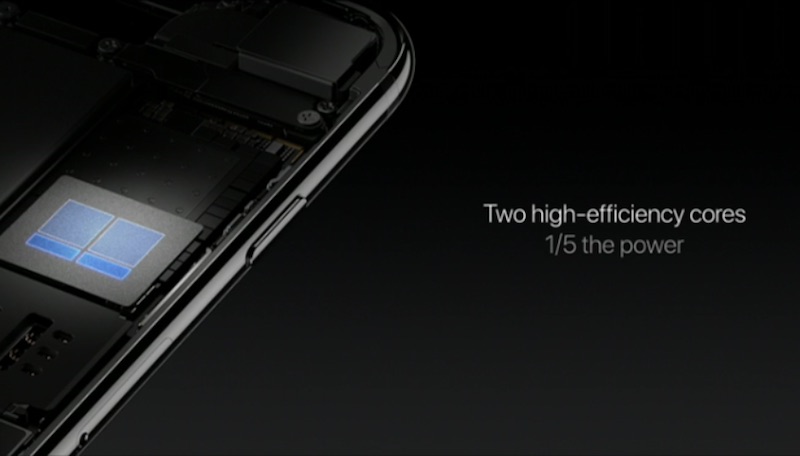
Apple’s two small cores in the A10 have drawn just as much interest as their larger cousins, with a lot of speculation centered on whether they too are an Apple custom design, or if they are a variant of a stock low-power core from ARM, such as the Cortex-A53. After so many years of full custom designs, it is fair to ask why Apple would opt for an off-the-shelf solution for its low power CPU, but there is certainly still precedent for it.
By all indications, the first-generation Apple Watch features a Cortex-A7 CPU design. The Apple Watch comparison is interesting because Series 2 was merely increased to a dual-core design up to 50 percent faster than the original. The same question of custom vs. stock design is relevant here, and it is possible that the dual-core CPU in S2 is the same dual-core featured as the low-power option in A10.
The main question centered around this architecture shift is why now would be the appropriate time for Apple to do a heterogeneous architecture. One possibility is that Apple’s main core designs had been optimized so much that there were few gains to be had, and those gains would have been with serious diminishing returns. Ratcheting up the clock speed is an easy way to get more performance, but the thermal and power costs associated with that may have been the driving force for the split.
Die size is not unlimited either, and as long as there were gains to be had by making the CPUs bigger, Apple may have opted to go that route. The enhanced functions of the ISP may have also been a good reason to raise the L3 SRAM cache from 4 MB to 8 MB, which does have some impact on the die size as well. Going forward, it’s important to remember that CPU clock speed won’t be unlimited either, as high-end desktop CPUs have been stuck between 3 GHz and 4 GHz for the past decade, for example.
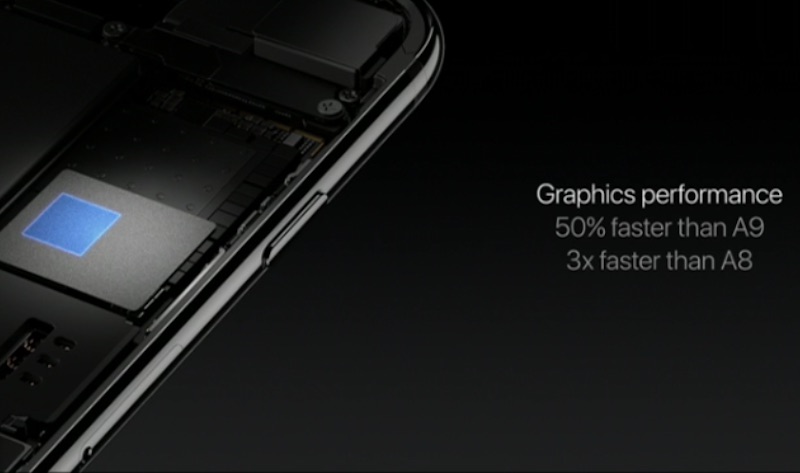
Apple finished up its technical disclosure by talking about the graphics power of the A10. Fortunately, Phil Schiller mentioned it was a six-cluster design, so we know it matches the cluster count on the A9. Apple’s performance claims also suggested that the A10 GPU can be up to 50 percent faster than the A9’s GPU while consuming only 2/3 the power.

We also know Apple used the same process node for the A10 as on the A9. Since the announcement of the 7XT series of GPUs from Imagination Technologies that was featured in the A9, there has only been one new type of high-performance GPU announced from ImgTec, and it was simply to add computer vision and compute performance enhancements to the existing 7XT line.
The power reduction alone rules out that Apple increased clock speeds to make these performance claims, so we are likely looking at some significant changes that feature an unannounced GPU, an Apple-designed GPU, or some other major architectural shift that we don’t know about. It is possible Apple could claim some gains through enhancements in metal, but up to 50 percent improvement in speeds seems a rather high claim for that.
Apple’s performance boost claims have historically tended to actually show in benchmarks, so this will be an area of particular interest when the GPU gets fully benchmarked and pictured under a microscope.

The introduction of Apple’s AirPods was also an important moment because they feature Apple’s new W1 wireless connectivity chip. In the announcement, Phil Schiller put special emphasis on it being Apple’s first wireless chip, suggesting that there are more to come. We have been waiting several years since Apple first hired several RF engineers from Broadcom, and this small Bluetooth chip could be a stepping stone to Apple providing its own RF components such as the Wi-Fi chip or even the cellular baseband modem in future devices.
This is a very tough sector to get into and be a competitor in the general marketplace, however, as seen with Intel’s own LTE offerings likely featured in the new iPhone, for example. Rather than being built from the ground up, those chips are the product of Intel’s acquisition of Infineon and manufactured on a TSMC process rather than Intel’s own. The potential gains for custom wireless chips are also less clear than with fully custom CPU solutions seen in SoCs, so this does not necessarily mean Apple’s ambitions stretch that far.
We’re likely to find out much more in the coming weeks as the teardowns begin, exhaustive benchmarks are run, and the more advanced analyses from firms such as Chipworks begin to trickle out. From there, we’ll have a better picture of the specific methods and techniques Apple has used to increase chip performance and potentially have a better idea of what’s coming next.
Related Roundups: Apple Watch, watchOS 2, watchOS 3, iPhone 7
Tags: A10 Fusion, S2, W1
Buyer’s Guide: Apple Watch (Buy Now)
Discuss this article in our forums
Apple Hit With Class Action Lawsuit Over iPhone Upgrade Program Woes
Boston law firm Block & Leviton today announced it has filed a class action lawsuit against Apple on behalf of iPhone Upgrade customers who are dissatisfied with how Apple handled iPhone 7 and iPhone 7 Plus pre-orders last Friday.
When customers who participate in the iPhone Upgrade Program went to pre-order an iPhone 7 or 7 Plus, they were forced to reserve a device from a local Apple retail store rather than being able to make a traditional online purchase. Many retail stores did not have sufficient stock to meet demand, leaving some customers unable to select the model, color, or storage capacity they desired.
Many iPhone Upgrade Program members were unhappy with the ordering process and an inability to reserve a desired iPhone for launch day. Apple has responded to customer frustration and has been collecting customer information to attempt to get customers their iPhones as soon as possible. Apple’s efforts have not, however, prevented today’s lawsuit, which claims iPhone Upgrade Program users will face future upgrade delays due to the situation.
But, the lawsuit alleges, iPhone Upgrade Program customers, unlike every other customer, were shut out from reserving the most in-demand phone models and colors.
These customers are unable to “get in line” to reserve their favored devices. Instead, they are told to simply “check back.” In the meantime, they will continue to be required to make monthly payments on their older iPhones, and their eligibility for future iPhones will be delayed, the lawsuit alleges.
The lawsuit asks Apple to reimburse iPhone Upgrade members who are forced to make extra payments while waiting for a new iPhone, make upgrade members eligible for a 2017 iPhone in September regardless of upgrade delays, and seeks to require Apple to make all of its iPhone inventory available to upgrade members.
Apple’s iPhone Upgrade Program, arguably designed for the company’s staunchest fans, allows customers to upgrade to a new iPhone each year. Customers can upgrade after as little as six months, so long as they have made 12 iPhone payments and trade in the iPhone in question when upgrading.
Tag: iPhone Upgrade Program
Discuss this article in our forums
Back to school gear: Belkin will keep you charged all day long

So you’re all settled into your dorm and find yourself getting into a few routines. Things sure are different now that you’re not at home or school like you were last fall, huh?
Now you find yourself running all over the place, getting into new situations. But, we’re also willing to bet you’re finding that your phone isn’t lasting quite as long as it did last year. Why? You’re probably away from outlets and power sources more often. Not to fear, there are plenty of great companies offering excellent accessories to help keep you juiced up. One such brand we’ve come to love is Belkin.
We’ve recently spent some time checking out a number of products from the current Belkin lineup. Among them are USB Type-C cables, a car adapter, and a power bank. We found that each one of them was designed with care and attention to detail. It’s not hard to screw up a cable or go cheap with quality, but it seems Belkin spent plenty of time on materials. Suffice it to say, we don’t see these fraying or falling apart any time soon.
MIXIT↑ Metallic USB-C to USB-C Charge Cable (Also Known as USB Type C)
USB Type-C is one really cool technology standard. Not only does it allow for super fast transfer speeds, but it can be used across multiple devices for charging, too. And, as if that were not enough, it’s full reversible so you can plug in any way you want.

Belkin’s cable is six feet long so it’s more than enough to get out from behind the outlet tucked under your desk. Moreover, it’s designed with a welded shield to strengthen it; the metallic cable won’t tangle either.
MIXIT↑ 2.0 USB-A to USB-C Charge Cable (Also Known as USB Type-C)
With so many new smartphones moving to USB Type-C as a charging standard, it’s time to start replacing your old microUSB cables. Sorry, they’re just not going to work any more with the hot flagships.

Belkin’s USB-A to USB-C cable, which comes in all sorts of great colors, is the exact cable you want for replacing your old stuff. Don’t throw away the old adapter itself, though, as it’s gonna work with these. Moreover, keep one of these in your backpack so you can plug into a laptop for data transfer.
MIXIT↑ Metallic Power Pack 6600
Whether you walk across campus or drive from course to course, you’re going to find yourself away from a wall charger. Don’t let that time spent in class keep you from charging your phone or tablet. Heck, it has two ports so why not use it to make a new friend this fall?

The Power Pack 6600 offers up enough juice to top off your phone a solid two or three times over. If you’re the kind who only needs to keep things up in the higher percentages, you can use this guy all week long. Plug in every couple of hours and you’re good to go.
Thanks to the four-light LED indicator you’ll always know, within range, how much power is left in the charger. Pick this one up in Rose Gold, Gold, Silver, and Gray options.
USB-C Car Charger + USB-C Cable
Do you have a newer smartphone like the Samsung Galaxy Note 7 or OnePlus 3? What are you doing for a car charger? Did you know there are car chargers with USB-C connections? Yep, and the Belkin model comes with a 4-foot cable to make sure your backseat drivers can charge up their handset.

This 27Watt/3 Amp charger connects to any USB-C device, including smartphones, tablets, and even notebooks. With up to 27 Watts of charging, the unit automatically detects the connected device so it can juice up at the proper speeds; you’re looking at potentially 70% faster charging for smartphones.
The Teclast X98 Plus II Android tablet is a nice media viewing device that won’t break the bank (review)

The Android tablet market is terrible. Apple’s iPad dominates the landscape in the shrinking overall tablet space and it seems that no-one really cares about putting out new tablets besides Samsung. But, there are those of us who still believe in tablets. There are those of us who want a bigger device for media viewing than the 5.7″ one we keep in our pocket. So, where are we to turn for a cost effective alternative to Samsung’s heavily skinned options and the iPad? Turns out that China is the answer.
Gearbest.com wanted to team up on a review and I was instantly attracted to its tablet lineup. Not only do they have a nice lineup of Android tablets, but it also has some interesting options that run both Android and Windows. I selected the Teclast X98 Plus II (pure Android version) to review for its good looks, screen size (9.7″) and nice price (~$130 at the time of writing).
My expectations weren’t high before receiving the device. I have always had this expectation when ordering a no-name (in the west) brand for a cheap price that I’m going to get something not worth even the discount price I’m paying. But, I have to say I was pretty surprised once I put the device through its paces.
Hardware
Let’s begin with internals. The X98 Plus II has an Intel Cherry Trail Z8300 quad-core 1.4GHz processor. The processor is designed to be a power efficient chip used specifically in tablets so it won’t put out too much heat or burn through your battery too quickly. The chip in this specific tablet is clocked at the low end of its capabilities and you should expect performance somewhere in the range of a Snapdragon 801 processor.
2GB of RAM and 32GB (25GB usable) of storage come standard in the tablet, which seems to be about the base requirements these days for smooth performance. Luckily there is also a microSD card slot for expandable storage (up to 128GB). Don’t waste your money on a card any higher than 128GB. Sometimes you can get devices to read cards at a higher advertised capacity, but the Teclast X98 Plus II would not read my Samsung 256GB micro SD card, but had no issues with my SanDisk 32GB card.
In addition to the microSD card port, you also get a headphone jack, micro HDMI port, micro USB port, and DV (5V) inputs. No DV charger came in the box so you’ll be charging up the 8000mAh battery via the micro USB port unless you source your own.

Cameras dot the front and rear of the device but they should not be used for any more than a skype conversation. They’re pretty standard low-end cameras that will make you wish you grabbed your phone out of your pocket to snap a picture rather than using the tablet already in your hands.
The display doesn’t have the highest max brightness in the world but it’s more than good enough for watching YouTube or Netflix on the couch. Viewing angles on the 2048×1536 (260 DPI) panel are fine with almost no color shifting, but where the X98 Plus II is let down is the construction of the display.
 Max brightness outside
Due to how its manufactured, the picture looks very far away from the display. Another issue that crops up is that due to the material on top of the screen, you’re going to pick up a ton of marks and scratches. I haven’t tried to be especially gentle or rough with the device in the few weeks that I’ve been using it, but I have a ton of marks and scratches that make viewing the display a real chore if any kind of light is shining on it.

Touch sensitivity is also not up to par with phones and tablets released in the past couple of years. The laggy or missed touches can make for a frustrating time using the tablet.
Software
If you’re into running the newest version of Android, you may want to avoid the Teclast X98 Plus II. But, If you care about just having something to watch media on and browse the web, the included Android 5.1 should do just fine for you. This is a mostly stock build with just a few added applications.
I only count six added applications on top of stock Android here. I’ve disabled Baidu, a Boot Manager, an OTA utility that gives me an error every time I try to use it, and three apps that have Chinese names. Honestly, just ignore or disable them and you basically have a big stock Android 5.1 tablet.
 Common sense software additions in the navigation tray
Teclast made the effort to add a couple common sense software additions like adding software buttons in the navigation tray for volume up and down as well as a quick launch for the camera and a menu button. The navigation tray generally has a lot of wasted space in Android tablets so it’s nice to see an OEM adding in nice features like this.
Performance
What kind of real world performance can you expect out of a $130 (at the time of writing) 9.7″ tablet? If you don’t have out of this world expectations, you’re probably going to be happy. I didn’t have high hopes for the X98 Plus II going in, but I came away pleasantly surprised. What you have to remember is that you’re working with hardware that would have been deemed flagship-worthy in 2014.
I used the tablet as a mainly a media consumption device. I was able to stream YouTube at 720p60fps with ease. When I bumped it up to 1080p30fps is when I saw some issues. After every video, YouTube would reload as if it was knocked out of memory while viewing the video. This can be frustrating if you’re going through your subscription list watching multiple videos, but otherwise, it was a pretty good experience.
I did not see much in the way of home screen redraws (which I did expect to happen) but apps were often knocked out of memory and had to reload fresh. I could get some music streaming while looking at facebook or reading Reddit, but nothing much beyond that would stay in memory. This seems par for the course for 2GB of RAM devices in 2016 with the demands apps are putting on the OS and hardware.
If you’re in the market for something that can run huge games, this is not for you. But, if you’re looking for something to play a bunch of media off a microSD card or streamed from YouTube or Netflix, you should be fine.
Conclusion
A premier tablet this is not. What the Teclast X98 Plus II can offer you is some nice performance for the price if you’re willing to make some compromises. We’ve seen the budget phone market explode with cheap, good options and this tablet reminds me of that. It’s not perfect and you’re definitely going to be missing some features of higher end tablets, but this can do a lot of the basics.

The speakers aren’t amazing, but they do get loud enough to listen to your media in your living room. Everyone else on the train will be thankful that it doesn’t get much louder and forces you to use your headphones. I like the build construction and how clicky the buttons are, but the tablet could use some revisions in other places like the durability of the display.
I really have enjoyed my time with the Teclast X98 Plus II because it filled a gap in my device lineup without breaking the bank. Watching and reading on my phone is great for sitting in the passenger seat or in a waiting room, but I do want something a little more substantial when I’m at home on the couch. If you don’t expect top tier performance while looking for something affordable, you could be quite happy with your purchase.
Product link: Teclast X98 Plus II 2 in 1 Android 5.1 Tablet PC
Disclosure:
Gearbest.com provided this tablet for review on AndroidGuys.com without any promise of a positive review. The tablet was used for a period of three weeks between 8/18/2016 until 9/6/2016.
Best Sprint phones

Sprint offers some of the best phones on the market. We’ve rounded them up just for you!
Sprint doesn’t exactly play well with others, so the selection of unlocked phones that you can bring to its network is rather limited. If you are trying to bring your own unlocked phone to Sprint, it’s best to head to the nearest location and ask if your device is compatible.
That being said, it has a relatively decent list of phones that you can buy straight from them, including some of the top Android phones available right now.
We’ve rounded up a quick list of the best they have to offer.
- Samsung Galaxy S7/S7 edge
- HTC 10
- LG G5
- Samsung Galaxy Note 7
Samsung Galaxy S7 and S7 edge

Samsung’s flagships are arguably two of the best phones money can buy at the moment (I say “arguably,” but let’s not fight). With the powerful Qualcomm Snapdragon 820 processor in place, these devices run faster than any Samsung phone ever has.
They feature Quad HD (2560×1440) displays, which are gorgeous and protected by scratch-resistant Gorilla Glass. The edge screen functions may not be incredibly useful on the S7 edge, but the bigger 5.5-inch screen is a perfect blend of being pocketable and large enough to comfortably watch videos on. That being said, the 5.1-inch S7 is pretty much the perfect size.
Unlike the other phones on this list, the Galaxy S7 and S7 edge are waterproof. Gone are the days of reaching out of the shower, drying off your hands, and fervently sending text messages before your precious device is splashed. Take these phones into the shower if you want. They’re good to go in up to 5 feet of water for about 30 minutes. After that, however, all bets are off.
One of the best features of each of these devices is the sizable battery. They’ll both last you at least a full day without needing a charge – depending on your habits, of course. Each model comes with 32GB of storage, but thanks to the microSD card slot that can support up to 200GB, you can expand your memory space at anytime.
If you’re after top-of-the-line Android goodness, look no further.
Check out our reviews of the Galaxy S7 and Galaxy S7 edge for more!
See Galaxy S7 at Sprint
See Galaxy S7 edge at Sprint
HTC 10

The HTC 10 is HTC’s best phone to date and a current titan among Android phones. With its solidly built aluminum body, gorgeous Quad HD display, and more-than-capable camera, the HTC is value-laden and one of your best options with Sprint.
One of the HTC 10’s best features is its impressive audio capability. It has a front-facing tweeter in the ear piece and a bottom-facing subwoofer, each with its own amp and Dolby-processed sound design. The headphone amp is also impressively powered, delivering crystal clear audio, even at higher volumes.
HTC added adoptable storage to the HTC 10, so you can expand your storage (up to 2TB) and mount it so that it becomes apart of your system for good. Once you pick up your HTC from Sprint, you should check out our roundup of the best microSD cards for the HTC 10.
Sprint sells the HTC 10 in Glacier Silver and only the 32GB version.
See at Sprint
LG G5

LG’s latest, the G5 is an innovative phone with an exceptional camera, great fingerprint sensor, and some very interesting “Friends” in the form of detachable modules that can add certain functions to your phone, like the LG CAM Plus, which adds some physical camera buttons to the phone and an extra 1,200 mAh battery, so that you’re not eating up your main battery while you’re snapping shots.
The battery may have shrunk between the G4 and the G5, but unlike the Galaxy S7, you can just swap out the G5’s battery for a new one, so if you’re going to be out for a day or two with no access to a charger, you can just carry an extra battery with you. If you are near a charger, you’ll be quite pleased with the G5’s USB C port with Quick Charge 3.0 compatibility. You’ll be up and running in no time.
As mentioned, the 16MP rear-facing camera is excellent and there’s even an option 360 degree camera for more fun.
Sprint lets you pick your color, so you have your choice of silver, titan, gold, or pink.
Check out our review for more!
See at Sprint
Samsung Galaxy Note 7

Whether you’re a busy professional or a sensitive college kid, you might find the the Galaxy Note 7’s bigger display to be particularly helpful for your day-to-day. Samsung’s 5.7-inch smartphone features a bright Super AMOLED display and an optional Blue Light filter setting, which makes it easier to read the screen at night. The phone also comes equipped with the latest hardware, as well as a stellar 12-megapixel rear-facing camera, and a stowable pressure-sensitive stylus. You can read more about the Galaxy Note 7 in our review.
Sprint offers the Galaxy Note 7 in Black Onyx, Coral Blue, and Titanium Silver.
Samsung Galaxy Note 7 recall FAQ
Note: Samsung has issued a broad recall for the Galaxy Note 7 due to battery issues. We still recommend the Note 7, but we advise checking with Sprint to ensure that it has received new stock of the phone with batteries from an updated supplier. Follow the link above for more information.
See at Sprint
 AIVAnet