


Sphero Force Band Release Date, Price and Specs – CNET
Have you ever tried using one of Sphero’s cool rolling robots, like BB-8, and wished you didn’t have to connect a phone to use it? Use the Force Band.
The Force Band was announced back at the beginning of the year. It’s a wrist-worn remote control for Sphero’s BB-8 robot, so named because — well, it makes it feel like you’re using the Force. It’s finally arriving September 30, along with a new, pretty awesome battle-worn BB-8. I’ve been using both for a few days now.
Sphero’s Force Band is a whole new way to…
See full gallery


1 – 4 of 37
Next
Prev
For owners of the existing BB-8, the Force Band can be purchased separately for $80 or $AU140 (about £61), or comes packed with a new battle-weathered BB-8 that looks far more movie-realistic than the original. That Special Edition Battle-Weathered BB-8 and Force Band package costs $200 or AU$350, or equivalent to about £152. The band itself looks aged, too; it’s a battle-scarred wearable that looks like it came from a junk heap on Jakku.
It’s basically the Sphero remote and droid I was looking for.

It’s bulky, but that makes it feel more like a Star Wars prop.
Sarah Tew/CNET
Costume jewelry for Star Wars geeks
Force Band is a bulky watch-like thing that has a velcro strap, and a funky design.
It’s not a watch, sadly, but it is a USB-chargeable motion-control wrist thingy. It glows, it talks, it makes Star Wars sounds. Most importantly, it acts as an invisible leash for BB-8, letting you control it with waves of the hand.

The original and new battle-weathered BB-8 plus Force Band, in their packaging.
Sarah Tew/CNET
It’s particularly nice because Sphero’s BB-8, and all the other Sphero robots, previously needed a phone/tablet app as a remote control, which meant you needed to have a phone or tablet nearby. For kids, this isn’t ideal. The Force Band actually works with any Bluetooth LE Sphero, including SPRK+ and the high-speed Ollie.
You still need to set up BB-8 and the Force Band with a phone using a new Star Wars Force Band app (which is also helpful, because you’ll need the force training to practice). After that, you’re set to use the band on its own. A single button on top turns it on and helps reposition the BB-8 if it gets disoriented. The sound effects can be turned off, if you want to be stealthy about your force powers.

Invisible lightsabers.
Sarah Tew/CNET
Force Band as super-remote
At first, my attempts to control BB-8 were a mess. Making BB-8 move takes some practice, but I got the hang of it after a few sessions. I had it following me like a little puppy around the office soon enough, and I think I’m starting to figure out more precise subtle moves. It gets pretty addicting…just give yourself plenty of arm space, and be ready to look ridiculous.
There are other things you can do with the Force Band besides use it to control BB-8. Wear it all day, if you dare, and you can play a Pokemon Go-like mini-game where you collect Holocrons as it buzzes your wrist with clues. It sounds annoying, but I’m not a kid, so who knows?
Other features you can unlock include sound effect packs so you can turn your waving hand into a lightsaber, or make a toy sound like a pew-pew X-Wing. (That was pretty fun.)
Other wearables, like smartwatches, might use gesture controls to operate things in your home someday soon, and Sphero envisions the band gaining functionality in the future. For now, just enjoy waving your wrist and pretending you have magic powers.

Adorable.
Sarah Tew/CNET
BB-8 looks great
By the way, the battle-scarred Special Edition BB-8 looks like a mini movie prop. It’s adorably broken-down looking. As a desktop toy or a collector’s item, I can see the appeal. And if you’re looking to buy the ultimate BB-8 bundle, you’re looking at it.
HP Elite Slice Release Date, Price and Specs – CNET
Why buy more PC than you need? Especially if you’re buying a business desktop, or potentially an entire office full of them, and you’re looking to save space or money by skipping extras that aren’t important to you.

The base PC, surrounded by add-on modules.
Sarah Tew/CNET
HP has designed a clever new take on the modular PC idea, called the Elite Slice. It’s a very small desktop, 6.5 inches square, roughly similar in size and shape to Apple’s Mac Mini or even HP’s own Pavilion Mini. But rather than being one-size-fits-all, the Elite Slice can be configured with a series of stackable add-on units that quite literally sit on top of one another.
The base unit, which is under 2 inches tall, can support up to an Intel Core i7 processor, and can include a fingerprint reader for security. To this, you can add the HP Collaboration Cover, which has special touch controls for Skype video and audio calls; an Audio Module, with dual microphones and Bang & Olufsen tuned speakers; an optical disc drive module; and sometime next year, a charging cover for wireless phone charging.

Several optional modules stacked together.
Sarah Tew/CNET
By just ordering the parts you need, you can put together a business desktop that’s tailored to a specific company or task, rather than ordering off the shelf. We don’t have full international pricing yet, but in the US, the HP Elite Slice goes on sale this September, and will cost from $429 to $999, depending on how you slice it. Converted, that starts at about £330 or AU$570.
HP Pavilion Wave Release Date, Price and Specs – CNET
When we call something a living room PC, we generally mean it’s smaller than a standard tower desktop, somehow designed to fit into typical living room or entertainment center decor, and it has some special features that make it especially useful for multimedia tasks.
The new HP Pavilion Wave is a compact triangular PC, covered in a grey woven fabric. It reminds me more of a bookshelf speaker than a computer. The look just modern enough to fit in anywhere, and its speaker-like design conveys its abilities.
 Sarah Tew/CNET
While this is a standard Windows 10 desktop in many ways, it’s almost more of an audio device than a computer. Like the Amazon Echo, which it vaguely resembles, the central mass is largely taken up with a single top-firing speaker, designed for 360-degree sound. A parabolic reflector on the very top pushes the sound out, and while it won’t replace a big pair of powered bookshelf speakers or your home entertainment surround-sound system, it’s pretty hefty sounding for a small-form-factor desktop, especially as most desktops don’t have built-in speakers at all.
 Sarah Tew/CNET
Inside, you’ll find current-gen Intel Core i-series processors, up to 2TB of storage, and even optional AMD graphics for video editing and maybe a little light gaming, plus HP says it’ll drive two 4K monitors at once.
Worldwide pricing and availability has not been announced yet, but the HP Pavilion Wave starts at $529 in the US, and will be available starting September 23.
Libratone Q Adapt On-Ear Headphones Release Date, Price and Specs – CNET

The Libratone Q Adapt On-Ear headphones are touch-sensitive so you can take a call or adjust the volume and noise-cancelling level without taking out your phone.
Libratone
Wireless headphones are having a moment as Apple looks like it’s ditching the traditional 3.5mm audio jack. Libratone is one of the manufacturers adapting to this sea change with new Q Adapt headphones, which can be controlled by tapping your ear and paired with a noise-cancellation app to block out the sounds around you.
The Libratone Q Adapt series consists of two sets of headphones: a wireless on-ear pair for £219, and a wired pair of in-ears with a Lightning cable for Apple devices, which cost £159. We don’t have US prices yet, but that converts to around $290 and $210.
Q Adapt On-ear
The wireless Q Adapt On-Ear headphones pack two 40mm drivers and connect to your phone, computer or other device via Bluetooth 4.1, so you can walk around without worrying about tangling up in a cable. They have a microphone built-in for hands-free calls even when your phone is on the other side of the room.
You can also control the ‘phones without your phone. The side of the cans are touch-sensitive, so you simply tap the side of your ear and run your finger over the surface of the earcup to adjust volume, skip tracks or answer a call. You can also mute the music by waving your hand by your ear.
Best wireless Bluetooth headphones for iPhone…
See full gallery


1 – 4 of 23
Next
Prev
Headphones don’t have to shut you away from the world. The Q Adapt cans sync with another pair so you and a friend can listen to the same thing. Handy if you’re watching a movie on a plane, sharing a workout playlist or you just don’t want to talk to each other.
Obviously all these features come at a price, which is that you have to remember to charge the headphones. The battery life is more than 20 hours, which will easily get you through a day or two at work and even a long journey. If the battery does die, they come with a 3.5mm cable to keep listening. The headphones charge from a Micro-USB connection, the same as most phones.
The On-Ears come in white, black or pale pink. They slide neatly into a bag as the ear cups twist sideways so they fold flat.
Q Adapt In-ear
The in-ear earbuds have similar touch controls in an inline control. They’re only for iPhone and other Apple devices, because of the Lightning cable.

The Libratone Q Adapt In-Ear earbuds are just for Apple devices with a Lightning connection.
Libratone
The advantages of using Lightning instead of 3.5mm include the fact that it carries power, so the earbuds don’t need a battery pack. You can also talk to Apple’s voice control system Siri through the hands-free mic on the cable.
The in-ears come in white, black, rose pink and pale pink.
Sound city
Both sets of headphones are matched with a new noise cancellation app called CityMix. Download the app to your Apple or Android phone, and you can adjust how much your headphones block out the outside world. There are four different levels of noise cancelling, each one represented in the app by an picture of a city fading out to different degrees.
So for example, if you like to listen to music while jogging, cycling or on the subway, you can still be aware of your surroundings without having to turn the music right down.
The Q Adapt series will be on sale in mid-to-late October. They’re set to go on sale in the US, UK, China, Europe and the Nordic countries.
- See all of CNET’s coverage of IFA 2016 here
Alcatel Vision Release Date, Price and Specs – CNET
VR is spreading through the tech world like red wine through a plush new carpet — but this immersive technology is still complex, and expensive. French phone-maker Alcatel has pulled something a little different out the bag here at IFA 2016 in Berlin, with a VR headset that doesn’t connect to a phone, and a 360-degree camera that does.
Vision VR headset
Unlike, for instance, Samsung’s Gear VR, the Alcatel Vision headset doesn’t rely on a phone plugged into the front to provide virtual reality visuals. Instead the Vision is a standalone piece of kit, with two OLED displays inside.
The headset is wireless, running off a battery rather than mains power. That battery is housed in the rear of the headset to stop the front getting too weighty, and Alcatel reckons you can expect 3 hours of use before the Vision starts crying for its charger. Happily the actual mask area is very roomy, so should work fine if you wear glasses. The headset felt comfortable during my brief hands-on, though we’ll need more time before we can make any solid claims on image quality or comfort over long stretches of time.

That’s a roomy headset.
Andrew Hoyle/CNET
As for what to actually watch, that’s where things get a bit less clear. The lack of VR and 360-degree video is an industry-wide problem, but Alcatel doesn’t have the clout of tech giants like Apple or Samsung, so it’s unlikely you’ll be getting any cutting-edge games or movies coming first to this headset. Alcatel’s partnered with a number of third-party companies to cook up the VR experience, and promises 100 VR-optimised videos and over 50 games to play when the headset goes on sale at the end of the year.
There’s no precise international pricing yet, but Alcatel says to expect the Vision headset to cost roughly 499-599 euros. That converts to about £425-510, $560-670 or AU$740-890. That’s leagues away from cheap, and it only just edges out the much higher-profile Oculus Rift. Fingers crossed the price gets slashed a bit before the Vision hits the shelves.
360-degree cameras
Alcatel isn’t stopping at a headset — it’s also lifted the lid on two 360-degree cameras. While consumer-grade cameras such as the Ricoh Theta S connect to phones wirelessly, Alcatel’s 360 Camera goes a bit more basic by plugging into your mobile directly.

Apart from the design, Alcatel says these two cameras are basically identical.
Andrew Hoyle/CNET
Once attached, you’ll take 360-degree photos and video using an Alcatel app. The image feeds from the two opposing cameras will be automatically stitched together.
Alcatel’s selling this camera in two versions, with the only real difference being the design. One looks like an eyeball, while the other is slimmer, with one lens offset from the other. Alcatel promises that thanks to some clever algorithms this won’t result in weird, badly stitched 360 photography.
Both versions will go on sale around the end of the year, costing roughly 99 euros, which translates to approximately £85, $110 or AU$150. That’s more than half the price of the Theta S, so we’ll be interested to see how picture quality and ease-of-use stack up when the product is final.
DJI Osmo Mobile Release Date, Price and Specs – CNET
The same camera stabilization tech that makes video from DJI’s drones look silky smooth, is now available for you to use with your phone.
The $299 Osmo Mobile (AU$519, £225 converted) is a 3-axis motorized gimbal with an adjustable phone mount. The gimbal uses its motors to counteract any shake or movement to keep all your shots steady — whether you’re standing still, riding in a car or chasing your kid down the sideline.
The stabilization in and of itself doesn’t make the Osmo stand out from other phone gimbals. What makes the Osmo Mobile different is the DJI Go mobile app. Once you connect your phone to the Osmo via Bluetooth, the app gives you full control over the camera and a couple extras to take advantage of the stabilizer.
One of those is ActiveTrack, a feature borrowed from DJI’s drones, which lets you follow a subject simply by drawing a box around it with your finger. Once it locks on, the gimbal will pan and tilt automatically to keep the subject in your shot.

ActiveTrack uses the gimbal’s motors to keep your phone’s camera on the subject you choose.
Lori Grunin/CNET
Another feature, this time taken from DJI’s Osmo cameras, is Motion Timelapse. Instead of the static timelapse clips you can capture with other cameras, the Osmo Mobile lets you capture the passing of time while the camera tilts and pans through a scene at the places you choose.
The Osmo Mobile can also take high-resolution panoramas by snapping nine photos as it pans across a scene and then stitches the shots together. The Go app will let you live stream to YouTube and — thanks to the stabilization — take handheld long-exposure shots.
On top of that, you get physical controls like a joystick for panning and tilting the camera and separate record and shutter release buttons. The joystick is customizable, too, with adjustments for sensitivity as well as inverting pan and tilt or locking it to only do one or the other. You can also just manually move the camera with your hand into position so you can set your shot just right.
DJI Osmo Mobile more than just another phone…
See full gallery


1 – 4 of 14
Next
Prev
A trigger on the front falls under your forefinger. Press and hold it and the camera locks position so you can raise and lower your hand while the camera stays aimed on your subject. Double click the trigger and it centers the camera, while a triple tap switches your phone from the back camera to the front for selfies on the fly.
Though there is no tripod mount built into the grip, there is an accessory mount on the left side that works with an extension rod, which in turn can be mounted on a tripod. DJI also sells bike and vehicle mounts that can potentially turn your phone into a stabilized action camera.
A removable battery in the handgrip is rated for up to 4.5 hours of use and can be fully charged in 2.5 hours. An extra battery runs $35, £28 or AU$59.
I’m still testing out the Osmo Mobile. but so far it’s an impressive device and it’s competitively priced against other gimbals that don’t offer near the same amount of features.
Alcatel Shine Lite Release Date, Price and Specs – CNET
Face it, selfies are pretty much the main reason many of us use our phone cameras these days. But a good selfie requires a few things: a front camera that can capture your mug with enough resolution, a flash for those times when the lighting isn’t great and maybe a few apps for editing your work.
Alcatel’s new Shine Lite, which the company introduced this week at IFA here in Berlin, has all of those things plus one more feature that’s all the rage these days, a fingerprint sensor. It all comes in a neat design with a metal trim and back and front sides covered in glass.
The main camera is 13 megapixels. Next to it is a flash and below is the round sensor for touching your finger and unlocking the phone. The 5-megapixel front shooter also has a flash and sits just above the 5-inch display. After you’ve taken all those selfies, they’re stored in a dedicated Selfie Album and you can create videos with your vanity shots with an app called Face Show. Another app, called Split Catcher, promises you to capture a scene with both cameras and create a collage. I wasn’t able to try it during our demo.
Alcatel’s slick, glassy Shine Lite phone
See full gallery


1 – 4 of 6
Next
Prev
Like most other Alcatel phones, there’s nothing about the Shine Lite that’s particularly remarkable save for price. An unlocked model should be below 199 euros, converting to about $225, £170 or AU$295. Still, that puts it on par with the Motorola Moto G4 Plus ($249 or £199, which converts to about AU$330), which also has a fingerprint sensor. As we’ve long considered the Moto G family to be a prime example of how to build a budget phone, Alcatel will have to work hard to compete. We’ll know for sure how the Shine Lite fares if we secure one for a full review. The Shine Lite will be released in Europe, the Americas and Asia this month.
Specs and key features
- 13-megapixel main camera with dual-tone flash
- 5-megapixel front camera with flash
- 5-inch HD (720p) display
- Fingerprint sensor
- Comes in black, gold and white
- Metal frame with glass front and back sides
For more of IFA 2016, see CNET’s complete coverage.
Huawei MediaPad M3 review
Huawei is best known for making smartphones at a variety of different price points from entry to high-end, but over the last few years the company has also worked to build itself a name in the tablet space with its MediaPad range. The MediaPad M2 may have been an arguably forgettable device but the company is hoping its new MediaPad M3 has a very different fate.
The Huawei MediaPad M3 offers a somewhat familiar design, updated specs, and, at least on-paper, seems to offer impressive performance and audio. But the big question is whether or not Huawei’s latest tablet truly delivers.
You may also like…
Honor 8 Review
1 day ago
Honor 8 vs Honor 7: First Impressions
4 days ago
Huawei P9 Plus review
7 days ago
ZTE Axon 7 vs Honor 8
1 week ago
10 interesting facts about Huawei
2 weeks ago
Huawei unveils honor Note 8 and honor 5 in China
August 1, 2016
With fewer Android tablets being released each year, can Huawei stake a claim for the best Android tablet with the MediaPad M3? Let’s find out in this, our Huawei MediaPad M3 review.
Design
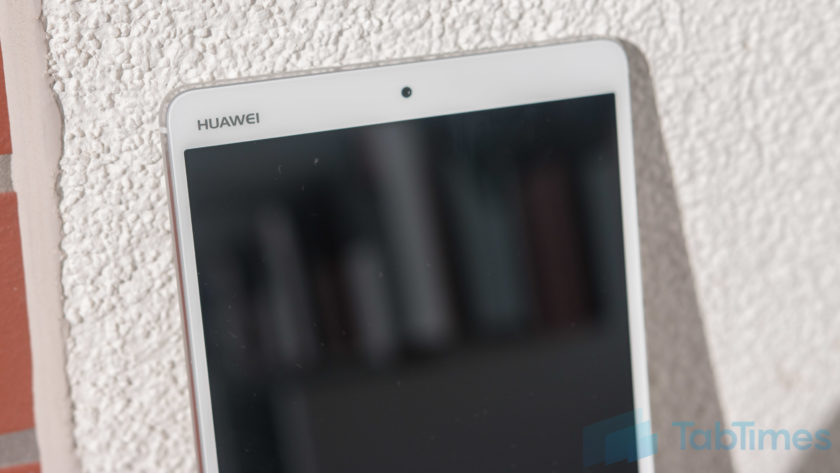
At first glance, the Huawei MediaPad M3 could be mistaken for a product from another manufacturer as, Huawei logo in the top left corner aside, the design is rather generic with no core identifying features. Huawei traditionally have added a few design elements to make their devices stand out – the MediaPad M2 offered a luxurious body after all – but the MediaPad M3 drops this to focus on the core experience.
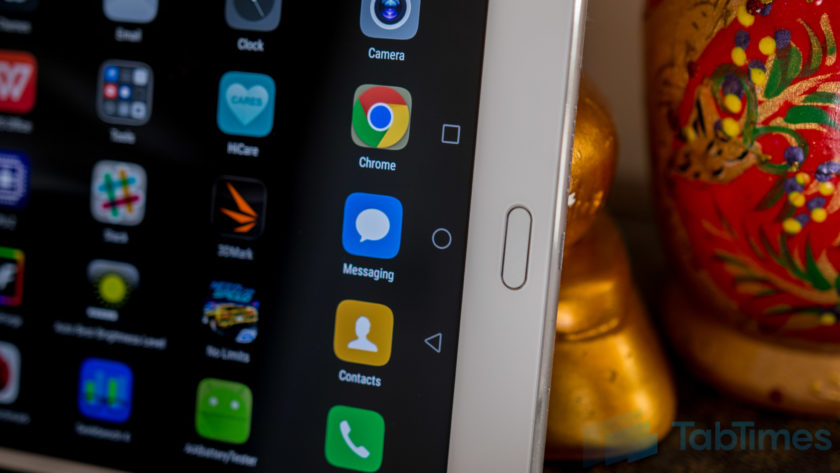
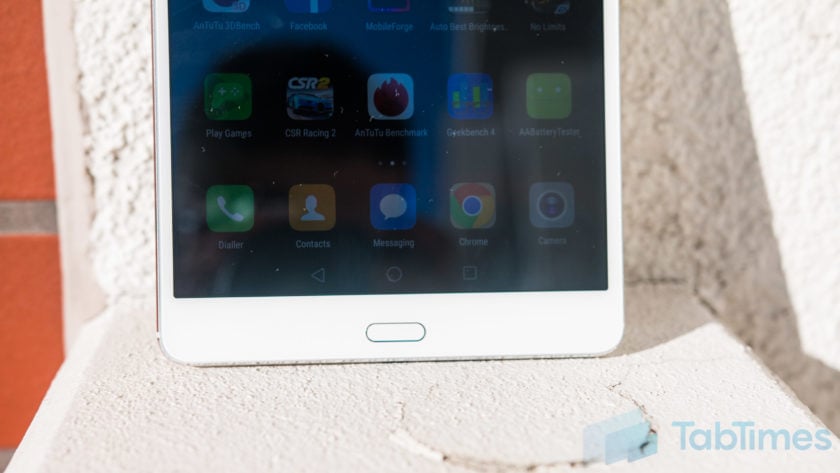
The front is of course dominated by the large 8.4-inch WQHD+ display with a fingerprint sensor below and a front facing camera up top. Alongside the display are the bezels and it’s clear that the MediaPad M3 isn’t meant to win any design awards as the bezels are large and somewhat clunky.
The fingerprint sensor itself proves to be somewhat confusing as it doesn’t act like a home button, rather it supports a multitude of gestures. A single tap takes you back a step while touch and holding takes you to your homescreen, sliding left or right opens recent tasks and sliding up opens Huawei’s HiVoice assistant. To navigate the OS, Huawei has adopted on-screen keys which can be customised but confuse the overall experience, not unlike the Moto Z Force’s fingerprint sensor.
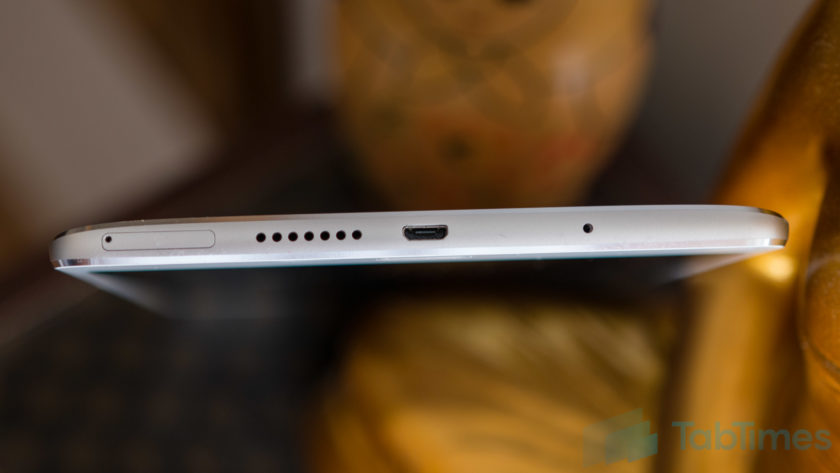
On the bottom, the MediaPad M3 sports a microUSB port – with Quick Charging built in – alongside one of the speakers and a SIM card slot. Yes, the MediaPad M3 lets you use a SIM card and comes equipped with Huawei’s phone application but, without an earpiece, you’ll need to use the speakerphone or a Bluetooth headset.
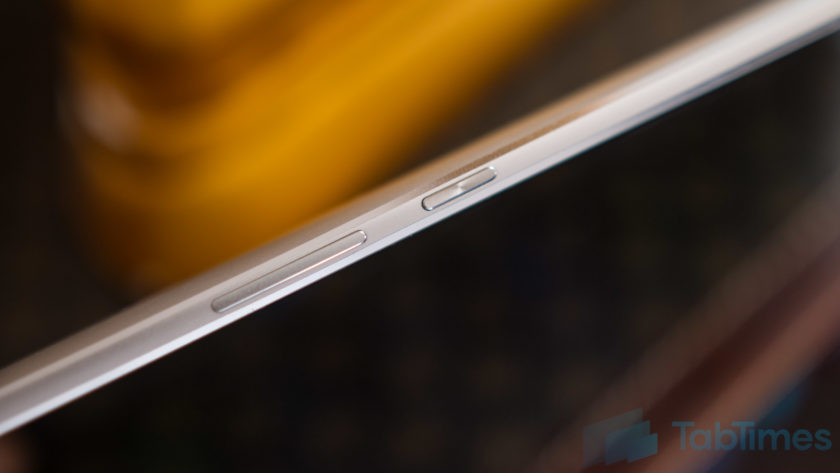
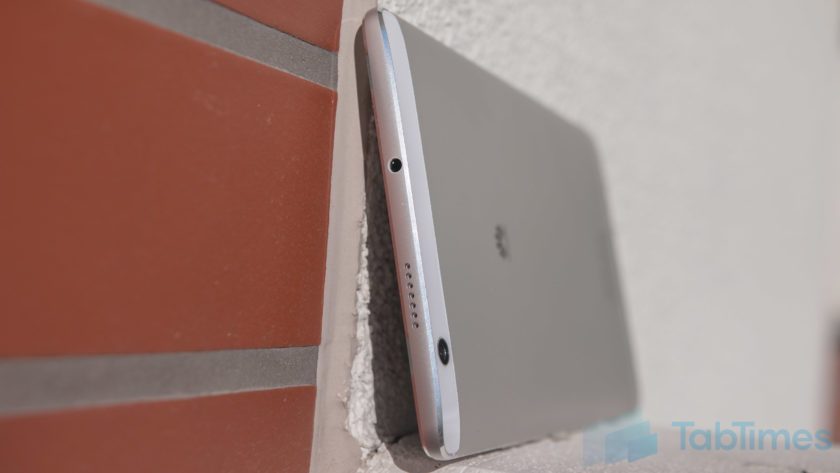
Up top, the Huawei MediaPad M3 sports the secondary speaker alongside a headphone jack. Audio through headphones is acceptable but the MediaPad M3’s audio really comes into its own when the speakers kick in (more on this below). On the left, Huawei has opted to keep the experience bare while on the right, there’s the power and volume keys which are metal, not quite recessed and provide fantastic tactile feedback.
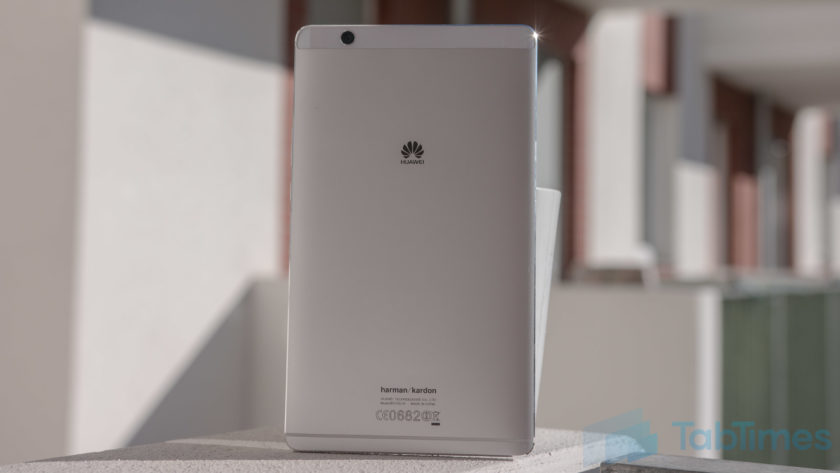
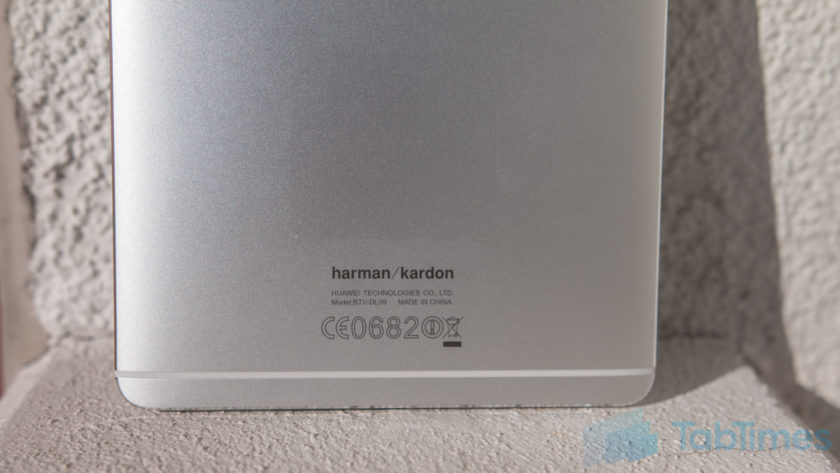
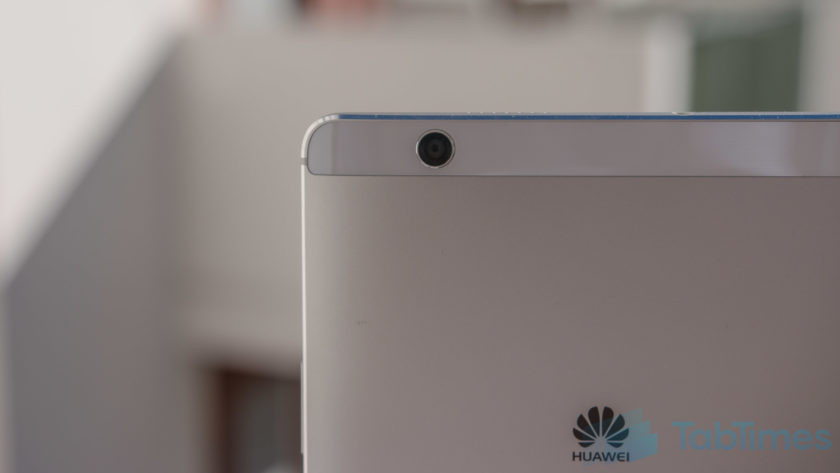
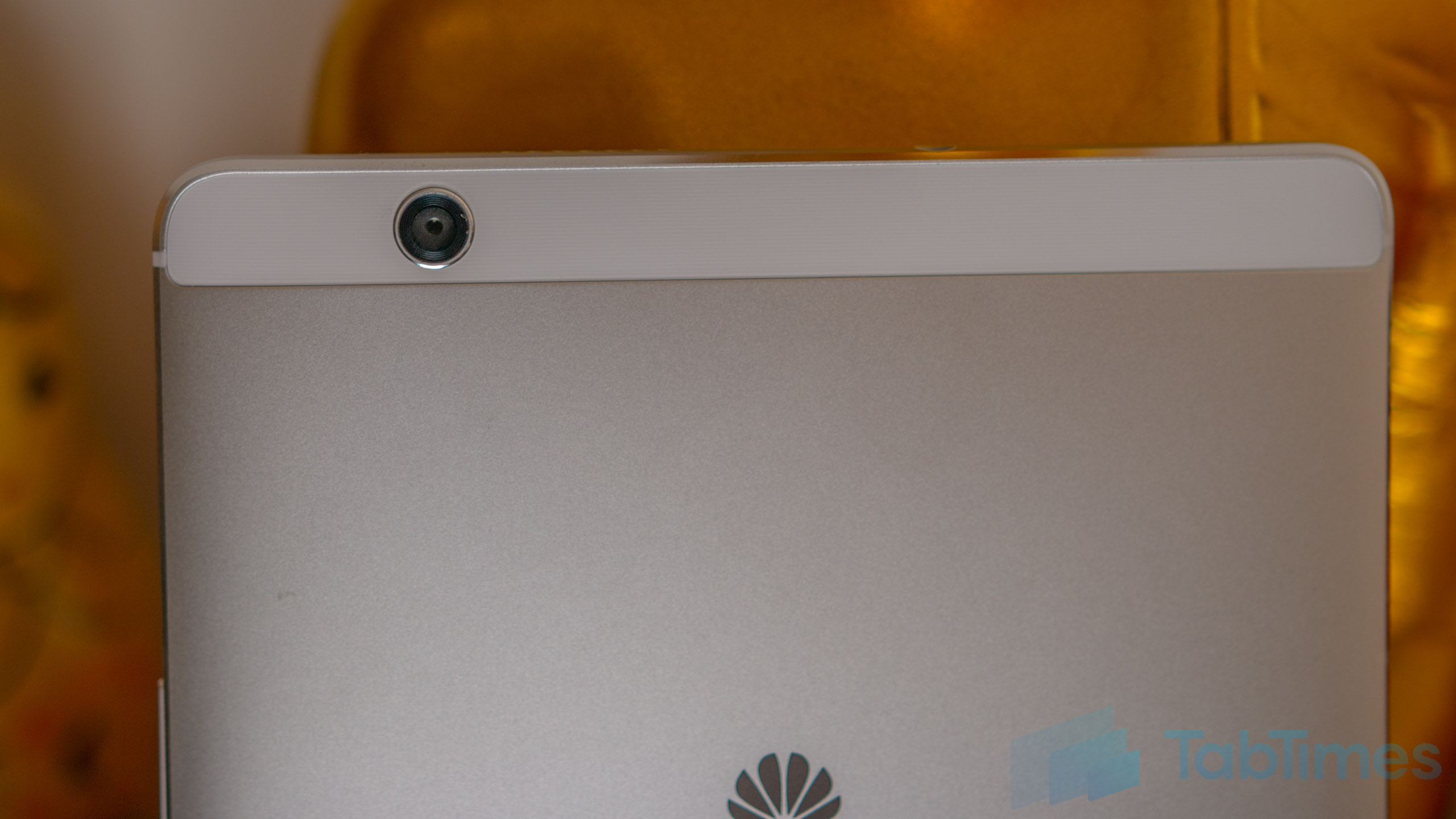
On the back, the MediaPad M3 sports a camera along with a brushed metal finish emblazoned with the Huawei logo (and at the bottom, the Harman Kardon logo). There’s also a single antenna line beneath the Harman Kardon logo, while the camera is placed within a small plastic trim at the top.
Measuring 215.5mm tall, 124.2mm wide and 7.3mm thin, the Huawei MediaPad M3 is surprisingly comfortable in the hand, no doubt thanks to its chamfered edges which improve the ergonomics of the tablet and make it surprisingly comfortable to hold. At a weight of 310 grams, it’s relatively light considering its form factor and, for those who feel inclined to do so, I can confirm that the MediaPad M3 fit comfortably in the back pocket of my jeans, making it easy to carry as well.
Display & Sound
Most people who buy a tablet are interested in the media experience and this is where the Huawei MediaPad M3 starts to shine. The display is an 8.4-inch IPS panel with a 2560×1600 resolution, which offers a pixel density of 359 pixels per inch.
Running the display through a display profiler reveals the MediaPad M3 has an average color temperature of 8666 Kelvin (versus a target of 6500 Kelvin), which means a white screen appears to have a bluish hue. However, Huawei does give you the option to tweak the display colors in the settings and setting the display to normal colors, as opposed to the vivid default setting, also improves the color accuracy, with a secondary test resulting in an average color temperature of 7563.
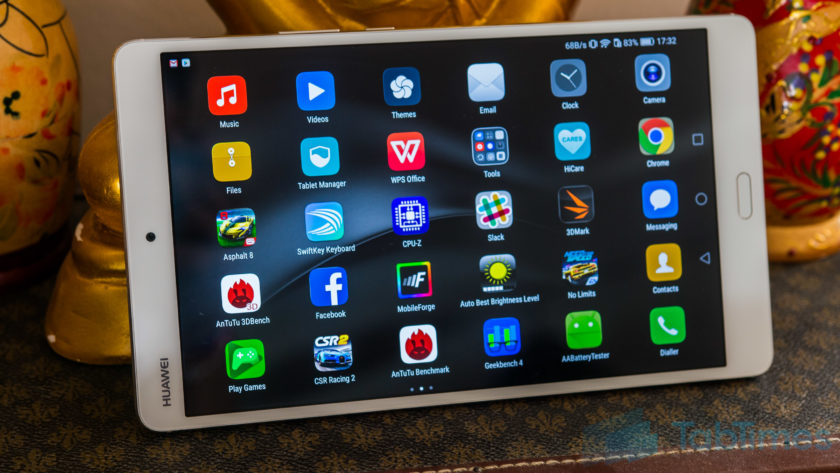
Either way, the display itself is vibrant, colors are punchy and blacks are quite deep, although maybe not quite as rich as you’d find with AMOLED displays. At its lowest brightness, the MediaPad M3 display is just 4-nits so it won’t blind you when you use it in bed, while a blue light filter is also onboard, which will reduce the effect of harmful blue light just before bed.
The display is certainly on par, if not better, than other tablets in this category but, while using it has been a joy, it’s worth noting that the viewing angles are average, although this won’t affect you unless you plan to share the screen with other people. The audio experience is where the MediaPad M3 truly stands out, however as the dual 1-watt speaker system co-engineered with Harman Kardon offers rich, immersive audio. If a great audio experience is crucial to you, the Huawei MediaPad M3 definitely doesn’t disappoint.
Huawei also says the tablet is able to intelligently recognise whether it is being used in portrait or landscape mode and adjust the audio profile experience and, based on our experience, this certainly seems to be the case. Built in support for 192KHz 24-bit files, thanks to a dedicated ESP, means even the most hardened audiophile should be satisfied by the Huawei MediaPad M3 and from my not-so-expert experience, the audio definitely doesn’t disappoint.
Performance & Hardware
Under the hood, the MediaPad M3 comes powered by Huawei’s own Kirin 950 processor coupled with 4GB RAM and either 32GB or 64GB storage, which can be expanded by up to 128GB using a microSD card. Like smartphones running the Kirin 950, there are no signs of lag and performance is a breeze.
For everyday tasks, the MediaPad M3 is capable of keeping up with most devices on the market and as we’ve found, the Kirin 950 is certainly no slouch, with performance on par with the latest processors from both Qualcomm and Samsung. Given that we’re testing pre-production hardware and software, we expected a few glitches but there have been none and – the inability to install AnTuTu and GeekBench aside, which was fixed in the latest update – you’ll find no performance concerns here.
How does the Huawei MediaPad M3 stack up to the competition in the benchmark stakes? Putting it through AnTuTu reveals a score of 90393, while running GeekBench reveals a single core score of 1751 and a multi-core score of 4755. Meanwhile, the 3DMark score of 759 reveals a couple of typical issues we’ve come across with Huawei processors in smartphones, and this is in regards to gaming.
One of the things I use a tablet for more than anything is gaming, as the large screen real estate makes it the perfect gaming device. With the MediaPad M3, Huawei’s chipset comes equipped with a Mali-T880 GPU, which is certainly more than capable of playing most games but does lag compared to the Adreno GPU used in the Snapdragon series of processors.
Running both Asphalt 8 and Need for Speed No Limits as tests, reveals that while the MediaPad M3 is more than capable of playing these games, there are a few dropped frames and gameplay is limited to 30 frames per second or less, especially for the latter title.
Looking past the GPU, the overall gaming experience is actually pretty solid, in large part thanks to the snappy performance of the Kirin chip inside. In fact, we noticed that it is around a second faster at launching Need for Speed than the Snapdragon 820-powered Galaxy Note 7, which is certainly no slouch either.
Processor aside, the MediaPad M3 hardware isn’t quite as extensive as we’ve come to expect from Huawei smartphones, but that’s unsurprising considering this is a tablet. There’s no NFC but the presence of a SIM card slot means the MediaPad M3 is LTE enabled with a theoretical max download speed of 150Mbps on the go. Overall, the Huawei MediaPad M3 delivers everything you could expect from tablet hardware and the addition of a SIM card that lets you make calls is a nice bonus.
Battery Life
One of the benefits of a large screen device is a large battery to go with it and the Huawei MediaPad M3 doesn’t disappoint, with a 5100mAh unit that’s rated as offering more than 2 days’ worth of battery life. In actual usage, it’s more than capable of doing so but with heavy usage such as gaming, it does drain considerably faster than you might not expect.
With light usage such as browsing, using apps such as Slack, Skype or more, the battery lasts around 2-3 days with approximately 8 to 9 hours of screen on time. However, with gaming, this can drop to just over a day with around 4 hours of screen on time and while this isn’t overly surprising, we’d still liked it to have lasted a little longer.
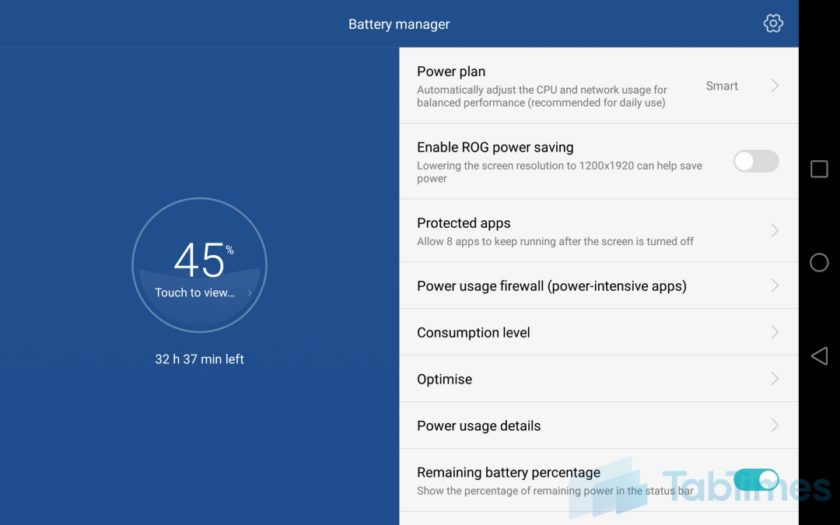
At its max brightness, the Huawei MediaPad M3 display measures 400 nits while at its lowest, it is just 4 nits and we’ve found that reducing the display brightness and/or the screen resolution (to 1080p) in the settings can improve the battery life even further. Dropping to 1080p resolution helped us achieve another 45-90 minutes of screen on time depending on the tasks involved and it’s certainly worth considering if you’re on a long flight where you won’t necessarily want or need the higher resolution or brightness.
Putting the Huawei MediaPad M3 through our quick custom battery benchmark tool with the display set to full resolution, reveals an expected screen on time of 9 hours with a combination of web browsing, video playback and gaming. While this is only indicative of screen on time, as it’s a quick test that runs for 90 minutes and extrapolates the final result, it’s accurate enough to suggest that you can expect between 8 and 10 hours of screen on time, depending upon your actual usage.
Both of these figures show you should have no issues with the battery life on the Huawei MediaPad M3, which should be good enough to get you through most journeys where you might want to watch a movie and/or game a little. Of course, there are other tablets with better battery life but considering the overall package on offer, the battery life on the MediaPad M3 is more than satisfactory.
Camera
Before we get into the Huawei MediaPad M3’s camera, let’s just put this out there; tablets were not designed with picture-taking in mind. That being said, there are a few use cases for using cameras on tablets, so are the MediaPad’s cameras any good?
On both the front and the back, the MediaPad M3 has an 8MP sensor with very little else to offer. There’s no stabilisation, no flash and no fancy gimmicks, but the camera app does have a lot of the software features you can find on other Huawei phones. The pictures produced leave a lot to the imagination and like most tablet cameras, you’ll probably be left wanting something more. There’s a fair amount of noise in the images and, whether it’s the front camera or the rear, you can expect images to be lacking in detail and clarity.

For video calls and/or quick snaps, either camera is more than acceptable but if you want anything more, we’d highly recommend you use a smartphone camera, especially if you want to share these memories with other people.
Software
The Huawei MediaPad M3 runs on Android 6.0 Marshmallow with Huawei’s EMUI 4.1 running on top and the software experience is very similar to that found on other recent Huawei devices such as the Honor 8 and Huawei P9. EMUI has certainly improved in the past couple of years but with EMUI 4.1, there’s still nothing to differentiate the tablet experience from a phone. In fact, with the ability to make phone calls, the MediaPad M3 does somewhat feel like an oversized handset.
While EMUI doesn’t offer an app drawer, it’s not so much of an issue with the MediaPad M3 although you may find having tons of apps across various home screens makes it difficult to find the app you’re looking for. At times like this, Huawei’s various gestures throughout the interface come to the forte and swiping down from any home screen opens up the universal search menu, which lets you search through your contacts, files, apps and more.
As we mentioned earlier, the fingerprint sensor beneath the display supports gestures, and while the swiping to accept recent apps or tapping to go back a step work fine, the others aren’t quite as smooth. Tapping and holding to go back to the home screen only works occasionally, while the swiping up to access HiVoice actually launches Google Now on Tap. Given that this is a pre-production unit, we’ll give Huawei the benefit of the doubt especially as the company’s fingerprint and gestures implementation is usually flawless.
Overall, EMUI is certainly an interesting interface and while it’s not everyone’s favourite interface, it’s certainly more than usable. Huawei has made some major improvements to EMUI in the past 12 months and it is really starting to show. It’s also nice to see that the Huawei MediaPad M3 comes with a relatively clean software experience that’s free of any significant bloatware and this is a welcome change, one that is hopefully an indication of where Huawei devices are going in the future.
Gallery
Conclusion
When it comes to tablets, the factors that determine whether it’s a success are different to say, a flagship smartphone. While the latter focuses on the overall experience being excellent, a tablet is arguably focused on fewer key areas such as the design, display, audio, performance and battery life.
Considering these factors, the Huawei MediaPad M3 definitely delivers, but we can’t help but think that it’s indicative of the tablet industry as a whole that we’re not overly excited by an Android tablet. On paper and in person, the Huawei MediaPad M3 definitely delivers on what Huawei set out to do: create an affordable tablet with few compromises.
If you’re in the market for an Android tablet, there’s not a lot of choices and with the MediaPad M3, Huawei has certainly shown it’s a force to be reckoned with as far as Android tablets go. Should you buy the Huawei MediaPad M3? If you’re looking for a no-compromise tablet that delivers on the key areas its meant to, you can look no further, as the MediaPad M3 is one of the best Android tablets currently on the market.
You may also like:
- Huawei P9 Plus review
- 10 interesting facts about Huawei
- Huawei unveils honor Note 8 and honor 5 in China
- Honor 8 Review
- Honor 8 vs Honor 7: First Impressions
You may also like…
Honor 8 Review
1 day ago
Honor 8 vs Honor 7: First Impressions
4 days ago
Huawei P9 Plus review
7 days ago
ZTE Axon 7 vs Honor 8
1 week ago
10 interesting facts about Huawei
2 weeks ago
Huawei unveils honor Note 8 and honor 5 in China
August 1, 2016
What do you think of the Huawei MediaPad M3 and do you plan to buy one? Do you use an Android tablet or any tablet for that matter? What do Android tablets need to offer to be able to truly compete against the Apple iPad? Let us know your views in the comments below!!
Bowers & Wilkins P7 headphones go Wireless, perfect match for iPhone 7?
After having great success with the wireless version of its P5 over-ear headphones Bowers & Wilkins has adopted the same Bluetooth technology for its high-end, top-of-the-range P7 pair too.
The Bowers & Wilkins P7 Wireless headphones uses aptX Bluetooth connectivity to ensure high resolution audio files can be received without loss in performance. They are also compatible with any Bluetooth device, regardless of audio quality.
This is especially noteworthy for the forthcoming iPhone 7, which is expected to come without a headphone jack for the first time. It is also unlikely to have aptX Bluetooth support, considering no other Apple product supports the standard. The P7 Wireless headphones will link to the new phone just as capably through normal Bluetooth though.
Two 40mm full-range drive units are utilised for clean, precise sound playback and make the transition from the revered wired version. They are made from aluminium, foam and sheep leather for a smart, comfortable fit, and a 370mAh battery provides up to 17 hours of wireless music.
- Bowers and Wilkins P7 review
- Bowers & Wilkins P5 Wireless headphones review: Class without the cables
A 3.5mm cable is also provided so you don’t have to stop listening, even if the battery runs out of charge when travelling.
The Bowers & Wilkins P7 Wireless headphones will be available this month, September, for £319.99.
The company has also announced that the rest of its headphone range has dropped in price. The smaller P5 Wireless headphone are now £229.99, for example, representing a price drop of £100. The original wired P7 cans are now £279.99.
A new verson of the P3 headphones is also on its way. We’ll update you when we find out more info.
Huawei returns to the mid-range with the Nova and Nova Plus
By its own admission, Huawei has been concentrating on releasing the best smartphones it possibly can so far this year. First with the big-screened Mate 8, and more recently the flagship P9 (and variants). That’s why, at this year’s IFA, Huawei is turning its attention to the slightly more affordable end of the smartphone spectrum, today announcing the new mid-range Nova and Nova Plus handsets.
While neither device has any killer, standout feature to boast about, there aren’t any ugly blemishes jumping off the spec sheets. The Nova features a 5-inch, 1080p display, beneath which hides an octa-core 2GHz Snapdragon 625 chip, 3GB of RAM and 32GB of expandable storage (up to 128GB microSD cards supported). You’re looking at a 12-megapixel primary camera with f/2.2 aperture, and an 8MP, f/2.0 shooter up front for selfies and such. A decent-sized 3,020mAh battery powers all that, with Huawei claiming it’s good for two days of consistent use.
Other notable elements include the Cat 6 LTE radio, fingerprint sensor, USB Type-C charging/data transfer port and dual-SIM support — though you’ll have to sacrifice the microSD expansion for a second SIM. Emotion UI (EMUI) 4.1, based on Android 6.0 Marshmallow, runs the show, bringing with it Huawei’s familiar gamut of camera tricks such as light painting, time-lapse and slow motion modes, as well as the recent edition of a night display feature that filters blue light from the screen.

The Nova Plus, as you’ve probably concluded already, is the bigger of the pair and is basically the global version of the G9 Plus. Its 5.5-inch 1080p display is joined by a 16MP camera with optical image stabilization, and the larger form factor has also allowed Huawei to increase the size of the battery to 3,340mAh (keeping you going for 2.2 days, apparently). Otherwise, it’s identical to the Nova, at least on the inside.
Despite being mid-tier handsets, the Nova and Nova Plus — both available in silver, gray or gold — are built from aluminum like Huawei’s pricier devices. The bigger of the two isn’t the sexiest of handsets. The protruding, square camera hump with beady lens looks a little dated and unrefined. Also, though there isn’t an excess of bezel on either size of the display, the larger phone feels a bit unwieldy in comparison to the neat, compact 5-inch Nova.

In fact, the Nova is a pretty good-looking device — better designed, even, than Huawei’s flagship P9. The two are strikingly similar, but the Nova’s Nexus 6P-like design has slightly softer rounded corners and a circular fingerprint sensor that’s a bit more aesthetically pleasing than the sharper, square version. It’s thin, light, easy on the hands and all things considered, feels more polished and ‘premium’ in spite of it sitting below the P9 in Huawei’s smartphone hierarchy.
The Nova and Nova Plus will be available from early October for €399 and €429, respectively.
We’re live all week from Berlin, Germany, for IFA 2016. Click here to catch up on all the news from the show.
 AIVAnet