


EE’s free 6-month Apple Music subscription will save you Bacon, give you access to Britney, bitch
EE will be offering a 6-month free subscription to Apple Music to all new and upgrading monthly customers, from 1 September.
The pairing with the Apple music service is the first of its kind for a UK network, and the latest in a number of incentives offered by EE to convince you that it is the network of choice.
EE has 16 million 4G customers on its books and a large proportion of network data is used for video and music streaming, with the company reporting a 41 per cent increase in streaming over the past 3 years.
- Apple Music vs Spotify: What’s the difference?
Importantly, this announcement makes Apple Music available to both Apple and Android users through the app, as well as on other devices, such as your laptop. You’ll be able to access Beats 1 and Apple’s DJs as well as the rest of the service’s features.
The subscription is managed by EE, and at the end of the 6-month free period, you’ll have the £9.99 monthly subscription added to your phone bill.
The new deal is being backed with a major advertising campaign, starring Kevin Bacon and Britney Spears – whose album Glory launches exclusively on Apple Music. Check out the comedy advert below.
Judge orders the release of additional Clinton emails
The FBI recently discovered an additional 15,000 emails from Hillary Clinton’s tenure as Secretary of State. Though a vast majority of those communications appear to be innocuous, a federal judge has ordered their release beginning on September 13th.
These emails are separate from the 55,000-plus pages of documentation Clinton campaign previously, and voluntarily, turned over to investigators earlier this year. The FBI and Department of Justice discovered this new batch while scouring Mrs. Clinton’s personal email server and turned them over to the State department which, by order of Judge James E. Boasberg of the Federal District Court, is required to set a timetable for their release. These were originally not expected to be published until at least mid-October.
“We are not sure what additional materials the Justice Department may have located,” Clinton campaign spokesman, Brian Fallon, told the New York Times earlier this week. “But if the State Department determines any of them to be work-related, then obviously we support those documents being released publicly as well.”
This story is developing, check back regularly for updates
Source: Reuters Politics (Twitter)
The co-creator of ‘Rick and Morty’ just founded a VR studio
Most folks know Justin Roiland as the co-creator and lead voice actor behind Adult Swim’s Rick and Morty, but it’s less widely known that he’s obsessed with virtual reality. The entertainer was one of the first backers of Oculus’ original Kickstarter, and has reportedly filled notebooks with game ideas and concepts. Now, he’s is going all in on his obsession: today, in partnership with former Epic Games executive producer Tanya Watson, Roiland announced Squanchtendo Games. It’s a VR game studio with, in Roiland’s words, one simple goal: “We just want to make super duper games dooood.”
Roiland is new to the world of gaming, but he’s not exactly a novice. He’s already helped Adult Swim make one Rick and Morty game, and has been working on another with Owlchemy Labs — a VR Rick and Morty simulator called Virtual Rick-ality. His role seems to be more focused on design than programming and production, but that’s where Watson comes in. At Epic Games, she helped make three Gears of War titles, Fortnite and Bulletstorm. Not bad at all.
The new company hasn’t yet announced any games in production, but Roiland certainly has ideas. In 2005, the creator told PCGamer that he’d filled three notebooks with VR game idea, said he’s trying to figure out how to allow players to talk to virtual reality NPCs in a way that feels natural and unrestrictive. For now, though, Squanchtendo Games is mostly just looking for staff to help them build their first title. The company’s website (and hilarious hand-drawn press release) focuses almost exclusively on finding artists, designers, producers and programmers to help them build great VR experiences.

Not a game designer? Check it out anyway — the entire website is saturated in Roiland’s brand of oddball humor, and likely serves as a good preview for the kind of games we can expect from Squanchtendo in the future.
Source: Squanchtendo Games
Universal Music Group is reportedly done with streaming exclusives
Apple Music and Tidal have tapped into exclusive releases to gain the upper hand on Spotify over the last year, but it appears one major record label may have had enough. Frank Ocean released his long-awaited follow-up to 2012’s Channel Orange on Apple Music over the weekend, an album that should top the charts this week. However, Blond has apparently caused quite a stir with Ocean’s label Def Jam and its parent company Universal Music Group. In fact, Billboard reports that UMG CEO Lucian Grainge has informed the heads of Universal’s labels that streaming service exclusives are a thing of the past for their artists.
This report comes after Ocean released his visual album Endless with Def Jam as an Apple Music exclusive the day before the full-length Blond debuted. That visual album isn’t for sale, but Blond is and it was released independently of Def Jam/Universal on Frank Ocean’s own Boys Don’t Cry imprint. Billboard says it’s unclear if the release of Ocean’s latest record directly influenced the change in policy or if it was simply one of many factors for the revised strategy.
What’s more, Billboard reports that Ocean paid a $2 million advance back to the label that essentially bought the 17-song album back and allowed him to fulfill his contractual obligations to Universal with what is basically an extended music video. We reached out to Universal Music Group for a comment on the matter and we’ll update this article when/if we hear back.
The 24-hour turnaround is certainly cause for question, but Billboard’s sources indicate that Universal Music Group isn’t currently seeking any legal action against Ocean or members of his team. Of course, by releasing the album independently through Apple, he stands to get a bigger piece of the revenues from it. A figure Billboard says increased from 17 to 40 percent when he decided to make the move. Def Jam is also home to Jay Z, Kanye West and Rihanna, the latter two having released exclusive albums on Tidal that hit the top spot on the Billboard 200 chart. Drake’s Views from the 6 was a timed exclusive on Apple Music for Universal through the Cash Money/Young Money label and it too hit number 1 on Billboard’s album chart.
Perhaps what’s more interesting than a major record label potentially refusing to offer new releases as timed exclusives is how Apple Music is essentially functioning as a record label. Two of Apple’s latest high-profile exclusives, Chance the Rapper’s Coloring Book and Ocean’s Blond, were both released independent of a regular record label. Don’t forget: Apple’s Jimmy Iovine came over in the Beats deal and he was the co-founder of Interscope Records. Thanks to some tweaks to Billboard’s charts that count a certain number of streams as an album sale, Coloring Book was the first streaming-only album to make the Billboard 200 chart. It will be interesting to see if other artists take a similar route or if labels are indeed fed up with the notion of exclusive releases all together.
Source: Billboard
Google’s Fiber rollout isn’t going as planned
Google Fiber may have just gone live in Salt Lake City, but the process of laying all that fiber optic cable is reportedly making Alphabet’s homebrewed ISP the company’s most expensive unit outside of the core Google business. According to a new report from The Information, those costs have prompted Larry Page and Sergey Brin to push Google Fiber away from its original plan and more towards a cheaper wireless standard.
The Information’s report cites low subscriber numbers, as well as some disputes between Page and Fiber CEO Craig Barratt as the main reasons for the shift in focus. Page, who is known for setting hard targets, reportedly instructed Barratt to cut the cost of home internet by a tenth and slash his 500-person staff in half. According to an earlier report from Recode, it costs at least $1 billion for Google Fiber to enter a new market.
That said, the switch from fiber to wireless has been coming for some time: In June, after Alphabet Chairman Eric Schmidt discussed the possibility of using gigabit WiFi to cover the last mile, Google Fiber (which falls under the Google Access umbrella) snatched up Webpass — a company that was already using a combination of fiber and high-speed wireless connections to do just that. Earlier this month, Google also started seeking permission to test wireless broadband in 24 other US locations, although those tests will likely be limited to Google employees to start.
Via: Recode
Source: The Information
Snapchat brings live score filters to high school football
For its next geofilter trick, Snapchat is partnering with fellow Southern California startup ScoreStream to bring live scores from more than 5,000 weekly high school football games into your Snaps and Stories. As Mashable reports today, the scoreboard geofilters will show up just in time for back to school season when they launch on September 2nd.
The high school filters work more or less exaclty like the live score filters for NBA and professional sports that Snapchat debuted earlier this year, although Mashable points out that they’ll only be available for games at participating schools. Snapchat hasn’t released a list of those schools yet, but ScoreStream has a searchable database of available teams they work with as well as their own standalone app.
While the data comes from ScoreStream, the actual art will come from Snapchat itself and features ad space similar to how sponsored filters work. At launch, the scoreboard filters will be feature some prominent Gatorade branding.
“Dynamic Geofilters are a visual and timely way for sports fans to express the here and now of the game in their Snaps,” Snapchat’s Ben Schwerin said in a statement. “ScoreStream’s crowd-sourced content is far more local and personal than any other sports content currently available, and will fuel the high school spirit of our Snapchatters like never before.”
Source: Mashable
DJI’s new Osmo+ camera adds a zoom lens
DJI’s Osmo is already one of the better action camera / stabilizer (or gimbal) combos out there, but a new model is already on its way. Less than a year after the Osmo was released, DJI is introducing the Osmo+, a $649 camera and gimbal combo that improves on the original in one obvious but significant way: zoom.
The Osmo+ camera (known as the Zenmuse X3) is outfitted with a 3.5x zoom lens and pairs that with a lossless 2x digital zoom for an effective focal length range of 22mm to 77mm. That digital zoom is only loseless when you’re shooting at 1080p resolution, however — because the camera is capable of shooting 4K footage, it can crop it down to 1080p to magnify the action. So you’ll need to choose between super high resolution footage and the ability to zoom as much as you want, depending on your needs.
Overall, the Osmo+ camera is capable of shooting 4K at 30FPS; you can also shoot 1080p at 100FPS for slow motion video. (Strangely, that’s 20FPS slower than the original Osmo, which recorded slo-mo at 120FPs.) You can also grab 12-megapixel still images from your footage, as well. DJI also says it has improved the stabilization in the camera itself, but we’ll have to wait to try the Osmo+ out to see if it makes any noticeable difference.
There’s also a new “motion timelapse” mode that lets you pick a start and endpoint that the camera will slowly move between. It’ll record throughout the move and automatically create a moving timelapse between those two points. There’s a quick video on DJI’s site that shows the results, and they definitely look cool.
It looks like the new device uses the same excellent gimbal that the original Osmo uses, and it still syncs with the DJI Go app for iOS and Android phones. For those who want to move beyond the hand-held gimbal, you can pick up a tripod, bike mount or an extension rod (basically a giant selfie stick if we’re being honest).
And since action cams, by definition, are often subjected to harsh environments, DJI is offering a new extended warranty called Osmo Shield. It doubles the standard warranty to two years and adds one instance of accidental hardware damage coverage. Extended warranties can be a bit of a crapshoot, but if you’re the type who damages gear more easily, this might be worth thinking about. The Osmo+ is on sale now — and if you don’t need zoom, the original Osmo is now priced at $569, a good $150 cheaper than it was when it launched.
Source: DJI
Siri Held Back by Lack of Advancements in Microphone Technology
Services like Siri, Cortana, and Alexa are being held back by a lack of advancements in digital microphone technology, reports Bloomberg, citing the opinions of several analysts.
While processors, camera sensors, and other vital iPhone components have evolved rapidly over the course of the last several years, the same can’t be said for microphones. Digital microphones still have trouble focusing on filtering out background noise and clearly detecting faraway voices, impacting device listening capabilities.
With artificial intelligence growing in popularity, however, Bloomberg says manufacturers are scrambling to improve microphone tech.
“No doubt, there is an arms race,” says Peter Cooney, an analyst at SAR Insight & Consulting. The big tech companies are thinking a lot more about mics than they have for the past few years. Since the 2012 launch of the iPhone 5, “microphone performance has not really improved that much,” says Marwan Boustany, an analyst with research firm IHS Markit.
Apple and other companies who rely on microphones to deliver queries to smartphones and other devices are said to want technology improvements that will make them better able to distinguish voices from other sounds at longer distances.
In a recent interview, Apple SVP of software engineering Craig Federighi said that microphones have a big impact on Siri’s ability to understand commands. “It’s not just the silicon,” he said. “It’s how many microphones we put on the device, where we place the microphones. How we tune the hardware and those mics and the software stack that does the audio processing.” He said Apple’s expertise at combining hardware and software gives the company “an incredible advantage” over companies just working on AI with software.
In the same interview, Apple execs said Siri’s capacity to interpret commands has reportedly improved greatly following the introduction of machine learning, but in practice, Siri still often fails to hear commands or misinterprets spoken words, mistakes that could perhaps be improved with better microphone technology in the future.
Siri has long been limited to iOS devices and the Apple Watch, but with the launch of macOS Sierra this fall, the personal assistant will expand to Macs. Siri also came to the Apple TV last fall with the launch of the fourth-generation set-top box.
Tag: Siri
Discuss this article in our forums
Huawei P9 Plus review
Following the release of the 5.2 inch Huawei P9, Huawei has followed up with a larger 5.5 inch version, the Huawei P9 Plus. Along with a bigger display, the P9 Plus comes with an auto-focus front facing camera and an IR blaster.
Also check out:
- Huawei P9 review
- Huawei Mate 8 review
- Nexus 6P review
Like the standard P9, the P9 Plus comes with a dual-sensor camera from Leica, a fingerprint reader and more. But how does it fair overall? Does it have enough to challenge today’s flagships like the Galaxy S7, Galaxy S7 Edge, HTC 10 and LG G5? Let’s find out, in this in-depth review of the Huawei P9 Plus.
Design
The design language of the P9 Plus is identical to the P9, which is in itself very similar to that of the P8. The Huawei P9 Plus has a full metal unibody along with chamfered edges and is basically a larger version of the P9. The P9 Plus has a slightly smoother brushed metal than that found on the Huawei P8 or the Nexus 6P and at just 6.98 mm it’s quite thin for a 5.5 inch device, yet while still managing to avoid any camera bump at all.
On the front you get a 5.5-inch display along with a discrete Huawei logo. There is no physical home button as all the navigation keys are on-screen. Going around the rest of the phone, the volume rocker and textured power button are on the right, while the SIM tray is on the left. At the bottom you will find the speaker grill, the headphone jack and the USB Type-C charging port for the fast-charging 3,400 mAh battery.
On the back is the dual-sensor rear facing Leica camera along with the flash and the fingerprint reader. The camera setup is contained within a black band including the extra sensor and the Leica logo.
Based on its looks alone, the Huawei P9 Plus is clearly targeted at the upper end of the market and it’s hard to deny that it’s quite a good looking handset. The P9 Plus comes in three colors: ceramic white, quartz grey, and haze gold. In the hand, the Huawei P9 Plus is definitely one of the nicest on the market and Huawei has done well to pack a flagship specs list in a profile so ergonomic and svelte.
Display

The Huawei P9 Plus comes with a Full HD 5.5-inch display and 2.5D glass. Although the screen size has been bumped up from the 5.2 inches found on the standard P9, the resolution remains the same at 1920×1080, this means the P9 Plus has a pixel density of 401 pixels per inch. However the P9 Plus does have one ace up its sleeve, it uses an AMOLED display and not an LCD display. The result is a display with the vibrant colors and deep blacks that we associate with AMOLED technology.
The display also includes “Press Touch”, which is built on Huawei’s screen pressure recognition tech. Using it you can preview images, magnify image details and access shortcut menus for some of the standard apps. For example, in the gallery you can press harder on the screen to activate a magnifying glass. On the home screen if you force press on the camera icon you will get access to a shortcut menu. These menus also appear for the dialer, contacts and messaging apps, among others. The pressure sensitivity is configurable in the settings, which also provides a test area so you can gauge how much pressure is needed at the different levels.

The display is bright, and works well indoors and outdoors. The screen is vivid and saturated with some great contrast, it also has good viewing angles. You can change the color temperature of the display in the Settings menu to a little warmer or colder to better suit your tastes, but for me the default settings were good enough. Overall, the P9 Plus comes with a great display that will provide a good experience regardless of what you’re doing on the screen.

Hardware and performance
The Huawei P9 Plus features an in-house Kirin 955 SoC build on 16nm FinFET. It is a slightly beefed up version of the Kirin 950 that featured in the Mate 8. The chip boasts an octa-core CPU configuration built from four Cortex-A72 cores, clocked at 2.5GHz, and four Cortex-A53 cores, clocked at 1.8GHz. The chip also features a Mali-T880 MP4 GPU, one of the most powerful graphics processors in Huawei’s armory. The P9 Plus comes with 4GB of RAM and 64GB of internal storage, along with possible expansion via the microSD slot.
In terms of every day use the P9 Plus is fast, fluid and great to use. The UI animations are smooth, apps open and close quickly, and multi-tasking being a breeze. Games also work well on this device and while there are handsets out there with more powerful GPU configurations, the Mali T880 is a fantastic GPU, even in this 4 core variant. Although the benchmarks show that the GPU has a lower performance than say the GPU in the Exynos 8890, for most users the 3D gaming experience on this device will be excellent.

The Cortex-A72 core is the latest, and highest performing, 64-bit core design from ARM. The use of a Cortex-A72 & Cortex-A53 octa-core SoC is reflected in the benchmarks. The Huawei P9 Plus scored 1829 on Geekbench’s single-core test and 6573 for the multi-core test. These are approximately the same scores achieved by the smaller Huawei P9. For some context, those scores are better than the Snapdragon 810 and the Exynos 7420. Compared to the Snapdragon 820 and Exynos 8890, the Kirin 955’s single core results are lower, however the multi-core score is higher. In other words, according to Geekbench at least, this is a leading flagship processor.
For AnTuTu the P9 Plus scored 97910, which ranks the device higher than the Samsung Galaxy Note 5, faster than the Huawei Mate 8 (as expected) and faster than the Galaxy S6. However it is slower than the latest flagships with Snapdragon 820 or Exynos 8890 processors. As for Epic Citadel the device manages a nice 59.3 frames per second in Ultra High Quality mode, you can’t really ask for more.
The fingerprint reader on the P9 Plus is very good and really I have come to expect nothing less from Huawei. The fingerprint reader on the P9 was excellent and the P9 Plus has followed suit. Since the fingerprint reader is on the back, you can wake and unlock your phone just by putting your finger on the reader. You can also use the fingerprint reader to trigger the shutter while taking photos, to swipe left and right when viewing photos in the gallery, or to answer a call.

The Huawei P9 Plus features a single speaker on the bottom edge, next to the Type-C USB port. The speaker is quite loud and the sound is reasonable considering it isn’t a front facing speaker. However, as with many smartphones, music can lack bass and sound a bit thin. I found that at full volume some tracks tended to distort and that the sound quality improved when the volume was actually turned down a notch or two.
The P9 Plus has a 3400 mAh battery, which is impressive when you consider how sleek Huawei have made the device. I ran Epic Citadel to test the battery life while playing 3D games. According to my calculations you will be able to play 3D games for over 4 hours from a single charge. As for simpler tasks like browsing the web, you will get around 11 hours from a full charge, or alternatively you can watch locally stored videos for at least 10 hours.
Overall you will easily be able to get through a full day without needing to reach for the charger. My tests show that you should be able to get around 6 to 7 hours of screen-on time during a 24 hour period, depending on your usage.
When it comes to battery charging, the P9 Plus supports fast charging and a fast charger is included in the box. Using the supplied charger, it takes 40 minutes to go from empty to 50% and 2 hours and 27 minutes to charge the phone from zero to 100%. The P9 Plus has a USB Type-C port for charging, however Huawei has been practical in that the charging cable has a USB Type-C plug at one end and a Type-A USB port at the other for connecting to the charger or your PC.
As you would expect the P9 Plus also includes the usual assortment of WiFi, Bluetooth, GPS, and NFC connectivity options. The Huawei P9 Plus also comes with a plethora of LTE bands – just like previous Huawei devices – with support for most the major GSM bands in a single variant of the handset.
One of the extra features on the P9 Plus is the IR blaster. The bundled Smart Controller app allows you to control TVs, air conditioning units, set-top-boxes, DVD players, projectors and more. Device setup is easy enough, you just need to pick the type and make of device and follow the on-screen instructions. Overall the IR blasted worked as expect and in my opinion is a good addition.
Software

The Huawei P9 Plus runs Android 6.0 Marshmallow out of the box, complete with Huawei’s Emotion UI 4.1. For some people the lack of a stock Android experience will be a stumbling block, especially since EMUI doesn’t include an app drawer. If you haven’t heard of EMUI, the general look-and-feel is different to stock Android with colorful square icons, desktop folders and a re-designed settings page.
However besides the UI changes there are lots of additional features that you don’t get with stock Android including a floating dock, motion gestures, voice wake-up, a one-handed mode and Huawei’s own take on a “do not disturb” mode.
Under motion gestures you can enable motions like flip to mute, raise to ear to answer calls, and a tilt motion to move icons and widgets. The tilt motion feature works from the home screen editing mode. If you touch and hold an icon or widget you can move it to another screen by tilting the phone to the left or right. There is also the Knuckle gestures which allow you to take a screenshot by double tapping the screen with your knuckle, or drawing a letter to open an app. Both types of knuckle gesture can be disabled if you find they misfire.
 See Also: Upgrading from Huawei Mate 7 to Huawei Mate 817
With the built-in voice wakeup you can talk to your phone when it is nearby. Its usage is limited to placing a call or locating your device, but it works quite well. The default phrase is “Okay Emy,” but can be changed to anything you like. A similar feature is “Quick calling” which allows you to initiate calls when the screen is turned off. However you need to press and hold the volume down button until you hear an alert tone, then you can speak the name of the contact you want to call.
Since the P9 Plus uses on-screen keys, Huawei as added the ability to customize the order of the navigation buttons. By default the recent apps is on the right and the back button is on the left. However this can be reversed. It is also possible to add a fourth button for opening the notification panel. Tapping the icon is the equivalent to dragging the notification shade down from the top.
There is also a theme engine that lets you easily change the look and feel of the UI to something that better suits your tastes. The theme store has dozens of free themes arrange in several different categories including Creative, Cool, Lovely, Cartoon and Sophisticated. Switching to a new theme is easy, you just need to download it and apply it, however you will need to register for a free Huawei ID.

Huawei has included a battery manager which gives you a high level of control over battery related features. For example you can set a power plan which will tweak the CPU according to your usage (and so save battery when possible). One interesting feature which I haven’t seen before is the ability to change the screen resolution from Full HD to 720p. According to the battery manager app this can help save power! Other battery related options include a whitelist function to ensure that certain apps keep running after the screen is turned off and a power usage firewall which warns you about power hungry apps.
There is also an ultra power saving mode which will disable everything except calls and messages plus activate a simply monochrome UI. When running low on battery power this mode can add several more hours of usage.
Camera

One of the key features on the Huawei P9 Plus is the camera. As with the smaller P9, Huawei has partnered with legendary German camera-maker Leica and included the same dual-sensor camera from the P9.
The P9 Plus has a 12 MP dual-lens setup on the back, one with an RGB sensor specifically for color reproduction and the other purely for capturing black and white detail. The camera setup was co-engineered with Leica as part of a long-term partnership that was announced back in February. As a result the f/2.2 dual lenses carry the Leica seal of approval.
The idea behind the dual-lenses is the ability to deliver greater verisimilitude and better light sensitivity. The built-in monochrome sensor promises a 200% sensitivity increase compared to regular sensors and a 50% bump in contrast. There are three different focus modes on board too: laser focus, depth focus and contrast focus as well as a dedicated depth measurement chip. This means that both lenses can focus individually and the P9 Plus’ image processor will automatically choose the best result.

Apart from the more standard modes like HDR and Panorama there are lots of camera modes available including a full manual mode (which offers greater control over ISO, exposure and shutter speed) and a special shallow depth-of-field mode. When using the shallow depth-of-field mode you get the added ability of being able to refocus pictures post capture. From the gallery you can enter the refocusing mode and change which object is in focus and the depth-of-field, i.e. how far away (in terms of depth) another object needs to be before it goes out of focus.
Other modes include night shot, time-lapse, slow-motion, and watermark. There is also a series of live filters available if you want to get a little fancy with your picture taking. Huawei also added a light painting mode, that lets you capture light trails created by things like moving cars, or the stars in the sky. The effect can be really interesting, but you will need a pair of steady hands, or a tripod mount, to get the perfect shots.

When in PRO mode you also get some extra options on the settings page, namely the ability to save images in both RAW and JPEG formats, plus an option to enable/disable the AF auxiliary light feature (which basically shines the flash LED like a torch while focusing in low-light conditions).
There are two things that detract from the overall camera experience. One is the lack of Optical Image Stabilization (OIS) and the other is the lack of 4K video recording. The good news is that there is a software based image stabilization option when recording video.
The 8 MP front-facing camera adds auto-focus, something missing from many smartphones including the standard P9. The auto-focus is a nice feature and should make selfie junkies happy. You will find the standard beautification mode available, plus the Perfect Selfie mode. This mode allows you to dial in a number of beauty presets that automatically get applied each and every time you take a selfie, making for a consistent look across all your self portraits, thus creating the perfect selfie!
My biggest complaint with the P9 Plus’ camera app is that it doesn’t rotate all the UI elements when you move from portrait to landscape. Although some elements do move, the settings page remains in portrait as do the “PRO” settings.
Here are some sample photos to help you judge the camera for yourself:

Plus a few low-light shots:

I also took some monochrome images (one of the modes in the camera app) which I guess/hope uses the monochrome sensor:

 See also: 15 best camera apps for Android103
Specifications
| Display | 5.5-inch AMOLED panel 1920×1080 resolution Press touch tech |
| SoC | HiSilicon Kirin 955 |
| CPU | 4x 2.5GHz Cortex-A72 4x 1.8GHz Cortex-A53 |
| GPU | Mali-T880 MP4 |
| RAM | 4GB |
| Storage | 64GB + microSD |
| Cameras | Dual-sensor 12 megapixel rear camera co-engineered with Leica. 8 megapixel front facing camera with auto-focus. |
| Battery | 3,400mAh |
| Features | Fingerprint scanner, USB Type C, NFC, IR Blaster |
| OS | Android 6.0 Marshmallow with EMUI 4.1 |
| Dimensions | 152.3 x 75.3 x 6.98mm |
| Weight | 162g |
Gallery

Wrapping up
The Huawei P9 Plus certainly offers a lot. It’s thin, has a great battery, there is good performance, the dual-sensor camera and the nice 5.5 inch display. The only wrinkle I can foresee that could slow its wide spread adoption is EMUI.
Huawei in video:
-

Huawei P9 Camera Feature Foc… -
Huawei P9 software: feature … -
Huawei P9 review -
Huawei Mate 8 vs Nexus 6P -
Huawei Mate 8 Review -
Huawei Watch Review!
Our reviews of previous Huawei devices, like the Huawei P8 and the Mate 8, have highlighted flaws with EMUI. One concern has always been that with so many flagship devices on the market, EMUI may prove to be a stumbling block to some users, particularly in the west. However, I am not sure that I feel the same way about the software on the Huawei P9 Plus. I certainly liked the software on the P9 and the software on the P9 Plus is almost identical.
Like the P9 and the Mate 8, the Huawei P9 Plus has excellent hardware, but I also like the software. It isn’t stock Android and if you want stock Android then you aren’t going to be happy with EMUI. True the UI is different, but it is still Android and you still get access to Google’s services, you can install the myriad of apps from the Play Store, and so on. What isn’t there to like?
Having said that, it is also possible to replace the launcher with an alternative like the Google Now Launcher. The trick is to make the Google Now Launcher the default under Settings -> Apps -> Advanced -> Default app settings -> Launcher.
Huawei’s partnership with Leica means this is a great phone for photography enthusiasts, but also a great device for tech lovers, with a range of features that are befitting of any flagship device.
What do you think of the Huawei P9 Plus and do you plan to buy one? Let us know your views in the comments below!
Wirecutter’s best deals: Save $25 on Jaybird X2 wireless headphones
This post was done in partnership with The Wirecutter, a buyer’s guide to the best technology. Read their continuously updated list of deals at TheWirecutter.com.
You may have already seen Engadget posting reviews from our friends at The Wirecutter. Now, from time to time, we’ll also be publishing their recommended deals on some of their top picks. Read on, and strike while the iron is hot — some of these sales could expire mighty soon.
Seagate Backup Plus Slim 2TB External Hard Drive
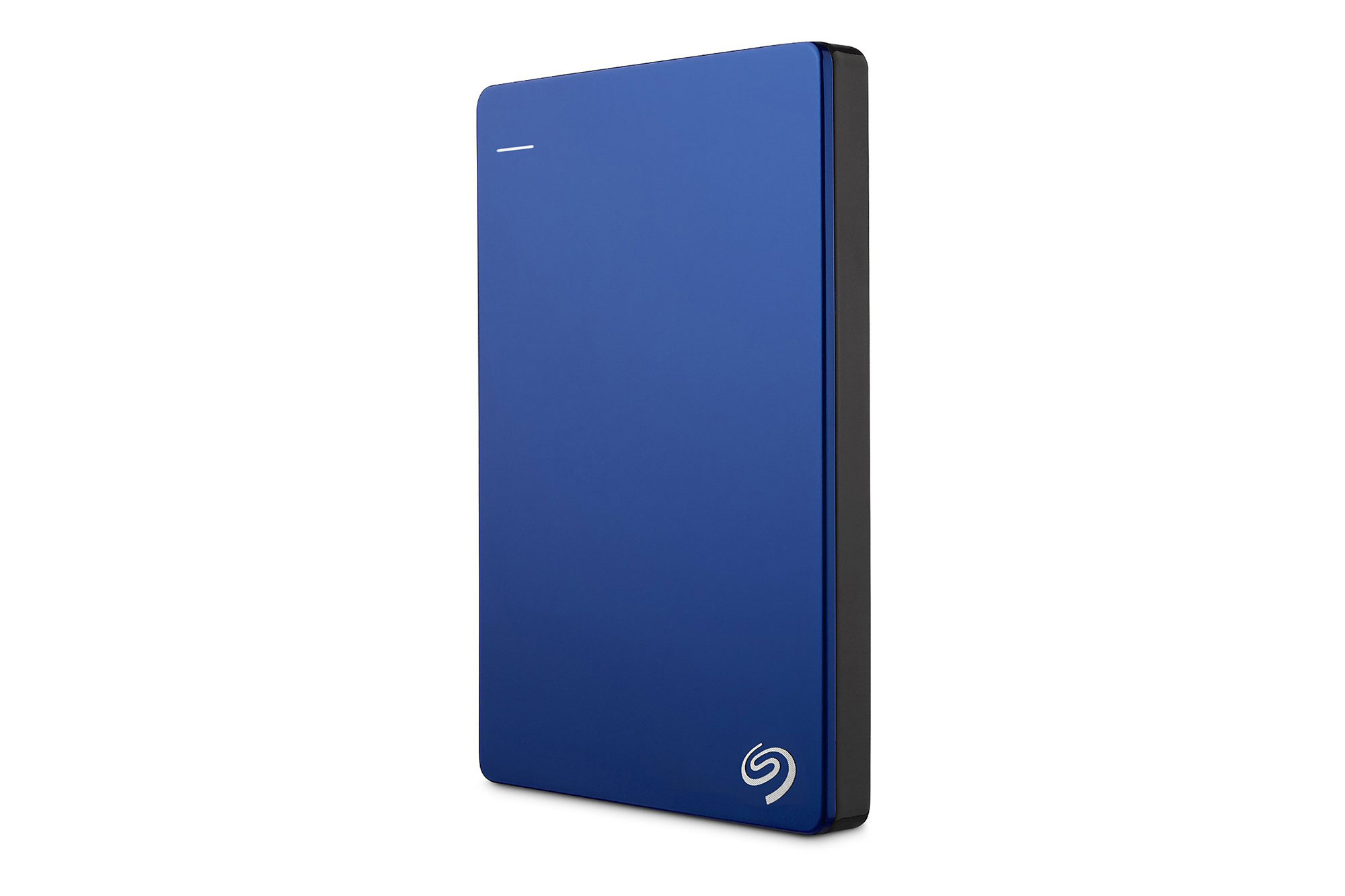
Street price: $90; MSRP: $110; Deal price: $70 with code ESCEMGJ28
Make sure to use the code ESCEMGJ28 to get this price. While we’ve seen a lot of $80 deals recently, to the point where we expect that’ll soon be the street price, we haven’t seen a $70 deal since February.
The Seagate Backup Plus Slim 2TB is our pick for the best portable hard drive. Kimber Streams said, “The 2TB Seagate Backup Plus Slim is the best portable hard drive for most people because it’s reliable, light, compact, and not too expensive per terabyte.”
In terms of portability, “The Seagate Backup Plus Slim is the thinnest and lightest portable hard drive we tested, and it consumes minimal bag space without adding much heft. The Slim is less than half an inch thick—0.48 inch, to be exact.”
Jackery Bolt 6,000 mAh USB Battery Pack

Street price: $26; MSRP: $40; Deal price: $21 with code JKRYBOLT
By using the code JKRYBOLT you can save $5 on our new pick. This brings the Bolt from the recently lowered street price of $26 down to $21, matching the lowest price we’ve seen on this battery pack.
The Jackery Bolt 6,000 mAh USB battery pack is our new top pick in the best USB battery packs guide. We’ll be updating the guide soon with our latest results. Mark Smirniotis wrote, “After considering a total of 252 battery packs and bringing in 20 for our latest round of testing, we’ve decided that our new pick for everyday use will be the Jackery Bolt. About the size of a bar of soap, the Bolt has integrated Micro-USB and Lightning cables to charge almost any device, and plenty of power for around two phone charges.”
Osprey Farpoint 55 M/L Travel Backpack
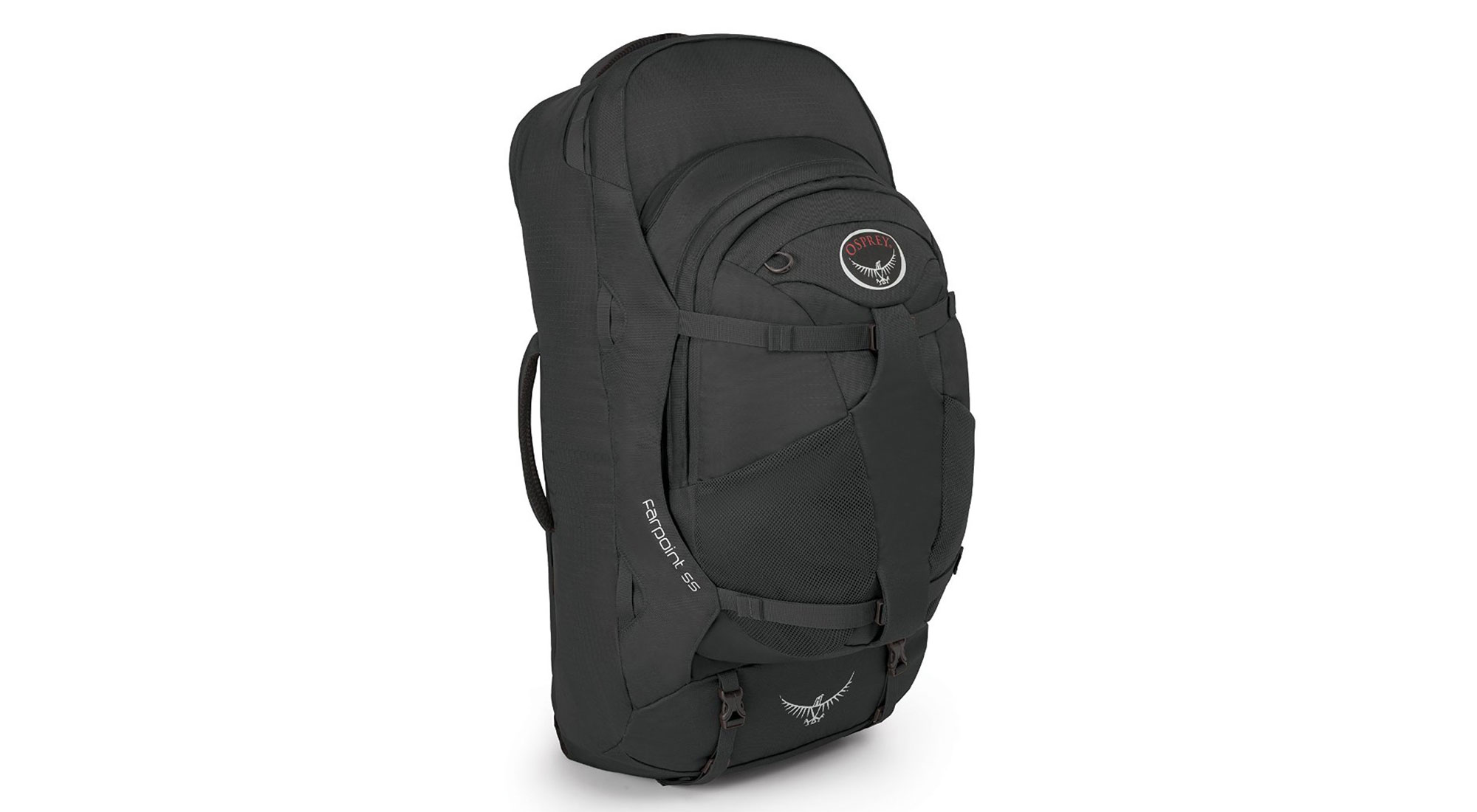
Street price: $180; MSRP: $180; Deal price: $135
This is a big sale on our travel backpack pick, matching the lowest sales price that we’ve seen. It’s available in the colors blue, red, and black, and available in both the small/medium size and the medium/large size. The only difference in the sizes is height, with the small/medium being 2 inches shorter than the M/L pick.
The Osprey Farpoint 55 Travel Backpack is our pick in the best travel backpack guide. Geoff Morrison wrote, “The Osprey Farpoint 55 M/L is a lightweight, easy-to-carry, full-featured travel backpack that you can live out of for as long as you want. It is not perfect—no pack is—but it is the best all-around travel backpack.”
On the bag’s construction and features, “The Farpoint is made from thick, sturdy-feeling 210-denier mini hex diamond ripstop nylon. Its big zippers are lockable. Its shoulder straps and hip belt are wide, but not as padded as those of some competitors. A cover, which stores in the bottom of the pack, zips up to cover the straps so you can check it as luggage. Thick padded handles on the top and side let you carry it as hand luggage in a pinch.”
Jaybird X2 Wireless Bluetooth Headphones
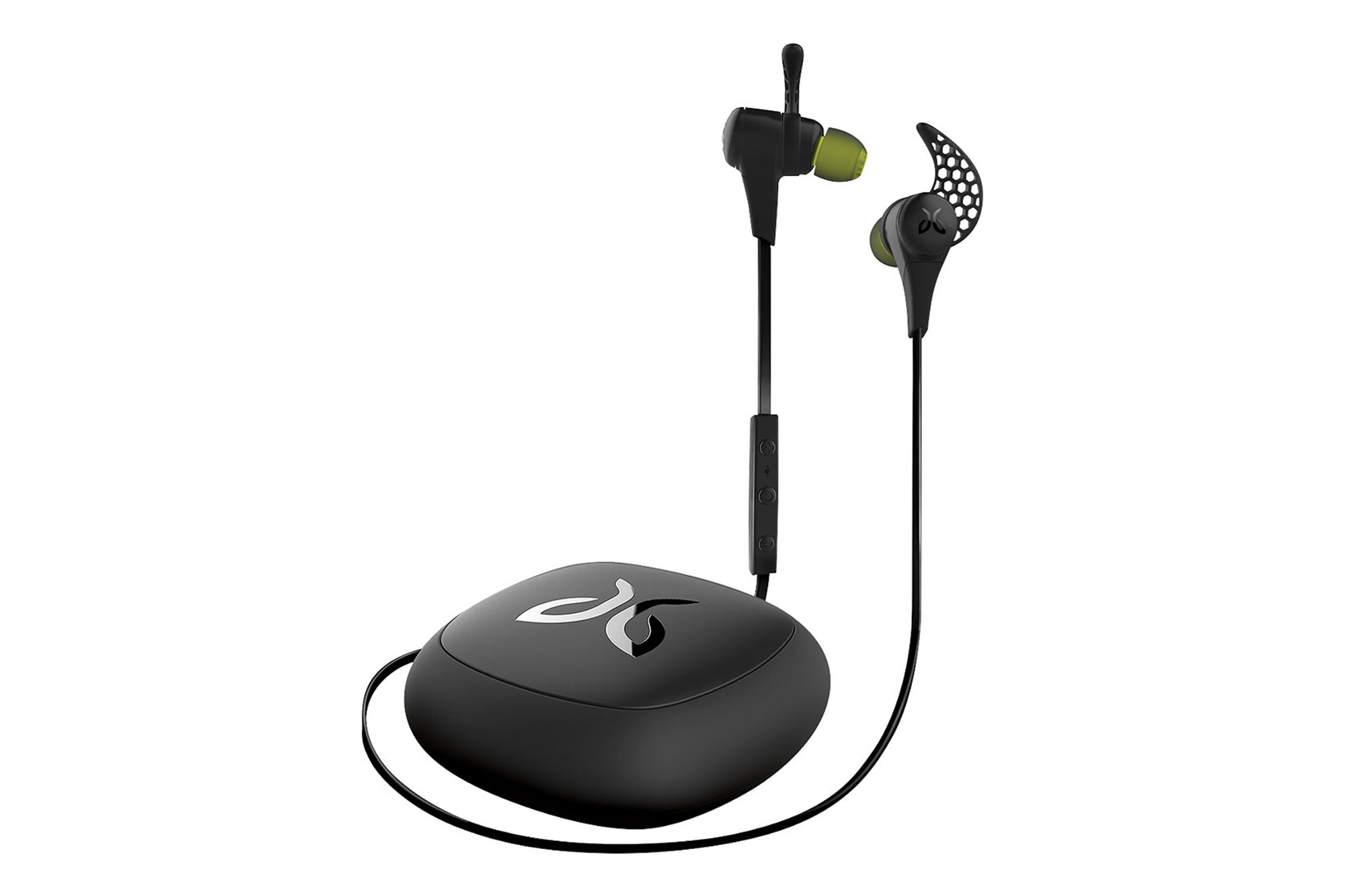
Street price: $100; MSRP: $150; Deal price: $75
These are part of Best Buy’s 50th anniversary sale, and a nice discount off of the street price. While they were briefly $70 for the first day of the 50th anniversary sale, they bounced up to $75. That still makes this a good amount below the street price on these headphones.
The Jaybird X2s are the runner-up pick in our guide on the best wireless exercise headphones. Lauren Dragan said, “They are light, they stay put, they sound fantastic, they have a lifetime warranty against sweat damage (which, if you sweat through one pair of headphones a year, can really add up!), they charge pretty quickly (around 2 hours), they have a nice case, and you can wear them several different ways, depending on what works for you.”
Deals change all the time, and some of these may have expired. To see an updated list of current deals, please go to The Wirecutter.com.
 AIVAnet