


Qualcomm chip security holes affect most Android phones
If you own vaguely recent Android smartphone, there’s a good chance that at least one of Qualcomm’s many chips powers it… and if so, you might be at risk. Check Point has revealed four vulnerabilities, bundled under the QuadRooter nickname, that take advantage of problems with Qualcomm driver software (for elements such as graphics, memory and routing) to get root-level access and install malware that could hijack your device. All an attacker needs to do is load a seemingly innocuous, permissions-free app to deliver the payload.
Given the sheer ubiquity of Qualcomm in the mobile world, the exploits could affect the majority of Android devices — Check Point estimates 900 million in total, or most of the 1.4 billion active devices in use as of fall 2015. That includes many of the past and present flagship phones from companies you know, such as Google’s Nexus phones, the HTC 10, LG G5 and at least some variants of Samsung’s Galaxy S7. Check Point has gone so far as to release an app that tells you whether or not your hardware is vulnerable.
Thankfully, three of the four issues have been patched, and a fix is coming for the fourth. However, there’s a very real chance that you won’t get a fix. People with newer Nexus devices already have their fix, but it may take a while for vendors like LG and Samsung to test the solution with their heavily customized takes on Android. And while plenty of security vulnerabilities go unfixed on older hardware that no longer gets support, that lack of updates is a particularly sore point with QuadRooter — many of those 900 million devices are far from the cutting edge.
You probably aren’t under imminent threat given that you’d need to install an app. If you stick to Google Play downloads, you’ll likely be safe. With that said, attackers could easily prey on users who either don’t know this or live in countries where unofficial app stores dominate, such as China.
Via: Ars Technica
Source: Check Point, Google Play
FCC hopes to speed up 5G rollouts by cutting red tape
The FCC really, really wants to get the ball rolling on 5G mobile networks, and it’s willing to make an end run around some of the usual bureaucracy to make that happen. The Commission’s Wireless Telecommunications Bureau has struck a deal that will skip historic preservation reviews for small 5G cell sites across the US. So long as the sites aren’t going to “adversely impact” historic locations, they’ll get up and running that much faster. The FCC will also “welcome input” on how to improve things further.
This doesn’t guarantee that you’ll be using a 5G smartphone any time soon. The telecom industry has yet to even settle on a 5G standard, let alone build the equipment you’ll need to get online. The FCC also isn’t giving carte blanche to carriers, as it still wants “responsible” deployments. However, this raises hopes that the next wave of high-speed cellular data won’t take quite so long to arrive as LTE did — you could see meaningful coverage relatively quickly.
Source: FCC
Internet Archive adds 10,000 Amiga games and applications
With zero fanfare, the Internet Archive uploaded a new collection of software last week from the Amiga, a mid-80s personal computer famous for its impressive-for-the-time game graphics. The new collection is no tidy sum, either, with over 10,000 games, applications and demos. Whether this is the first time these items have shown up on the archive is uncertain, but should you want to relive a golden age of personal computer gaming, head over and play them straight from your browser.
Some of the classic titles like Bubble Bobble and R-Type have already been added to the archive, but notably for other platforms, as in this lower-resolution Sega Master Drive version of the latter game. If you want to play games exactly as the Amiga ran them, this is your ticket. But it’s unclear how many of them were previously available, even in that specific computer format, as at least one 2013 story mentions the archive’s 30GB trove of games and applications for the “Amiga Commodore.” Yet that piece points readers interested in downloading toward an endless directory list of software, so it’s probably far easier on the eyes to parse through the newly-uploaded collection if you’re hunting down a particular digital curio.
Source: The Internet Archive (Amiga collection)
‘Pokémon Go’ update warns you not to catch and drive
You probably know that it’s unwise to play Pokémon Go while you’re behind the wheel, but Niantic and The Pokémon Company aren’t taking any chances. They’re trotting out an update to the mobile game (on both Android and iOS) that tells you not to catch creatures while driving. You have to tap an “I’m a passenger” button if you want to keep playing while moving at high speed. The game can’t check to see that you’re being honest, of course, but this will at least serve as a reminder that irresponsible gameplay can have serious consequences.
That’s not the only noteworthy addition. This is the upgrade that restores the battery saver mode on iOS, helping you eke a little more exploration time out of your iPhone. It also fixes a key bug that prevented you from getting experience with good throws, adds graphics for the leaders of the three teams, and will let a handful of users test a new “nearby Pokémon” interface. Even if you’re a cautious player, then, it’s worth grabbing this new version in a timely fashion.
Source: Google Play, App Store, Pokemon Go (Facebook)
Frigidaire Gallery FGHT1846QF Custom-Flex Top Freezer Refrigerator review – CNET
The Good There’s more to this fridge than meets the eye, with helpful, high-end features hidden inside and a smudge-proof stainless-steel exterior.
The Bad Cooling performance was pretty awful, with sections in the body of the fridge that come in above FDA-approved temperatures even at the coldest setting.
The Bottom Line This refrigerator’s performance disqualifies it from consideration, which is a shame, since the features are so good.
The Frigidaire Gallery FGHT1846QF is a good-looking top-freezer fridge that sells for $1,100 (or $1,000 if you skip the stainless steel). It’s filled with features you don’t often see in top freezer models, it feels sturdy and well-built and it offers a relatively ample 18.3 cubic feet of storage space. On paper, it’s the perfect pick for someone who wants to splurge on a noticeably nicer-than-average top freezer refrigerator.
It’s a splurge I can’t recommend, though. For all it’s got going for it, the Frigidaire Gallery FGHT1846QF is a weak performer — so weak that we found average temperatures up above 40 degrees F in the body of the fridge even at the coldest setting. Even if you dial it all the way down, it’s still too warm. For me, that’s a deal breaker.
Features galore in this Frigidaire top-freezer…
See full gallery


1 – 5 of 11
Next
Prev
A top freezer with panache

This Frigidaire’s top shelf slides in and folds up to make room for large items.
Tyler Lizenby/CNET
Top freezers are the classic freezer-on-top, fridge-down-below refrigerators that most of us probably grew up with, and they’re obviously nothing fancy. Still, the FGHT1846QF might surprise you with just how many features it comes with.
For starters, there’s a the “smudge-proof” stainless-steel exterior. It’s a finely contoured version of the popular finish that’s just as shiny and metallic as you’d expect, but noticeably better at repelling fingerprints. Then there’s the interior, where you’ll find a top shelf that slides in or folds up out of the way, along with a pantry drawer that runs the width of the fridge. Both are rare features for top freezers, and ones that you’d more commonly expect to see in French door models.
On top of that, Frigidaire takes a modular approach with the “Custom-Flex” in-door shelving. Each shelf hangs on a rail, making it easy to rearrange things as you see fit. Even better, you can swap any of those shelves out for different modular accessories, which include things like a water bottle holder and a can dispenser. You’ll have to buy those modular accessories separately, but none of them cost much more than $15.
Top freezer fridges for around $1,000
| 14.2 cubic feet | 13.5 cubic feet | 15.2 cubic feet | 17.6 cubic feet | 17.6 cubic feet |
| 4.1 cubic feet | 4.0 cubic feet | 6.1 cubic feet | 6.2 cubic feet | 6.2 cubic feet |
| 18.3 cubic feet | 17.5 cubic feet | 21.3 cubic feet | 23.8 cubic feet | 23.8 cubic feet |
| Slide-in shelf, Custom-Flex door shelves, full-width pantry drawer, smudge-proof stainless steel | Autofill Pitcher | Flexi-Slide Bin | Full-width pantry drawer, automatic ice maker | Full-width pantry drawer |
| Yes | No | No | Yes | No |
| 363 kWh | 399 kWh | 443 kWh | 501 kWh | 547 kWh |
| $44 | $48 | $53 | $60 | $66 |
| $2.40 | $2.74 | $2.49 | $2.52 | $2.77 |
| 3 | 6.5 | 6.5 | 7 | 9 |
| $1,100 | $1,000 | $1,100 | $1,200 | $1,420 |
| $900 | $800 | $900 | $1,095 | $1,000 |

The fridge features a storage-minded design that does a good job accomodating groceries of different sizes.
Tyler Lizenby/CNET
Those storage-minded features came in handy when it came time to start cramming in the groceries. All of my test goods fit inside just fine, with enough room left over to fit in five of our six large stress-test items, too.
That’s a strong result for an average-sized top freezer, and further evidence that capacity is more than just a number. Design has a role to play, too, and in this fridge, the design does a great job.
ZTE ZMAX Pro Review – is a $100 smartphone worth buying?
Owning a phone doesn’t mean having to endure a costly investment. The times have changed, obviously, since phone makers are making it more affordable than ever to own a smartphone. Take for instance ZTE, who for the longest time placed its attention on making entry-level devices that were easy on the pockets, but is making a significant charge yet again by upping the ante with its latest affordable option.
Related ZTE articles:
- Getting to know the ZTE Axon 7
- ZTE Axon 7 review
- ZTE ZMAX Pro hands on | What is a $100 smartphone like?
Most people agree that sub-$200 is pretty aggressive for brand new phones, however, ZTE thinks that more can be done. Cutting that cost in half, the ZTE ZMAX Pro is undeniably tempting with its hard-to-resist price of $99.00 – and that’s all you’re going to have to pay for it. This threshold might not be anything new for the pre-paid market, but what makes it impressive is the fact that it’s slapped with a handy fingerprint sensor, something you wouldn’t expect in something price like this.
Buy the ZTE ZMax Pro now
Design
The first order of business with the design is its size, something that’s arguably going be the biggest deal breaker for people. It’s a mighty big phone that pushes it well into the phablet category, so it’s quite honestly a handful to operate. Being so wide and all, two-handed operation is going to be the preferred method with the ZMAX Pro, since one hand operation is nearly impossible unless you have larger-than-average hands.
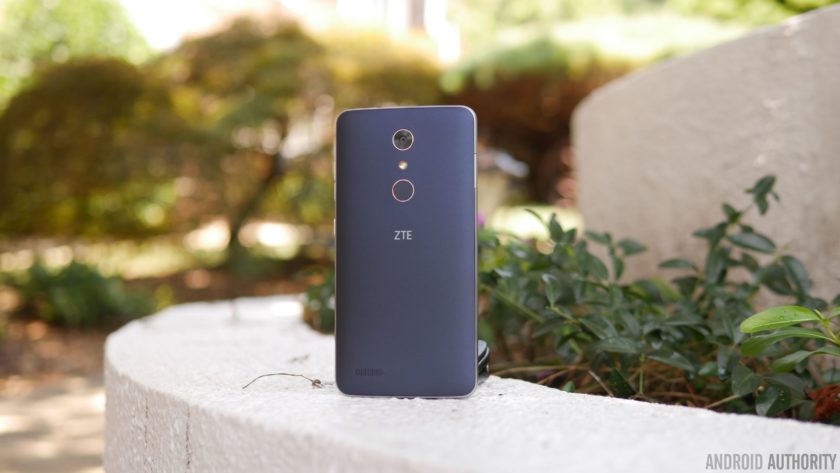
Size aside, ZTE has actually fashioned it with a pleasant design that doesn’t make it feel like a phone in its price range. The soft touch matte finish of the rear combined with the faux-metal bezel are nice touches, pushing it well beyond the context of being “cheaply” made. We really didn’t think that a phone could be this decent looking and constructed, just because phones under the $100 threshold tend to be sub-par in terms of this.
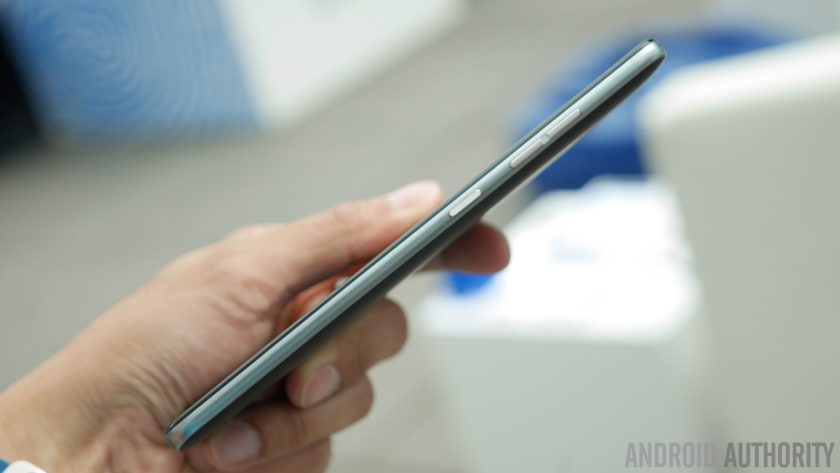
Despite its gargantuan size, they’re mindful about the placement of the power and volume keys – they’re positioned on the right edge, making them accessible to the thumb. Meanwhile, a USB Type-C port is found on the bottom, ensuring that it’s going to be compatible with whatever USB-Type C accessories that are beginning to come out now.
Display
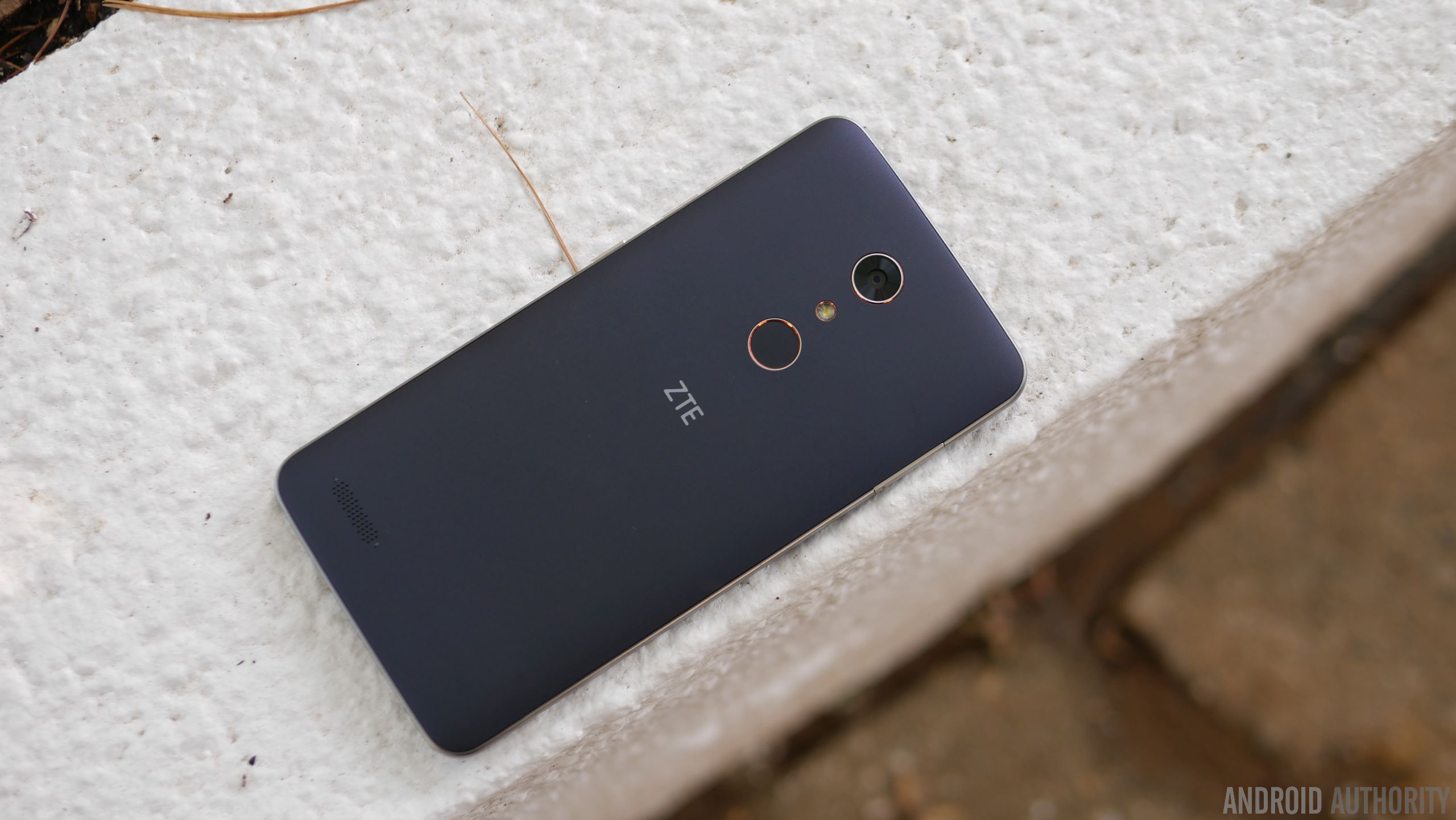
Dominating its façade is a 6-inch 1080p TFT LCD display with Gorilla Glass 3, which is again something you wouldn’t think of getting with a sub-$100 smartphone. Better yet, the fact that they’ve opted to go with 1080p resolution shows that they want to make a statement – implicitly saying that phones of this caliber deserve more. And to that, it’s nice to know that it’s sufficiently detailed enough to make out.
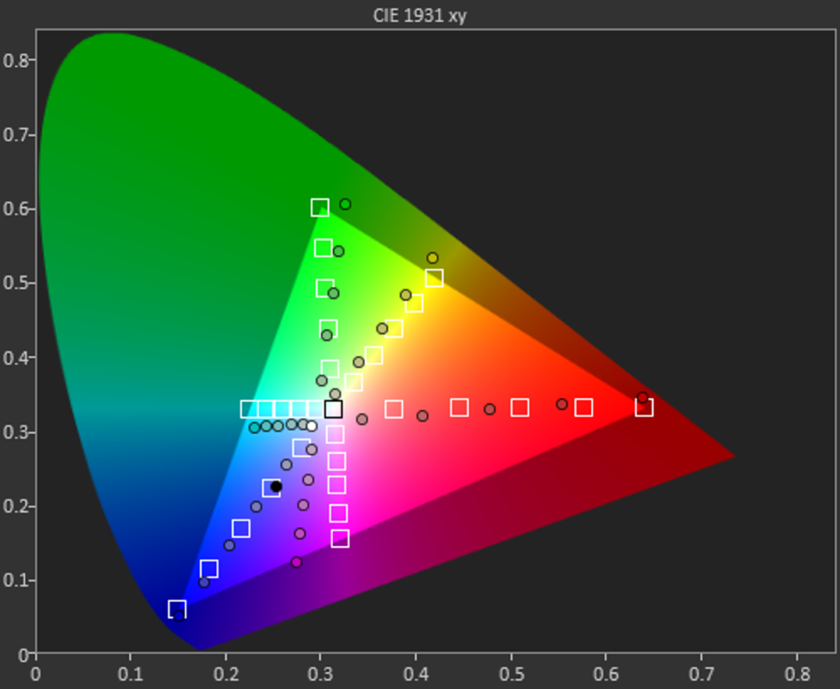
In looking at the other aspects of the display, however, it indicates that it has an extremely colder color temperature than most at roughly 8000K. It’s far from that ideal reference value of 6500K, which makes whites appear bluish in tone. Moving onto color accuracy with this TFT LCD display, it’s a miss on nearly all fronts – including the color teal, which is probably the easiest color to reproduce accurately. All of the values in the sRGB color gamut chart miss their intended target reference marks, where magenta and teal in particular are heavily influenced by blue.
Even though it reaches a peak brightness output of 460 nits, the overall tone of the display seems washed out. Sure, we dig the specs for a phone of this caliber, but our testing reveals that its characteristic aren’t quite up to the levels you’d find in some pricier things. Then again, should we be surprised by this revelation?
Performance & Hardware
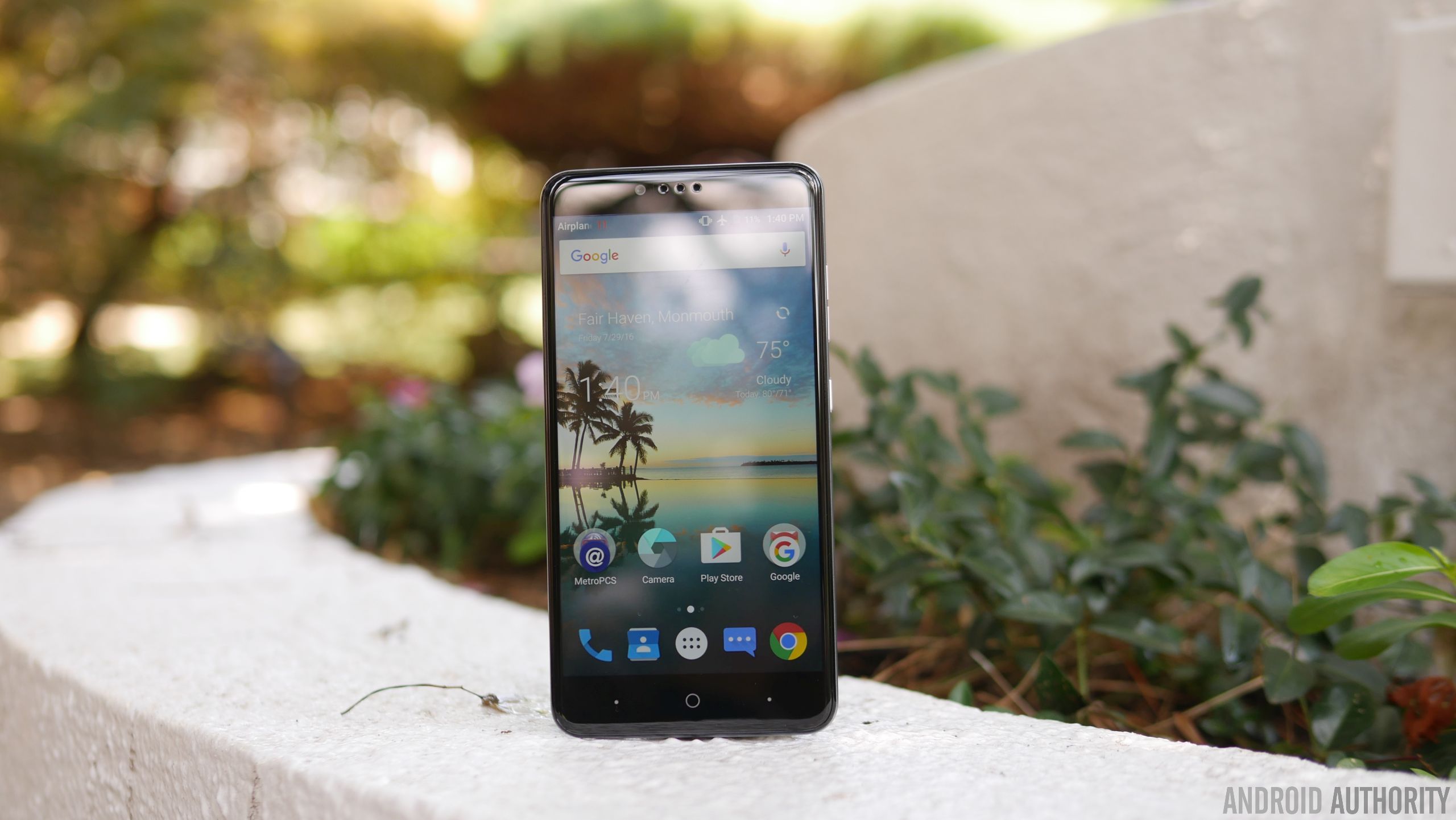
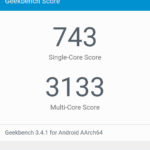
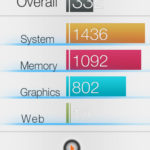
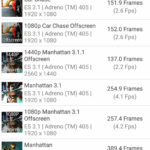
Given its price point, the Snapdragon 617 chip makes perfect sense in powering this affordable smartphone. Paired with 2GB of RAM, it suffices for the basic stuff, but it’s not suited to do more intensive operations – gaming in particular, where it exhibits too much choppiness for it to be a candidate. Okay, it’s not the gaming type, nor is it for power users who demand a lot more, but on a base level, its hardware combination is enough to get by.
For $99.00, we’re actually pretty stoked to know it’s packing 32GB of internal storage. Best of all, too, you can supplement its capacity because there’s a microSD slot on hand. It’s a feature that people probably wouldn’t expect to find in a phone with its price, but it’s a delightful that they opted to offer it.
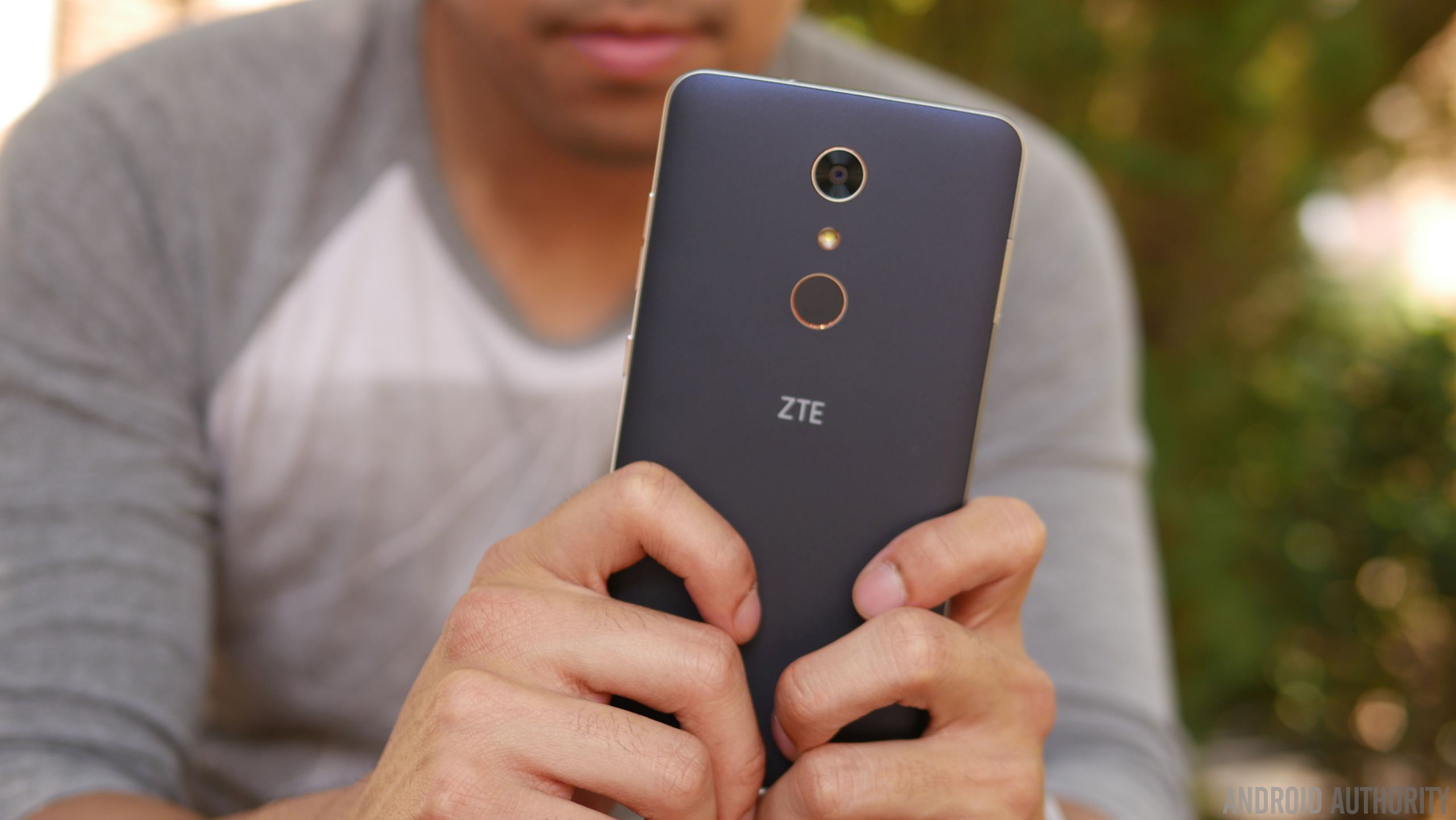
Something that adds a lot more value to the phone is the fingerprint sensor on the back of the phone, it’s an unexpected treat quite honestly. Given that it’s a feature that’s relatively uncommon in entry-level phones, you can say that we feel a teeny bit spoiled to find it. As for the sensor itself, it’s slightly recessed, but works well in adding that extra layer of security. In addition to simply just unlocking the phone, it can also be used to quick open an app, take a photo, or answer a phone call.
Increasingly becoming a standard for ZTE’s phones, the ZMAX Pro features capacitive buttons beneath the display. Unfortunately, the two dots flanking the home button can’t be programmed for anything else besides acting as the back and recent apps functions. In the rear and towards the left corner, we can make out the speaker grill, which emits a decent volume output, but doesn’t pack a whole lot of substance with its quality.



Conducting phones calls is a breeze with this one, thanks in part to the loud volume out of its earpiece and speakerphone – it’s potent enough to use in noisy conditions. Accompanying the strong volumes, we have clear and distinctive voices as well that solidifies its performance in this area. On the other end of the line, too, our callers didn’t have any problems discerning our voice.
Battery
The single most underrated portion about the ZMAX Pro in our opinion is its battery, a modest 3500 mAh cell to be exact. Considering the phone’s gigantic size, you might think it could’ve been larger, but don’t be fooled because when it’s paired with the screen’s 1080p resolution and Snapdragon 617 processor, it delivers longevity like no other. In fact, we’re able to get through a solid 2 days of battery life – and even into the start of a third day.
Using the included USB Type-C charger, it takes approximately 125 minutes to fully recharge its battery. That mark might not be close to some of the fastest recharging phones out there, but it’s not the slowest either at doing it.
Camera
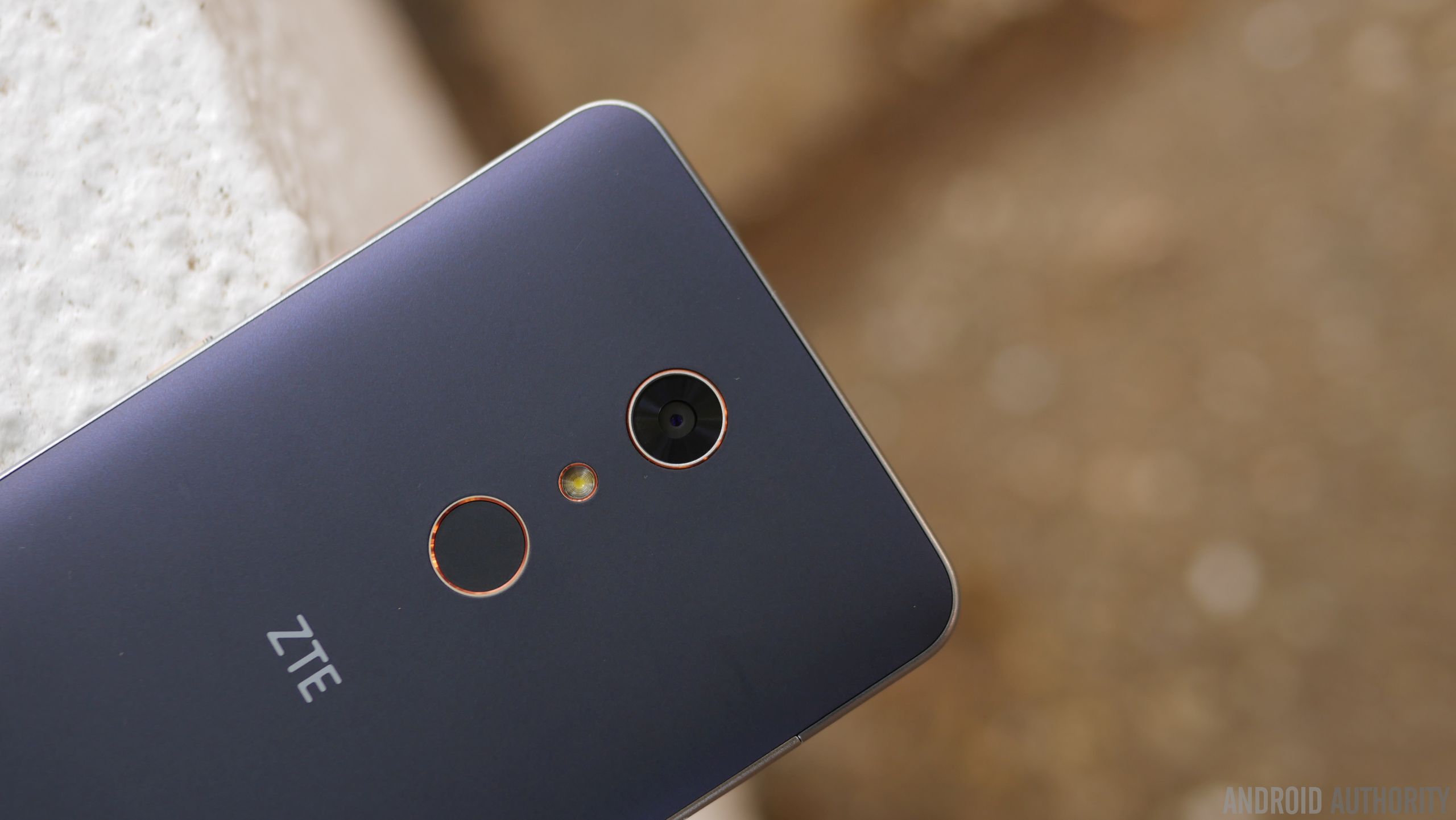
In all fairness, the area where we see the biggest disparity in terms of quality against higher-priced alternatives is the performance in its cameras. For the ZTE ZMAX Pro, it relies on a combination consisting of a 13MP rear camera and a 5MP front-facing one. There’s nothing fanciful about them, nor the accompanying hardware – they’re just as ordinary as any other low priced phone. Running the camera app, there’s a decent mixture of modes and options at our disposal, like its manual mode, which people will probably appreciate having in a phone like this.
Regrettably, the phone’s biggest weakness is exposed here with the cameras – there’s just nothing spectacular about their performances. It’s okay enough to use for outdoor shots when lighting is ample, but there’s a noticeable level of over-sharpening, which seems to try and compensate for the rear camera’s softer details capture. Under low light, however, things take a dip even more as details become more speckled in tone. And finally, the HDR mode seems to just boost the contrast with shadows, making images appear a bit overblown.
ZTE ZMax Pro Camera Samples:

Moving onto video capture, which tops out at 1080p resolution, the results don’t improve much at all, as the general performance is similar to its still shot capture. Over-sharpening again is evident here, but this time, videos tend to have an under-exposed tone to them. And don’t bother using it under low light, just because noise and its muddy results don’t make it flattering to watch.
Software

Purists will love that the ZTE ZMAX Pro is mostly running a stock experience. In particular, it’s running Android 6.0.1 Marshmallow, which has the general look and feel of stock Android. Anyone getting into Android will have an easy time getting acquainted, since it’s pretty streamlined and straightforward. Yes, there’s some bloatware from MetroPCS, but given that it’s at the mercy of the company, it’s something you’d expect.

Power users, though, will probably feel that the experience isn’t up to snuff with their demands. Multi-tasking is generally reserved to just apps switching with the recent apps menu, but you won’t find any other enhanced features that would aid in its productivity. The biggest question with the phone, much like most budget stuff, is whether or not it’ll get upgraded to the next version of Android in a timely manner.
Gallery
Final Thoughts

Owning a cheap phone no longer means you’re getting a cheap phone, that’s just not the case anymore after checking out the ZTE ZMAX Pro. The $99.00 price tag it’s stickered with is without a doubt an aggressive move on its part, especially more given its phablet-esque stature and the inclusion of a fingerprint sensor. These are two things in particular that you wouldn’t expect to find in a phone in its price range, but that’s the beauty about it – you do get them!
Pricing is quite favorable here, but there are some other factors that’ll dictate your decision to buy it. First of all, this is strictly a MetroPCS exclusive, so you’ll have to settle with that reality if you intend to reap the benefits of its incredible pricing. This is arguably a factor that’ll limit its overall reach, as being confined to one carrier means it won’t get as much face time face time from consumers. And secondly, there are still some sub-par qualities with it – such as the inaccuracies with the display and over-sharpening effect with its cameras.
Related ZTE articles:
- Getting to know the ZTE Axon 7
- ZTE Axon 7 review
- ZTE ZMAX Pro hands on | What is a $100 smartphone like?
Then again, these compromises can be overlooked due to its price point, which again is the focal point here with the ZTE ZMAX Pro. At the end of the day, it’s a worthy recommendation if you’re on a tight budget.
Buy the ZTE ZMax Pro now
Hearthstone expansion leads to intense community backlash

The new Hearthstone expansion recieved an epic launch party — and backlash from the community.
On August 5, Blizzard threw an epic Hearthstone-themed party in L.A., one week ahead of the release of the latest Hearthstone expansion, One Night in Karazhan. Hosted by Hearthstone Senior Producer Yong Woo and Hearthstone caster extraordinaire Dan ‘Frodan’ Chou, the livestreamed event was also a celebration of the game reaching 50 million registered players across all platforms.
New cards
The climax of the event was expected to be the big reveal of the 45 new expansion cards being added to the Hearthstone library, which were immediately posted to the Hearthstone Facebook page following the conclusion of the live stream.
One rant suggested that this issue is a symptom of the larger issue of Blizzard’s fraught relationship with the Hearthstone community
It should come as no surprise that some people had a poor reaction towards the cards, especially given the enormous size of the Hearthstone fan base. Regardless, as you read through the comments on each card, reactions seemed overwhelmingly negative, with most complaints centered around the perceived snubbing of the Priest and Paladin, with most of the angst aimed at one Priest card in particular: Purify.

This Priest spell card costs two Mana and lets you silence a friendly minion (which, for the uninitiated, means removing any special ability text) and draw another card. The issue? The Priest class already has a silence card which allows you to target any active minion at no Mana cost.
Rants and subreddits
Curious, we poked our head into the Hearthstone subreddit to see how the community at large was reacting, and the frustration on display was palpable. Hearthstone’s Balance Philosophy is flawed and it’s not because Priest sucks read one post, which has since garnered over 1000 comments.
Another rant suggested that this issue is a symptom of the larger issue of Blizzard’s fraught relationship with the Hearthstone community when compared to the development and continual tweaking of their other AAA titles. The rest of the subreddit has been dominated by reaction videos, Straw polls and many more disheartening rants from disillusioned players.
In Blizzard’s defence, one of Hearthstone’s game designers, Dean Ayala, was quite active on Twitter engaging with fans who vented their frustrations about the new cards and the overall balance of the game.
What started with a celebration of the Hearthstone community and the new expansion exposed some deep-seated frustration amongst a fairly sizeable portion of the hardcore base. Consider just how much time and money some people have dropped to build out their Hearthstone decks. When you’re struggling with the sunken cost fallacy, it feels impossible to just walk away from something you’re emotionally invested in, even if it seems like the creators are showing you disrespect.
What started with a celebration of the Hearthstone community exposed some deep-seated frustration in the hardcore user base.
But, again, this all could just be a knee-jerk reaction from a passionate community. No one will have an opportunity to battle test these new cards until the expansion goes live on August 11, when players gain instant access to the One Night in Karazhan intro mission.
The remainder of the new adventure plays out over four weeks, as new wings of Medivh’s palace are explored. Players will choose whether to buy the full expansion outright with an in-app purchase of $19.99, or buy each new mission individually for either 700 gold, or $6.99.
What are your thoughts?
Are you a fan of Hearthstone? Did you watch the live event? What do you think of the One Night in Karazhan expansion cards? Let’s discuss in the comments!
Triby: the powerful, portable Amazon Echo for the family

A family-friendly Amazon Echo with Alexa support that sticks to your fridge. What a world!
Growing up, mom was all about written communication in the house. We had a massive calendar with everyone’s schedules on it, chore lists when we got home from school, and a little notepad where everyone could leave quick messages for whoever was next in the house. It worked as long as everyone remembered to check the paper and tear that note off when it was finished.
Fast forward 15 years to a house with no paper calendars, landline phones or notepads — because my spouse and I have smartphones. That system worked really well for us until recently, when our not-so-little kids started doing things like performing chores and being home alone with no adult supervision.
The folks at Invoxia have a solution for techy families in need of central communication tools, and for this household it is the solution. It’s called Triby, and it’s basically an Amazon Echo for parents — with Alexa support.

Triby is a smallish, battery-powered speaker with a pair of powerful magnets on the back. It’s built to be stuck to a fridge, or to be carried around the house by its friendly little handle. The most notable feature you’ll see associated with Triby is the inclusion of Amazon’s Alexa voice service. Triby is the first third-party gadget to function like an Amazon Echo, and even as just a Echo clone it’s quite good. But that doesn’t come close to describing Triby.
The speakers are nice and loud with a reasonable amount of depth, but the microphones aren’t as accurate as those on the Echo. The “Hey Alexa” command is triggered on Triby occasionally when conversations are happening in another room, with no mention at all of the activation command. It’s not a problem when actively using the system, but it’s clear the trigger is a little sensitive. As a kitchen-friendly Amazon Echo, or even just a battery-powered Amazon Echo, Triby is pretty great. You say Alexa, the play/pause button lights up blue, and from that point it is exactly the same as an Echo.
But there’s a lot more to Triby than Alexa, and that’s where this system really stands out. The front of this box has six buttons for quick launching a number of features, and a little slit on the side for a small rubber flag. The left-side buttons on Triby are for VOIP calling. Triby’s smartphone app allows you to add multiple family members to a “group” and those buttons can be programmed to call people in that group. Tapping the first button on the left in our house calls my phone; the second calls Mom. The connection is a data-only call, but so far has worked consistently well — as long as my phone has a data connection.. The call function works both ways, so I can call the house to check in on everyone as though the Triby were a landline.
Triby is the first third-party gadget to function like an Amazon Echo, and in fact as just a Echo clone it’s quite good.
The second set of buttons are for radio presets. You can set Spotify channels or radio stations available on TuneIn as presets, and tapping those buttons will take you to the presets. This isn’t really any easier than saying “Alexa, play 98Rock” but having the option there is nice if you have someone who’d like to take the speaker into another room for music.

The most important feature Triby has, as silly as it may seem, is this little rubber flag. This flag is hidden inside the speaker until someone with the Triby app sends a message. This message can be a simple command like “Take out the trash” or something more casual like “We’re down at the park,” but usually a single sentence is ideal. Tap ‘Send’ in the Triby app and that message will appear on the E-Ink display on the front of the unit. As the message arrives, a motor pushes the flag out from the left side, and you now have this bright yellow flag sticking out. When someone wants to acknowledge receipt of a message on Triby, all they need to do is push the flag back in. When this happens, Triby chimes and the app sends an icon letting you know someone got the note. It’s a simple, effective way to communicate that works amazingly well with kids and young teenagers.
The most important feature Triby has is a silly little rubber flag that makes in-person communication tactile and fun.
There’s a lot to like about Triby, if only because there’s already a lot to like about Amazon’s Echo. For $20 more than an Echo you get a battery that easily lasts a full day, a design that can go way more places, and some amazing family-friendly features that are perfect for smartphone-based households. Looking beyond this being a slightly better Amazon Echo for families, Invoxia has started on a great path for a connected family gadget that doesn’t involve giving a kid a smartphone or making them responsible for an app.
And in this household, that’s a much bigger deal.
See at Amazon
Go Time! Episode 4: Giant Pikachu hugs

Episode 4 of our Pokemon Go podcast is here!
This week Jen and Erin are joined by Lory from team Instinct. They about the changes to the game since the big update, spawn and capture rate changes, and how Pokémon Go is bringing people together.
And if you’re not quite to level 20, we also take a few minutes to talk about the best strategies to get you there!
We’re excited to keep talking about Pokemon Go every week, and we hope you’ll join us!
- Google Play
- Soundcloud
- iTunes
- Or add us to your podcatcher of choice!
You can also join our Facebook page to keep up on all things Pokémon Go. See you in the world!
Pokémon Go
- Join our Pokémon Go forums!
- How to deal with GPS errors in-game
- Which team should you choose?
- How to play without killing your battery
- The Ultimate Pokémon Go Game Guide!
- Listen to the Pokémon Go podcast!
‘Harold Halibut’ brings back stop-motion video games
Remember the days when games were willing to experiment with stop motion characters and real-world backdrops, like Mortal Kombat or The Neverhood? They’re back. Slow Bros. is working on Harold Halibut, an adventure game where both the characters and the environments are honest-to-goodness physical objects. As Harold tries to keep things lively for the rest of his fellow clay-animated crew members, he’ll navigate a crash-landed spaceship made out of metal, wood and “carefully sewn textiles.” As the teaser below shows, the result brings a uniquely imperfect style and depth that you can’t quite get through all-digital animation.
The studio hasn’t said much more about the title, although it’s planning to support Macs, Windows PCs, the PlayStation 4 and the Xbox One. The team tells us that it’s aiming for a release sometime in 2018, too, so don’t expect to get first-hand experience any time soon. However, the game already shows that you don’t need advanced 3D models and outsized production budgets to produce a game that stands out — low-tech craftmaking can be just as effective.
Via: Rock Paper Shotgun
Source: Harold Halibut
 AIVAnet