


Protecting Your Privacy in Safari for iOS
Every time you visit a website on your iPhone or iPad, you are sharing information about yourself with the outside world. This guide runs through a number of methods you can use to gain more control over what gets shared, and who it gets shared with, whenever you use Apple’s Safari browser to access the web on an iOS device.
It also covers some methods you can use to prevent traces of your browsing history from showing up on your iOS devices. While you may trust friends and family not to go searching through your web history, it’s possible for them to unintentionally discover what you’ve been looking at, just by using Safari or performing a simple Spotlight search on your iPhone or iPad.
The guide assumes you are using the latest public release of iOS 9.3 (9.3.3 as of initial writing). If your device is running an older version, a message should have appeared on the screen that an update is available. Connect your device to a power source and then tap “Install Now” on the message to download the update over the air, or open the Settings app and tap General -> Software Update, and then tap “Download and Install”.
Alternatively, connect your device to a computer with an internet connection and with the latest version of iTunes 12 installed. Open iTunes, select your device (a device icon should appear just below the playback controls), click “Summary” in the sidebar, and then click “Check for Update” in the Summary screen. Click “Download and Update” if an update dialog appears.
Cookies, Location Services, and Tracking
Many websites attempt to store cookies and other web page data on iOS devices. Cookies are small data files that can include things like your IP address, device type, web browser version, the date you last visited the site, as well as any personal information you have provided, such as your name, email address, and any relevant preferences. This information is used to identify you when you revisit a site, so that it can offer tailored services, provide specific content, or display targeted ads.
Websites are increasingly upfront about their use of cookies – you’ve probably seen notices on popular sites requesting that you acknowledge their use. That’s largely because EU law requires sites based within its borders to get consent from visitors to store or retrieve cookie data, and as of September 2015, Google requires that any website using its advertising products comply with the law if any of its users are inside the EU, regardless of where the site itself is based.

By default, Safari accepts cookies and website data only from websites you visit, and attempts to block third-party cookies that try to target you with ads or create a profile of your online activities. If you don’t like the idea of being tracked at all, you can selectively block the use of cookies by following the numbered steps below. Note however that some pages might not work unless you allow the use of cookies, so if you run into login problems or other issues on familiar sites after adjusting these settings, then you might want to dial back the changes.
Additionally, Do Not Track is another feature you can enable to try to prevent sites from tracking your web visits across the web. With the feature turned on, Safari specifically asks sites and their third party content providers (including advertisers) not to track you. In reality, it’s up to the website to honor this request, but it’s an option worth enabling for a potential extra layer of privacy.
Lastly, you may have noticed how Safari asks if you want to share your location whenever you visit a geolocation-enabled website. If you don’t expect the site to provide helpful location-based services such as weather information or local amenities, you can deny individual requests and continue to do so on a case-by-case basis. Alternatively, you can disable location services in Safari completely, which is also described in the following steps.
On your iOS device, open the Settings app, scroll down the list, and tap “Safari”.
In Safari settings, tap “Block Cookies” under the Privacy & Security options, and choose one of the following: Always Block, Allow from Current Websites Only, Allow from Websites I Visit, or Always Allow.
Toggle on the button next to “Do Not Track”.
Return to the first menu in the Settings app and select “Privacy” from the list.
Tap “Location Services”, scroll down the list and select “Safari Websites”, and then tap on “Never” in the next screen. Again, be aware that defaulting to “Never” may impact the functionality of some sites you visit.
Enable Private Browsing
By enabling Private Browsing, you can prevent Safari from remembering the pages you visit and any AutoFill information, while any private tabs you open won’t be stored in iCloud. When using Private Browsing, Safari also automatically asks sites and third-party content providers not to track you, prevents sites from modifying any information stored on your iOS device, and deletes cookies when you close the related tab.
In Safari, tap the Pages icon (consisting of two squares) to bring up the open tabs view, and then tap “Private”. Notice how the interface turns a dark gray.
Tap the “+” icon to open a private tab.
When you’re done with the web session, return to the open tabs view, close your tabs, and tap “Private” again. Your private tabs are now cleared from memory.
Clear Browsing History
Clearing your web history in Safari has changed with iOS 9. You can no longer clear your history without also deleting all cookies and web data. This may affect stored login data for certain sites, so think twice before proceeding.
The first method described below is the ‘nuke’ option since it clears all history, cookies and website data on all devices signed into your iCloud account regardless of when the sites were accessed.
Open the Settings app and scroll down to Safari in the list.
At the bottom of the options screen, tap “Clear History and Website Data”.
The following alternative method allows you to limit the clearing of history, cookies and website data to a specific timeframe.
Open Safari and tap the Bookmarks icon (the open book).
Tap the first Bookmarks tab if it’s not already selected and select “History” from near the top of the list.
Tap “Clear” and select the option you prefer from the following: The last hour; Today; Today and yesterday; and All time.
Exclude Browsing History From Spotlight Searches
If you’d like to retain your browsing history but don’t want web pages you’ve visited to appear in Spotlight Search results, follow these steps.
Open the Settings app and tap “General”.
Select “Spotlight Search”, scroll down the Search Results list, and toggle off the switch for Safari.
Switch Search Engine and Disable Safari Suggestions
Just because you cleared your browsing history and web data in Safari or browsed in a Private window, doesn’t mean your searches aren’t still recorded elsewhere. For example, if you logged into a Google account during the session, searches you performed may be logged by Google and later show up as search suggestions when you start typing in the Google search bar when logged into the same account. In fact, your search and ad results may be customized based on your search-related activity, even if you’re signed out of your account.
To get around this issue, either consult the privacy help page of your preferred search engine to learn how to turn off tracking settings, or add a non-tracking search engine such as StartPage to your favorites (visit the site, tap the Share icon – the square with an arrow pointing out of it – and tap the star icon to “Add to Favorites”). The next series of steps shows you how to set Safari to use non-tracking search engine DuckDuckGo when you type in search queries into the address bar.
Another thing to reconsider is your use of Safari Suggestions. With this option enabled, your search queries, the Safari Suggestions you select, and related usage data are sent to Apple. Additionally, if you have Location Services turned on, when you make a search query in Safari with Safari Suggestions enabled your location is also sent to Apple. If you don’t want this information shared, turn off Safari Suggestions, which is also described in the steps below.
Open the Settings app and scroll down to Safari in the list.
In the Search options list, toggle off the “Search Engine Suggestions” and “Safari Suggestions” switches.
Tap “Search Engine” at the top of the list, and select DuckDuckGo from the available options.
Disable Frequently Visited Sites
By default, Frequently Visited Sites appear below your Favorites whenever you open a new tab in Safari. You can turn this feature off.
Open the Settings app, scroll down and tap “Safari” in the list.
Toggle off “Frequently Visited Sites” under the General section.
Turn Off AutoFill
Safari’s AutoFill feature remembers text and values you enter into online forms, and can be useful for speeding up logins and registrations as well as online purchases. If other people use your iOS device, you might not want this information to show up when websites are revisited. Here’s how to disable AutoFill.
Open the Settings app, scroll down, and tap on “Safari” in the list.
Tap to open the AutoFill menu and toggle off the switch next to the details you’d rather not include. You can also edit/delete stored bank cards from here by tapping “Saved Credit Cards”.
Finally…
If your privacy concerns extend to a desire for enhanced security and anonymity, consider subscribing to a Virtual Private Network (VPN) service that offers an iOS client or supports OpenVPN (Private Internet Access and IPVanish are two popular options), and using a Tor-powered browser for iOS.
Tags: Safari, privacy
Discuss this article in our forums
New iMovie for iOS Update Makes it Easier to Start and Share Projects
Apple today updated iMovie for iOS, its consumer-oriented video editing app designed for iPhones and iPads. iMovie version 2.2.3 makes it easier to start and share projects and it includes unspecified stability and performance improvements.
iMovie users are now able to start projects more quickly by selecting multiple photos and videos to insert into a project, and there are options for sharing to Facebook or Vimeo using the iOS share interface. Today’s update also brings support for Shared iPad, an educational feature that debuted as part of iOS 9.3.
With Shared iPad functionality, iMovie will now work for each student who accesses the app on a shared iPad.
What’s New
– Start projects quickly by selecting multiple photos and videos
– Share to Facebook and Vimeo using the standard iOS share interface
– Support for Shared iPad in iOS 9.3 or later
– Stability and performance improvements
Prior to today’s update, iMovie last saw an update in April of 2016, bringing minor improvements. The last major update to the software came in September of 2015 when iMovie 2.2 was introduced, bringing support for 4K video and 3D Touch.
iMovie for iOS can be downloaded from the App Store for $4.99. [Direct Link]
Tag: iMovie
Discuss this article in our forums
ZTE Axon 7 specs
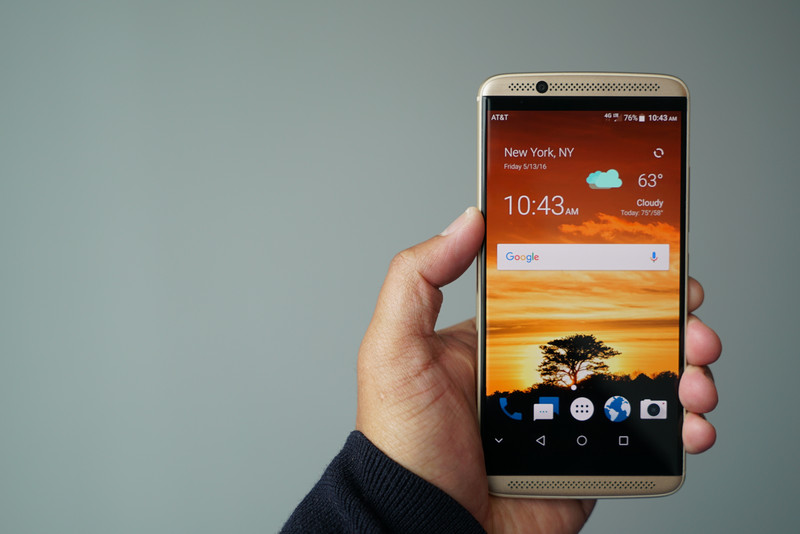
What are the ZTE Axon 7 specs?
The ZTE Axon 7 is a promising follow-up to the Axon and Axon Pro, maintaining its emphasis on swift performance, excellent build quality, and incredible sound. Here’s what’s inside the ZTE Axon 7:
| Operating System | Android 6.0.1 Marshmallow |
| Display | 5.5-inch, 2560x1440AMOLEDGorilla Glass 4 |
| Processor | Qualcomm Snapdragon 820Quad-core 2.15GHzAdreno 430 GPU |
| RAM | 4GB |
| Storage | 64GB |
| Expandable | microSD up to 2TB |
| Dual-SIM | Yes |
| Rear Camera | 20MP f/1.8, PDAFOIS 4K/30 video |
| Front Camera | 8MP f/2.21.12-micron pixels1080p/30 video |
| Battery | 3250 mAh |
| Charging | Quick Charge 3.0USB Type-C |
| Water resistance | No |
| Fingerprint sensor | Yes, rear |
| Headphone jack | Yes |
| Connectivity | Wi-Fi 802.11ac dual-band, Bluetooth 4.2 LE, NFCGPS, GLONASS |
| Network GSM | LTE Band B2/B4/B5/B12/B13/B17/B7/B3/B1/B20/B29/B30/B25/B26/B41HSPA B2/B5/B4/B1/B8 |
| Network CDMA | BC0/1/10 |
| Dimensions | 151.7 x 75 x 7.9mm |
| Weight | 175 g |
Video: 11 minutes of the flat Galaxy Note 7 we may never know
Prototype Korean Note 7 shown in Chinese video — but don’t expect this model to ever go on sale.
The Samsung Galaxy Note 7 is almost upon us, with launch events scheduled for Aug. 2 in London and New York. And if all the rumors are to be believed, it’ll sport an S7 edge-like curved screen — the first Note to do so in two years.
That’s a bone of contention for some Note fans, who’ve been reassured by sightings of a flat version of the phone on Chinese social networks in recent days. And now a new video has emerged from social network Weibo, showing the same edge-screenless Note 7 in prototype form for a total of 11 minutes.
A Note 7 which was never supposed to see the light of day.
The unit in question appears to be from Korean carrier SKT, with internals matching the international Galaxy S7 — an Exynos 8890 processor running things, with 4 gigabytes of RAM. It’s pictured running a re-vamped version of Samsung’s Marshmallow-based TouchWiz UX, with more liberal use of whites than what we’re accustomed to on the GS7, and a handful of re-tooled icons. And despite the lack of any edge screen, the prototype has all the “Edge Screen” software cues we’d expect from a phone with a curved screen.
That’s probably because this is a purpose-built testing device — identifiable by its lack of Samsung branding, and barcodes instead of icons over its capacitive buttons. In other words, it’s like this because it’s cheaper to build protos with flat screens, rather than wasting edge screens on a phone that’s never supposed to see the light of day.
Anyway, judge for yourself in the video below. And if you’re willing to part with a large amount of cash, you may eventually find one of these protos up for sale on the darker corners of the web. Otherwise, don’t hold your breath for a non-edge Note anytime soon.
via: 9to5
Telus adds even more destinations to its Easy Roam offering
Telus is looking to make it easier for customers to use their cell service while traveling abroad by adding even more countries to its Easy Roam options. In addition to the U.S., Telus says that customers traveling to England, China and more can now take advantage of its cheaper and less-confusing Easy Roam international roaming option.

From Telus:
Canadian travellers visiting our American neighbours already have access to Easy Roam for just $7 a day. Now, TELUS customers jetting off to Turks and Caicos, England or China, can tap into Easy Roam when travelling to 127 destinations around the world. Once the feature is added to their account, Easy Roam enables TELUS postpaid customers on almost all Canadian rate plans to access the minutes, text messages and data included in their existing rate plan for just $10 a day while roaming abroad.
All you have to do to get started, Telus says, is to either log into your account online to check your roaming options, or simply text TRAVEL to 7626. For much more on Telus’ roaming options, you can also check out the travel section of the carrier’s website.
Best clear cases for Samsung Galaxy Note 5

What are the best clear cases for the Galaxy Note 5?
Sometimes having a unique, flashy or busy-looking case can be a stylish accessory for your phone, but there’s nothing better than a minimalist, clear case that shows off the sleek beauty of your Samsung Galaxy Note 5.
While there are dozens of options for you to pick from, here are a few great ones to check out if you’re looking for a durable and reliable clear case for your Samsung phone.
- Spigen Ultra Hybrid
- Ringke Fusion
- Spigen Neo Hybrid Crystal
- CellularVilla Clear Cushion
- Naked Tough Case
Spigen Ultra Hybrid

Made from tough polycarbonate and a flexible TPU bumper, the Spigen Ultra Hybrid is a great quality case and a perfect fit for the Galaxy Note 5.
A raised bezel protects your phone’s screen, while all buttons and ports are easily accessible, so you don’t need to slide it on and off every time you’re charging it.
Even though the Ultra Hybrid is a clear case, you can choose to get clear or colored accents for the TPU bumper, like black and mint green.
See at Amazon
Ringke Fusion Crystal Clear

If you’re looking for a well-made clear case for your Galaxy Note 5, consider taking a peek at the Ringke Fusion Crystal Clear case.
Super thin and snug-fitting (plus it comes in eco-friendly packaging!), the Ringke Fusion is an anti-scratch case with a transparent TPU bumper that wraps around your phone for full protection.
All buttons and ports are easily accessible through dust caps that are there to prevent debris from blocking the ports of your Galaxy Note 5.
See at Amazon
Spigen Neo Hybrid Crystal

Designed with a bendable, tight-fitting, clear TPU shell and a hard polycarbonate frame that comes in three different colors (silver, gold, and blue), the Spigen Neo Hybrid is a great minimalist case for your Galaxy Note 5.
You get full access to all ports, as well as metal-plated buttons with the Hybrid Crystal, while the TPU material, which is not as slick, smooth, and slippery as polycarbonate, keeps your phone secure in your pockets and firmly in your grasp.
See at Amazon
CellularVilla Clear Cushion

By far the least expensive option on this list at around $7.99, the Clear Cushion case from CellularVilla is an affordable, great quality case for your Galaxy Note 5.
The Clear Cushion is designed with dual-layer, shock absorbing material, so if you drop your Galaxy Note 5, you won’t have to worry much about your phone screen shattering.
Made from an anti-stretch material, the Clear Cushion has cutouts throughout, so you have full access to all buttons and ports. Did we mention that this case adds little to no bulk to your Galaxy Note 5?
See at
Naked Tough case

Thin, smooth, and durable, the Naked Tough case from Case-Mate is a tough – yet stylish– option for your Samsung Galaxy Note 5.
This hard-shelled case is designed with a shock-absorbing bumper to protect your Galaxy Note 5, while metal buttons add a bit of style to the case’s minimalist overall look.
Designed to be super slim and nearly invisible on your phone, the Naked Tough case is well worth checking out if you’re looking for a thin, transparent accessory.
See at Case-Mate
What’s your pick?
Is there a clear case for the Galaxy Note 5 that you’re absolutely in love with? Let us know in the comments below and we’ll check it out!
Galaxy Note 7 teased again in crazy new Korean ad
Teasers of Samsung’s upcoming Galaxy Note 7 have been flying around, and as we get closer to the August 2 event in NYC, they continue to pop up. The latest is a rather interesting and slightly crazy ad from Korea. It starts off with some teaser shots of a close up phone screen, and ends with a numbered sequence of 1 through 5 and then a question mark.
The rest of the ad can’t be properly described with words, but you should take 30 seconds of your time and check it out now. Are you excited for the upcoming Note 7? Let us know your thoughts in the comments!
Samsung Galaxy Note 7

- The latest Galaxy Note 7 rumors!
- Galaxy Note 7: Imagining the next Note
- Expected Note 7 colors surface
- Join the Note 7 discussion in the forums!
Moderators banned 2,200 accounts during Donald Trump’s AMA
Republican Presidential nominee Donald Trump participated in a Reddit AMA last night on the pro-Trump forum, /r/The_Donald, allowing a handful of internet denizens to ask him questions about the election and his proposed policies. He answered 12 questions in total and stuck to fairly broad statements such as, “I think NASA is wonderful.” Trump reiterated his distrust of the press and of Democratic nominee Hillary Clinton, and his goal to repeal the Affordable Care Act. His most in-depth answers invited former Bernie Sanders supporters to vote for him and reached out to people considering voting for a third-party candidate.
In a post-AMA thread and elsewhere in /r/The_Donald, some users accused Reddit administrators of “censoring” the Trump session by artificially down-voting it and not showing it on the site’s front page.
“People will continue to censor this community and Trump supporters alike, but keep doing what you do, all of you,” one member wrote.
In the same post-AMA thread, moderators of /r/The_Donald bragged that they banned more than 2,000 accounts during the Q&A session. At odds with the accusations flung at Reddit administrators over similar assumed silencing tactics, news of the in-forum bans was met with more than 200 replies of acclaim.
“For the record we banned 2,200 shills during Mr. Trump’s AMA,” a moderator wrote. “Sorry brigaders [sic], you weren’t dealing with amateurs, our mods are battle-hardened shill-slayers.”
Moderators deleted any comments from accounts created in the past month and banned any users that they felt asked hostile questions. Before the AMA kicked off, moderators shared a message reminding participants that /r/The_Donald was not part of Trump’s campaign and they intended to protect their community. The message continued as follows:
“Yes, we will ban troublemakers. Yes, we will remove trolling comments. Yes, we mean it when we say we’ll throw anyone over our walls who fails to behave themselves.”
One Redditor said he asked why Trump refused to share his tax returns and was immediately banned.
I asked @realDonaldTrump on his AMA why he wont share his tax returns…
I got immediately banned. pic.twitter.com/LhmDKNvFzj
— Patrick (@Thegetawayplan9) July 27, 2016
Plenty of comments did get past the moderators’ banhammer, though Trump left more questions unanswered than answered. Twelve is a fairly low number of responses compared with most Reddit AMAs, which are traditionally hosted in the /r/IAmA forum.
One of the 12 questions Trump did answer was, “Are you getting tired of winning?”
Trump responded, “I am never tired of winning, and as your president I will win for you, the American people. I’m with you!”
Source: Reddit
Apple’s Car Project Shifts Towards Autonomous Driving System Under Mansfield’s Direction
Bob Mansfield, a longtime Apple executive who previously served as Senior Vice President of Technologies, recently took over Apple’s secret car project. Under his leadership, Apple’s car strategy has shifted towards autonomous driving, reports Bloomberg.
Apple is not abandoning its effort to build a full Apple Car, but it is said to be focusing more heavily on creating an autonomous driving system that would perhaps allow it to partner with or purchase a car manufacturer in the future. Apple is now said to be pursuing a two-prong development approach, working both on a car and the software to power it.
As Apple takes a renewed interested in autonomous driving systems, it has hired Dan Dodge, who ran BlackBerry’s automotive software division and developed QNX, the software platform found in a wide range of in-car infotainment systems. Dodge, like other Apple car engineers and employees, reports to Mansfield, while Mansfield reports directly to Apple CEO Tim Cook.
Mansfield reportedly has three distinct teams in his division: a software team led by John Wright, a sensor team led by Benjamin Lyon, and a hardware engineering team led by D.J. Novotney. Under Mansfield’s direction, Apple is continuing its aggressive hiring policies, taking on former Ford employees Todd Gray and Aindrea Campbell, both of whom have experience with car body manufacturing and research.
With Mansfield at the helm, Apple may be able to get its car project back on track. Rumors have suggested that the departure of Steve Zadesky, who formerly led the project, resulted in delays, internal strife due to challenges like unattainable timelines, and organizational changes. Recent rumors suggest Apple is now aiming to launch an Apple Car in 2021 instead of 2020, but if Apple decides to go with a software-based product meant to be built into existing cars, it could potentially debut earlier.
Related Roundup: Apple Car
Tag: bloomberg.com
Discuss this article in our forums
 AIVAnet