


Play Doom’s premium maps for free (if your friends bought them)
Id and Bethesda want to make sure that the action never stops in the new Doom’s multiplayer. That’s regardless of whether or not you’re buying the recently announced premium map pack, “Unto Evil.” With PartyPlay, so long as someone in your party has bought the add-on, everyone can keep playing together and vice versa.
It’s a very welcome measure of goodwill from the development team, and one that will likely pay off dividends. Bethesda and id aren’t the first to do this, of course — Crackdown and certain modes of Gears of War 3 included a similar feature as well — but it’s definitely a cordial addition to Doom.
This strikes a fan-friendly balance between giving away all of a game’s add-ons and splintering the player-base between DLC haves and have-nots. It also still allows a publisher to recoup costs after a game ships, so it will probably (hopefully?) become more common as time goes on. Where might we see it next? This fall’s Gears of War 4 on Xbox One.
Source: Bethesda
Reuters: FBI is investigating another Democratic Party hack
In addition to the hack of the Democratic National Convention, the FBI is investigating a second breach at the Democratic Congressional Campaign Committee (DCCC). Reuters reports that a “previously unreported incident” at the DCCC may have intended to nab donor information rather than to take money, according to sources. At this point, it’s unclear if any information was actually stolen or what details may have been accessed. When a donation is made though, the person typically submits their name, email address and credit card info. It also hasn’t been determined if any stolen details were used to access systems and sensitive information elsewhere.
If the DCCC doesn’t sound familiar, it’s a branch of the Democratic Party that raises funds for members who are running for seats in the US House or Representatives. The breach is said to have started as recently as last month. The DCCC has confirmed to Reuters the incident occurred and that it was similar in nature to the hack of the DNC. Reuters’ ources indicate that instead of being directed to a site that processes contributions, internet traffic was being directed to a fake website instead. What’s more, those sources say the IP address address of the site was similar to one used by hackers responsible for the DNC breach who are believed to have ties to the Russian government. The Kremlin has denied any involvement in the incident and subsequent release of DNC emails by WikiLeaks last weekend.
What’s more, the DNC and the DCCC share an office in Washington. The popular sentiment among Democrats is that Russia is hacking its systems to gain information that would sway the election in favor of the Republican nominee Donald Trump. Following the initial email dump, Trump urged Russia to find and release Hillary Clinton’s missing emails from her time as Secretary of State. Yesterday, the presidential candidate said that his remarks were meant to be sarcastic.
The FBI said earlier this week that it’s still working to determine the scope of the breach. Yesterday, Director of National Intelligence James Clapper said that the US government wasn’t ready to say who was responsible for the DNC email hack. He did explain that the last two election cycles saw cyber attacks of both President Obama’s campaign and those of his Republican opponents.
BREAKING: Dem. Congressional Campaign Cmte. confirms it has been target of a cyber-security incident, similar to DNC breach – Reuters
— CNBC Now (@CNBCnow) July 29, 2016
Source: Reuters
Apple’s negotiation tactics might be hurting its TV plans
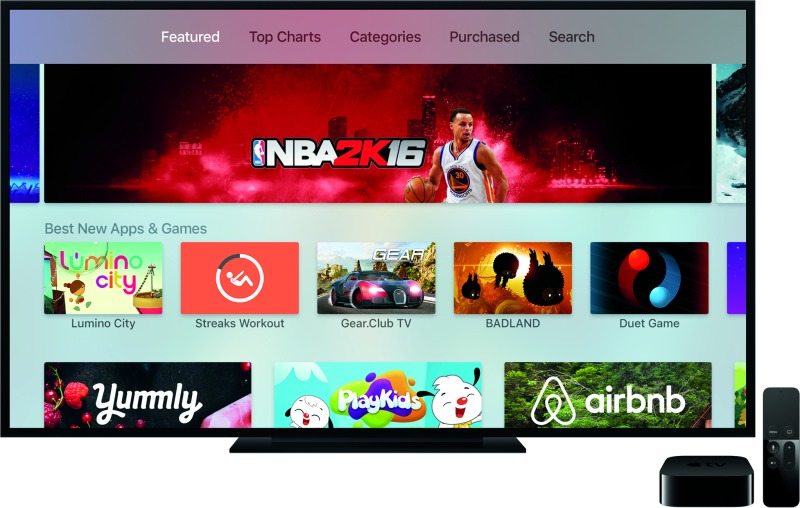
We’re nearly a year into the era of the newest Apple TV, which packs plenty of power, access to apps and a reworked remote with Siri voice control. Despite the new hardware, rumors of a big Apple push into TV still haven’t turned into anything real. A report from the Wall Street Journal may help explain why by claiming negotiations with companies like Comcast and Time Warner Cable fell apart over things like how much the cable companies would pay Apple and how they would share customer information.
Attempts to bypass cable companies and negotiate directly with studios are said to have fallen apart in a similar fashion. The sides couldn’t work out which channels to include, if rates would increase annually the way they do with cable, or on implementing features customers want like a cloud DVR and the ability to skip ads. The studios are also leery of ceding too much control to Apple, aware of the influence it has gained in industries like music and books. Instead, Apple’s strategy — for now– seems to revolve around incremental improvements to the experience on Apple TV and picking up content like Carpool Karaoke to fill out its Apple Music package.
As I wrote in 2012 (when Apple television rumors were still a thing) despite the obvious reasons why Apple would want to be in the TV market, it has to deal with incumbents who are currently raking in massive amounts of money under the current setup. They have little incentive to make the special kinds of deals Apple wants so that it can control the customer experience to its liking. The only thing that may change that is if the business changes dramatically or regulations somehow force the industry into a new deal, and so far, neither has occurred.
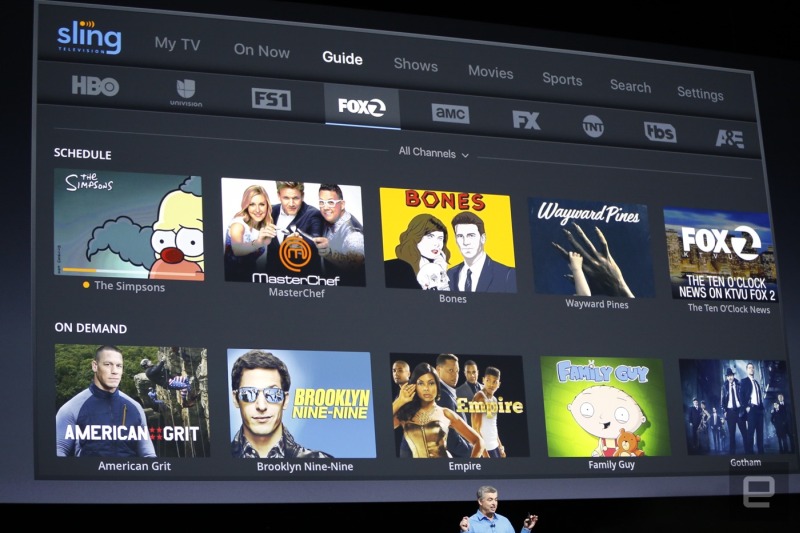
At the moment, TV companies have dug into their positions deeper than ever. Dish is pushing Sling TV, AT&T purchased DirecTV and Hulu is… still trying. Comcast failed in an attempt to buy Time Warner Cable, launched a streaming TV service that it’s failed to expand beyond a couple of cities, and is pushing its next-gen X1 cable boxes. Time Warner’s HBO finally launched an internet-only version of its channel (that was initially exclusive to Apple products), while CBS has already signed up millions of customers for its apps — the list could go on and I haven’t even mentioned worldwide TV provider Netflix or Amazon Prime.
Apple CEO Tim Cook:
On the Apple TV question…you shouldn’t look at what’s there today and think we’ve done what we want to do. We’ve built a foundation that we can do something bigger off of.
It seems inevitable that someday, Apple will get to show and prove its vision for the future of TV. While the TV industry reacts to shrinking subscriber and sales numbers, Apple’s latest earnings report showed lower sales numbers that could make it more eager to strike a deal and CEO Tim Cook suggested on the earnings call that his company would do more with TV in the future. The only problem? We’ve heard that before, back in 2012, and with SVP Eddie Cue reportedly telling people “time is on my side” it’s hard to say who will blink first, if ever.
Source: Wall Street Journal
Twitter streams its first eSports tournament this weekend
Twitter is expanding beyond traditional stick-and-ball streams and moving into the lucrative eSports realm this weekend. As part of a partnership with Eleague and Turner Broadcasting, the microblogging service will air two days of Counter-Strike: Global Offensive play from Atlanta. The action starts today at 5pm Eastern with semi-finals. Eleague’s end-of-season championship play starts Saturday afternoon at 4 Eastern with two teams going head to head in a best-of-three series.
Of course, streams on Twitter or Twitch won’t replace this weekend’s traditional broadcast on the TBS cable network, but will serve as a different venue for a much different audience than TV. It’s a bit surprising that this will be the first time Twitter has streamed eSports, but hey, everyone has to start somewhere.
Source: Eleague
Sony’s ‘Driveclub VR’ is a PlayStation VR launch title
Sony will release a virtual reality version of Driveclub just in time for the launch of its upcoming PlayStation VR platform on October 13th. Driveclub VR will feature “brand new tracks” including a city track (pictured above) and let players view vehicles from multiple angles while they trade paint. Sony revealed the news in a blog post (which was subsequently pulled, so it was possibly published too early). Interestingly, other details were tweeted by Paul “Rushy” Rustchynsky, a developer for Codemasters.
@VG_Dave There is a collection of brand new tracks. Not sure I can comment on development yet – I’ll get back to you.
— Paul Rustchynsky (@Rushy33) July 29, 2016
The original Driveclub, from Sony’s first-party studio Evolution, had problems from the day it was launched, and the free PlayStation Plus version was about two years late. As a result, Sony decided to close Evolution, but the team behind it was quickly snapped up by F1 2016 developer Codemasters. Sony didn’t say which studio was behind the VR title (it’s listed as coming from Sony Interactive Entertainment), but on a NeoGAF forum, Rushy said that “the same development team who made Driveclub also made Driveclub VR.”
It’s still not clear whether the Driveclub VR is as big as the original game, or if it’s a smaller experience with a limited number of cars and tracks. Nevertheless, the fact that a triple-A racing game is coming to the PlayStation VR gives the platform an extra shot of legitimacy.
Source: Paul Rustchynsky (Twitter), Sony (Screengrab, translated)
WhatsApp Security Flaw Leaves ‘Trace of All Your Chats’ Even After Deletion
Popular third-party chat app WhatsApp is leaving a “forensic trace” of every supposedly deleted chat log, meaning anyone with access to your smartphone — or another device connected through the cloud — could potentially access data from the app. The discovery comes from iOS researcher Jonathan Zdziarski, who shared the information in a blog post after discovering the potential security flaw in the latest version of WhatsApp (via The Verge).
Zdziarski tested out his theory by beginning a few chat threads, then archiving, clearing, and deleting them, but found that none of the app’s deletion methods, even Clear All Chats, “made any difference in how deleted records were preserved.” The central flaw appeared to be in the app’s SQLite records, which retained the deleted chats in its database that could be accessed by a harmful individual with the right “popular forensics tools.”
In his post, Zdziarski mentioned that the problem isn’t unique to WhatsApp, and has even gone into detail about “forensic trace leakage” in Messages on iOS and OS X, and ways Apple could address such privacy issues, in a separate blog post. He explained succinctly that short-lived chats between friends and family using these apps are “not ephemeral on disk,” which not only could be a cause for concern with users, but could allow law enforcement legal access to thought-to-be-deleted WhatsApp messages thanks to the lack of encrypted communication between WhatsApp and iCloud.
The core issue here is that ephemeral communication is not ephemeral on disk. This is a problem that Apple has struggled with as well, which I’ve explained and made design recommendations recently in this blog post.
Apple’s iMessage has this problem and it’s just as bad, if not worse. Your SMS.db is stored in an iCloud backup, but copies of it also exist on your iPad, your desktop, and anywhere else you receive iMessages. Deleted content also suffers the same fate.
All the same, Zdziarski caps his post by mentioning there’s no reason for widespread panic to ignite because of the WhatsApp security flaw, mainly due to the fact that someone with malicious intent would need to jump through so many hoops to finally access the deleted messages. The iOS researcher stated that his purpose was for users to simply “be aware of WhatsApp’s footprint.” He also gives a few options for users looking to mitigate the issue, including periodically deleting WhatsApp “to flush out the database,” disabling iCloud backups, and avoiding the storage of backup passwords in Apple’s keychain.
Earlier in the year, Apple reiterated its intent to double down on user privacy and safety within its iCloud platform. Currently, encrypted data saved in iCloud is accessible by Apple with a key, which grants it access to accounts for assistive purposes, like if someone forgets their password. However, with the steadily growing data amassing in users’ iCloud accounts — from texts to pictures and personal health data — Apple is looking to provide end-to-end encryption in its cloud-based storage platform, meaning not even the company itself could gain access to the accounts of its users even if it wanted to.
Check out Zdziarski’s blog post for more details on the issue.
Tag: WhatsApp
Discuss this article in our forums
Apple Finalizes $7 Billion Five-Part Bond Sale
Apple has raised $7 million in debt through a five-part bond sale of both fixed and floating rate notes, according to the company’s final pricing term sheet filed with the U.S. Securities and Exchange Commission on Friday.
The five-part sale includes:
- $350 million maturing in 2019 with a floating interest rate based on three month LIBOR plus 14 basis points
- $1.15 billion maturing in 2019 with a fixed 1.1% interest rate
- $1.25 billion maturing in 2021 with a fixed 1.55% interest rate
- $2.25 billion maturing in 2026 with a fixed 2.45% interest rate
- $2 billion maturing in 2046 with a fixed 3.85% interest rate
The transaction was underwritten by Goldman Sachs, J.P. Morgan Securities, MLPF&S, and Deutsche Bank Securities, among others.
Apple held $231.5 billion in cash and marketable securities, partially offset by $68.9 billion in long-term debt, as of the fiscal third quarter, but a significant portion of that money is held overseas and would be subject to high U.S. taxes upon repatriation. By raising debt through bonds, Apple can pay for its U.S. operations at a much lower rate, particularly given its low-risk Aa1/AA+ bond credit rating.
Apple typically uses the capital raised to fund dividend payments to shareholders and its share buyback program, which the company expanded to $175 billion in April. At the time, Apple said it expects to spend over $250 billion in cash under its capital return program by the end of March 2018. It also uses the capital for general corporate purposes, such as the repayment of earlier debt and acquisitions.
Tags: bonds, SEC
Discuss this article in our forums
How to set up and use Google Drive on Android

How do I use Google Drive on Android?
Google Drive is one of the handiest cloud storage services around, giving you 15GB of free space, which you can access from just about any device with an internet connection. The age of USB thumb drives is over.
When you set up your Android phone, you would have been prompted to add your Google account, which is all you need to use Google Drive. Here’s how to set up your personal Google Drive and use some of its main functions.
- How to add an account your Google Drive on Android
- How to upload files to your Google Drive on Android
- How to view files in your Google Drive on Android
- How to share files from your Google Drive on Android
- How to view files that were shared with you via Google Drive on Android
- How to download a file from Google Drive
- How to check your storage in Google Drive on Android
- How to delete files from your Google Drive on Android
How to add an account your Google Drive on Android
If you’ve already set up your Gmail account on your phone, then you’ll just have to launch Google Drive and perform steps 1-3 below. If you’d like to add another account, like a work email address, continue on after step 3.
Launch Google Drive from your home screen or from the app drawer.
Tap the next arrow in the bottom right corner through the start screens.
Tap Done in the bottom right corner of your screen.
Tap the menu button in the top left corner of your screen. It looks like ☰.

Tap the dropdown arrow next to the current account that’s associated with your Google Drive.
Tap Add account.
Tap the type of account you’d like to use. You can even use Twitter!

Enter your security measure if you have a pattern lock or PIN lock on your phone.
Enter your email address or login credentials, depending on what type of account you chose to add.
Tap Next.
Type in your Password and tap Next in the bottom right corner.

Tap Accept.
Tap the circle next to a payment option.
Tap Continue.

The account will now be added to your phone and can be used with other Google apps, like Gmail, Docs, Sheets, and more!
How to upload files to your Google Drive on Android
You can upload Microsoft Word documents, Google Docs, photos from your Gallery, and tons more!
Find the document on your phone that you’d like to upload to Google Drive. In this example, we’re using a photo from the Gallery.
Tap the share button. It’ll usually look like a left-pointing triangle, with a dot at each point.
Tap Save to Drive.

Tap Allow if prompted to allow Google Drive access to your files.
Add a title to the document if you’d like and tap Save in the bottom right corner of your screen.

Your file will now be uploaded to your Google Drive where you can view it from any device on which you can access Google.
How to view files in your Google Drive on Android
Viewing your files in Google Drive on Android is as easy as launching the app from your home screen or app drawer. That’s it! When you launch the app, you’ll be brought to your Drive with all of your files right there for you to scroll through and view. Just tap a file to open it.
You can search for files by name by tapping the search icon (usually looks like a magnifying glass) and typing the name of the file you’d like to view.
How to share files from your Google Drive on Android
You can share any file from your Google Drive, either by sending the physical file or by sharing a link that will allow someone to view the file in your Google Drive (they won’t be able to see anything else).
Launch Google Drive from your home screen or from the app drawer.
Tap the more button on the file you want share. It looks like three vertical dots.
You have two ways to share your file:
- Tap Share link to send someone a link to this file in your Google Drive.
- Tap Send file to send someone the physical file.
Tap a sharing method. You can share files via email, Facebook, messaging, and much more!

Now you can just share the file or the link via the method you’ve chosen normally. If you’re sending it as a message, just tap the send button like you would for a text message. If you’re sharing it via email, you can add a message and add multiple recipients, just like normal!
How to view files that were shared with you via Google Drive on Android
If you have notifications for Google Drive turned on (which they usually are by default), you can just tap the notification and it’ll open right to the file that’s been shared with you. If you dismissed the notification by mistake or just didn’t get one, here’s how to view files that have been shared with you!
Launch Google Drive from your home screen or from the app drawer.
Tap the menu button on the top left of your screen. It looks like ☰.
Tap Shared with me.
Tap the file you’d like to view.

How to download a file from Google Drive
If you’re transferring files via Google Drive and want to save a hard copy to your phone, you just have to download the file.
Launch Google Drive from your home screen or from the app drawer.
Tap the more button on the bottom right of the file thumbnail. It’s the three vertical dots.
Tap Download.

The file will now be downloaded to your phone. You’ll receive a notification when it’s downloaded, and you can tap that to view it or look in your file storage.
How to check your storage in Google Drive on Android
Google Drive starts you off with 15GB for free, and if you find you’re saving a lot to your Google Drive, it’s probably best to keep an eye on your storage.
Launch Google Drive from your home screen or the app drawer.
Tap the menu button on the top left of your screen. It looks like ☰.
Tap Settings.

The first item in the Settings list is Storage and beneath it, it’ll tell you how much of your 15GB you have used. If you’re just using your Drive to save Google Docs, it’s going to take you a very long time to fill it up.
How to delete files from your Google Drive on Android
If you do find your Google Drive is getting a bit full because you’ve been using it to save photos, videos, music, and a ton of other stuff, you can choose to pay to upgrade your storage or take the frugal route and delete some stuff!
Launch Google Drive from your home screen or the app drawer.
Tap the more button on the file you’d like to delete. It’s the three vertical dots in the bottom right corner of the thumbnail.
Tap Remove, which is at the bottom of the options.

The file will now be removed from your Google Drive, but you can always re-upload it if you need to.
Galaxy Note 7 tipped for Euro release in September, new colors and updated Gear VR pictured
And there’s a rose gold/blue version too!
We’re just days away from the official unveiling of the Samsung Galaxy Note 7, and the pace of leaks is starting to build. The latest sortie of information and images comes from French outlet NoWhereElse and Steve Hemmerstoffer, also known as @onleaks on Twitter.
Hemmerstoffer gives weight to previously rumored specs for the phone, with highlights including:
- Dimensions: 153.5mm x 73.9mm x 7.9 mm
- Weight: 168g
- IP68 water-resistant
- Android 6.0 Marshmallow OS
- 5.7-inch 2560×1440 SuperAMOLED display with edge screen
- Octa-core 2.3GHz processor in the international model (likely the same Samsung Exynos 8890 used in the global GS7)
- 4GB of RAM
- 64GB of storage as standard, microSD up to 256GB
- 3,500mAh battery
- USB Type-C
- Iris scanner
- “Dual-Pixel” 12MP camera with OIS, f/1.7 lens; 5MP front-facer (same as the GS7)
- S Pen with 4096 levels of pressure, <50ms response time
Assuming this is accurate, we’re effectively looking at an S7 edge-class phone with a larger display, an S Pen, a slightly smaller battery, USB-C and an iris scanner. All of which lines up with the general direction of Note 7 leaks over the past few weeks.
Today’s leak shows the phone we’re now familiar with in a variety of colors and from just about every angle, in the form of official renders. Most interesting of all is a sky blue/rose gold variant with blue glass and a pink metal trim — certainly one of the more unusual color combos we’ve seen from Samsung.


We’re also getting our first look at the updated Gear VR model for 2016, which will purportedly will be compatible with the USB-C-toting Note 7 as well as the micro-USB GS7 and GS6 series. Besides that, the biggest changes to Samsung’s VR headset are the color and size — it’s black, and less bulky than the current micro-USB-only Gear VR. The visor on the front appears to have been redesigned too, as does the head strap.

Hemmerstoffer says the Galaxy Note 7 will go on sale in France in early September, possibly the week of Sept. 2, following its Aug. 2 unveiling, with the updated Gear VR coming “next month.” Start saving your pennies now, because it’s claimed the European model will sell for €850 ($940, £710).
Source: NoWhereElse
Microsoft is laying off 2,850 more workers
Microsoft is cutting an additional 2,850 jobs on top of 1,850 announced in May 2016, meaning it has laid off over 10 percent of its workforce in the last two years. Most are ex-Nokia employees from its mobile hardware division, it said in its annual SEC filing. That means Microsoft has almost nothing left of its $7.2 billion Nokia acquisition, originally intended to make it a smartphone hardware player. The software giant has already notified 900 of the employees and will complete the remaining layoffs by mid-2017.
Microsoft’s mobile phone plans are a big question mark, as sales are in a free fall. The only ray of hope for Windows Phone fans (if there are any left) is that Microsoft hinted last year that it needs to make a mobile device as good as the Surface line. A “Surface Phone,” however, is still nothing more than a rumor and if it does come along, would likely be aimed at Microsoft’s core business market and not consumers. With layoffs now totaling 12,100 in two years, however, Microsoft seems to want nothing to do with building smartphones.
Via: Gizmodo
Source: SEC filing
 AIVAnet