


Lithium-oxygen battery promises lighter electric cars
Lithium-air batteries are supposed to lead to lighter, longer-ranged electric cars thanks to their high power-to-weight output, but they have some showstopping flaws: they not only degrade rapidly, but waste a lot of energy input as heat. Neither is exactly ideal in a vehicle that’s expected to last you several years and charge quickly. Scientists at MIT, Argonne National Laboratory and Peking University might have found a better way, though. They’ve engineered a lithium-oxygen battery that offers the light weight of lithium-air without its drawbacks.
Instead of pulling in oxygen from the air to trigger a chemical reaction, like a lithium-air battery would, this new design relies on nanoscale particles that hold both lithium and oxygen, keeping the oxygen inside as it changes states. This both dramatically reduces the energy loss (about five times less voltage) and prevents the rapid changes in volume that cut tend to shrink a battery’s usable lifespan. The lithium-oxygen tech is also more friendlier to real-world conditions (lithium-air can’t take carbon dioxide or moisture) and is inherently protected against overcharging — it just shifts to a different reaction when there’s too much power.
Right now, the battery exists solely as a proof of concept in a lab. However, there is a plan to create a prototype within a year. It’s realistic, too, as it doesn’t need expensive materials and could be used just like a run-of-the-mill lithium-ion battery. Should all go well, you could see electric cars that store twice as much energy at a given weight as lithium-ion cells. That, in turn, could lead to EVs that either end range anxiety or don’t have to weigh so much to deliver the range you get today.
Source: Nature, MIT News
Illinois politician resigns after fighting social network fakes
Politicians tend to quit over scandals or sheer public outcry, but fake social networking accounts? That’s new. Illinois House representative Ron Sandack has resigned after spending weeks battling with “cyber security issues” — namely, people creating multiple impersonating Facebook and Twitter accounts. The fight made him “re-evaluate” his role in office and whether or not it was worth missing “important family events” to be there, he says.
There won’t be much of a power vacuum, since many already expect young up-and-comer David Olsen to take Sandack’s place. Still, it shows just how much grief online impersonation can cause. If problems with your accounts are important enough that they could make you question your career in politics, social networking is no longer a nice-to-have feature.
Via: Reuters
Source: Capitol Fax (1), (2)
PhD student uses a robot to make VR feel more real
Between the HTC Vive and the Oculus Rift, we’ve come a long way towards being able to step in to virtual worlds — but touching those false realities is a different matter. Solving this means finding a haptic technology that can adapt to needs of a constantly changing virtual environment. One PhD student’s solution? Use a robot arm.
Rigging up a $25,000 Baxter robot to an HTC Vive may not be a practical haptic feedback setup, but it sure looks effective. Scott Devin, PhD candidate at Queen’s University Belfast, built the setup as a proof-of-concept ‘encounter haptic system’ that actively follows a VR user’s pushes against them at appropriate moments to simulate physical objects in a virtual space. In Devin’s demo, this served to provide force feedback and weight to users pushing virtual wooden blocks off of a VR shelf — gently pushing back against the player’s HTC Vive controller as it moved the digital blocks.
It’s a bit of a ridiculous setup for such a simple demo, but it wasn’t designed to be practical. “It’s definitely not for consumers,” Devin told Digital Trends, citing the price of the robot arm. “We’re showing what’s possible. It might give some people with more resources a few ideas. Imagine a robotic arm attached to the ceiling in each of the four corners of your VR room: you’d have force feedback for 360 degrees.” It’s a practically unreasonable idea for the time being, but such a system would provide excellent hapitc feedback — if someone were bold enough to build it. “I think you have to dream big,” Devin says. “Why not?”
Source: Digital Trends, YouTube
US Special Forces are getting a ‘missile sub’ delivery vehicle
Although Lockheed Martin has come under fire for the controversial F–35 fighter jet program, the aerospace company’s Submergence Group just announced a $166 million defense contract with the US Special Operations Command to build a new “missile sub” meant to carry Special Forces scuba divers into battle. Operated by a pilot and a navigator, the 30-ton Swimmer Delivery Vehicle will carry a team of six divers to an underwater location in a completely dry environment. Once the sub reaches its drop point, it can launch the dive team through an onboard airlock system.
“The dry, one-atmosphere environment of these vehicles provides an alternative to traditional wet submersibles being used by the U.S. and international Special Forces communities today,” Lockheed Martin wrote in a statement, “and will deliver operators to their destination in better physical condition to complete a mission.”
According to the Daily Mail, Lockheed Martin is currently building three of the vehicles, which have a depth rating of 328 feet and a lock-out depth of 98 feet. With a top speed of 5 knots (or about 6 mph), it won’t be the fastest thing underwater, but it offers an upgrade over the open, wet submersibles Special Forces teams currently use, and reduces a mission’s overall swim time.
According to Lockheed Martin, the platform will be based on the existing S301i dry manned submersible and will include an Inertial Navigation System, Doppler Velocity Log for navigation support, an Underwater Telephone and UHF radio for communications, and an obstacle avoidance sonar and fathometer. The S302, as it is officially called, will also include support for additional sensors as specific missions require.
What’s on your HDTV: ‘Sharknado,’ ‘MADtv’
Apparently Syfy has some Shark Week jealousy, as it’s leading up to the debut of Sharknado 4 with a week full of shark movies. That’s one alternative to the prime time DNC coverage on the networks this week, but also of note is the return of MADtv on CW. Gamers can try out a preview of We Happy Few on Xbox One, or DLC arriving for Fallout 4 or Minecraft: Story Mode. On Blu-ray, viewers can see Criminal in Ultra HD, or check out the entirely-filmed-in-first-person Hardcore Henry, and Netflix premieres the movie Tallulah. Look after the break to check out each day’s highlights, including trailers and let us know what you think (or what we missed).
Blu-ray & Games & Streaming
- Tallulah (Netflix, 7/29)
- Holding the Man (Netflix, 8/1)
- The Invitation
- Hardcore Henry
- Criminal (4K)
- NHL Stanley Cup Champions 2016
- The Boss
- Hyper Light Drifter (PS4, Xbox One)
- Minecraft: Story Mode Episode 7 (Everything)
- Super Dungeon Bros (PC, PS4, Xbox One)
- Headlander (PC, PS4)
- OlliOlli: Epic Combo Edition (PS4)
- Blue Rider (PS4)
- Tom Clancy’s The Division: Survival DLC (PS4)
- Fallout 4: Vault-Tec Workshop DLC (PC, PS4, Xbox One)
- We Happy Few (PC, Xbox One – Game Preview)
- Riptide GP: Renegade (PC, PS4)
- Chambara (PS4)
- Among the Sleep (PS4)
- In Case of Emergency, Release Raptor (PC – Early Access)
Monday
- American Ninja Warrior, NBC, 8PM
- So You Think You Can Dance, Fox, 8PM
- WWE Raw, USA, 8PM
- Chris Harris on Cars, BBC America, 9PM
- The Fosters, Freeform, 8PM
- Dam Sharks, Syfy, 9PM
- Guilt, Freeform, 9PM
- Rizzoli & Isles, TNT, 9PM
- Angie Tribeca, TBS, 9PM
- 2016 Democratic Convention, CBS/ABC/NBC, 10PM
- The Making of the Mob, AMC, 10PM
- Major Crimes, TNT, 10PM
- Are You the One?, MTV, 10PM
- Unreal, Lifetime, 10PM
- Full Frontal with Samantha Bee, TBS, 10:30PM
Tuesday
- Difficult People, Hulu, 3AM
- Casual, Hulu, 3AM
- America’s Got Talent, NBC, 8PM
- Whose Line is it Anyway?, CW, 8PM
- Zoo, CBS, 9PM
- WWE Smackdown, USA, 8PM
- Ice Sharks, Syfy, 9PM
- MADtv (season premiere), CW, 9PM
- Animal Kingdom, TNT, 9PM
- Deadliest Catch, Discovery, 9PM
- Coupled, Fox, 9PM
- 2016 Democratic Convention, ABC/CBS/NBC, 10PM
- Scream, MTV, 10PM
- F in Fabulous, BET, 10PM
- Feed the Beast, AMC, 10PM
- Tosh.0, Comedy Central, 10PM
- Wrecked, TBS, 10PM
- Not Safe with Nikki Glaser, Comedy Central, 10:30PM
Wednesday
- Chelsea, Netflix 3AM
- Penn & Teller: Fool Us, CW, 8PM
- America’s Got Talent, NBC, 8PM
- Unsung Hollywood: Jasmine Guy, TV One, 8PM
- Young & Hungry, Freeform, 8PM
- Big Brother, CBS, 8PM
- Baby Daddy, Freeform, 8:30PM
- Suits, USA, 9PM
- American Gothic, CBS, 9PM
- Dating Naked, VH1, 9PM
- Planet of the Sharks, Syfy, 9PM
- Dual Survival, Discovery, 9PM
- Kingdom, DirecTV, 9PM
- Wayward Pines (season finale), Fox, 9PM
- 2016 Democratic Convention, CBS/ABC/NBC, 10PM
- Mr. Robot, USA, 10PM
- Tyrant, FX, 10PM
- Any Given Wednesday with Bill Simmons, HBO, 10PM
- Another Period, Comedy Central, 10PM
- The Real World/Road Rules Challenge, MTV, 10PM
Thursday
- Battlebots, ABC, 8PM
- Home Free, Fox, 8PM
- Ozark Sharks, Syfy, 9PM
- Greatest Hits, ABC, 9PM
- Big Brother, CBS, 9PM
- Beauty and the Beast, CW, 9PM
- Home Free, Fox, 9PM
- The First 48, A&E, 9PM
- Hollywood Game Night, NBC, 9PM
- 2016 Democratic Convention, CBS/ABC/NBC, 10PM
- Jeff Ross presents Roast Battle (series premiere), Comedy Central, 10PM
- Ripper Street (season premiere), BBC America, 10PM
- Lip Sync Battle, Spike TV, 10PM
- Sex & Drugs & Rock & Roll, FX, 10PM
- Queen of the South, USA, 10PM
- Ridiculousness, MTV, 10PM
Friday
- Last Chance U (S1), Netflix, 3AM
- Home: Adventures with Tip & Oh (S1), Netflix, 3AM
- Masters of Illusion, CW, 8PM
- Killjoys, Syfy, 9PM
- Premier Boxing Champions Special, Spike TV, 9PM
- Dark Matter, Syfy, 10PM
- Outcast, Cinemax, 10PM
- Jeff Ross presents Roast Battle, Comedy Central, 10PM
Saturday
- Killer Coach, Lifetime, 8PM
- Rush Hour, CBS, 9PM
- Looking: The Movie, HBO, 10PM
- American West (season finale), AMC, 10PM
- Boston EMS, ABC, 10PM
- Jeff Ross presents Roast Battle, Comedy Central, 10PM
Sunday
- Sharknado: The 4th Awakens, Syfy, 8P<
- Big Brother, CBS, 8PM
- The Circus: Inside the Greatest Political Show on Earth (season finale), Showtime, 8PM
- Celebrity Family Feud, ABC, 8PM
- MTV Fandom Awards, MTV, 8PM
- The Night of, HBO, 9PM
- The $100,000 Pyramid, ABC, 9PM
- Ray Donovan, Showtime, 9PM
- Preacher (season finale), AMC, 9PM
- The Last Ship, TNT, 9PM
- The Hunt, BBC America, 9PM
- Jeff Ross presents Roast Battle (season finale), Comedy Central, 10PM
- Naked & Afraid XL, Discovery, 10PM
- Survivor’s Remorse, Starz, 10PM
- Braindead, CBS, 10PM
- Motive, USA, 10PM
- Ballers, HBO, 10PM
- Match Game, ABC, 10PM
- Roadies, Showtime, 10PM
- The Jim Gaffigan Show, TV Land, 10PM
- Murder in the First, TNT, 10PM
- Talking Preacher, AMC, 10:20PM
- Vice Principals, HBO, 10:30PM
- Tunnel, PBS, 10:30PM
(All times listed are ET)
Safari in iOS 10 Offers Improved Animated GIF Viewing and Stops Noisy Autoplay Videos
In iOS 10, Apple plans to make some changes to the way videos are handled, putting a stop to irritating autoplay videos and offering improvements to animated GIFs. The changes will come in the form of updated policies for “video” elements, as outlined today by Apple software engineer Jer Noble on the Webkit blog
As iOS 8 and iOS 9 users know, an animated GIF encoded using “video” tags requires users to tap on the GIF to play it as a video would play, creating a frustrating user experience. When viewing such a GIF, it’s currently necessary to load the image, tap it to play, and wait for it to be displayed full screen. In iOS 10, the user experience is being simplified.
Going forward, Webkit will allow videos with no audio element or a muted audio element to honor autoplay attributes, so GIFs and videos in this format will no longer require a tap to play automatically. Videos that use the “video playsinline” element will also be able to play inline without the need to enter fullscreen mode.
At the same time, videos that do have an audio element will be automatically paused and will require a user gesture to play, cutting down on irritating advertisements and other spam-type videos. Autoplay video elements will play only when on screen and will pause whenever they are not visible, which will help to preserve battery life.
Starting in iOS 10, WebKit relaxes its inline and autoplay policies to make these presentations possible, but still keeps in mind sites’ bandwidth and users’ batteries. […]
We believe that these new policies really make video a much more useful tool for designing modern, compelling websites without taxing users bandwidth or batteries.
GIFs that use the video element have smaller file sizes and thus use less bandwidth and less energy, making them an appealing alternative to the GIF format. Displaying GIFs this way is growing in popularity, and iOS users will no longer have a subpar viewing GIF experience on popular sites like Imgur. The full Webkit video policies and use case examples are available through the Webkit blog post.
The changes to Safari will be implemented as part of iOS 10, currently available to developers and public beta testers. iOS 10 will see a release this fall, likely alongside new iOS devices.
Related Roundup: iOS 10
Tag: Safari
Discuss this article in our forums
Lenovo K4 Note review
Lenovo is slowly but surely making an impact in the Android smartphone market, particularly here in India. Lenovo has some fantastic devices on offer, with a smartphone portfolio that is continuously expanding, and one of the most popular of their devices is the Lenovo K4 Note.
Its predecessor was very popular, and the latest offering takes things one step further, with the K4 Note bringing some of the best features of the higher-end Vibe X3 to this affordable series. What does this device bring to the table? We find out, in this comprehensive Lenovo K4 Note review!
Buy now from Amazon
Unboxing
The phone comes in pretty standard packaging, with an image of the phone and the large VIBE branding splashed across the box. Opening the box reveals the phone in all its glory, and it’s nice to see the device already in a protective case. The hard plastic case isn’t the most impressive though, and if you are particularly clumsy, you may be better off picking something sturdier.
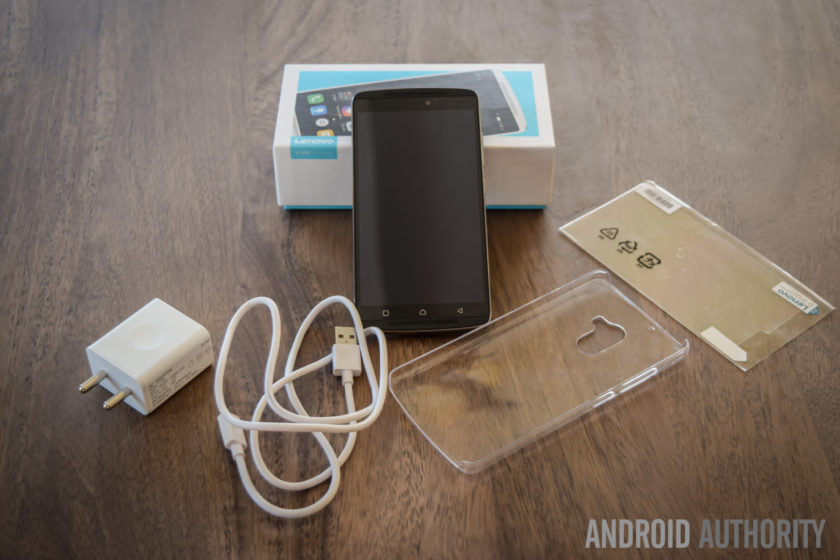
Diving in deeper, you will find the standard documentation, an AC wall adapter, and a USB charging cable, and Lenovo also includes a screen guard with the device, which is another nice touch. There are no headphones included, but that does make sense, given the affordable nature of this phone. Setting up the device only takes a few minutes, and follows the standard steps that any Android smartphone user will be familiar with. Once the phone is setup, you will find the official update for Android 6.0 Marshmallow waiting for you.
Design

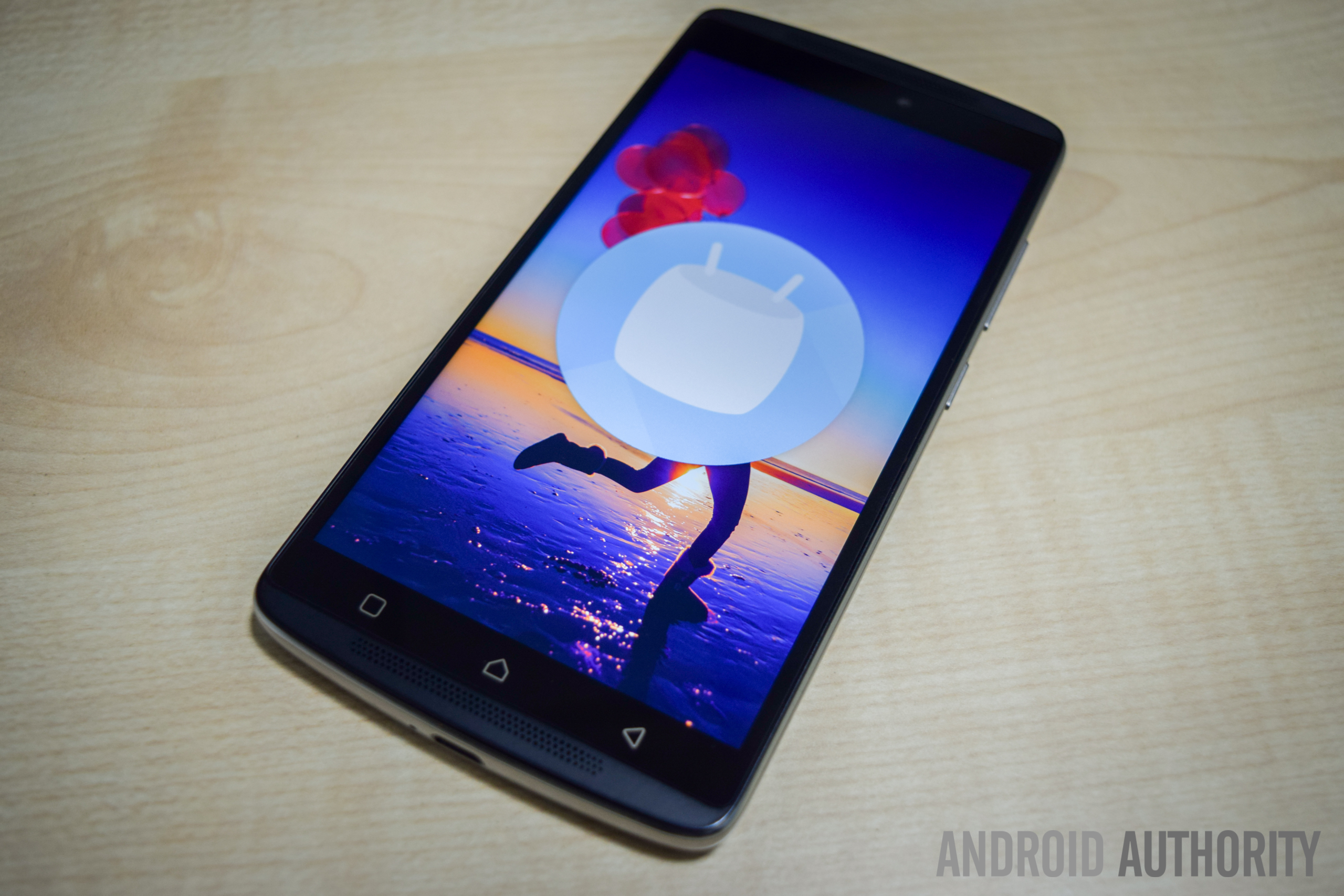
The K4 Note sees a significant upgrade in terms of design and build quality, when compared to its predecessor. The device now features a metal frame and a polycarbonate plastic backing, which makes the phone feel sturdy and solid in the hand. The combination of dual-front facing speakers and a fingerprint scanner just below the camera makes the K4 Note aesthetically similar to the Lenovo Vibe X3, which isn’t really surprising, given that this device has been released in some markets as the Vibe X3 Lite.
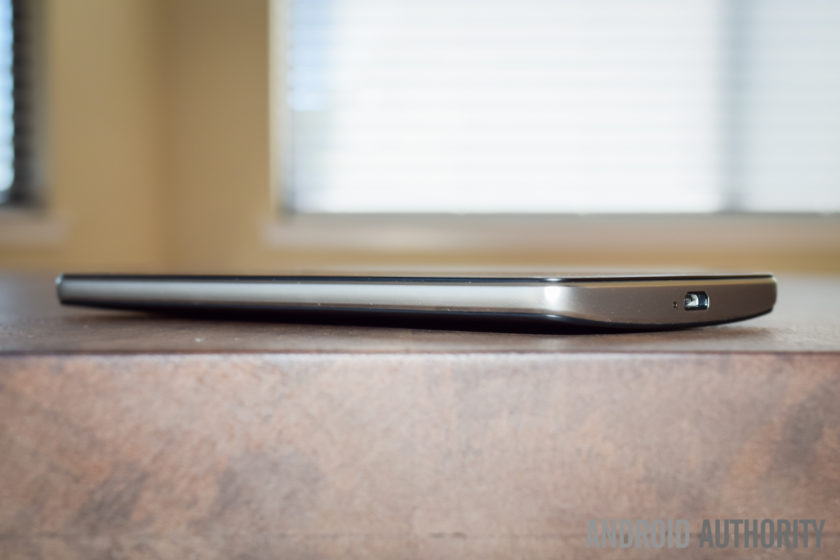
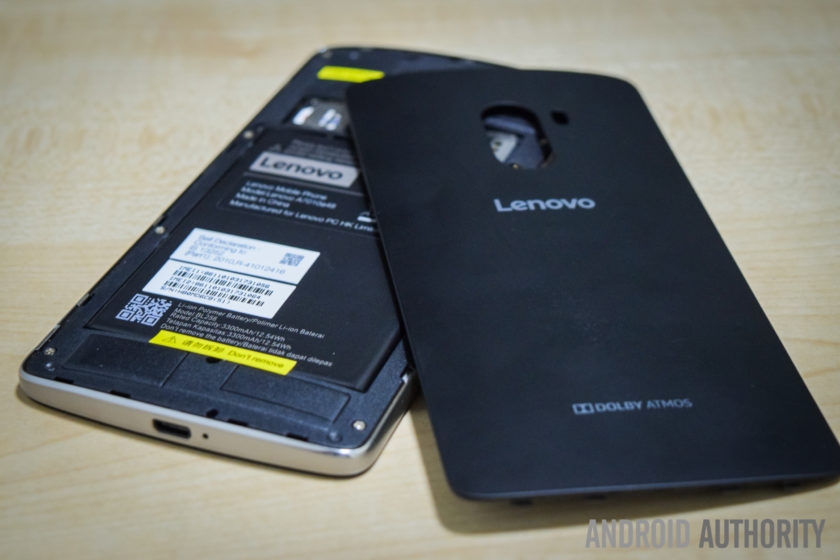
The plastic backing is removable, giving you access to the microSD card and SIM card slots, but the battery cannot be replaced. Removing the plastic back cover is when you notice how thin and flimsy it is, but despite appearances, it certainly holds up very well, and is something you won’t even notice when snapped in place. For those still worried, the device does come with a plastic protective case in the box, and there is also a version of the phone now available with a wood backing. The wooden back doesn’t seem to be sold separately yet, but is something that we can expect to see soon.
Taking a look around the phone, the headphone jack and microUSB port are at the top and bottom respectively, and the power button is below the volume rocker on the right side. On the back is the camera that is centrally located along the top, and below it is the fingerprint scanner. Up front, below the display are the three capacitive navigation keys, but these buttons aren’t illuminated, which can make them quite difficult to see in the dark.
The power button doesn’t come with something like a ridged pattern to help differentiate it from the volume rocker, but the buttons are placed far enough away from each other for this to be a minor concern. The buttons also protrude quite a bit, so you can actually easily see which button you are pressing. The buttons don’t offer as much tactile feedback as might be expected, and the power button in particular feels quite mushy. However, with you being able to unlock the device and directly go to the homescreen using the fingerprint scanner, you won’t need to use the power button all that much anyway.

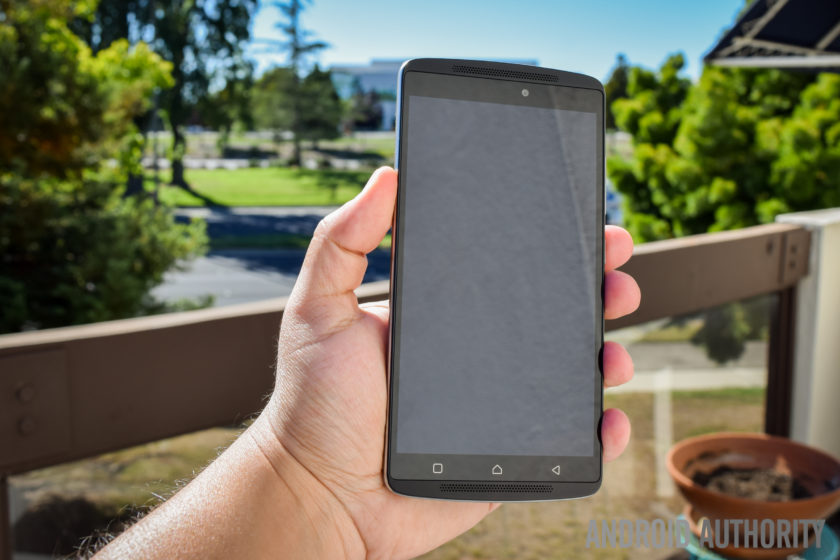
As far as the handling experience is concerned, a slight curve on the back allows for the phone to nestle nicely in the palm of your hand, and unlike metal smartphones, the device isn’t slippery either, courtesy of the polycarbonate backing. Overall, the Lenovo K4 Note is a very well-designed smartphone, and as is also the case with some of its competitors, the design and build quality of the phone certainly goes beyond what you would expect from a sub-$200 device.
Display

The K4 Note comes with a 5.5-inch IPS LCD display, with a Full HD resolution, resulting in a pixel density of 401 ppi. Many affordable smartphones are starting to boast Quad HD screens now, but 1080p gets the job done here, with text appearing sharp, and watching videos and playing games is a lot of fun as well. The viewing angles aren’t great however, and while the brightness at the highest setting is good enough to allow for easy outdoor viewing, the screen can be quite dull and dark when the brightness is set to less than 40% even when indoors.
Lenovo in video:
-

Lenovo foldable smartphone a… -
Lenovo PHAB2, PHAB2 Plus, PH… -
Lenovo Tab3 Lineup Hands On -
Lenovo Vibe K5 and K5 Plus h…
The default color balance is good enough, but the color temperature is on the cooler side. You do have some options available to set the color balance and temperature to your liking, including a manual mode that gives you granular control over these aspects. One preset setting is called Comfort Mode, that helps protect your eyes when browsing the phone for long periods of time. There is also Smart Brightness, which judges when the phone is in harsh lighting conditions and enhances the visibility. It works well enough, but as mentioned, the display brightness is cranked up anyway.
Performance

Under the hood, the K4 Note comes with an octa-core MediaTek MT6753 processor, clocked at 1.3 GHz, and backed by the Mali-T720MP3 GPU and 3 GB of RAM. There is also a version with 2 GB of RAM, but this iteration hasn’t been released in India. The performance has been pretty good, helped along by a clean software package, and there have been no glaring issues. The device handles day to day tasks very well, and opening, closing, and switching between apps has been smooth.


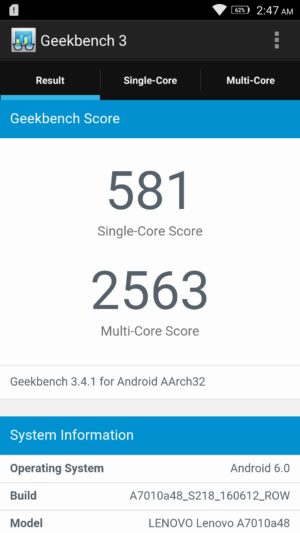
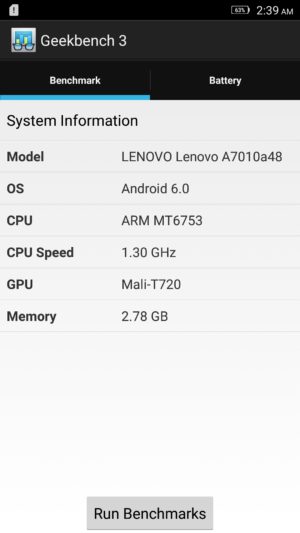
Of course, the K4 Note isn’t a performance powerhouse, and the benchmark scores reflect that, but with average usage, this phone certainly impresses. The gaming experience has been enjoyable as well, and playing games like Stick Cricket 2, UFC, and NBA Live Mobile have been a lot of fun. Games do take a bit to load, and there are some instances of stutter when navigating through the menus and settings, but when it comes to the actual gameplay, things have been smooth and lag free for the most part.
Hardware

16 GB is the only on-board storage option available here in India, but in other markets, there are 8 GB and 32 GB iterations to be found. However, something to keep in mind is that the latter two come with 2 GB of RAM, while this Indian edition features 3 GB of RAM. If storage is a concern, the device features a dedicated microSD card slot, allowing for up to an additional 256 GB of space.
You get two microSIM card slots here, and you can pre-select which SIM can be used to for calling, texts, and data. The option you select for data will allow for access to 3G/4G LTE, while the other sticks to EDGE. It’s also a nice touch that you can choose different ringtones and message tones for the two SIM cards, making it easy for you to distinguish between them. There have been no issues with voice calling, with both parties able to hear the other loud and clear.

The K4 Note comes with dual front-facing speakers – which is always the best placement for speakers – with Dolby ATMOS features. While these speakers don’t get as loud as I would have liked, you get a rich stereo sound which further enhances the video-viewing and gaming experiences.
The Dolby ATMOS settings allow you to choose between preset options like Movie, Music, Game, or Voice, and you can also set up custom settings depending on your liking. You also get additional features, including Surround Virtualizer, Dialogue Enhances, and Volume Leveler. This is buried in the Settings menu however, and is found under the “Ringtones and Volumes” section.

With headphones on, the audio is absolutely fantastic, with impressive bass that I haven’t found with other, more expensive, smartphones. Something to remember is that it can get really loud with headphones on, so much so that the default volume setting is set to 50%, and you won’t find yourself needing to go any higher than that. If good audio is one of your requirements, the K4 Note is definitely a great option.
The phone comes with a fingerprint scanner on the back, and this is another feature that was very impressive. The setup is quick and easy, and the scanner is very accurate, but while it’s definitely fast enough, it may not be as fast as other sensors out there. Using the scanner unlocks the phone and takes you directly into the homescreen, which means that you will rarely have to reach for the power button.

The scanner comes with a few extra uses when the phone is as well. You can set it up so that a single tap can have it function as a back button or take you back to the homescreen, and a long press can open the Recent Apps screen, or again, take you back to the homescreen. Finally, you can have the scanner function as a shutter button as well, which is very useful when taking selfies. These are similar to the gesture support offered by rival Chinese OEM Huawei in some of its recent flagships.

The K4 Note comes with a 3,300 mAh non-removable battery, that allows for really good battery life. I was able to consistently get up to 5 hours of screen-on time with the device, and an impressive stand-by times means that the device easily lasted through a full day of use, and sometimes even two, depending on my usage. With heavy usage however, while the screen-on time was still pretty good, it was easy to drain the battery rather quickly.


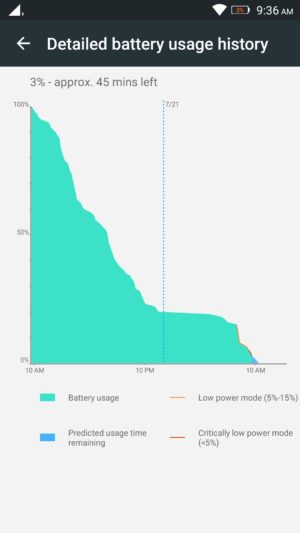

You get the standard Battery Saver mode that automatically kicks in at the 15% mark, and there is also an Ultimate Battery Saver feature, that minimalizes the UI, and allows for only calls and texts. An interesting battery feature is “Scheduled Power On and Off,” that lets you preset a time period where the device automatically switches off and turns back on again.
Camera

The Lenovo K4 Note features a 13 MP rear camera with a f/2.2 aperture, and a dual LED flash, along with a 5 MP front-facing unit, also with the same aperture.
The default camera app is very simplistic, and everything you may need can be found easily on the viewfinder. At the top left are the buttons to switch between the cameras and toggle HDR, and at the bottom is the button to toggle the flash. Only two modes are available in the menu, including Panorama and another that adds color filters to your images. Further in the settings is where you fill find the option to choose the settings for aspect ratio, photo resolution, snap mode, triaxial leveling, and guidelines.

Using the front-facing camera adds the Beauty mode, and you also have an option called “fill light,” that adds two, pink or chrome, bars at the top and bottom of the screen to light up your face in dark environments, but it doesn’t really help much, and results in a pink or bronze hue in the shot.
As far as the image quality is concerned, the 13 MP rear camera is capable of taking some nice shots, especially in well-lit situations, and the images can be crisp and clear sometimes. Not surprisingly, some noise and grain starts to creep in as lighting conditions deteriorate though. The camera doesn’t handle shadows particularly well either, with very little detail to be seen, and while HDR tends to help here, it creates an oversharpened, unnatural looking shot. The camera also tends to underexpose shots in a few situations, and when you use the tap to focus feature, it also adjusts the exposure, leading to either overblown highlights or super dark shadows.

As far as video is concerned, the camera is capable of recording at a Full HD resolution at 30 fps. Video quality isn’t particularly impressive, and with no OIS, you can get some noisy and shaky videos. The phone comes with a 3 microphone system intended to help with background noise reduction, and while it does a good job when outdoors, the sound is somewhat muted when recording audio in quieter locations.
Overall, the K4 Note camera is serviceable and will certainly get the job done in a pinch, but it’s in the little details that the camera lets you down. It’s certainly not the worst camera we’ve seen on an affordable smartphone, but it isn’t close to the best either and if the camera is important to you, this is certainly something to keep in mind.
Software
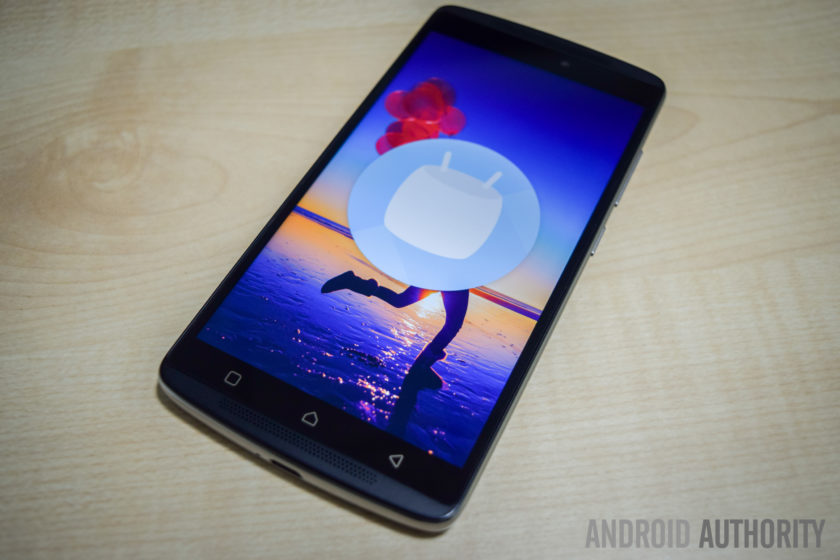
On the software side of things, the K4 Note is running Android 5.1 Lollipop out of the box, but – following the update’s release in India last month – there is now an official update to Android 6.0 Marshmallow immediately available after you first set up the phone.
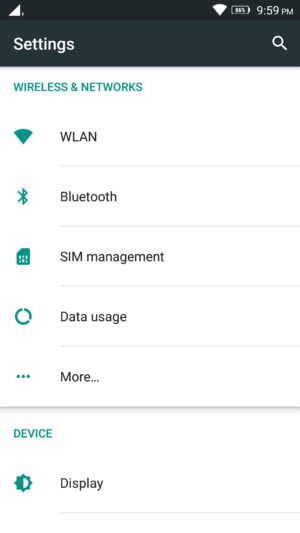
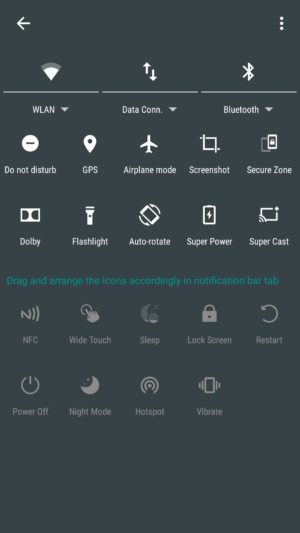
The software experience is very clean and minimalistic, at least on the surface, and while it does have significant differences, quite a lot of stock and Material Design elements are to be seen here. The Settings menu and Recent Apps screen are the same as stock, Chrome is the default web browser, and Google Keyboard is the preset keyboard of choice. The notification dropdown and Quick Settings menu are also similar in the look, but it is packed with a lot more options, with even more available when you dive deeper, allowing you to pick and choose which settings are more useful to you.
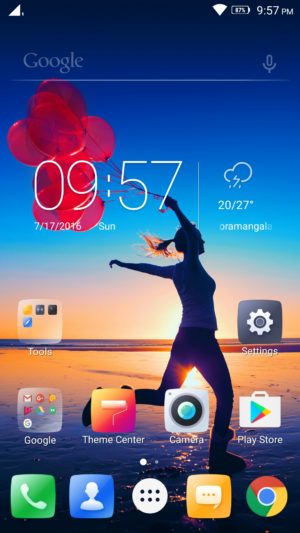
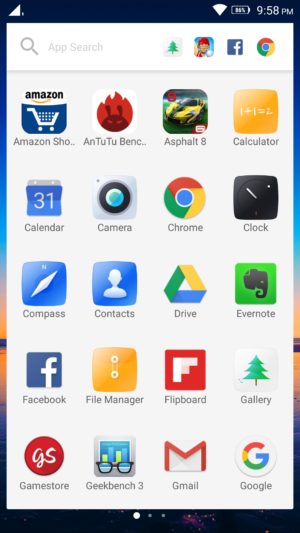
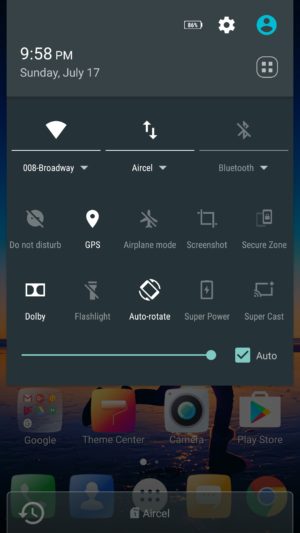
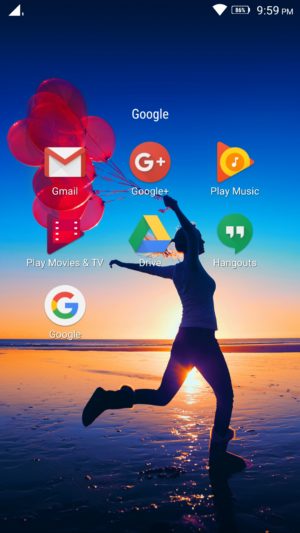
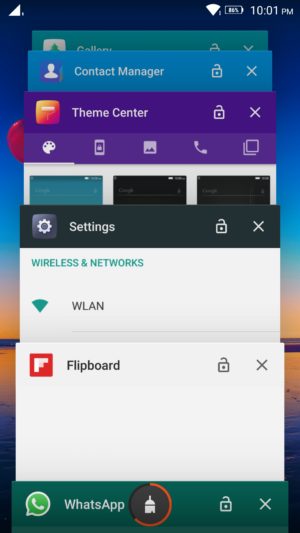
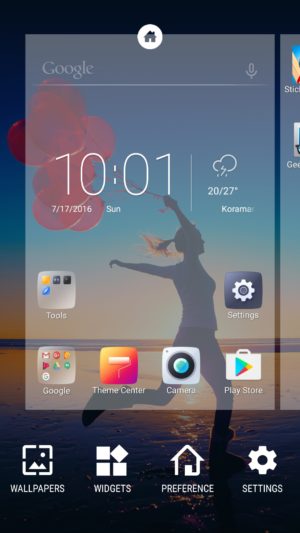
The app drawer retains the Material Design look, but is side swiping, instead of a top to bottom scroll. A nice addition here is that the app search menu up to also comes with a section that houses the most recent apps opened. There is a lot of bloatware to be seen however, with a slew of unnecessary, often redundant, apps pre-installed on the device.
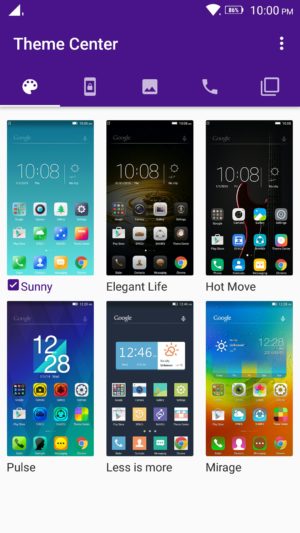
Luckily you can uninstall most of these third-party applications, and the only ones that can’t be removed are Lenovo staples like ShareIT, SyncIT, and the Lenovo Companion app. There is also a Theme Center, but it isn’t particularly robust, and all you can really do is change the look of the lockscreen, icons, and wallpapers.
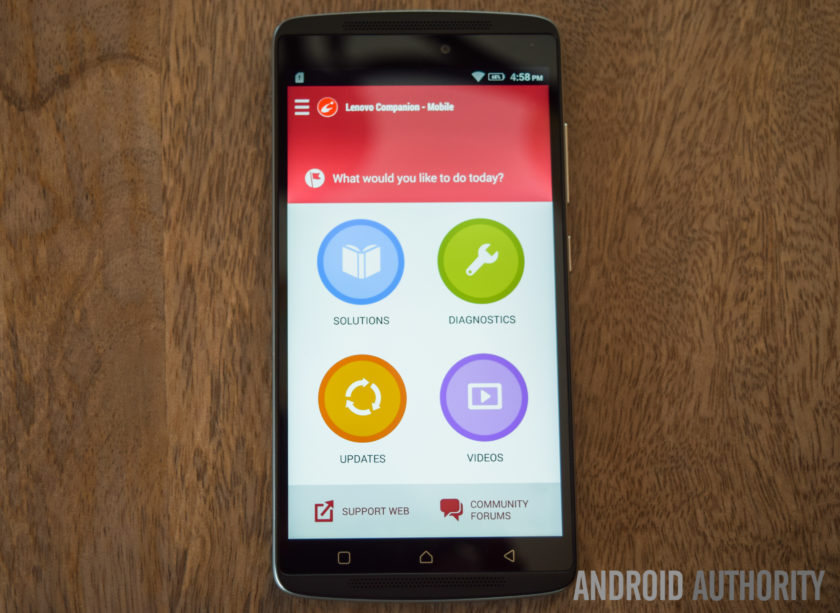
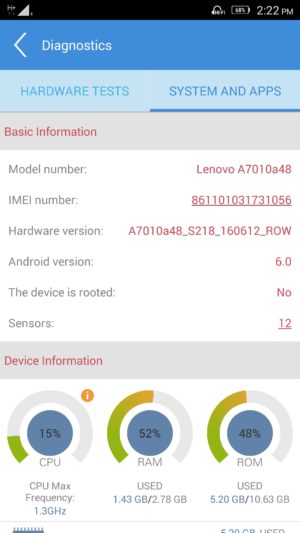
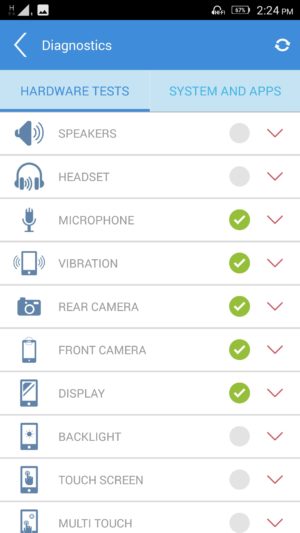
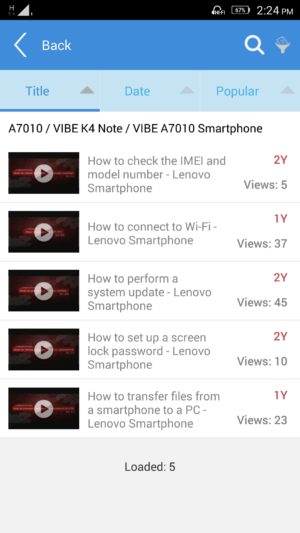
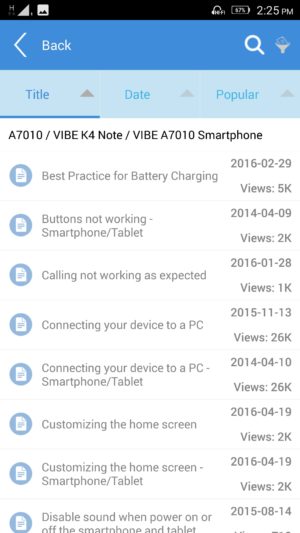
The Lenovo Companion app is a very useful tool to have, and provides a quick and easy way to set up service requests, or browse through the forums to find solutions to everyday problems you might come across. There are also video guides available, and also a robust diagnostics tool that lets you check whether all the device hardware is working the way it should be.
Finally, another feature that can be useful to some is Secure Zone; it can be toggled in the Quick Settings menu, and allows you to set up two virtual zones, that help keep your professional and personal lives separate. You can set up each zone to have their own accounts, passwords, and apps, and settings of one don’t carry over to the other.
If a notification arrives in one zone, you will know via a red dot that appears in the status bar, and you will then have to switch over to be able to check it. App data and documents are also kept apart, and if you are looking to share anything between the two, the way to do it is a via an OpenUserData shared folder. However, call logs and messages are shared between the zones.
Specifications
| Display | 5.5-inch IPS LCD display Full HD resolution, 401 ppi |
| Processor | 1.3 GHz octa-core MediaTek MT6753 processor Mali-T720MP3 GPU |
| RAM | 3 GB |
| Storage | 16 GB expandable via microSD card up to 256 GB |
| Connectivity | Wi-Fi 802.11 a/b/g/n/ac Bluetooth 4.0 GPS NFC FM Radio microUSB 2.0 |
| Camera | 13 MP rear camera, f/2.2 aperture, dual LED flash 5 MP front-facing camera |
| Battery | 3,300 mAh |
| Software | Android 6.0 Marshmallow |
| Dimensions | 153.6 x 76.5 x 9.2 mm 158 grams |
Gallery
Pricing and final thoughts
The Lenovo K4 Note is currently priced at Rs 10,999 (~$164), and the wooden back version isn’t that much more, priced at Rs 11,499 (~$171).
So, there you have it for this in-depth look at the Lenovo K4 Note! Lenovo has certainly done a fantastic job with this smartphone, and while using, it has been difficult for me to wrap my head around how affordable it is. With a solid design, decent performance, great audio, and good battery life, Lenovo checks all the right boxes.
The software package does have a lot of extras, but you always have the option to de-activate the various settings and enjoy a stock-like experience, and the only real caveat here is the camera performance, which isn’t poor by any means. There are a lot of great affordable smartphones out there, but Lenovo stands out with a great audio experience, and if that is a requirement, I would definitely recommend the K4 Note.
What do you think of the Lenovo K4 Note and do you plan to buy one? If not, what other affordable smartphone would you buy? Let us know your views down below guys!
Buy now from Amazon
Segway miniPRO by Ninebot Review
Walking on our own two feet just isn’t enough anymore for some people, there now needs to be some style behind the process – or else you’ll look very much like everyone else, exerting energy into it. While some don’t mind it all, others however are finding alternative forms of personal transportation. Over the most recent holiday season, so-called “hoverboards” roared unexpectedly onto the scene and became highly coveted amongst gift hunters, garnering huge sales in the process. Despite the sales surge, controversies surrounding safety recalls and the banning of its use in certain places, seemingly killed the hoverboard’s potential.
Long time connoisseur in personal transportation, Segway, believes that a better alternative will be achieved by the company’s latest, consumer-centric transportation vehicle in the Segway miniPRO by Ninebot. Given Segway’s history and reputation, the miniPRO is clearly distancing itself from being associated with hoverboards in general, as there’s no mention of it being one at all. Instead, Segway is selling it as being a “smart self balancing personal transporter.” This Bluetooth enabled personal transporter can be controlled via your Android smartphone, in addition to delivering vital information about its operation.
Slapped with an MSRP of $1300, it might be regarded as a pricey investment at first, but considering that commercial Segways start at $5,000 at the very minimum, the miniPRO’s cost is definitely easier on the pockets. Is it really worth getting though and is this the future of personal transportation tech?
Buy the Segway miniPRO now!
Design

First and foremost, the Segway miniPRO is a beast in terms of its size and puts to shame how those aforementioned “hoverboards” are built. Right away after taking out of the packaging, it’s tough to overlook the sense of solidness that accompanies its construction and design – one that favors an aggressive styling with its mostly dark black paint job. Meanwhile, the red accents found throughout the body help to exemplify its aggressiveness even more, making those hoverboards appear kiddy by comparison.
Top phones of 2016:
-

Alcatel Idol 4s Review -
Are Mods the future? | Moto … -
OnePlus 3 Review! -
HTC 10 Review -
LG G5 Review! -
Samsung Galaxy S7 Edge Revie…
Even though it shares the same foundation as most hoverboards, where it’s essentially a base held together by two 10.5” pneumatic, air-filled tires, which in this case are military-grade shock resistant and durable, the miniPRO is differentiated by a center column that controls its left/right steering by swaying your knees towards the corresponding direction. Again, there’s that sense of meticulousness with its design, as it incorporates an abundant set of LEDs and indicators on the platform to provide lighting while it’s on operation and relevant vehicle diagnostics without having to rely on the app – they include things like the battery level, speed limit, and Bluetooth connectivity indicators.
This isn’t a dainty, hastily put together contraption, like some of those unbranded hoverboards you might find sold at grocery stores. Building on top of its existing reputation in the business, Segway’s devotion in designing a personal transporter for the masses is evident here with the miniPRO’s outstanding design.
Balancing & Movement

Anyone who has experience in riding a hoverboard will undoubtedly have an easier time adjusting to the Segway miniPRO’s operation, seeing that its steering implementation is similar to a certain degree. Forward/backward movement is done in similar fashion by balancing yourself on the board and either leaning towards the appropriate direction. Of course, leaning a little bit makes the miniPRO move slowly, but leaning a lot will naturally make you move quicker. The skill in balancing on the Segway miniPRO might be difficult to newcomers who’ve never used a hoverboard, but once mastered, getting on/off and movement becomes second nature – it’s just finding that sweet spot with your center of gravity.
What’s different, though, is the center column that rests over the knees for left/right steering. This particularly implementation isn’t just safer for the rider, but also more logical because it aids in the balancing. In comparison, typical hoverboards rely on opposing foot tilting, wherein a left turn is done by tilting you left food forward and your right one backwards, which we feel is a more clumsy way of executing it – more so when you’re already trying to keep steady on the board. This implementation is what sets this apart from other personal transporters.
Admittedly, navigating around on the miniPRO was a breeze, even on some steep inclines. With a maximum weight limit of 220lbs, we’re able to safely traverse terrains without any issues, including some uneven areas. However, it’s best to take these types of terrains with caution, since going through them at faster speeds is a cause for some unbalancing.
We only had one minor altercation riding the Segway miniPRO, which relates to one incident when we got off it, but our shirt got caught towards the end of the center column – causing the unit to steer towards one direction, as well as the wheels grazing the bottom of our ankle.
Is it a practical form of personal transportation?

Size-wise, the Segway miniPRO offers personal transportation in a package that’s considerably less than your ordinary bicycle, but still bulkier and heavier than a skateboard or scooter. With a top speed of 10 mph and a range of 14 miles, the miniPRO clearly has some advantage over other manual forms of personal transportation, but we wouldn’t recommend lugging around a heavy backpack or other gear while using it. Instability alone, especially at higher speeds, is something we’re afraid of happening in the process. Even by ourselves, we still feel leery about pushing it to its maximum speed limit.
Using it to travel short distances is fine, say somewhere around one or two miles, but bear in mind that factors such as weight, terrain, and the incline will play a role in depleting its battery faster. Speaking of battery life, it might not have gotten close to its rated range of 14 miles from a full charge, but given out weight and whatnot, our 6 miles of usage isn’t too shabby at all. And when it comes to recharging it, the included wall adapter plugs into the port on the front section of the miniPRO, taking upwards of around 4 hours to completely charge.

The premise of the Segway miniPRO is alluring, a personal transporter that gets you from point A to point B in style. At the same time, though, its heavy weight (28 lbs) makes it almost impractical to bring along on the subway – you’ll be exerting more energy just lugging it around and carrying up stairs. Yes, there’s a steering guide at the top of the column that extends that allows us to pull the miniPRO, but it’s still a lot of work bringing it around. In fact, it’s just as heavy as some entry-level folding bikes.
Ninebot app

When it comes to its smartphone integration, the Bluetooth connection paired with the Ninebot app for Android allows us to do a host of things, ranging from customizing the LED lights, calibrating the unit, obtaining diagnostics information, and even remotely controlling it with the app. You can guide the miniPRO using the on-screen controls with the app, allowing for all the same movements available to us as if we were actually riding it. Remotely controlling is neat, obviously, but the only limitation here is the reach of the Bluetooth connection.
And as for security, the anti-theft security alarm feature is only available when the miniPRO is on and connected via Bluetooth to our connected Android smartphone – a Samsung Galaxy S7 in this case. When it’s enabled, the miniPRO will vibrate a little and flash some of its LEDs in the event it’s disturbed, as well as informing us via the app if it’s been moved or touched
 Related: Xiaomi backed Ninebot acquires Segway1
Unfortunately, there’s no way to have this feature enabled without having the Segway miniPRO turned on. Add to that, the whole security feature is rendered useless because you need to have it turned on and connected via Bluetooth for it to work properly. If we’re to grab a quick coffee from a store and leave the miniPRO outside, someone could very well snag it quickly and be a good distance away by the time we realize that the Bluetooth connection was severed.
Gallery
Conclusion

The promise of being the next step in the evolution of personal transportation is strongly evident with the Segway miniPRO by Ninebot, since its implementation is something we feel as being far more logical than the typical hoverboard. From its meticulous design, stylish flavor, smooth operation, and smartphone integration, it seems like the personal transporter that we’ve all been waiting for. Accompanied with the established reputation of the name Segway, the miniPRO seems like it’s on its way to success, right?
Now that’s a loaded question to answer, even for us, given that its sticker tag of $1300 will make it a difficult proposition for garnering widespread adoption. Over at Amazon, its price has been lowered to make it $1000, but it’s still a pricey investment for people to justify purchasing over other alternatives. Indeed, it’s a pretty cool gadget that’ll make your friends jealous, and it’s also more affordable than most commercial Segways. At the end of the day, however, it’s just too much of an expensive investment to spur adoption on a mass scale.
And herein lies the biggest issue; just like with smartphones, the tech surrounding personal transportation devices has improved dramatically but, rather crucially, battery technology has progressed at a slower rate.
For half the cost, alternatives like a decent folding bike or electric scooter, will offer more versatility for those who really need to cover distances. And of course, bikes and scooters only have to rely on the energy level of its rider – whereas the Segway miniPRO won’t be much of a help when its battery is depleted. And herein lies the biggest issue; just like with smartphones, the tech surrounding personal transportation devices has improved dramatically but, rather crucially, battery technology has progressed at a slower rate. As far as the technology goes however, the Segway miniPRO is a lot more comfortable than alternatives like a hoverboard.
What do you think of the Segway miniPRO and would you buy one? Let us know your views down below!!
Buy the Segway miniPRO now!
ZTE Axon 7 review
It was merely a year ago when we found out that ZTE was behind the mysterious “Axon Phone,” a promising offering which aimed to keep the consumer in mind. With its Axon sub-brand, ZTE hoped to capture more of the U.S. market by striking a balance between affordability and premiumness.
Interested in ZTE?
- ZTE Axon 7 hands on
- ZTE VR announced
- ZTE ZMAX Pro hands on
- ZTE Grand X Max 2 review
After testing the original ZTE Axon extensively, we granted it our 2015 Editors’ Choice award for its incredible value. Although the original Axon wasn’t perfect by any stretch, it did incorporate unique features like a two-year premium warranty while still making only a few compromises.
On the surface, the succeeding Axon 7 appears to be a major step forward once again, considering the many improvements ZTE has made. It is evident that the ZTE Axon 7 is more than just a minor refinement to the ZTE Axon, but in an increasingly-competitive “flagship killer” market, has ZTE really done enough to make the Axon 7 worthy of your consideration? Let’s explore that question and more with our comprehensive ZTE Axon 7 review!
Buy the Axon 7 now!
Design

The Axon 7’s design could be viewed as a normalization of that of the first Axon, as ZTE has both literally and metaphorically smoothed the edges. Although the updated design is less likely to raise eyebrows, it certainly has character. Unlike many metal smartphones, the Axon 7 does not incorporate plastic caps in its design and instead embraces an aluminum unibody free of any edges.
Although the updated design is less likely to raise eyebrows, it certainly has character
The curved back, although similarly done before, is elegant and feels excellent in the hand. The build quality is great, and it’s very unlikely that you’ll be able to get the Axon 7 to bend, even if you try. The power and volume buttons, which are now both on the right side of the device, as well as the recessed fingerprint reader are very ergonomic. The latter may seem senseless, but it is actually very nice when trying to differentiate it from the camera module.

Some of our keen-eyed readers have likely already noticed and may have even already objected to the Axon 7’s camera hump. Thankfully, it’s not thick enough to cause the phone to wobble when typing on a table, except when typing with excessive force.
ZTE has implemented antenna lines in a such a way to compliment the design rather than blemishing it. The chamfer found where the aluminum meets with the front of the device is also quite nice and feels natural, next to the very slightly curved display.

The “Designed in the USA” tag located on the rear of the Axon 7 may prompt some questions, considering that ZTE is, after all, a Chinese smartphone manufacturer. However, ZTE tells us that they collaborated with Designworks, a US-based BMW Group subsidiary, when designing the Axon 7. This can definitely be seen in the Axon 7’s design, most noticeably with the phone’s curved shape.
I wish the phone wasn’t so slippery in the hand
Although I really like the Axon 7’s design overall, I do wish that the phone wasn’t so slippery in the hand. The Axon 7’s size, smooth metal, and curved side edges combined certainly do not help make the device easier to grip. Although I eventually became accustomed to the Axon 7’s slippery profile, its height is still somewhat problematic. Reaching for the top to access the notification panel can be very interesting at times, given that any adjustment in the hand must be done very carefully due to the phone’s lack of grip.

The three non-illuminated capacitive keys on the U.S. Axon 7 do the job, but could be spaced out a bit more. I am nearly sure that the current implementation was designed to cater to aesthetics, but it can be difficult, especially at first or in a dark environment, to locate the side keys, as they are curiously closer to the center than to the edges of the display.
For what it’s worth, however, I really enjoyed the ability to change the key layout. The indeterminate iconography may be a bit jarring for first-time users, but oftentimes becomes irrelevant after a day or so of use.
Display

ZTE has definitely exceeded my expectations with the Axon 7’s display. Whereas many similarly priced options compromise on either resolution or panel quality, the Axon 7 offers one of the very best displays I have seen on a smartphone. It’s a Quad HD 5.5″ AMOLED display with a pixel density of 538 PPI, which translates to excellent sharpness, punchy and saturated colors, deep blacks, great color reproduction, and excellent contrast and viewing angles. It’s most definitely worthy of competing with the highest-end of displays, like those found on phones such as the Samsung Galaxy S7.
The edges of the display glass taper down to meet with the chamfered aluminum
Sunlight readability is also good, and the display also seems to get dim enough in darker environments. The larger screen size is great for any type of content, without being too big to hold comfortably in many cases. The Corning Gorilla Glass 4 protection is also great to see, so users should not have to worry about scratching the display. The edges of the display glass taper down to meet with the chamfered aluminum, which gives the Axon 7 a consistent premium feel when swiping near the edges.
Performance

Under the hood, the Axon 7 is powered by a quad-core Qualcomm Snapdragon 820, with two of the cores running at 2.15GHz and the other two running at 1.6GHz. The Snapdragon 820 has been used in every major flagship smartphone this year, and for good reason, as it is an absolute beast of a processor, offering up some of the best performance to date. It’s a notable step forward from last year’s Snapdragon 810, which was plagued by overheating rumors.
The overall experience is remarkably smooth
In addition to a Snapdragon 820, however, the Axon 7 includes 4 GB of RAM, which is enough for even the heaviest of multitasking. Day-to-day performance was absolutely wonderful and the overall experience is remarkably smooth. The Adreno 530 GPU is also more than enough for mobile gaming.


Although benchmark scores aren’t everything, it is clear that ZTE’s software optimization and selective component choices have paid off. The ludicrous 140,393 score in Antutu is undoubtedly incredible as it reflects actual performance quite well.
Hardware

Last year, we were slightly disappointed that the Axon was only available with 32 GB of non-expandable storage. With the Axon 7, however, ZTE has included not only double the amount of storage (now 64 GB), but has also included a microSD card expansion slot, which accepts up to 256 GB.
Please do keep in mind, however, that you will need to give up one of the SIM card slots if you’d like to take advantage of microSD card expansion. Regardless, this is an invaluable inclusion for those needing lots of space, and may just give the Axon 7 a slight edge over much of the competition.

The ZTE Axon 7 is an unlocked dual-SIM device which works with all major carriers in the United States, so regardless of whether you’re on T-Mobile’s Band 12 or Verizon, you’ll be receiving full coverage. Since the Axon 7 isn’t officially supported by Verizon or Sprint, however, you will need to contact ZTE if any issues arise.
Even when plugging in a pair of $8 earbuds, the difference in audio quality is noticeable
Although ZTE did implement high-quality audio with the first-generation Axon, the Axon 7 takes it to the next level. With dual independent Hi-Fi audio chips, the AKM AK4961 and AKM AK4490, both recording and listening to audio on the Axon 7 is an excellent experience. Even when plugging in a pair of $8 earbuds, the difference in audio quality is noticeable, especially when streaming at higher bitrates. The audio sounds fuller and the volume isn’t as limited as it is on other devices.
If you’re interested in how the Hi-Fi audio recording sounds, you should have a listen of our video review found above, as the voice over was recorded using the Axon 7 and a Rode smartLav+ microphone. For informal recordings, ZTE states that the dual noise cancelling internal microphones are able to clearly capture voices up to eight meters away from the phone, which is quite impressive.

The listening experience with the Axon 7 is extraordinary
Unlike its predecessor, the ZTE Axon 7 features dual-front facing stereo speakers with Dolby Atmos surround sound technology. The listening experience with the Axon 7 is extraordinary; the sound is impressively clear, loud, and full. There’s very little distortion, even at full volume, and the audio is surprisingly immersive. The quality is nearly unmatched, and gives the speaker found on the HTC 10 a run for its money. Whether you choose to listen to music, play a mobile game, or watch a movie, the Axon 7’s speakers will impress you.

The fingerprint reader on the back of the Axon 7 is both fast and accurate, easily beating out comparable devices like the Huawei Nexus 6P. The reversible USB Type-C port is also great to see, and Quick Charge 3.0 (QC3.0) delivers on its promise of providing a 50% charge in just a half hour. Unlike some manufacturers, ZTE has included a QC3.0 complaint charger in the box, so you won’t have to worry about buying one yourself.
 Need an extra charger? Best USB Type-C Cables14
Battery Life


The Axon 7’s 3250mAh non-removable battery may seem somewhat small after factoring in the powerful processor and high resolution display, but it actually holds up quite well. Battery life with the Axon 7 is excellent; I was consistently able to achieve upwards of five hours of screen on time with a full day of heavy use. With moderate usage, six hours of screen on time was achievable.
I was consistently able to achieve upwards of five hours of screen on time with a full day of heavy use
Overall, battery life is very comparable to that of the Galaxy S7, which is excellent considering the phone’s price. It does lack wireless charging, unfortunately, but that’s because of the Axon’s metal body. Thankfully for ZTE, many users prefer the much faster QC 3.0 wired charging anyway.
Camera

ZTE has included a 20 MP f/1.8 rear camera with optical image stabilization and phase detection autofocus. In good lighting conditions, the camera does quite well. Images come out sharp and detailed with good contrast and accurate color reproduction. It doesn’t always set exposure correctly, however, and some images can look a bit washed out. Otherwise, the camera is a great performer in good lighting. The 8 MP front-facing camera also performed very well.
ZTE Axon 7 camera samples:

With its fast f/1.8 aperture and OIS, it seems that the Axon 7 would offer great low-light performance. Unfortunately, this is simply not the case; images taken in darker conditions were soft with muted colors. This seems to be more of a software issue as there is an excessive amount of noise reduction taking place in most images. The good news is that this may be able to be at least partially corrected with a software update as the hardware doesn’t seem to be the issue.
The camera performance is where the Axon 7 feels most compromised
It’s difficult to deny that the camera performance is where the Axon 7 feels most compromised. The camera is great, but it’s simply not as excellent as those found on the Galaxy S7 or even Xiaomi Mi 5.
With that said, ZTE’s camera app is very nice and easy to use. The automatic mode will automatically turn on HDR and night mode for you and the manual mode is very comprehensive. There’s also a bunch of filters and additional modes like Panorama and Timelapse. The simple “capture” and “cheese” voice commands to take a picture worked surprisingly well, and using the fingerprint reader on the back as a shutter button is ingenious.
Software

Although the Axon 7 runs ZTE’s MiFavor UI 4.0 over Android 6.0.1 Marshmallow, a “stock Android” theme is available and selected by default. When using the stock Android theme, the launcher is like the Google Now Launcher with a transparent app drawer and a few bonus features like the ability to change the home screen transitions. The multitasking menu is pretty much the same as well, but with a very handy “clear all” button.
ZTE’s software feels like stock Android with a very slight tasteful twist
Overall, ZTE’s software feels like stock Android with a very slight tasteful twist. I found myself really enjoying the full screen notification panel and editable quick toggles, and the “frequently used” settings page seems like a nice touch.

Many of the other changes made are either too subtle to mention or purely functional. The latter changes include, for example, a lock screen wallpaper which changes each time you unlock the device. We haven’t seen that feature here in the U.S. yet, but it works quite well and is a nice differentiation. There are also gestures like double tap to wake and shake for the flashlight which are always nice to have, and the power saving modes are comfortably advanced.
You can simply hold the phone up to your ear and the phone will ask who do you want to call?
My favorite addition, however, is the “My Voice” app, which allows you to use genuinely useful voice commands throughout the interface. For example, as long as the screen is on, you can simply hold the phone up to your ear and the phone will ask “who do you want to call?” You can say the phone number or a contact name and the dialer app will place the call. It’s a really cool and unique feature that I wish Google themselves would take note of.
While this is the best software we’ve seen from ZTE to date, there are still areas that could use some additional polish. For example, some translations are grammatically incorrect, the dialer app doesn’t work with third party services like Google Voice, and functional changes like My Voice could be better integrated within Android. With that said, the minor changes needed are just that: minor.
Gallery

Price
The ZTE Axon 7 is available in the United States for $399.99 from Amazon, Best Buy, B&H Photo, Newegg, and directly from ZTE. That’s a surprisingly low price for what the Axon 7 is, considering that it is unlocked and compatible with every major 4G LTE network within the United States.
There are two color options available: ion gold and quartz gray. The Ion Gold model ships on July 27th and the Quartz Gray model ships on August 17th. Both models are now available for pre-order.
Unlike virtually every other smartphone out there, the Axon 7 includes a two-year warranty. ZTE’s Axon Passport 2.0 program provides everything from upgrade, replacement, and setup assistance to unlimited out-of-warranty repairs for a deductible. Each repair, whether in or out of warranty, will include a free advanced exchange and free two-way shipping. There’s also a 30-day risk free trial period, during which you can return the phone to ZTE for a full refund if you’re unhappy with it.
Conclusion

ZTE’s Axon 7 blows past the competition by providing amazing hardware, great audio fidelity, an exceptional display at a price point that should worry the competition.
It is clear that ZTE has put a massive amount of time and effort into the Axon 7, making it one of the best smartphones we’ve encountered. It’s surprisingly similar to popular offerings like the Galaxy S7 and HTC 10, while costing much less. It’s one of the very few smartphones that feels largely uncompromised, even next to the very best. If you’re looking for a flagship smartphone and don’t need the absolute best of cameras, we cannot recommend the ZTE Axon 7 enough. Simply put… ZTE’s Axon 7 blows past the competition by providing amazing hardware, great audio fidelity, an exceptional display at a price point that should worry the competition.
Interested in ZTE?
- ZTE Axon 7 hands on
- ZTE VR announced
- ZTE ZMAX Pro hands on
- ZTE Grand X Max 2 review
So, what do you think of the ZTE Axon 7? It will certainly be interesting to see how ZTE’s strategy plays out. Are you considering purchasing the Axon 7? Do you already have one on pre-order or does another device take your fancy, and if so, which one? Please do let us know your thoughts in the comments below!
Buy the Axon 7 now!
‘No More Ransom’ helps you fight ransomware without paying
Ransomware is one of the most chilling type of malware floating around the internet: an attack that locks a user’s files hostage behind an encrypted paywall. Universities, hospitals and even seats of government have fallen victim to these kinds of attacks, paying thousands of dollars in ransom to cyber-criminals in hopes of recovering precious data. Now, authorities and IT companies are fighting back. Intel Secruity, Interpol, the Dutch police and Kaspersky labs have teamed up to create No More Ransom, a web-portal with tool that help users remove ransomware without paying off their attackers.
At a glance, NoMoreRansom.org looks like a “best-practices” site, dispensing the usual prevention advice: use back ups, only open attachments from people you know and trust, use anti-virus software and so on — but it also features ransomware detection and decryption tools. Users can upload encrypted files to see what kind of malware they’re infected with, and then check to see if it can be removed with the 160,000 decryption keys at the organization’s disposal.
Beyond simply helping infected users get back on their feet, the organization hopes to deter ransomware by reducing criminal income. “The biggest problem with crypto-ransomware today is that when users have precious data locked down, they readily pay criminals to get it back,” explains Jornt Van der Wiel, from Kaspersky Labs. “That boosts the underground economy, and we are facing an increase in the number of new players and the number of attacks as a result.”
It’s an uphill battle — and malware will probably never be eliminated entirely — but it’s a war worth fighting. Think you might be infected with ransomware? Check out the website at the source link and get your files checked.
Via: CNET
Source: No More Ransom, Europol
 AIVAnet