


Beware of fake Prisma Android apps: Here’s the legit Google Play link

Looking for the Android version of Prisma? Make sure you don’t download a fake.
Did you hear? The unique, artistic photo-filtering app Prisma is now available on Android. But in the early days of the app’s availability on the Play Store, you might be having a hard time tracking down a legitimate Prisma download.
That’s because, at the time of writing, the app’s still relatively new on Google Play, and as such Google’s servers are still surfacing an unfortunate number of fake apps in searches for “Prisma.”
Fortunately the solution is easy. Simply download Prisma from the link below, which is the legit version from Prisma Labs, Inc. If you’re following a link from elsewhere, check for “Prisma Labs, inc.” as the publisher, and “contact@prisma-ai.com” as the contact email at the bottom of the page.
See Prisma on Google Play
Stay safe, and happy downloading!
‘Mystery Science Theater 3000’ comeback lands at Netflix
You won’t have to go out of your way to watch the Mystery Science Theater 3000 revival. Netflix has picked up the crowdfunded make-fun-of-movies show and will be the only place to stream it in the US, UK, Australia, Canada, Ireland and New Zealand. The move isn’t exactly shocking (Netflix has already offered classic MST3K episodes), but it’s that much sweeter if you’re already a Netflix subscriber and would rather not head to another service to watch. Just don’t be in a rush to catch up with Joel, Tom Servo and Crow. In keeping with the tone of the series, Netflix will only say that MST3K is coming back “in the not-too-distant future…” and we don’t think it means “next Sunday, AD.”
In the not-too-distant future. @MST3K pic.twitter.com/L9IpZW2Cmb
— Netflix US (@netflix) July 24, 2016
Via: Hollywood Reporter, TechCrunch
Source: Netflix
Watch ‘South Park’ creators explain why their next game is better
Now that the long-in-development South Park: The Fractured But Whole is close at hand, Ubisoft and South Park Studios are finally opening up about its creation. To start, they’ve posted a behind-the-scenes video that isn’t quite the usual puff piece. South Park creators Trey Parker and Matt Stone not only why the game exists, how it was made and what’s new, but how they got some of their feedback on The Stick of Truth. They apparently got plenty of helpful input by watching PewDiePie’s playthrough — after all, the YouTube star is telling you what he thinks at any given moment.
Also, you might not want to count on downloadable content reaching Fractured But Whole any time soon. Parker and Stone explain to IGN that they fought against including DLC in Stick of Truth for a reason — they didn’t think that anything they cut was worth playing. That might change with the newer release (there are a couple of ideas), but the creative duo isn’t going to produce DLC strictly for its own sake. In short, it shouldn’t feel like the developers are purposefully holding back to wring out some extra cash.
Source: Ubiblog, IGN
Mobile Nations Weekly: Modular, mainstream, McLaren
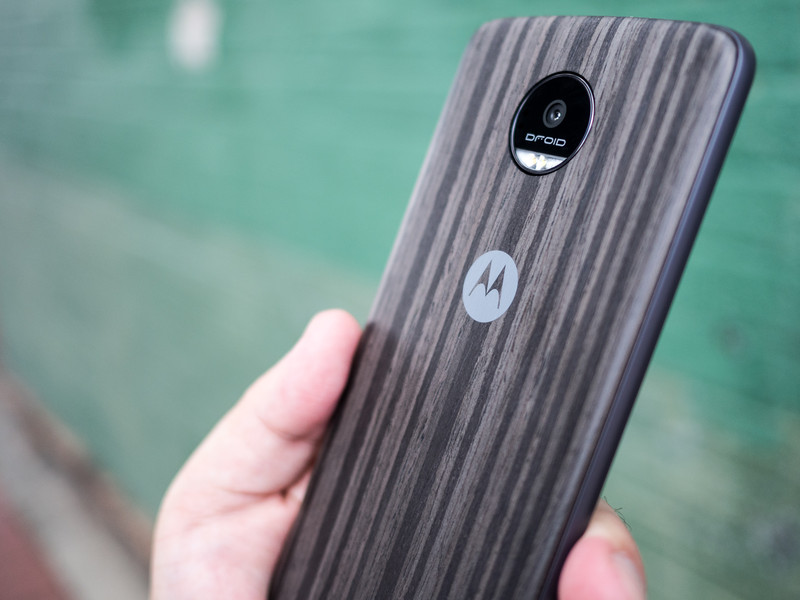
Moto’s modular masterpiece and Nokia’s never known novelty.
Motorola’s latest phones — the Moto Z and Moto Z Force have at long last arrived, but with a catch: they’re Verizon “Droid”-brand exclusives for now. But give it a little while and the modular-backed smartphones will be available elsewhere. And even though the BlackBerry Security Summit was all about, well, security, we couldn’t help but wander about new BlackBerry devices — word on that is coming next week.
Windows Mobile is going through something of a retrenchment period while a new path forward is plotted, but before things went south there was the Nokia McLaren. This highly impressive Windows Phone never saw the light of day until now, and we’ve got everything you need to know about its giant camera, all-metal body, and insane depth- and pressure-sensing display. Oh, and Microsoft made a bunch of money in the last quarter.
VR took a step into the mainstream with an impressive Mr. Robot tie-in and a new Star Wars game for HTC Vive. Speaking of the Vive, it’s cropping up in the most unexpected places, like hospitals.
And, as you might expect, PokéGeddon continues, and we’re all in. There’s a new podcast — Go Time! — tips on throwing Pokémon Go curveballs, and a parent’s guide to the insanity.
Android Central — May the Moto Z Force be with you
After an ample amount of runup, Lenovo and Verizon released the Moto Z Droid Edition and Moto Z Force Droid Edition to consumers. We have a full review of both phones, along with some takes on which Moto Mods you should buy and how the Mods stand out from what LG’s already done this year. We also dropped the Moto Z Force. A lot.
And don’t worry, the Moto Z will indeed get security patches in the future.
For those who want to keep up with the bleeding edge of software, Google released the fifth and final Dev Preview of Android 7.0 Nougat. There’s a bit more polish all around, and a crazy-hard-to-find Easter Egg. It’s available to anyone with a modern Nexus device.
For those who are big launcher fans, you should take a look at the latest version of Action Launcher. If that’s not for you, maybe see if something else piques your interest on our full list of the best Android launchers.
- After a disappointing start to 2016, I’m hoping for the best Sony phone in years
- Acer Chromebook R11 review: Solid laptop, mediocre convertible
- Try a blue light filter on your phone — your eyes will thank you
- 7 things to know about the Sony Xperia X Performance
- Introducing Go Time — A Pokémon Go podcast!
- Where next for mid-range Android phones?
- Charging your Nexus on the go with the Monoprice USB-C battery pack
- First impressions: Android apps on the Chromebook R11
- Android malware — should you be worried?
CrackBerry — Conditioning
For BlackBerry and CrackBerry readers, this week was all about the BlackBerry Security Summit. John Chen and crew kept things mostly related to security as one would expect from a security summit but we did get some hardware news and information to go along with all the other key announcements and demos.
- Watch John Chen’s keynote from the BlackBerry Security Summit 2016
- Media “conditioned” to ask BlackBerry about handset business, says Chen
- BlackBerry will discuss new devices next week
- BlackBerry Hamburg / Neon built by TCL turns up at the FCC, marketing name DTEK 50
iMore — Checkmarks and changes
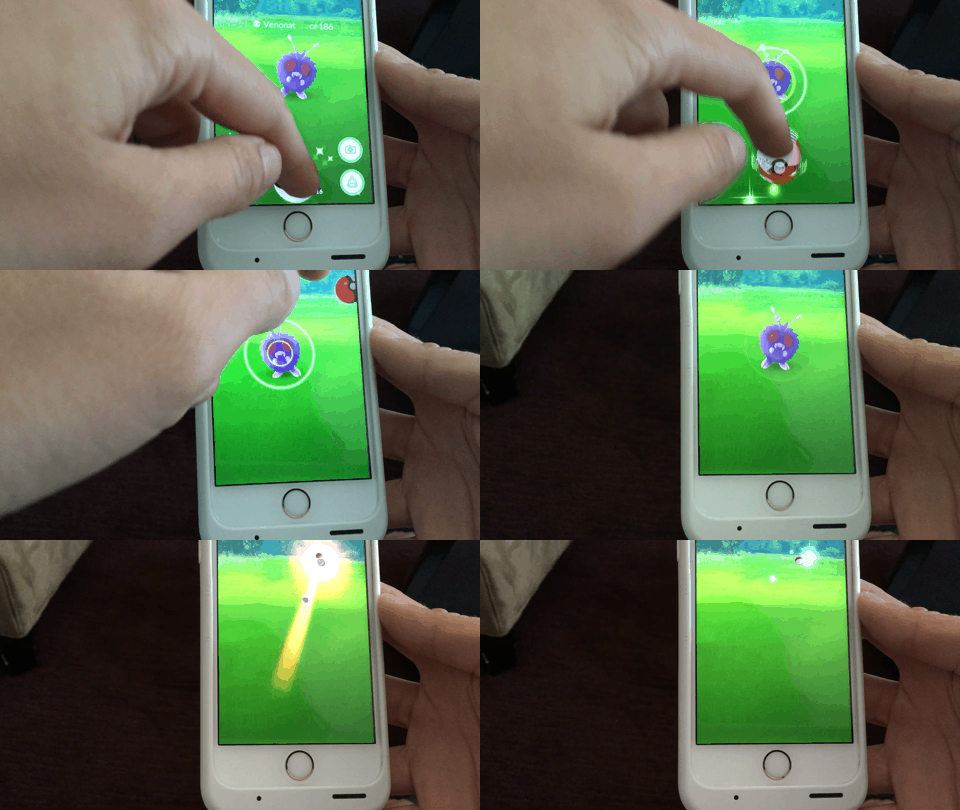
It’s been a surprisingly busy mid-July week for iMore: The Pokémon insanity continued apace, Apple started rolling out some pretty major changes to Apple Music, and Twitter now lets anyone apply for blue checkmark verification — though actually getting that verification is still a shot in the dark.
On the PokéFront, the folks at Android Central started a new podcast called Go Time!, Serenity shared her foolproof way for throwing curveballs, Lory worries about people playing the game in awkward places, and Georgia wrote an excellent guide for parents playing with their kids. We also have a pretty fantastic contest to win the ultimate Pokémon Go survival pack, so check that out!
Apple snuck between the Pokémon insanity to introduce a much-welcome change to the Apple Music: The company’s iTunes Match service will now be offered as part of an Apple Music subscription. We’ve got everything you need to know about the change, as well as how-tos on cancelling iTunes Match, if you rock both services, and an update to our iCloud Music Library Ultimate Guide.
We also wrote about the iPad, your iPhone 7 wishes, and more how-tos than you could shake a stick at.
- The iPad Paradox
- Breathe: How Apple Watch’s new app will help you live and feel better
- What’s on your iPhone 7 wish list?
- How to request Twitter verification on your iPhone
- Fed up with the iOS 10 lock screen? Find zen with this quick Settings change | iMore
VR Heads — Medicine, magic, and mystery
We all love playing games in VR, and there’s so many to choose from now it’s amazing, but there are practical uses for this tech as well We spoke with a physical therapist using the HTC Vive for concussion treatment this week, and it opened the door to some incredible discussions about the positive effects of VR in the world.
- VR Therapy — using an HTC Vive to help with concussions
- Mr. Robot in VR is gone for now, but will be back soon!
- Star Wars: Tials of Tatooine is now live on Steam VR!
Windows Central — What could have been
Microsoft is in the final stages of preparing the big Windows 10 Anniversary Update for August 2. Insiders on the Slow Ring have now received the final bits with build 14393 going out this week. Speaking of Microsoft the company earned $22.6 billion (non-GAAP) for FY16 Q4 beating Wall Street estimates.
But perhaps our biggest story this week was our exclusive deep-dive into the canceled Nokia McLaren smartphone featuring some crazy 3D Touch technology. You have to see this phone in action to believe it.
Windows 10 Mobile finally picked up native panorama support. While it took a long time to get here the feature is likely one of the best implementations of panorama yet. We also played around with the new Acer Liquid Jade Primo smartphone in our unboxing video and came away impressed.
- Fully Exposed: Unreleased Nokia ‘McLaren’ Windows phone with 3D Touch
- Windows Ink is the best new thing in Windows 10 Anniversary Update
- Lenovo ThinkPad Yoga 460 review: Business in front, party in back
- What’s new with Microsoft Edge for Windows 10 Anniversary Update
Check out Facer, Hey KittyKitty and more in our Android Wear watch face roundup
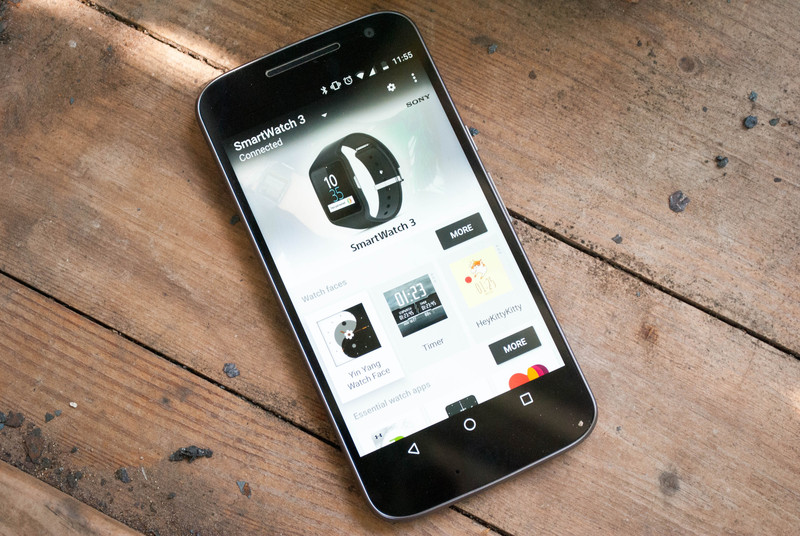
Five fantastic watch faces to add some flair to your smartwatch.
Sometimes you need a little bit of personal flair with your accessories, and your smartwatch is no exception to this rule. Thankfully there are hundreds upon hundreds of different watch faces that allow you to do just that. Rather than making you slog through the good, bad, and ugly watch faces, we’ve collected five awesome faces that might be new to you.
So if you’ve been hoping to find something new to spice up your smartwatch, then look no further. We’ve got you covered. Keep scrolling to see what we’ve collected for you this week!
Facer
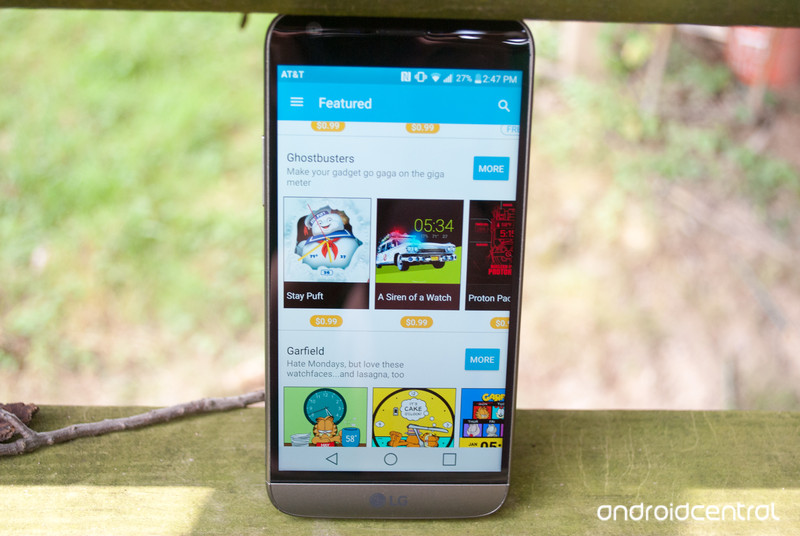
Sometimes you don’t want to decide on a single watch face. Instead you want to have access to plenty of options to switch between multiple watch faces without the hassle of having to constantly go searching through the Google Play Store for them. That’s where Facer comes in. Facer is a free app that boasts dozens of different watch faces from within their app.
There is a ton of content within Facer that you can explore at your leisure. There are unlockable watch faces that are only available once you have completed certain tasks within the app like sharing a watch face with friends. You can explore their top charts for both free and paid watch faces, or you can see their featured ones. The last but not least of the awesomeness is the fact you can easily build your own watch faces from within the app.
Download: Facer (free)
HeyKittyKitty
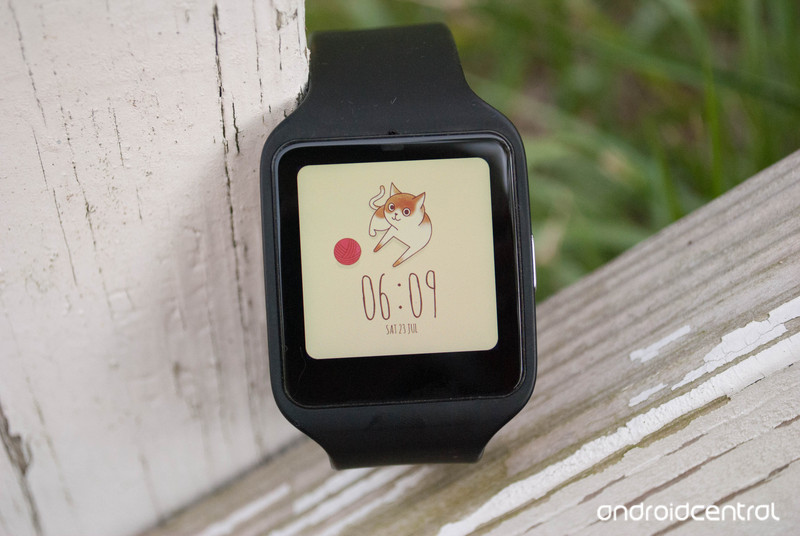
Sometimes you just need a cute watch face to get through a rough day. If that’s the case, then the HeyKittyKitty watch face might be just up your alley. This is a super simple watch face that features an adorable kitty along with the time and date, but not much else. You can adjust the time format, select ambient mode, and select whether the animation loops.
At the very bottom of the screen is the current date with the month, day and day of the week. Just above that is the time in a default 12-hour digital style. In the middle of your screen is a cat with a small ball of yarn. If you tap on it, you’ll get an animation of that cat flopping onto its back for belly rubs. Best of all this watch face is available for the low, low price of absolutely free.
Download: HeyKittyKitty watchface (free)
Stopwatch and Timer

Maybe you’re training for a 5K, or you just want to know how long it takes you to do 100 pushups. Whatever the reason, having easy access to a stopwatch, and a timer right on your wrist can be handy. That’s where the Stopwatch and Timer watch face comes in. It gets you access to the timers you want, along with the time, date and even battery percentage on your smart watch. It’s also got a fair few options that will let you adjust the background, as well as what is showing on the watch face and even what position the information displayed is in.
The time is displayed in digital 24-hour format at the top of your screen. Just under that is the timer on the left, and your stopwatch on the right. By tapping you’ll either set a timer, or start your stopwatch. At the bottom left of the screen is today’s date with the day of week, month and day. On the bottom right is your battery indicator. This watch face can be particularly handy in a pinch and is available for $0.99.
Download: Stopwatch and Timer watch face ($0.99)
YinYang
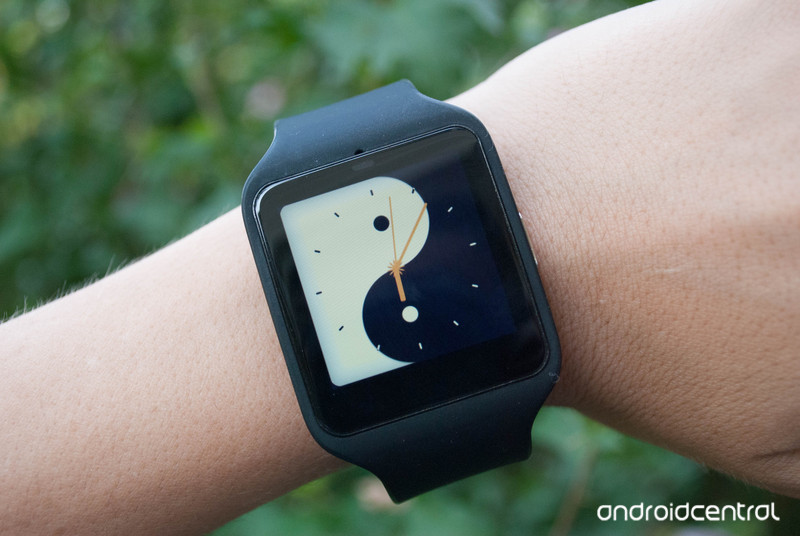
For some people, a watch face that just gives you the time with a background is all that you need. If that’s the case, then the Yin Yang watch face should interest you. This is a watch face where what you see is what you get, there aren’t any options to change or adjust anything. What you do get is a background with a yin yang, and the time over top of it.
This watch face displays the time in a classic watch analog style. You’ll see tick marks around the edge of your screen to denote the hours of the day. The watch hands will tick off hours, minutes, and seconds as time passes. Thankfully this super simple watch face is available for free.
Download: Yin Yang watch face (free)
WatchMaster

WatchMaster is another app that enables you to find and download hundreds of different watch faces. You can search through their free watch faces, brand watch faces, search by category and even see watch faces that are coming to the app in the near future. One of the really cool features of WatchMaster is how many watch face developers are using it. As you scroll through you may see familiar watch faces from the Google Play Store, like the Fiore watch face or the mysterious forest watch face.
While you have the option of only downloading free watch faces, or paying for each watch face separately, there is a third option with WatchMaster. You can opt in to the Pro version of the app, which gives you access to all of the watch faces on their app. You can subscribe yearly for $6.99, or upgrade permanently for $16.99. Part of this subscription fee even goes to creators to ensure that future watch faces will be of a higher quality.
Download: WatchMaster (free)
These are just the 5 watch faces that caught our eye this go round. There are hundreds of different watch faces that are available through the Google Play Store, with more being added every day. No matter what kind of face you want for your smartwatch, there is definitely one out there. Were any of these watch faces up your alley? Do you have a favorite we should know about? Let us know in the comments below!
Prisma app now available on Android

The power of cloud-based artwork comes to Android.
A couple of weeks on from its iOS launch, photo editing app Prisma is now available on Android through Google Play. For the uninitiated, Prisma uses hefty cloud computing power to add artistic effects to your photos.
But the app is a far cry from standard photo filtering offerings like Instagram, with the app’s various filters being able to intelligently identify various objects in your photos, and render accordingly. That’s because photos are processed by the app’s remote servers, as opposed to your phone, in order to bring the full force of cloud-based AI to your images.

For that reason, Prisma can become slow during peak times — like right now, when the app has just been opened up to hundreds of millions of new users. Nevertheless, Prisma is a unique app that’s capable of producing some truly remarkable images, and it’s definitely worth a look if you’re a keen Android photographer.
If you’re trying out Prisma on Android today, be sure to hit the comments and let us know how you’re getting on!
Original Xbox One drops to $249
Just want an Xbox One for the lowest price possible, and aren’t dead set on getting the sleeker, slightly more powerful Xbox One S? Microsoft is about to make your day. It’s lowering the US price of the original, 500GB Xbox One system to $249 “for a limited time” — no doubt to move units before the 500GB Xbox One S arrives later in the year. This includes any bundle, too. You can find the discounted console at Amazon right now, and GameStop is sweetening the deal further with a $30 gift card.
Starting today and for a limited time in the US: All 500GB Xbox One Consoles will be $249 https://t.co/Byg74z1lvo pic.twitter.com/XITBD8C260
— Larry Hryb (@majornelson) July 24, 2016
Source: Larry Hryb (Twitter), Amazon
Ben Heck’s Nintendo PlayStation prototype teardown, part 1

It was originally thought to be a rumor: a games console that combined Sony and Nintendo hardware. Now Ben Heck proves it does exist. Thanks to Terry and Dan Diebold, who approached The Ben Heck Show team with the console, Ben was able to give you an exclusive teardown of the elusive Super Nintendo / Famicom and Sony PlayStation hybrid console. While taking apart the device, called the SFX-100, Ben guides us through the post-production alterations made to fix the prototype and gives us a tour of all the components on the board, including a custom audio chip and standard Sony integrated circuits. We also compare the system to similar consoles at the time, such as the PC Engine / TurboGRAFX-16 and the Sega MegaCD. The real question is, can we get it working? Let us know what you think of the teardown over at the element14 Community, where you can also interact with The Ben Heck Show team and learn more about Nintendo and Sony’s history.
Swipe It: Simple premise, simple play, simple game (review)

Overview
Swipe it is an unabashedly simple Android game for all ages from developer M/Games, where the goal is to swipe your screen in the same direction as the game indicates, as long as you can until you screw up and have to start over. That’s really all there is to say for an intro; let’s get to the game itself to see just what I mean, shall we?
 Setup
Setup
Setup is also dead-simple: download this free game from the Play Store. Once done, you open the game where you’re greeted by the title screen. You can jump into the settings to mute the sound & vibration, you can check out game leaderboards, or you can take a look at your own game achievements to date.
Gameplay
As stated, this is a very simple game. There is not backstory, heroes, villains, or heroines-in-distress. It’s just you and your reaction time.
The game gives you a solid yellow background with a triangular arrow (not unlike the Google Play icon itself) in the lower-center. Above is a cascading run of directional arrows, each indicating which way you should swipe (up, down, left, right). By placing your thumb/finger at the triangle and swiping in the corresponding direction, you wipe that directional arrow from the screen, and the rest drop down by one a-la Tetris.
At the top of your screen is your life meter of sorts; when full it glows green but slowly shrinks during play, turning yellow, then red. You can slow the speed of your bar disappearing and even re-grow it though faster swipes.
Your game ends by one of two ways: your life meter drains to zero, or you swipe in an incorrect direction from the one given. Depending on your progress to that point, you may be given a chance to re-start from your current position, or you may have to start back at zero. Your life span is dictated by accuracy first, and speed second.
 As you progress through the game, you are also given diagonal swipes to match, increasing the difficulty level a bit. You earn achievement tokens by hitting milestone numbers of accurate swipes (50, 100, etc.).
Graphics & Sound
If I do have a gripe with the game itself, it’s in the design of the directional arrows that you’re supposed to emulate with your swipes. They are very simple & thin in design, which can make it difficult to ascertain as you speed up (it that one up or down??). Now, this may be by design to increase the games challenge, but I personally think it would be more fun to have these a bit bolder, allowing the player to focus on maximum speed and longevity.
Game sound is rather minimal, including an 8-bit beep with every swipe, and some puny congratulatory horns when you hit a new high score. Meh.
Summary
Like I said, the gameplay is super-simple but can be fun. Where I found the most enjoyment out of it is challenging my kiddos to see who can last the longest (they always LOVE to crush dad at a game). Getting multiple people to engage in the game definitely increases its replay-ability.
All in all, I recommend Swipe It. The game knows what it is, and makes zero apologies for it. It gives you a quick challenge and invokes no guilt when you put it down. Give it a try and see for yourself.
Download Swipe It from the Play Store here.
JBL Charge 3 and Clip 2 prove there’s still innovation in Bluetooth speakers
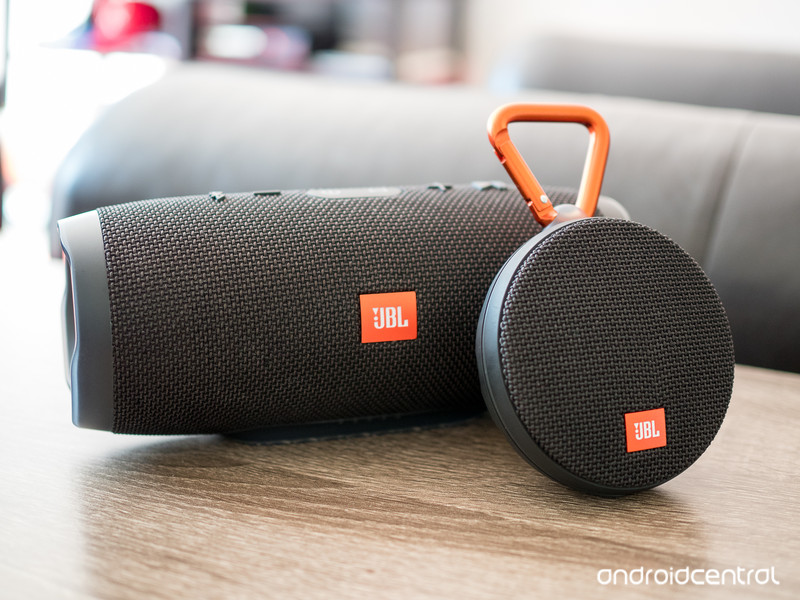
You can find Bluetooth speakers anywhere — but JBL’s latest stand out.
No matter your needs, there’s a Bluetooth speaker out there to match — and you don’t have to look hard to find one, either. For most people, their only real need is “the cheapest price possible” — but many will pay a bit for better features, quality and sound. And that’s where JBL comes in, with the latest iterations of two of its Bluetooth speakers — the Charge 3 and Clip 2.
JBL isn’t in the race to the bottom. It’s hoping to stay on the higher end with high quality materials and of course sound, with some great features that can help turn a Bluetooth speaker experience from an “every once and a while” thing to an every-day useful accessory. Let’s take a look at the JBL Charge 3 and Clip 2 speakers.
JBL Charge 3
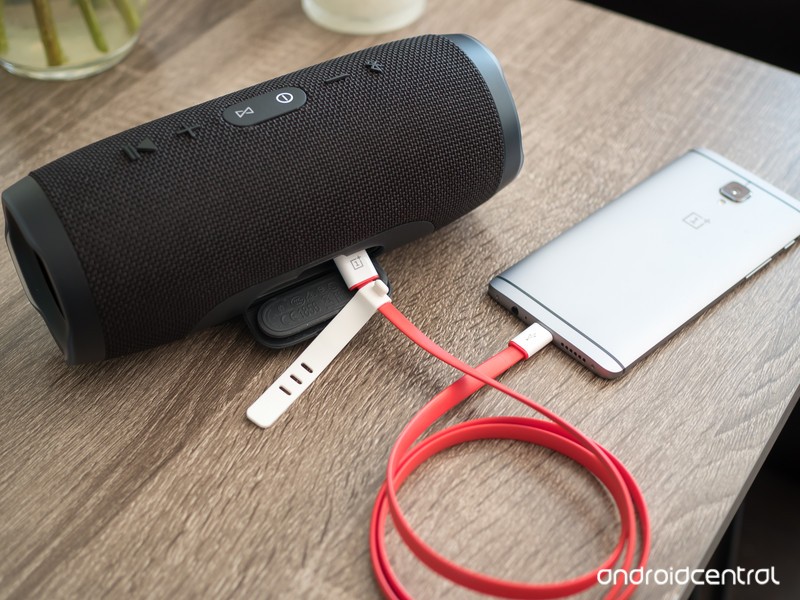
The JBL Charge 3 is designed to be the center of the party or fill a room with sound, and that’s immediately apparent with its size — larger than your average reusable water bottle, and weighing in at about 1.75 pounds. That weight comes from a sturdy, IPX7 waterproof enclosure that protects dual 10W speakers along with huge passive radiators on the ends that drive up the bass level.
With this much output you shouldn’t be surprised that the Charge 3 has a 6000 mAh battery inside, which can offer you 20 hours of playback over Bluetooth. You probably aren’t going to use it for that long (or heck, even half that long) between charges, so JBL also gives you the option of tapping into that power with a full-sized USB port on the back that can be used to charge your phone at 2A from 5V, which is a typical rate for a non-Fast Charge AC adapter.
It’s extremely handy if you’ve been streaming music from your phone to the speaker, but also nice to have for anyone else who’s with you that needs a quick top-up. The speaker gives you a visual indication of its charge state with a set of LEDs in the base, and charges itself over Micro-USB with a cable and 5V/2.3A wall plug in the box if you need one.
Because of its size and weight you aren’t likely to be carrying the Charge 3 around much — it’s mostly going to stay put on a coffee table or brought out to the pool or picnic table when you need music for a group. I actually mostly kept it at my desk for daily music listening, both from my computer over a 3.5mm cable and my phone over Bluetooth — and it performed far better than my set of Logitech computer speakers, at a fraction of the size and complexity. Indoors there was no reason to ever get it above about 50% volume, and I rarely needed to max it out to get the music loud enough outside, even for a big group of people.
It sounds as good as you’d expect at $150, and has a bunch of extra features.
At $150 this isn’t exactly an impulse purchase (nor is it JBL’s most expensive Bluetooth speaker), but if there’s one thing that companies like JBL, Jawbone, Bose and countless others have shown us it’s that people are willing to pay a pretty penny for a really good, loud wireless speaker with some extra features. That’s exactly what you get with the Charge 3. Not only does it produce full sound with lots of bass out of a relatively small package (compared to big wired speakers), it’s also tough and completely waterproof so you never have to worry about what happens to it. It also goes above and beyond to let you tap into its battery to charge your phone, which can prove pivotal in keeping the tunes going late into the night.
It won’t be worth the money to everyone, but it’s hard to argue that JBL isn’t giving you plenty for your money here if you’re looking for a big wireless speaker. (And if you want to save a bit, maybe consider the last-gen Charge 2+ for about $99.)
See at Amazon
JBL Clip 2
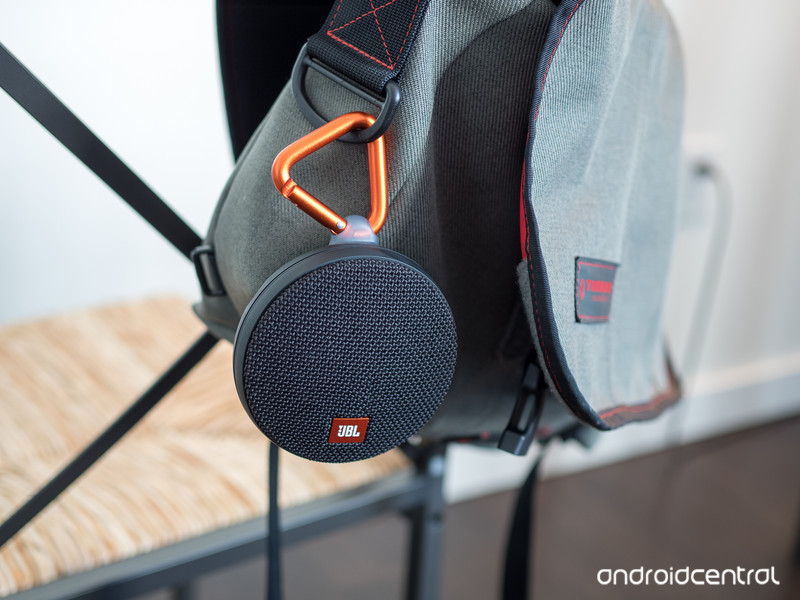
For as cool as the Charge 3 speaker is, I’m a bigger fan of the small JBL Clip 2 and I think it’ll be one that more people will actually consider buying and using on a regular basis.
This little $60 speaker is roughly the size of a hockey puck but still offers some great sound from its single 3W speaker — even up to high volumes without distorting. It connects over Bluetooth, of course, and offers easy-to-press buttons around the edges for play/pause and volume control — you can also use a built-in microphone for calls via your connected phone. Better yet, there’s also a built-in foot-long 3.5mm cable to plug in — that neatly wraps around and stores in the speaker — which is super useful when you’re passing the speaker around at a get-together and or don’t want to deal with Bluetooth pairing.
The speaker is built to take a beating, and feels like you could drive a nail with it if you needed to (but seriously, don’t do that). It’s also fully IPX7 waterproof, with a robust rubber door over the Micro-USB charging port, allowing it to handle dirt and even full submersion in water. Its rugged abilities are exemplified by the carabiner that’s attached to the side of the Clip 2 (the name makes more sense now, huh?) that lets you hook it on things wherever you go.
When a speaker is built this well, it goes with you and you use it more.
I clipped it on the outside of my messenger bag or backpack to carry it places, not being worried about it getting bumped and knocked around. I clipped it to my pants pocket so I could listen to music around the house as I took care of some chores, and found it particularly useful to hook on the shower curtain in the morning for podcast listening in the shower.
JBL claims eight hours of music playback, and I found that to be perfect for a week’s worth of casual listening off and on around the house. It also powered through several hours of Bluetooth music streaming for my Fourth of July party with battery to spare — and again, I never had to worry about it getting bumped or dropped.
I found the rugged Clip 2 to be infinitely more useful than other standard Bluetooth speakers that are more fragile and don’t have a clip, and because of its design elements I carried it around and used it more than any other speaker I’ve had. It’s more expensive than the dime-a-dozen Bluetooth speakers online, but you get something for it — and with how much more you’re likely to use it, it’s worth it.
See at Amazon
 AIVAnet