


Apple rolls out more accurate iTunes matching for Apple Music
Apple Music’s ability to match and sync songs that users had already purchased in iTunes was a notable feature when the service first launched last year. Unfortunately, it didn’t work as well as the iTunes Match tool that preceded the streaming option. Well, it looks like Apple is working to improve how that all works. The Loop reports that the company is rolling out an update that uses the iTunes Match audio fingerprint to handle syncing those songs you’ve bought. Before now, Apple Music was using a less accurate version of iTunes Match that relied on metadata to pair tracks.
Why does that matter? Well, the less-accurate software is known to pull the wrong version of a song. As The Loop notes, it would grab the studio track rather than a song from a live performance. With the switch that’s said to be on the way, issues like that should not longer pop up. The Loop further explains that any of those songs that were matched inaccurately will be replaced with the correct song thanks to a rematch, but it won’t delete any of the downloaded copies.
If this sounds a lot like the $25 iTunes Match option that Apple rolled out years ago, that’s because it is. That add-on allowed users to sync their music libraries to the cloud, matching up any albums and songs available through iTunes along the way. The limit increased to 100,000 songs last year just as Apple Music launched. The improved functionality won’t cost extra for subscribers this time though, and it’ll be a welcome change as a redesigned version of the service is on the way this fall.
You may have to wait a while to notice “Matched” in the iCloud Status menu in iTunes as Apple is slowly rolling out the option to keep tabs on any issues that might arise as millions of users are switched over. We’ve reached out to the company for more information on the matter and we’ll update this post when we hear back.
Via: 9to5Mac
Source: The Loop
Airbus uses drones to speed up aircraft inspections
Aircraft inspections are one of the best things operators can do to ensure safety in flight, but ironically, the chore can be a little unsafe for inspectors themselves. To properly review an aircraft’s condition, workers often need to utilize cranes and lifts to closely examine an plane’s structure and components. It’s mildly risky, slow and laborious process — but soon, it may not be. Airbus has started testing drone inspections that may speed up the process by over an hour.
Airbus demonstrated its new inspection process at the Farnborough Airshow, where a drone equipped with an Intel RealSense camera autonomously circled an A330 while rapidly snapping photos. The images were then applied to a 3D model of the aircraft that allowed inspectors to get a close, detailed look at the subject. It still takes awhile to inspect the digital model, but in all, it’s much faster. Gathering the inspection data by hand takes about two hours. Using a drone takes only 10 to 15 minutes.
The company expects to finish initial testing the program by the end of the year, and hopes to include a wider range of aircraft in the program soon afterwards.
Via: Digital Trends
Source: Airbus
Mercedes’ autonomous bus makes a landmark trip on public roads
Mercedes-Benz’s CityPilot autonomous bus technology just got a real-world, long-range test drive on the streets and highways of the Netherlands. One of the company’s Future Bus vehicles successfully followed a 20km Bus Rapid Transit route between Amsterdam’s Schiphol airport and the nearby town of Haarlem, navigating through tight turns, intersections and pedestrian areas all without the need for human input.
The CityPilot platform is based on a version of Daimler’s Highway Pilot autonomous trucking technology adapted to handle the specific needs of a city bus. With GPS, radar and a dozen cameras built into the vehicle itself, the bus can recognize traffic signals, pedestrians and other obstacles. The bus has a top speed of 70km/h (or about 43 mph) and all that data taken together allows the bus to position itself within inches of bus stops or raised accessibility platforms.
Although regulations still require a human operator sit behind the wheel in case of an emergency, the vehicle’s intelligent systems make for a much smoother ride for everyone. Unlike other autonomous vehicles, the bus is actually connected to the city network so it can communicate directly with traffic lights and other city infrastructure. The camera systems can even scan the road for potholes, so buses can avoid rough patches on their next run or share that data back to the city.
Technology aside, the vehicle itself is based on Mercedes’ popular Citaro bus with a completely redesigned interior that takes its design cues from city parks. (Albeit a city park with a whole lot of information screens.) With “designer” benches, expansive windows, and grab rails inspired by trees, the interior might even give that driverless Rolls-Royce a run for its money. While the Future Bus isn’t the first autonomous bus to start shuttling people around, it is the first to do so on a public transit system — a major milestone towards implementing driverless vehicles in cities around the world.
Cardinals scout sentenced to 46 months for hacking another team
Last June, the FBI began investigating the St. Louis Cardinals for hacking computers of the Houston Astros to access confidential scouting reports on the teams players. Christopher Correa, the Cardinals’ former director of baseball development, plead guilty to five charges of unauthorized access of a protected computer back in January. Today, the FBI in Houston announced that Correa was sentenced to 46 months in federal prison for tapping into the Astros’ player files without permission. He’s also required to pay $279,038 in restitution for the incident.
The Associated Press reports that Major League Baseball could discipline the Cardinals for the ordeal, but has said it will wait for more info from federal authorities before making a decision. Penalties could include a loss of draft picks or a fine. Correa was able to gain access to the Astros’ files by using a password similar to one a former employee used on a computer while working for the Cardinals. That employee went to work for the Astros afterwards, and while the FBI didn’t offer a name, Houston general manager Jeff Luhnow left St. Louis to join the team in 2011. Luhnow revealed that the team had been hacked in 2014.
Correa was said to have viewed a scouting list of every player in the 2013 draft, trade discussions, player bonus details, stats and information on performance and injuries by the team’s minor-league prospects. In other words, details on nearly every facet of the team’s scouting operations. In total, the hacking was estimated to have cost the Houston Astros $1.7 million based on the fact that the stolen information was used to draft players for the Cardinals.
Chris Correa is sentenced to 46 months in federal prison for illicitly accessing Houston Astros computer #hounews #hacking
— FBI Houston (@FBIHouston) July 18, 2016
Source: FBI Houston (Twitter)
Artificial cell membranes could lead to more effective drugs
Medical science often targets drugs at the proteins in cell membranes. But how do you study everything about their behavior when you can’t control them? That’s what UC San Diego researchers aim to fix. They’ve developed artificial cell membranes that grow and model themselves just like those in mammal cells, making them ideal for testing how drugs will behave. The trick is to use reversible chemical reactions that remodel phospholipids (key molecules in the cell membrane) and make the cell ‘recycle’ them, rather than generate them from scratch. That, in turn, saves the cell a lot of effort as its membrane grows.
So long as scientists can refine their synthetic membrane technique, there’s a lot of potential. They could create more effective drugs, or get a better sense of what happens when disease ravages those membranes. Don’t be surprised if this seemingly small discovery leads to big improvements in treatments in the future.
Via: Phys.org
Source: Devaraj Research Group, Devaraj Lab (YouTube)
GOP platform praises NASA’s ability to foster innovation
The Republican party has officially adopted its platform (warning: PDF) for the 2016 election season. And inside is some slightly surprising praise for NASA and talk of investing in it as a means to foster innovation. Specifically the GOP called the agency (along with the Department of Defense) critical to maintaining the country’s edge in space. Of course, the specifics of the language are very carefully chosen. The platform doesn’t whole-heartedly embrace a government-driven path to space-based dominance. Instead it calls out the agencies, as well as their public-private partnerships with the likes of SpaceX, that it claims have saved tax payers money.
Still, it’s worth noting that NASA’s relationship with the Grand Old Party has always been a somewhat contentious one. Sure, there’s no greater demonstration of American exceptionalism than the parade of space-based firsts that the agency has racked up. It has been at the forefront of exploring our solar system, unlocking the mysteries of the universe and generally building things that would have sounded like science fiction just a few years ago. But, it’s also an easy program to target for budget cuts. Many of NASA’s missions don’t have an immediate impact on the lives of everyday Americans, except for maybe a sense of pride and patriotism.
The agency has also frequently butted heads with Republican lawmakers over its Earth-based research programs. Especially those that support the concept of man-made climate change. Knowing that, it’s hard not to take notice of the fact while the party platform does call for “launching more scientific missions,” it limits that call explicitly to space-based ones.
There is not a single mention of research into our planet.
However, this is still a change of tone from the one established early in the campaign by the presumptive nominee Donald Trump who said that NASA was “great” but that “right now, we have bigger problems.”
iOS 10 Beta 3 Tidbits: iOS 9-Style Touch ID Option, New Keyboard Sound, and More
With any major beta update, there are several small changes and tweaks as Apple aims to refine the operating system ahead of its public release, and iOS 10 beta three, seeded to developers this morning, is no exception.
Today’s update, available as an over-the-air download for those who installed the first two betas or the beta configuration profile, features new Touch ID accessibility options, new haptic feedback when locking the iPhone, better keyboard sounds, and more.
We’ve rounded up all of the new features in beta three in the video below, so make sure to check it out to get a quick look at what’s changed. We’re also listing the changes in the post below.
Locking haptic feedback – When locking an iPhone 6s or 6s Plus, there’s a small haptic vibration to let you know the device has been properly locked. On other devices, there’s a new sound when pressing the power button.
Touch ID – There’s a new Accessibility option that allows users to open an iPhone with Touch ID with just a finger on the button, which is the way Touch ID worked in iOS 9. The setting was initially added in beta two but wasn’t functional.

Keyboard sound – The muted popping-style keyboard sound that was introduced in beta one and removed in beta two has been reintroduced in beta three.
Siri – In Settings, there’s a new “App Support” section of Siri that will display information on which apps work with Siri and access your data.

Audio fix – Audio playback through the internal speaker will no longer stop because of haptic feedback.
Quick Actions – In iOS 10 beta 3, a 3D Touch on an app icon will now bring up a Share option that includes the name of the app. Previously, the app name was not included.

Health – There’s a new “Improve Activity” option that allows you to send anonymous health-related information to Apple under Settings –> Privacy –> Diagnostics and Usage. When you open the Health app for the first time in iOS 10, there’s also a pop-up that gives you the option to enable it.

iOS 10 beta three will likely be seeded to public beta testers later this week. Apple will release iOS 10 to the public at the end of the beta testing period, likely in September alongside new iOS devices.
Related Roundup: iOS 10
Discuss this article in our forums
Freetel Priori3: what does $100 get you in a smartphone? (Review)
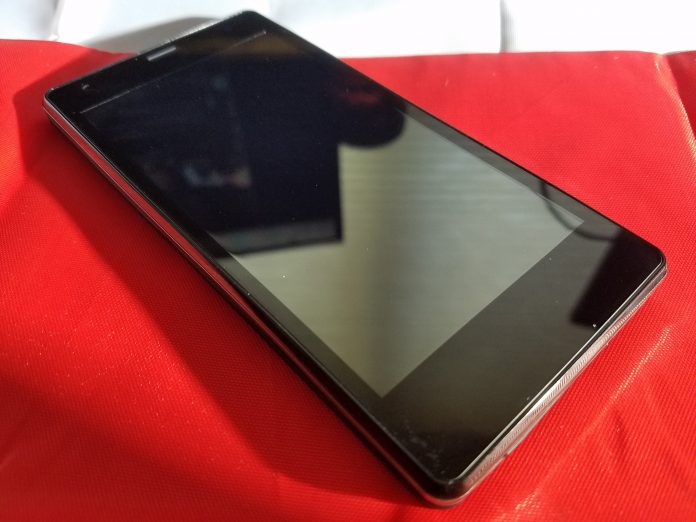
We’ve seen an influx of cheap, good, Asian smartphones here in the US. Gone are the days where the only phones you got to choose from were whatever Samsung, LG, Motorola, and HTC decided to put out. Now we have real choice. These choices come in the form of truly great phones like the Huawei P9 and OnePlus 3, all the way down to budget phones like the Freetel Priori3.
Freetel is targeting the “super-budget” area of $100 phones with the Priori3. The ridiculously low price of this phone does indicate that there will be compromises, though. You shouldn’t expect high-end features like a fingerprint read or water resistance, but that doesn’t mean you should immediately write the Priori3 off. Rarely do budget phones have those features anyway and if you’re buying this as a first phone for your teen or an elder family member, ask yourself if they really need those features to enjoy the experience of their first smartphone.
Let’s start out with some specs.
- Dimensions: 65 x 132 x 8.9mm
- Weight: 120g
- SoC: MediaTek MT6735M
- CPU: ARM Cortex-A53 1000 MHz Quad-core
- GPU: ARM Mali-T720 MP2, 500 MHZ Dual-core
- RAM: 1GB
- Storage: 8GB (expandable)
- Display: 4.5in TFT, 480 x 854p
- Battery: 2100 mAh (removable)
- Sim: Dual sim- Sim 1 is micro SIM, Sim 2 is standard SIM
- OS: Android 5.1
- Camera: 3264 x 2448, 8 MP
- Wifi: a, b, g, n, n 5GHz
- Bluetooth: 4.0
- Bands: 3G GSM 850, 900, 1800, 1900, LTE: 900, 1800, 2100, 800 (B19)
Software
The first pleasant surprise with the Freetel Priori3 was that it’s running a mostly unmolested version of Android 5.1 Lollipop. Sure, I’d love for it to have shipped with the most up-to-date version of Android 6.0 Marshmallow, but I doubt those interested in this phone really care that much about OS updates. Hopefully, Freetel will push an update in the future so users can take advantage of the security updates in recent versions of Android.
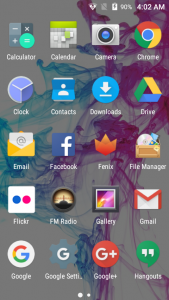
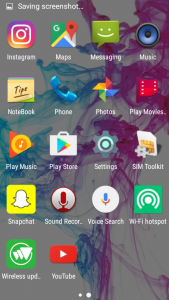
There are no fancy new icons or crapware loaded onto the phone like most manufacturers stain its phones with. There are a few common sense apps that Freetel added like FM Radio, Notebook, File Manager, SIM toolkit, WiFi Hotspot and Wireless Updates. The WiFi Hotspot app is little more than a shortcut to the WiFi Hotspot menu in the settings app, so nothing too fancy there.
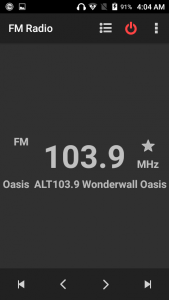
What I really love is the FM Radio app. All phones have an FM chip already, but there is no software available to leverage them. While the chip is very weak, it does the job of pulling in some strong stations. I could very easily see a kid using this to listen to their own music while playing some games on long road trips.
Freetel didn’t take the step of most OEMs and replace the standard Android apps with its own versions. If you were a big fan of the stock messaging app or gallery in 5.1 Lollipop, you’re in luck here because they’re all stock apps. OEMs regularly replace Google’s version of the apps with ugly or laggy versions so we love that Freetel skipped that.
Performance
We were very surprised at how well the Priori3 handled basic tasks. I’ve used some pretty crappy budget phones in the past that would lag simply from just swiping through the app tray (looking at you Samsung), but the OS is lag free. If you start bogging down the system with heavy CPU or GPU usage apps, it does slow down so those big games might be a no go, but for regular social media apps like Facebook or Instagram you’ll be fine once they’re loaded.
What you will notice, however, is how long apps take to load. The processor isn’t very powerful and since there isn’t an abundance of RAM apps regularly have to load fresh and that takes a bit of time.
Using the phone for my normal daily routine I noticed how many apps were knocked out of memory. If you’re able to keep more than four apps in memory at the same time, count yourself lucky. The FM radio app I mentioned earlier does play in the background so you can listen while you browse around on Imgur or Reddit, but it will regularly get knocked out of memory and require a fresh start. It’s not ideal but 1GB seems to be about the minimum phones can ship with these days to get by, and that’s exactly what the Priori3 does, it gets by.
Battery life is fine. You’ll get about 2.5 hours of screen on time and get through most of the day with light usage. You can thank the relatively power efficient processor and low-resolution screen for that. Again, it doesn’t sound like much stacked up against the flagships of the day but the Priori3 does its best to get every minute out of the 2100mAh battery. Since the battery is removable, in theory, you can pick up a secondary battery to pop if it gets low, but I was unable to find any for sale.
Hardware
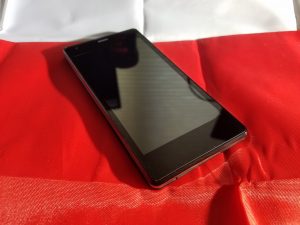
Where you see major compromises with the Priori3 is in the hardware. The display is just bad. The colors are washed out, it doesn’t get bright enough to use in sunlight and the viewing angles are slim at best. The interface for your phone is the display and while we understand that you’re not going to get a 2560 x 1440 Super AOMLED current generation Samsung panel for $100, even what we have here is a disappointment. It’s been a long time since we could pick out pixels with the naked eye, but we can here.
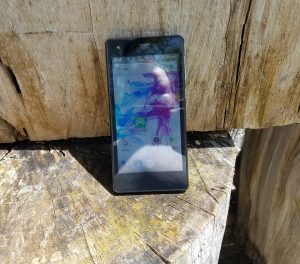
Under the display sits three capacitive buttons that light up red when they’re touched, but stay off otherwise. They give off a cool effect, but you have to know where you’re pressing since they don’t light up any other time. If these buttons stayed lit while the display was active it would be an improvement.
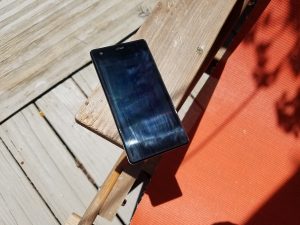 Low max brightness and hard to remove finger gunk is a difficult combo for outdoor use
The power button is on the right side of the device with the volume rocker just above it. While it’s not the ideal placement, it’s fine here and the buttons are clicky and give nice feedback when pressed. Nothing really to complain about other than their relative cheap feeling.
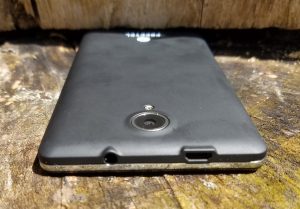
The body as a whole doesn’t feel great. Since the back is removable you don’t get that unibody, strong feel with the phone (Side note- the back and display pick up a TON of fingerprints and they’re really difficult to get rid of). The phone feels hollow like they didn’t use up the entirety of the body with components and when the vibration goes off, it only sees to compound the problem. If your kid drops this phone, they’re probably not going to break it due to how light it is but this won’t be a phone you keep long term due to durability sake.
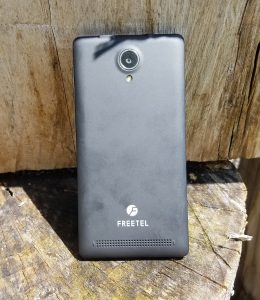
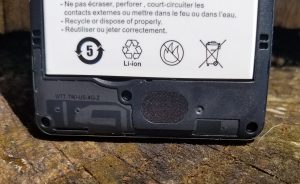
You also won’t be holding onto the Priori3 long term due to audio quality. The rear-firing speaker is very weak and distorts at higher volumes. It gives the appearance of a long speaker that stretches along the bottom of the battery cover, but when you remove the back you find a circular, half-inch sized speaker that doesn’t impress anyone. The 3.5mm headphone jack does fine to put out sound, although not the loudest. You won’t get the most out of your high-end headphones with this phone so stick with some cheapo Skullcandy earbuds.
Camera
The camera application is the stock camera app that comes with Android 5.1. It has enough features to get you by, but if you’re buying this phone for your kid you may want to research another app that will give them a little more functionality. It’s a pretty spartan app that lets you change the exposure, has a few color effects and scenes and has the ability to white balance. Not much there.
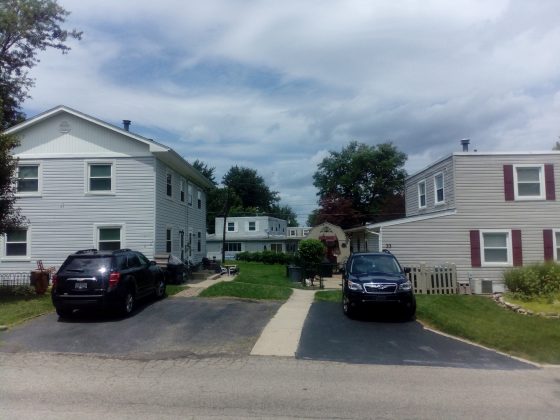
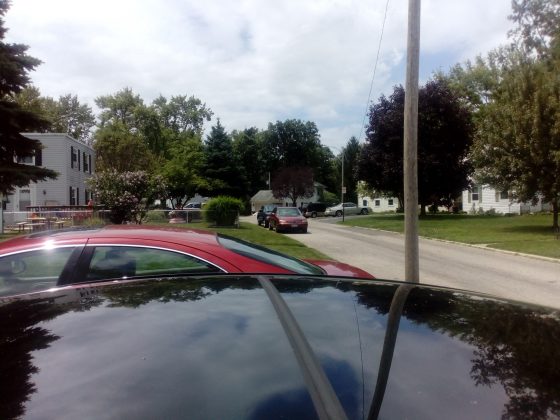
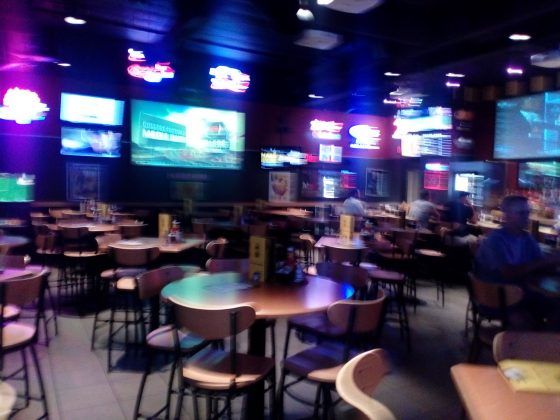
The 8MP camera is very modest by today’s standards. Pictures do some nice colors and decent exposure in good light. The story is different when you venture into very bright and dark situations. Over exposure is common where lots of light shines and the digital grain in low light photos can truly ruin any kind of scene you’re trying to pick up. Here is a gallery of some pictures we snapped with the Freetel Priori3.
1 of 8





Conclusion
So how much phone do you get for $100? Well, not too much. The Freetel Priori3 is a fine first phone for a family member, but there are certainly a lot of tradeoffs. With the rise in cheap phones, this is a decent option at the price point, but your options dramatically increase in numbers and quality when you raise your budget by another $100.
I hate some of the tradeoffs that Freetel had to make to stay at this price. There are almost no redeeming qualities about the phone aside from the battery benefits from it being such a low resolution. The camera did nothing to differentiate it from the pack and the speaker was flat out disappointing.
What did impress, however, is how well the software worked on such a meager CPU. The largely stock OS is lag free for most tasks and really didn’t get in the way of itself. The inclusion of the FM radio app was a great move from Freetel and we think it will be appreciated for those who are interested in the Priori3.
I’d recommend this to anyone looking for a first phone for their teen (or preteen!) or an elder family member that has been stuck to flip phones. If you’re in any way experienced with smartphones, I say pass and look to expand your budget a bit more to get something significantly better.
TCL UP130 series (Roku TV, 2016) review – CNET
The Good Roku TV delivers the simplest, most comprehensive smart-TV experience on the market. A superb user interface puts its thousands of apps and streaming video on the same plane as regular TV. These TCLs are relatively inexpensive for 4K TVs, and offer more 4K apps than most others.
The Bad 4K resolution doesn’t deliver a substantial improvement in image quality, making non-4K Roku TVs a superior value. Competing entry-level TVs from Vizio deliver better image quality for a similar price.
The Bottom Line Even though 4K resolution doesn’t improve their image quality, these TCL TVs’ Roku-powered apps and low prices heighten their appeal.
The original Roku TVs, the non-4K ones, have been among my favorite go-to budget picks for the last few years. The new 4K ones are great too, but not as good of a value as their lower-resolution counterparts.
That’s because 4K resolution by itself, as we at CNET have spent years documenting, does almost nothing to improve image quality on its own. There’s very little difference in performance between these 4K sets and the cheaper non-4K versions, despite all those extra pixels.
Then again, if you want a 65-inch Roku TV, your only option is to go 4K, and the 65-inch TCL 65US5800 is a great value. But for the 50-, 55- and 43-inch sizes, the standard 1080p Roku TVs are better deals.
The best part about these TVs is that Roku’s superb platform is baked right into the TV’s operating system, offering the simplest interface and the most apps of any smart TV on the market. Like the Roku 4 streaming box, they have access to more 4K streaming services than any non-Roku device, including Netflix, Amazon Instant, YouTube, Vudu, FandangoNow (formerly M-Go) and more. The TVs aren’t compatible with HDR, which unlike 4K actually does improve picture quality, but that’s not a surprise at this price.
These sets’ main competition, aside from other Roku TVs, comes from the 4K sizes in Vizio’s D and E series. The pricing is comparable, but from what I’ve seen the Vizios deliver better picture quality largely thanks to their local dimming backlights. Of course the main reason to get a Roku TV is for its superior streaming and app experience, and if that’s your aim, and you want 4K, these TCLs are just the ticket.
Series information: I performed a hands-on evaluation of the 50-inch 50UP130, but this review also applies to the other screen sizes in the UP130 series, as well as the two sizes in the US5800 series. All sizes have identical specs and according to the manufacturer should provide very similar picture quality. The only differences between the two series are the remote and styling; see below for details.
TCL US5800 and UP130 series 4K Roku TVs
| Size | Price | Remote |
| 55 inches | $549 | Standard |
| 65 inches | $999 | Standard |
| 43 inches | $449 | Enhanced |
| 50 inches | $549 | Enhanced |
| 55 inches | $648 | Enhanced |
 View full gallery
Sarah Tew/CNET
Simpler TV remote with optional headphone jack, voice search
I’ve always liked that Roku TVs come with Roku’s signature, ultra-simple remote. There’s just a few buttons, all easily navigable by feel, and a handful of direct-access channels that always include Netflix and a couple of other popular services. On the TCL UP130 series I reviewed, they were Amazon, HBO Now and Sling TV.
Unless you use the number keys to select channels, you’ll likely never miss the buttons Roku’s clicker omits. That’s because it has the best menu system on the market. It uses plain language and thorough explanations to make using the TV a piece of cake. I especially like that connected devices like cable boxes, game consoles and Blu-ray players are placed at the same level as apps like Netflix, and you can rename their tiles and move them around the home screen.
The main difference between these two series of 4K Roku TVs, aside from styling, is that the 5800 has a standard remote while the P130 gets the “enhanced” remote with voice search, a remote finder, and a headphone jack for private listening. Unlike the standard infrared clicker, the enhanced version uses wi-fi so you don’t have to aim it at the TV.

View full gallery
Sarah Tew/CNET
I tested all of these features and they worked as well as on other devices, like the Roku 4 streamer. Voice recognition was very good, lip sync was solid on the headphone jack, and the ping sound emitted by the remote was plenty loud from between my couch cushions. I did find myself fumbling behind the TV to activate the remote finder — a prominent, dedicated button would have been nice — but otherwise no complaints. You can also use the Roku app on your phone activate the remote finder.

View full gallery
Sarah Tew/CNET
The Roku you know and love, built into a 4K TV
A 4K Roku TV is largely the same as a regular Roku TV, and that’s a good thing. There still isn’t a whole lot of 4K TV shows and movies available, and to watch 4K streams you’ll need a relatively fast Internet connection. In many case you’ll also need to pay for the privilege; only Netflix’s highest tier, for example, offers 4K streams.
Roku’s interface does makes 4K easier to find than other systems. Its list of apps has a “4K UHD Content Available” section that only shows apps that can access 4K video. There’s also a dedicated “4K Spotlight” channel that surfaces individual TV shows and movies from many of those apps, with the notable exception of Netflix.

View full gallery
Sarah Tew/CNET
As of this writing these TVs don’t include the PlayStation Vue app found on Roku boxes. Roku says that app is coming in the next few weeks to Roku TVs. Otherwise every app found on Roku boxes and sticks is here. The selection runs circles around dedicated smart TV systems from Samsung and LG, and handily beats its next-closest competitor, Android TV (found on Sony sets). I also much prefer it to Vizio’s SmartCast system since you don’t need a phone to use it.
Roku TVs also get Roku’s best-in-class search, which allows you to search from multiple services simultaneously (and via voice from the remote, if you have a UP130 series). It presents results from 30 different services, more than any other platform. Click on a result, a movie or TV show title for example, and you’ll see pricing across all of the services Roku searches. The best part is that if you get the show “for free” as part of a subscription, it will be listed there too. One catch is that it doesn’t search HBO Now, Showtime, or Showtime Anytime (it does search HBO Go, however), so if the movie is available there, Roku’s search won’t find it.
Roku is also the best at presenting TV shows and movies across the different services. The My Feed feature allows you to tag shows, films and even actors and receive notifications for when they’re available to stream, and it shows the most popular TV shows and movies across all of the services Roku searches, updated four times a day. It’s a great way to find new things to watch, although I do wish there were a “Show only stuff I can watch for free” option.
The menus and apps loaded quickly on the TCL TV, which behaved every bit as speedily as the Roku Streaming Stick. For more on Roku in general, check out that review.
Features and connectivity
Ket TV Features
| LED LCD |
| Full array |
| 4K |
| No |
| Flat |
| Roku TV |
| Standard or “Enhanced” |
| No |
Aside from 4K resolution the list of options is short. The TV lacks the HDR compatibility, local dimming, video processing options and high refresh rates found on higher-end sets (these are all 60Hz displays).
One feature missing from previous Roku TVs, but available on this one, is expert picture settings. They aren’t found on Roku’s normal menu — which is just as simplistic and option-free as on other Roku TVs — but instead within the Roku app. There you can choose gamma presets, noise reduction and even adjust a color management system and 11-point white balance.
ZTE ZMax Pro Release Date, Price and Specs – CNET
What if I told you there was a smartphone you could buy for under $100? You may be a little skeptical. Surely such a low cost device would come with some sacrifices, right? Wrong.
The ZTE ZMax Pro is a mid-range Android smartphone with an impressive feature set. The $99 smartphone may come with a small price tag, but there’s nothing small about it. The phone features a 6-inch display with a pixel resolution of 1,920×1,080. It’s a massive device that can be quite difficult to operate with one hand.

Sarah Tew/CNET
The phone is equipped by an octa-core Snapdragon 617 processor, which felt speedy during my brief hands on, and is paired with 2GB of RAM. On the back you will find a 13-megapixel camera, while a 5-megapixel shooter sits on the front. The phone comes with 32GB of internal storage, but there’s also a microSD slot to add even more. To power this behemoth there’s a 3,400mAh nonremoveable battery to keep you going all day long.

Sarah Tew/CNET
Aside from the price, what shocked me the most was the USB- C port for charging and a fingerprint scanner on the back, two features that are more commonly found on devices triple the price. ZTE had to make some sacrifices, though. The phone doesn’t include NFC and can’t be used with Android Pay.
The ZMax Pro will be available exclusively from MetroPCS for $99 on August 1. Preorder begin today.
Specs
- 6-inch display with a 1,920×1,080-pixel resolution
- Octa-core Snapdragon 617 processor
- 13-megapixel rear camera
- 5-megapixel front camera
- 2GB of RAM
- 32GB of Storage
- MicroSD card slot
- 3,400 mAh battery
- Rear fingerprint sensor
- Android M (6.0.1)
- USB Type C
 AIVAnet