


Ultimate Ears UE900s in-ear headphone review: Solid universal from a “Pro” brand

Ultimate Ears is probably more recognized by its successful UE Boom line of Bluetooth speakers. But the company actually started out in the niche market of high-end custom in-ear monitors (IEMs). That fortunately still continues today. While the main Ultimate Ears webpage headlines its speaker devices, you’ll be able to find a portal to the manufacturer’s “Pro” page, where its custom IEM practice is alive and well.
But that isn’t what we’re reviewing today. Ultimate Ears doesn’t forget about the more traditional universal in-ear that most people are comfortable with. Our friends over there were kind enough to let us sample its latest model – the UE 900s.

Let’s find out if it can stand out from the crowd and maintain Ultimate Ear’s audio prowess.
Design
The UE900 is quite a unique looking earphone. As soon as you unpack it, you’ll receive an eyeful of blue.
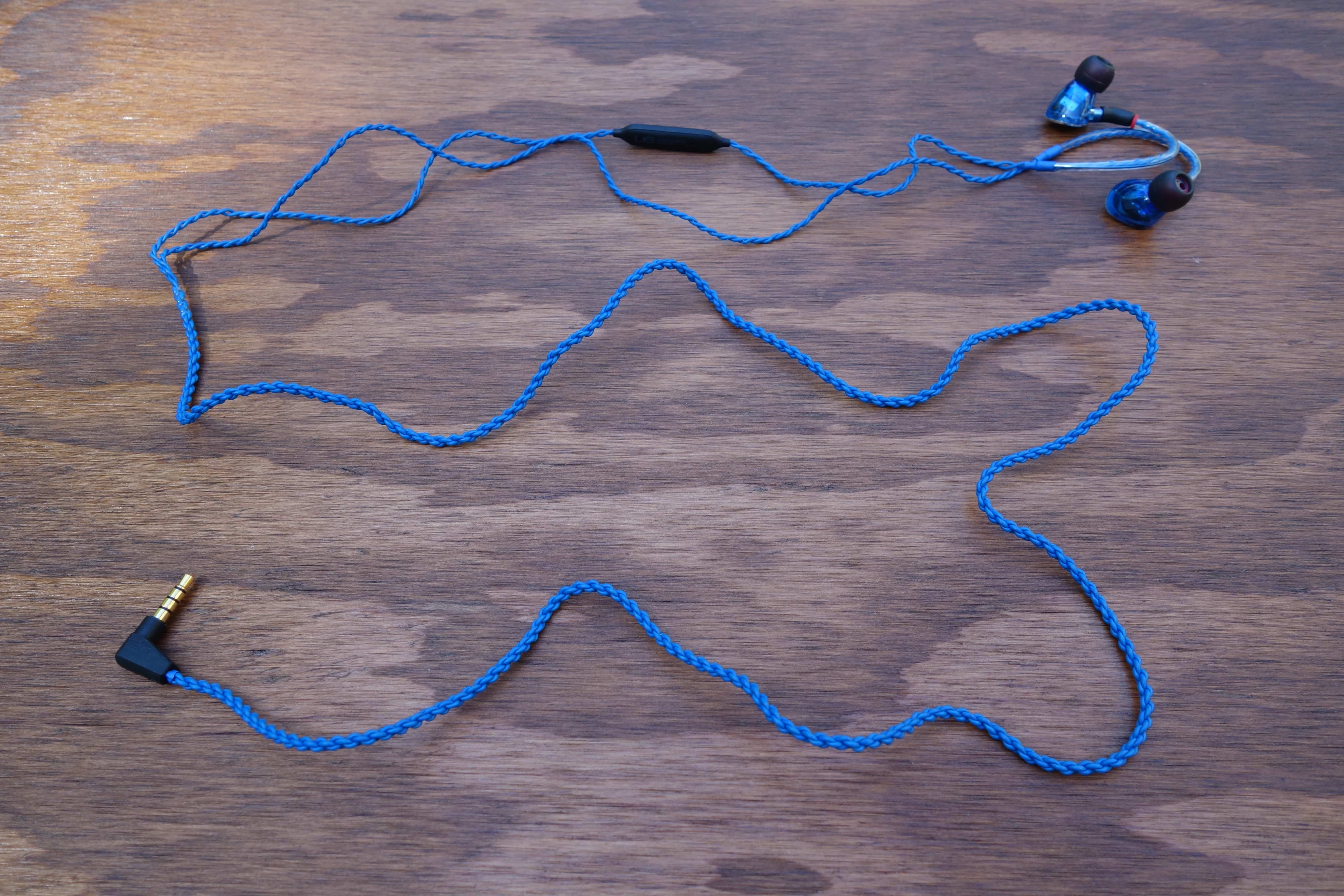
Its braided cable is not shy whatsoever; it dominates the presentation. I will say that you have to have a taste for it. I know many users prefer a non-flashy headphone.
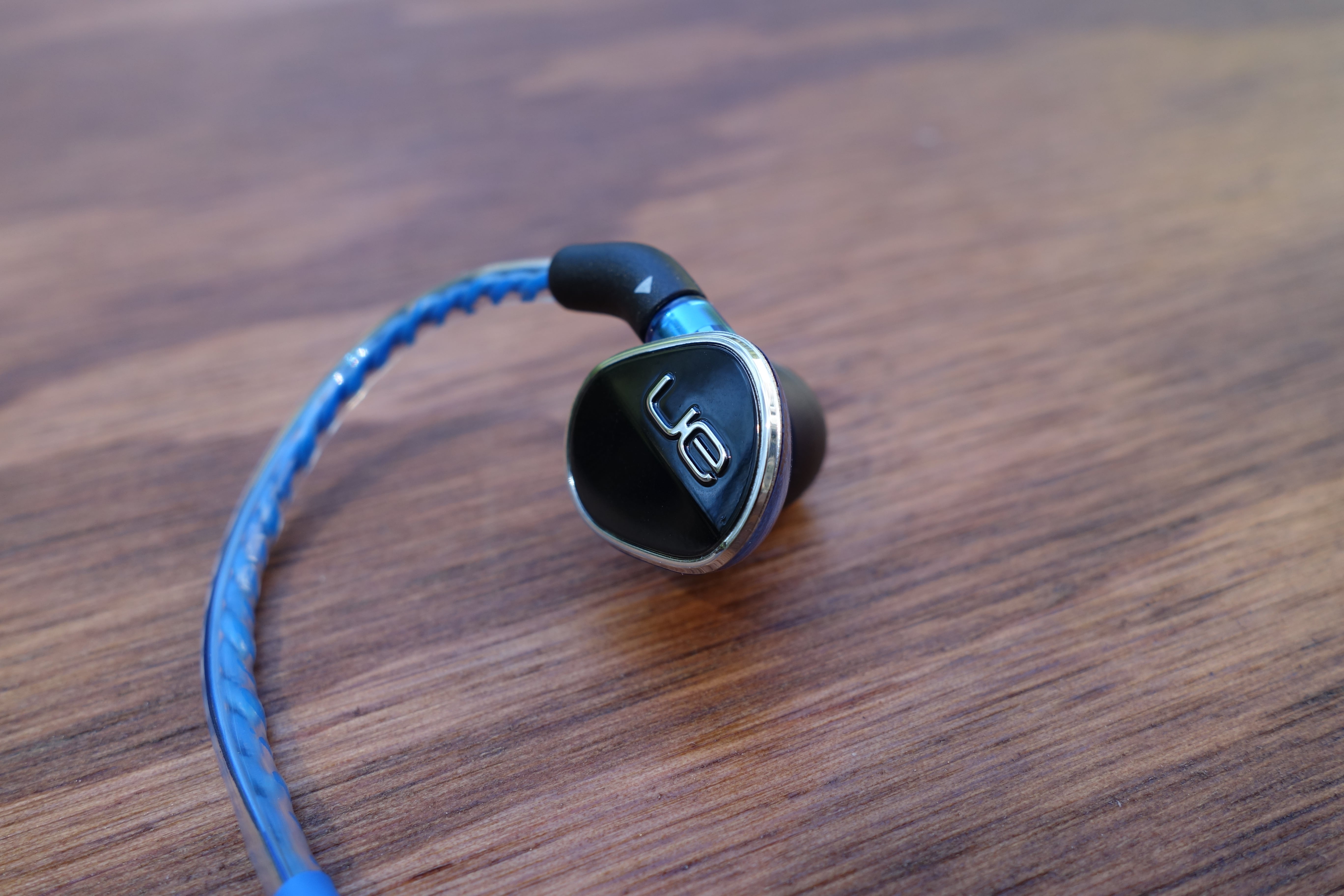
The earpieces are a bit more understated, but still look cool. They have a triangular shape and the construction is two-piece between a transparent, blue plastic shell and a glossy black cap. The cap bears the UE logo and a nice silver trim.


The transparency allows you to peek at the tiny driver electronics within. I love when manufacturers to this. It’s a subtle touch that looks neat and allows the earphones to speak for themselves. That said, I wasn’t very impressed with the plastic material. It feels cheap in-hand. It’s good that it makes the UE900s super lightweight, but I question the durability. Also, at the sizable price, I’d expect more premium considerations.

 Removing the eartip shows a fairly typical nozzle. Except, if you look closely, the nozzle bore isn’t so standard. Instead of one large hole, there is a large and a small one. Ultimate Ear’s design choice was to separate the high/mid and the low-end frequency streams. The UE900s use a system of quad balanced armature drivers: one for highs, one for mids, and two for lows (sub-bass and bass). So you essentially have two drivers outputting out of each bore, which seems like a good way to do things.
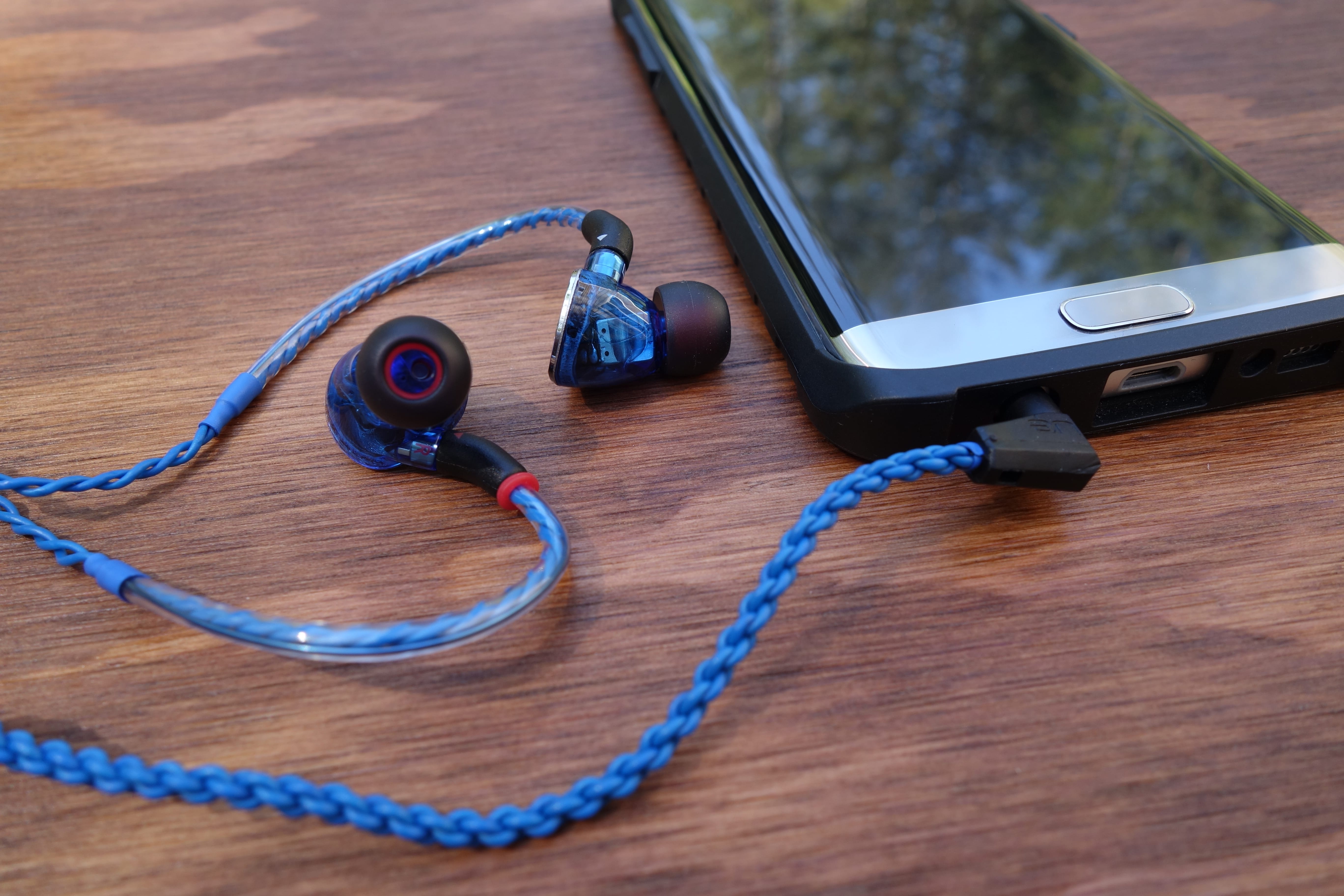
I’m glad to report that Ultimate Ears included detachability in the UE900s’ design. The earpieces use an efficient MMCX connection, so you can easily pop them off the cable.
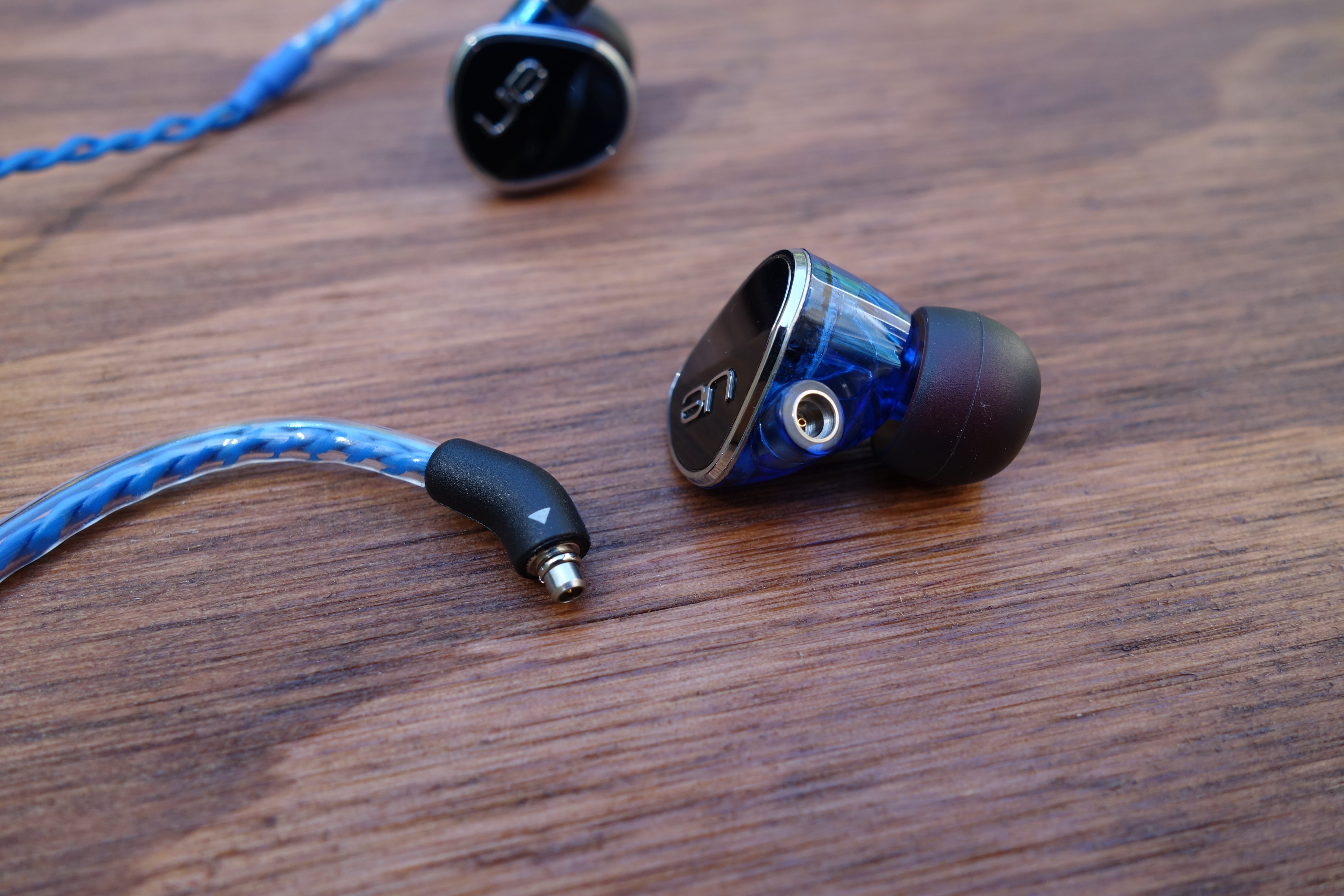
The benefit of this capability is that you can switch to a different cable (there are lots of third-party MMCX cables) or replace the stock one if it goes bad (instead of having to replace the headphones).
The cable is also lightweight. Two very thin cables braid out of each earpiece, then they combine at the y-split (which is just a shrink-wrapped plastic strip). It’s a simple but interesting look. Down the right earpiece, there’s an in-line remote/mic unit. Ultimate Ears also includes a detachable clip, if you want to keep things tidy.

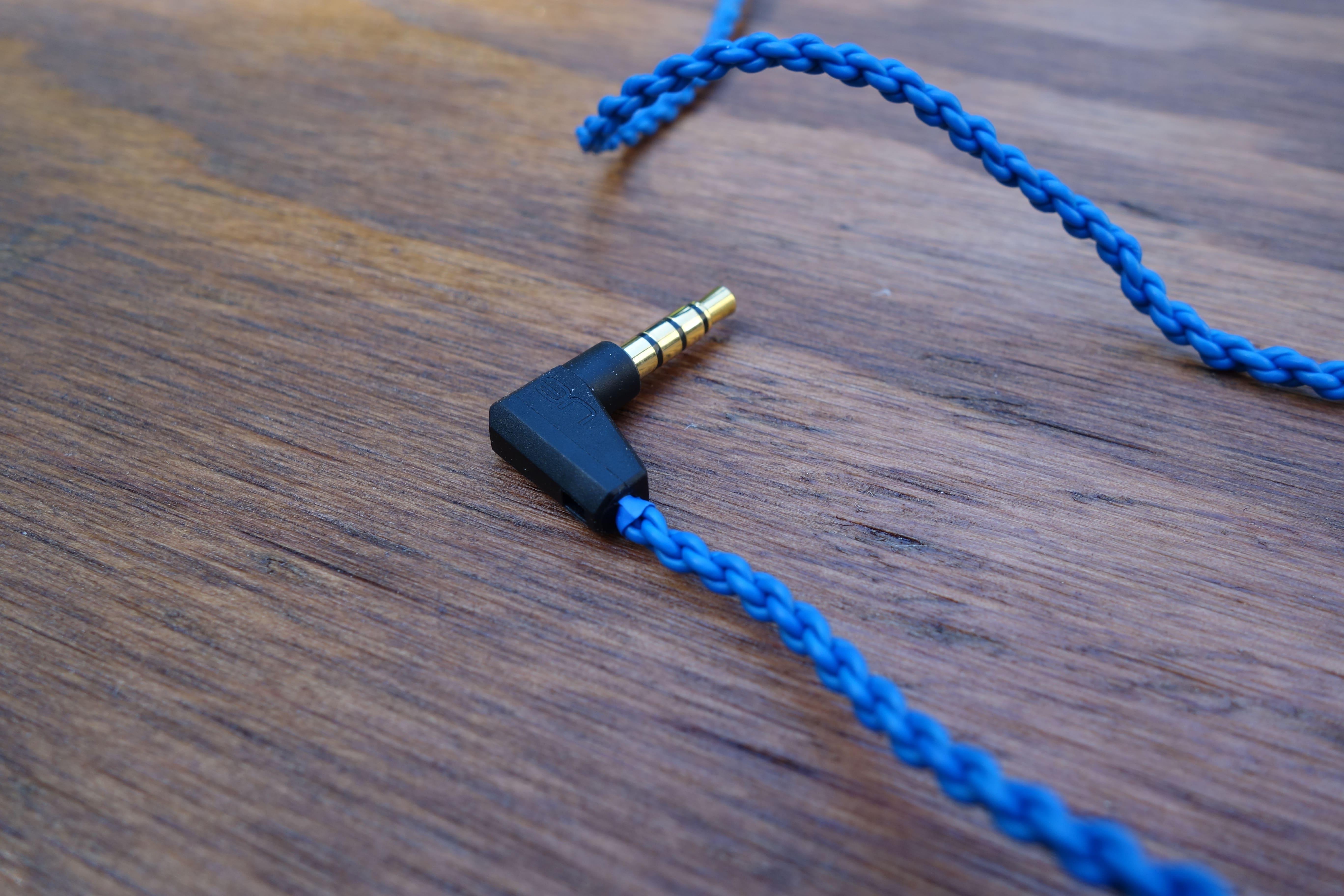
The end of the wire is terminated by a standard-looking, right angle 3.5mm jack.
Usability
I was impressed with the range of eartips that Ultimate Ears packed. There are a whopping six different sizes. What’s more, three of those also include foam tips. This is very considerate, and you should have no problem finding a suitable fit.

Though, it’s interesting that the tips don’t have a protective mesh, to catch ear wax that tries to get inside the nozzle. I’m guessing that UE forewent them because the bores are thin, but I’m still suspicious.
I found the fit of the UE900s to be satisfyingly comfy. If you haven’t been introduced to this type of wear, upon donning the earpieces, you route the cable around and down your ear. Many high-end earphones follow this design, as it’s a more secure fit and reduces microphonics (noise from the cable rubbing on you).
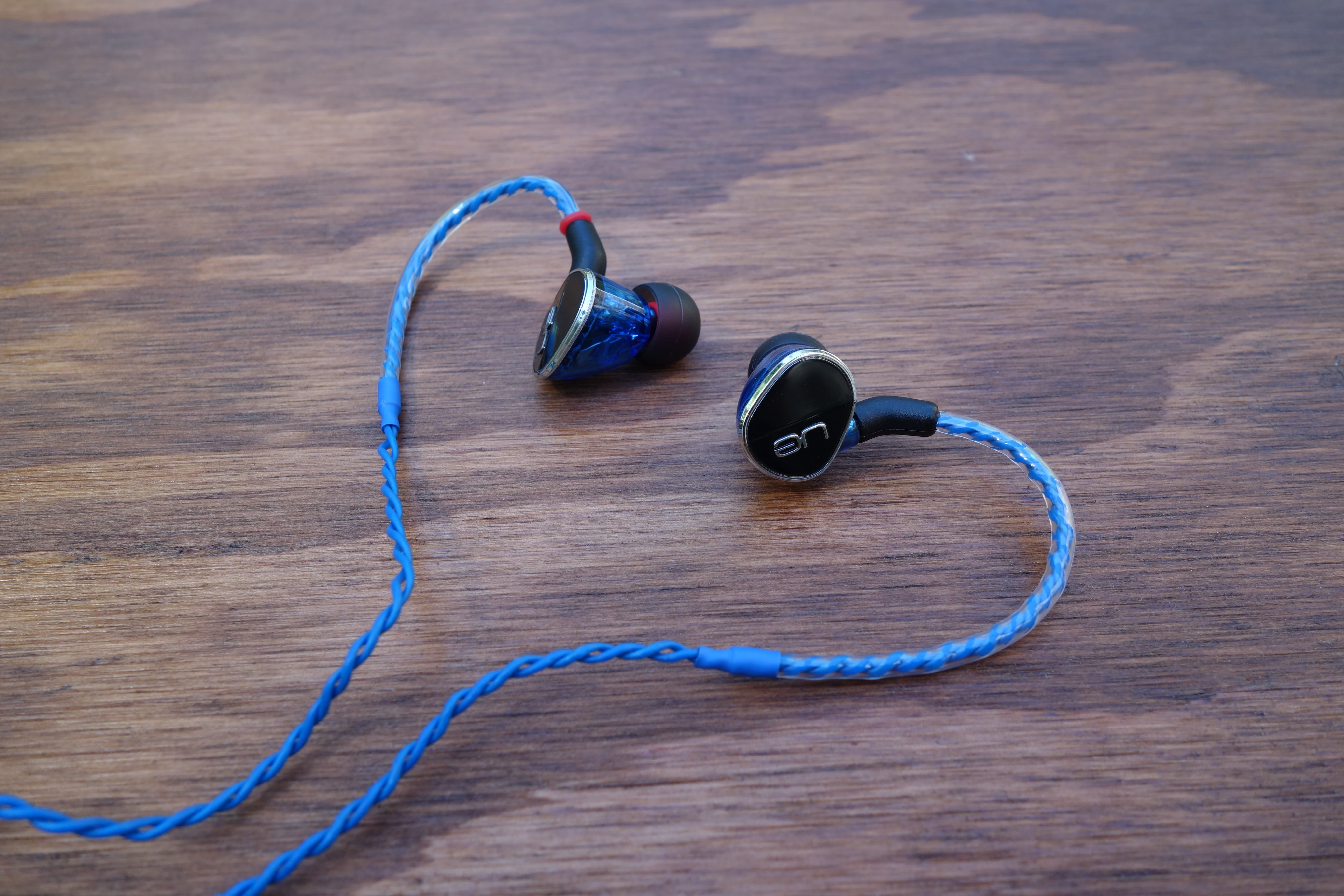
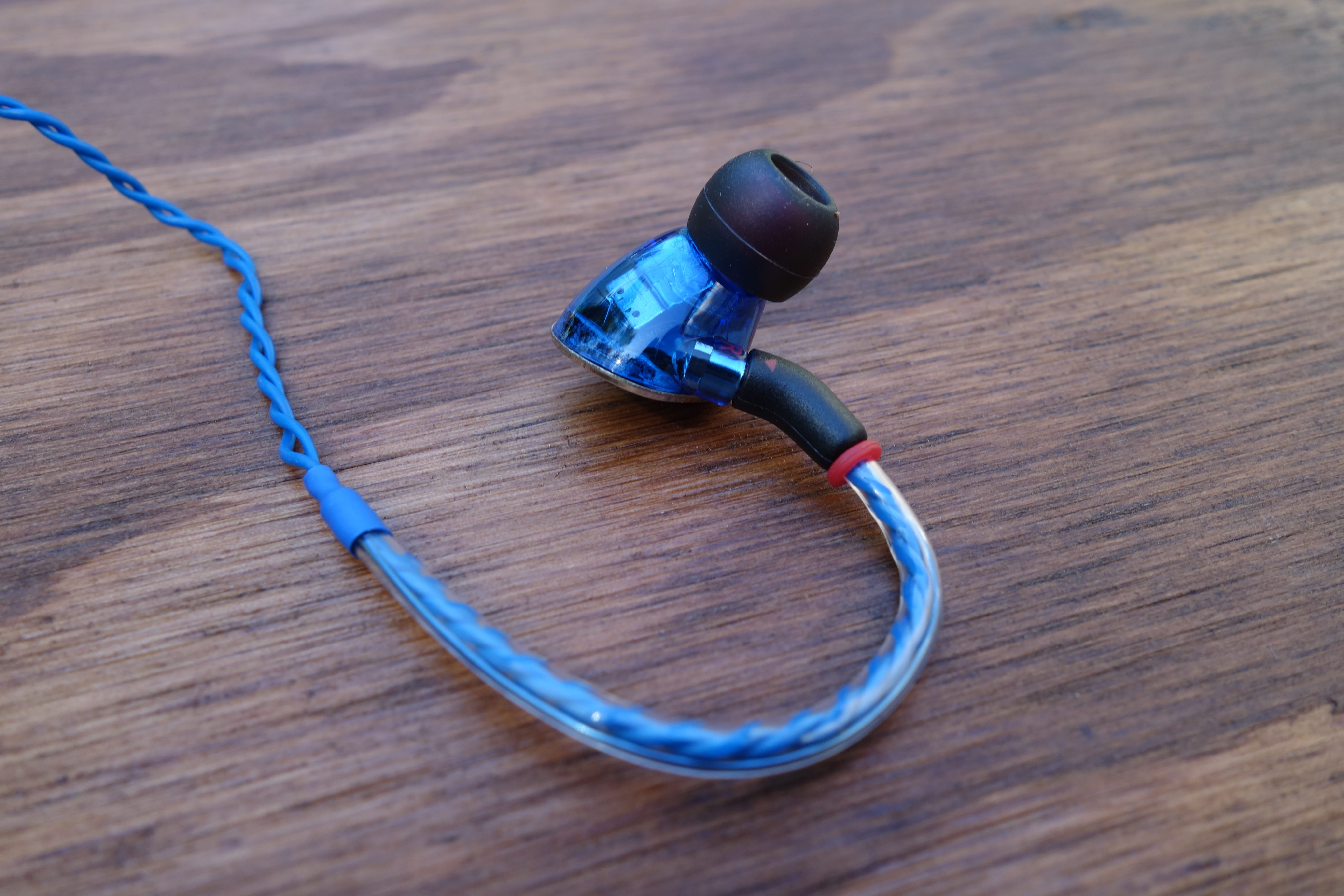
This also means that a short section from the earpiece is wrapped with stiff plastic. This “memory wire” is meant to help guide the cable nicely around your ear. Some can be thick and annoying, but I like UE’s implementation. It’s not uncomfortable and maintains its shape really well.
The downside of the braided cable is that it’s not tangle-resistant. Quite the opposite, actually. It tangles really easily. At least UE didn’t skimp on the length. You’ll get about 15″ from the end of the memory wire to the y-split, and then 33″ to the jack.
The playback remote is fairly standard. You have three buttons – the middle is play/pause and the top and bottom can change the track or volume. Holding down the middle button will also toggle the mobile device’s voice function (i.e. Google Now). Regarding usability, I think the buttons could be better defined. It’s kind of hard to tell them apart (you can’t see it with the headphones on). But that’s something you can get used to.
Sound
In my mind, the UE900s has a lot to live up to. This is mostly because of the brand name that it carries (Ultimate Ears has positioned its name to mean excellence), but also because it’s the only universal in-ear in the company’s lineup. It has to justify its existence among a slew of intimidating custom IEMs.
In short, the UE900s make me a believer. There’s a lot of satisfaction to be found in this sound. One of the first things that stood out to me was the imaging. Despite being an in-ear, different elements of the sound manage to have clear variation of placement within the simulated space. Sure, most high-end earphones do this to an extent. But on the UE900s, the imaging also has depth. It feels like the sounds echo and fill the space, making the listening experience satisfyingly encompassing.
I own a couple high-end earphones, and likewise, get the sense that Ultimate Ears knows what its doing. From an audiophile-grade perspective, I wouldn’t say that this is perfection. The soundstage (perceived distancing of sounds) could be wider, and the mid-range could be stronger. But gawd are these engaging and fun.
The UE900s’ treble is magnificent. It’s prominent, clear, and highly detailed. The bass is also good, but I feel like it could be a mixed bag for people. It has an emphasized oomph that will satisfy bassheads, but it can lean on boomy territory (risking definition for impact). So to my ears, it can steal some spotlight from the mids, making the sound signature slightly V-shaped.
But with all this said, I feel like the UE900s’ skillful audio delivery makes up for it. When I stop being analytical and just listen, it’s one of the most satisfying reproductions I’ve heard.
Final Thoughts
The UE900s aren’t perfect, but I feel like they do much more right than wrong – and what they do right is bangin’. Its audio quality brings UE’s expertise and delivers a super enjoyable listening experience. The fit and detachable cable considerations are also great things.
I certainly feel like the UE900s are worth the price (currently at $279 on Amazon). I’m glad that Ultimate Ears has a killer universal earphone that can stand up with its high-end lineup.
UE 900s product page
AUKEY’s 5-port Type C and Quick Charge 3.0 charging block is the most advanced charger you can get today (review)

In the last couple of years we have seen advancements in charging specs and hardware. Generally faster charging speeds and reversible plugs are a good thing, but for most of us this change is a pain in the rear. USB type C brings us a fully reversible plug which is very nice to have, but almost all of our products still use microUSB.
Mix in compatibility or quality issues, and it just makes for a mess for us consumers who need to sort out who makes good third party accessories for our devices.
I can tell you with 100% certainty that AUKEY is one of the brands I use and recommend without hesitation. From headphones, to portable batteries, to chargers, AUKEY is a brand I rely on heavily.
I’ve been using AUKEY’s 5-port charging block with USB Type-C and Quick Charge 3.0, and am here to tell you why you should consider picking one up for your own needs.

Specs
- $42.99 at Amazon
- Quick Charge 2.0 and 3.0 compatible
- 4 standard USB type A ports
- 1 USB type C port compatible with devices like the HTC 10, LG G5, and Nexus 6P
- Includes one USB type C cable
- 5.7 x 5.6 x 1.5 inches
Design and Usage
Being an Android blogger means I have dozens of devices to plug in and charge. Single port chargers aren’t an option for me, and many of you are in the same boat. Smartwatch, tablet, smartphone, wireless speaker, portable battery, etc. Charged separately and you would need five wall plugs which is a wire mess. Also there is a good chance that all five chargers are not the same – some might be older and some might be made for type C. Simply put, it’s just easier with a charging station.
While many flagship smartphones are making the switch to USB type C, the biggest one of all, the Samsung Galaxy S7, decided to stick with microUSB. Not to mention that almost no mobile accessories have made the switch – it’s a pain in the rear.
That’s why I love using AUKEY’s 5-port charger with USB type C. It suits all of my needs, does it with a nice compact build, and it charges all of my type C devices without issue. I’ve charged the HTC 10, LG G5, Pixel C, Xiaomi Mi5, and Nexbit Robin with the USB type C port on the AUKEY charger and it worked flawlessly. No fried devices. It also charged my LG G5 in the fastest way possible, where it went from 0-80% in about 30 minutes. The AUKEY 5-port charger is also compatible with my Samsung Galaxy S7 edge and fast charges it as well.
Like all of AUKEY’s products I use, the 5-port charging block is built to the highest standards. Seams and lines are exactly where they should be, and there is no question AUKEY takes pride in the quality of its products.

Summary
AUKEY is a brand that I trust wholeheartedly. I’ve been using its products for many years and am still in love with what they have to offer. The 5-port charging block costs $42.99 at Amazon and comes with free Prime shipping.
It’s built incredibly well and has the latest charging standards that should get you through the next few years. I highly recommend this 5-port charging block from AUKEY.
Get the AUKEY 5-port charging station from Amazon for $42.99.
Learn more about AUKEY and its products at http://www.aukey.com.
Geek Squad employee allegedly searched PCs for the FBI
An astute PC technician is supposed to report any illegal content they see while fixing a machine, but one employee of Best Buy’s Geek Squad might have gone too far. The defense in a child pornography case alleges that the FBI paid Geek Squad agent Justin Meade to search customers’ computers for illegal material, bypassing the warrant the FBI would need to conduct its own searches. A secret informant file supposedly shows that Meade was considered a source for child porn investigations between 2009 and 2012, leading to the bust in question. Attorneys for the accused, Dr. Mark Rettenmaier, want the evidence tossed out as a result.
Both the FBI and Meade deny that there were any orders to conduct searches. The agent says he was only following Geek Squad’s reporting policy, which also forbids payments from law enforcement. However, the FBI also acknowledges that it paid Meade $500 for an unmentioned reason — the question is whether or not this was an after-the-fact reward or an incentive.
It’s far from certain that the accusation will stick. The defense could have valid concerns that the FBI violated a constitutional right… or it could be blowing smoke to distract from damning evidence. Either way, this isn’t going to quiet fears (however overblown) that law enforcement might use device repair shops as fishing nets for crooks.
Source: LA Times
Facebook auto-translates 200 million lines of text every day
Facebook reaches more than 1.6 billion users in every corner of the Earth. Making sure everybody understands one another, at least at the linguistic level, has fallen to the company’s machine learning algorithms. According to Alan Packer, Facebook’s Director of Engineering for language technology, the digital babelfish is doing a pretty great job of it.
Speaking at MIT’s Emtech Digital conference in San Francisco on Monday, Packer also noted that Facebook’s translation service understands more than 400 languages and dialects. What’s more, the service understands both the words themselves and their larger social context. If, for example, the system sees that the post it’s translating is asking for hotel recommendations in Paris, it could promote that post to the user’s French friends, suggest a specific Parisian pal for insights or search other public posts for those recommendations.
While Parker remained mum on whether a universally-translated Facebook experience could garner users more international connections, he did tell TechCrunch, “The mission of the translation team is removing language as a barrier to making the world more open and connected.” Of course, with the recent advent of 24-hour Facebook Live kitten cams, who needs words?
Source: TechCrunch
Watch the most powerful x-ray laser zap droplets of water
Scientists at Stanford University’s SLAC National Accelerator Laboratory wanted to better understand explosions caused by x-rays, and we got a cool short movie out of their efforts. They filmed droplets and jets of water being vaporized by the lab’s Linac Coherent Light Source (LCLS) — the most powerful x-ray laser in the world. Claudiu Stan, one of those scientists, explained that “understanding the dynamics of these explosions will allow [them] to avoid their unwanted effects on samples.” On the other hand, the data they gathered could also lead to new ways of using those explosions to trigger changes in their samples.
The team used an ultrafast optical laser as their light source and a high-resolution microscope to take a photo of the setup every time an x-ray pulse hits the liquid. They then strung those images together to show how the x-ray completely rips apart the jets and droplets of water. The scientists published their findings in Nature Physics, but if you’re only here for the cool videos (aren’t we all?), check ’em out below.
Source: National Accelerator Laboratory
DJI drones can start streaming live aerial videos on Facebook
DJI has updated its Go app to add a feature it promised in April: the capability to stream videos over Facebook Live using compatible drones, including the latest Phantom and Inspire. Sure, you can already stream aerial footage of sprawling landscapes, events and whatever you usually cover on YouTube. But the new feature could help expose your work to even more people — plus, Facebook’s probably the best venue to show your videos to your parents and grandparents. Android users will have to wait a bit for the update to go live, but iOS users can update their apps and access the feature right now. In case you’d rather stream via Twitter, though, compatible DJI drones can do live broadcasts via Periscope, as well.
Source: DJI
‘Ori and the Blind Forest’ finally makes its way to retail
What began on Xbox One as a digital title, then a definitive edition on the same console, followed by one on PC is finally making its way to bricks and mortar stores. On June 14th, you’ll be able to walk into your favorite fine purveyor of video games and grab a hard copy of Ori and the Blind Forest: Definitive Edition for $20. More than just the base game with added bits to explore and story to (probably) cry over, a post on Xbox Wire says the domestic physical release includes Ori’s soundtrack on CD. It isn’t glow-in-the-dark vinyl, but hey, at least you won’t have to get up to flip the record every 20 minutes or so next month.
Source: Xbox Wire
New, thinner Macbook Pros will reportedly have an OLED touch bar
Barring a big change to the trackpad, Apple’s high-powered MacBook Pro models haven’t seen many major differences in recent years. That may be until now. According to 9to5Mac, which is citing both Apple analyst Ming-Chi Kuo and its own sources, the next family of MacBook Pros (or MacBooks Pro) could not only be thinner and lighter, but may also house a new OLED display touch bar just above the keyboard. This would act in place of the narrow physical function keys found on contemporary MacBooks. Apple may also bring Touch ID into its next series of laptops.
Alongside the rumor of a OLED touch bar, the design will apparently include new metal injection-molded hinges that will enable the company to make the Pro series lighter and thinner. (Uncorroborated reports suggested that Apple has tapped the same company that made the Surface’s special hinges.)
The same sources say that new Pro laptops will come with USB-C and Thunderbolt 3, while Apple will also bring a new 13-inch MacBook similar to the latest 12-inch Retina model. Yeah, if the range of MacBooks was confusing before, it could get even more baffling. Kuo’s report suggests that 13- and 15-inch models will arrive late 2016, although more details on that curious OLED bar are scarce — and that’s the most interesting part.
Lenovo attempted to add a similar-sounding adaptive keyboard panel to its ThinkPad series, but it wasn’t all that well-received, and the company rolled back its keyboard design soon after. However, let’s see how Apple plans to deliver this OLED touch bar first, if this is all true.
Source: 9to5Mac
2016 MacBook Pro May Include OLED Display Touch Bar and Touch ID
Apple plans to introduce a revamped high-end MacBook Pro this year that’ll include a thinner and lighter form factor, Touch ID and a new OLED display touch bar above the keyboard, according to a new report from KGI Securities analyst Ming-Chi Kuo. The new MacBook Pro would come in 13- and 15-inch variations and arrive in the fourth quarter of 2016.
While long overlooked, the MacBook line is the brightest spot for Apple’s 2016 rollouts. This is particularly true of the two new MacBook Pro models, to be introduced in 4Q16, as they will have a thinner and lighter form factor, Touch ID, use OLED display touch bar (to replace physical function keys, located above the keyboard) and adopt USB- C / Thunderbolt 3.
Kuo calls the new MacBook Pro updates the “most significant upgrade ever undertaken by Apple.” The new “thin and light” design will be helped by new metal injection mold-made hinges and the butterfly-mechanism keyboards that debuted in the 12-inch MacBook. There has been speculation Apple would introduce Touch ID to MacBooks and, in the meantime, Apple engineers are working on a way users could unlock their Macs with Touch ID on iPhone.
The 12-inch MacBook will also be joined by a 13-inch MacBook, according to Kuo. The analyst believes that Apple will move forward with all three MacBook lines this year, with the MacBook Pro occupying the high-end slot, the MacBook will replace the Air as the medium-level model and the MacBook Air will serve as an entry-level model with comparatively low prices.
In April, it was reported that the new MacBook Pros would see slimmer designs and new hinges. Additionally, speculation indicated the new MacBook Pros could adopt Thunderbolt 3 with USB-C. Today’s report confirms both rumors. Apple’s refreshed MacBook Pros are also expected to sport faster Skylake processors, with the top-of-the-line MacBook Pros also sporting AMD’s new 400-series Polaris graphics chips.
Related Roundup: MacBook Pro
Tags: KGI Securities, Ming-Chi Kuo
Buyer’s Guide: Retina MacBook Pro (Don’t Buy)
Discuss this article in our forums
Get the full version of Minecraft running on a Raspberry Pi – CNET
 Enlarge Image
Screenshot by Jason Cipriani/CNET
Installing Raspbian on your Raspberry Pi means you’ll find Minecraft Pi in the Games section. Minecraft Pi is a bare-bones version of the popular survival game designed to help teach users various programming languages.
Sure, it’s fun, but it’s not the Minecraft game we’ve come to know and love. As with all things Raspberry Pi, a group of users have figured out how to install the full version of Minecraft on your Raspberry Pi 2 or 3.
As with all things Raspberry Pi, there’s a lot of editing and tinkering with files and Terminal commands. Just be sure to take your time, read through each step and you should be fine.
Keep in mind
Before you dive in, there’s some things you should know:
- You will need to know your Mojang account log-in info, along with your Minecraft username.
- Naturally, you’ll need a paid license for Minecraft. You can purchase one from Minecraft.net
- The guide is specific to Minecraft 1.8.9. However, with a simple tweak you can run the latest version, currently 1.9.4 (more on this below).
- Running Minecraft on a $35 computer isn’t going to be the smoothest experience, but it’s definitely playable.
- Plan on spending an hour getting everything up and running.

Enlarge Image
Raspbian Terminal window on the left, Minecraft installation guide on the right.
Screenshot by Jason Cipriani/CNET
I suggest opening this guide in your Raspberry Pi’s browser, with a Terminal window next to it. There are some altered log files stored in Dropbox accounts you’ll need to download, and I’d hate to post the commands here, only to have the links changed at a later day.
The process is simple, mostly requiring you to copy various Terminal commands from the browser, pasting them into the command line. After pasting each command in, press enter on the keyboard and your Pi takes care of the rest.
Tips to make the process as smooth as possible
Here are some tips I came up with to make the process go as smooth as possible:
- Step 1 does not apply to Raspberry Pi 3 users. Currently you cannot overclock the Pi 3. Besides, the Pi 3 is actually faster out of the box than the suggested overclock speed of the Pi 2.

Enlarge Image
Screenshot by Jason Cipriani/CNET
- After entering Step 4’s command, use the arrow keys on your keyboard to highlight Advanced options and press enter. Next, highlight GL Options, select Enable.

Enlarge Image
Screenshot by Jason Cipriani/CNET
- I got a bit confused by Step 7 of the guide where it says to click on “edit profile,” You actually need to click on Profile Editor, then double-click on the first (and only) listing. Under Version Selection click on the drop-down next to Use version and select a build number. Keep in mind, the guide defaults to 1.8.9. For now, use that version and then we can change it after everything is working.
- Step 10 tells you to edit the “run.sh” file, without any further instructions. To do this, open the Minecraft folder located in your Pi directory and right-click on the run.sh file, then select Text Editor.
- To launch Minecraft, you have a two different options. The guide will tell you to use “./run.sh” in Terminal to launch Minecraft. While that works, before entering the command you’ll need to enter “cd Minecraft” into a Terminal window. The other option is to open the Minecraft folder, double-click on the run.sh file and select “Execute.”
Run the latest version
Alright, so once you get everything up and running, you can start tinkering with the installation. In order to jump to the latest version of Minecraft, you’ll need to relaunch the Minecraft.jar file.
In a Terminal window, enter: cd Minecraft
Next, enter: java -jar Minecraft.jar
Click on Profile Editor then change the version to 1.9.4 (or whatever the latest version is).
Save your change and click on the Play button, forcing Minecraft to download the latest version.
Next, open the Minecraft folder.
In order to eliminate any headaches should you make a mistake, take two-seconds and make a copy of the run.sh file. Rename it to something alone the lines of “runcopy.sh”.
With a copy safely tucked away, open the run.sh file by right-clicking on it and selecting Text Editor.
Press Ctrl-F on your keyboard, and enter 1.8.9 in the text field. There should be two — and only two — instances found. Replace each one with the current version of Minecraft (this should be the same version number you selected in step 3).
Save the file, then reboot your Raspberry Pi.
Launch Minecraft as you normally would and enjoy.
 AIVAnet