


Get your hands on ‘Monster Hunter Generations’ on July 15th
Monster Hunter Generations lands in North America and Europe on July 15th, specifically for the 3DS. Plus, Nintendo is launching two limited edition, Generations-branded 3DS XL handhelds, one for each region. The blue version will go on sale in North America and red is for Europe — both will be available on July 15th alongside the new game.
Generations is the western version of Monster Hunter X, Capcom’s popular creature-tracking and -battling RPG that hit Japan in November 2015. Last we heard, Generations was due to hit North America and Europe in the summer. A Monster Hunter Generations demo will show up on the 3DS eShop before the game launches, though there’s no firm date for that quite yet.
Source: Monster Hunter Generations
Angry Birds Action: The franchise that’s here to stay (Review)
Overview
That crazy bird dynasty is back. Not that one, the other one: Angry Birds. It’s time for some crazy pinball action while Red leads the crew as they smash through different obstacles in their missions to save eggs and other various items. It’s the same Angry Birds you’ve come to expect, and deep down you know you love it. I mean – what is a smartphone without Angry Birds? It’s like Nintendo without Mario. It just doesn’t feel right.
Developer: Rovio Entertainment Ltd.
Cost: Free (in-app purchases)
Gameplay
 Instructions
If you have played any of the previous games, you won’t have any problem understanding how to play Angry Birds Action. On the off-chance you haven’t, the mechanics are simple. Tap and hold the bird, pull back, aim, and shoot the bird in the direction you want.
The biggest difference between the traditional games and this one is that, instead of total destruction, you have a goal to achieve in each level. It could be to save 2 eggs, get 3 baby birds to the nest, or a few other tasks. Accomplishing these gets harder as you go, so you have power-ups to help you along the way. Some examples are beach balls that make you bounce around more, snowflakes that freeze whatever you aim at (making it easier to bust up), or even turn yourself into a ghost to go through things.
Your team consists of Red, Bomb, Chuck, and Terrance. Just like the other games, they all have their own special abilities that will help you get through each level. Of course, you don’t get them right away: you have to earn them as you go.
 The Levels
You start each round by using a life to enter – you get three. You have to accomplish the goal set for you while trying not to run out of birds. If you do run out, then you have a chance to continue by using your gems. Gems can be earned throughout the game or you can buy them with real money. At the end of each round, you get a chance to win more power-ups by choosing from 9 different prize boxes. You can get up to three picks depending on how many stars you earned in the round.
While playing, you also collect coins which contribute to a goal that gets larger every time you reach it. Once the goal is met, you get a treasure box that has a prize inside.
Extra Content
 BirdCode
BirdCodes is a special deal in which Rovio promotes the game as well as The Angry Birds Movie, coming out May 20th. These codes are special logos that you can scan to take a selfie inside the app. This will allow you to unlock mini games and earn rewards. These codes can be found in many places such as McDonald’s Happy Meals, PEZ candy dispensers, H&M apparel, LEGO building sets inspired by the film, Walmart and more.
Rovio is also giving more incentive to see the movie if you love the game. If you stick around for the end credits, then all you need to do is open the game and there will be a digital watermark that plays behind the end credits. This will unlock a whole new area of the game, plus an extra scene that can only be seen inside the game.
Review
Just like most Angry Birds games, Action is easy to understand with no surprises, which is one of the things I like about this franchise. Rovio makes it so simple a five-year-old could play it. The graphics are what you’ve come to expect from the developer.
 Gameplay
There are two things I would like to address. First, you have three lives to play the game. You use one to go into each level. After you use one, it takes about 20 minutes to restore it. That’s fine, but they really should give you five lives; three seems too few. You can get more lives quicker by using your gems and that’s probably the point, but I think five is a fairer number.
The second issue deals with a couple of glitches that kept happening. You can be in the middle of a level and then it would kick you out of the game completely for no reason. You then would lose the life you used to enter the level, in addition to any progress you may have made.
There’s also another glitch that happened during gameplay. While playing, the character would freak out and never stop moving. Again, this causes you to leave the game and lose your life. The second glitch doesn’t happen as often, but the first one happens more than you would like.
Despite the issues, I think this game is a very fun take on the franchise. I’m sure it’s a matter of time before they work the bugs out. It keeps in the spirit of Angry Birds while still being a different game. In this writer’s opinion, it’s better than Rovio’s other attempts at expanding the franchise.
Conclusions
If you hate the Angry Birds franchise, then you’ll probably hate this game as well. But if you found the originals fun, then you should have no problem getting into it. When it comes down to it, Angry Birds is one of the original smartphone games, and they continue to make quality material. It’s the franchise that’s here to stay.
Download and install Angry Birds Action from the Google Play Store.
1 of 8


The MPOW Cheetah are a worthy choice for Bluetooth earbuds (review + GIVEAWAY)

I previously sat down and reviewed the Spigen Bluetooth earbuds and really enjoyed the experience. MPOW are a direct competitor in the space and wanted me to give the Cheetah Bluetooth earbuds a shot to see what I thought. Spoiler: they’re pretty great.
Specs
- Nano-coating for water and sweat resistance
- AptX support
- Bluetooth 4.1
- 8-hour battery life
- Microphone for making and receiving calls
Build
Honestly, I was really surprised how well the MPOW Cheetah has held up. When you first pick it up out of the box, you notice how light it is and normally that means flimsy, but not in this case. MPOW is quick to point out that it used a titanium wire inside the body to keep it pretty light but dependable.

The earbuds are connected by the wire and while not in use fold up into a pretzel design for easy storage. While this is great for keeping them compact, a definite advantage of Spigen’s earbuds, it has its negatives. When you unfold them and put them in your ears, there is definitely pulling, and it frankly hurt my ears. I did get used to it over time, but the feeling wasn’t ideal.

As mentioned earlier, the MPOW Cheetahs are water and sweat resistant, but that’s only if you keep the flap shut over the micro USB charging port. It stays closed pretty well by itself, but I have noticed once or twice when I grab these that it’s popped open. I don’t think it’s a huge deal, but make sure you check them at the beginning of your workout.
I’ve kept these in my bag, which is my purely anecdotal torture test, for a couple weeks now and I’ve had no issues with them. The ear tips are attached very securely to the headset and haven’t even so much as moved since I’ve been using them. MPOW does include two other sets of tips if the stock ones don’t fit correctly, so be sure to test out the different ear-tips before you use them for the first time.
Sound
What’s the point in buying Bluetooth earbuds if they sound like crap, right? Well luckily, these are pretty good.
Music that emphasizes the highs and mids are going to sound best on the Cheetah, but the bass can be a bit lacking. There isn’t quite the punch I’ve heard in some of the better-sounding Bluetooth earbuds on the market, but it’s not the worst I’ve ever heard. Being middle of the road in this category is fine in my opinion given that you’re only paying $30.
At higher volumes the mids and highs are pleasant without being over-emphasized. No bleeding ears or shattered windows here. If you listen to a lot of spoken word (audiobooks) or acoustic music, I think you’re going to love these. Bass heavy music like dubstep or rap is going to be lacking a bit.
Controls
The earbuds have a total of two buttons and one charging port. One of the buttons is a volume rocker and the other is a call/answer button that acts as both the pairing and power button. Holding down the call button for about 10 seconds from an off state puts the earbuds into pairing mode. Holding it for only three or four seconds just turns them on.

Conclusion
I really do enjoy these Bluetooth earbuds. There are some setbacks like the pulling issue, but maybe I just have a big head (my friends say I definitely do!) and it won’t be an issue for most. The sound is perfectly reasonable for $30. Could you find a diamond in the rough that has better sound? Yeah, maybe, but these are right on par with everything else out there.
Where the MPOW Cheetah shines, though, is the construction materials. The ability to have it curl up so there are no tangles and the strong materials used are a winner in my book. These things will last forever if you take care of them.
You can pick up the MPOW Cheetah on Amazon.
Giveaway
If you’d like a chance to win a pair of these great Bluetooth earbuds, entering is simple! Just copy this and tweet it out:
I’m entered to win a @mpowfans #Cheetah from @AndroidGuys! #AGGiveaway
We’ll choose two winners on Friday!
GoEuro combines all your main European travel options in one app (review)

Traveling is fun. Planning your travels can be a real pain.
Here in the U.S., your main pain point in terms of options and scheduling is the airlines. In Europe, you can easily add trains and buses as equally viable and likely more cost-effective options. But, while they can save you money, they can also add an exponentially larger number of option and scheduling decisions for you.
 Luckily, there’s an app that is attempting to streamline your transportation search through and across European countries: GoEuro. It’s a single-minded travel app, which you can download from the Play Store for free. If you’ve ever used Google Maps or another current navigation app, you will be very comfortable using GoEuro.
Upon downloading, you are presented with fields to input your source and destination locations, departure and return dates, and number of passengers. Upon filling these fields you hit the ‘search’ button, where you’re presented with the imminently available bus, train, and plane itineraries, with accompanying prices (in your choice of currency).
I can hear you asking: “What about Google Maps? Doesn’t it do the exact same thing?”
 For the navigation, yes it does. I did a couple of test routes in both apps, and there wasn’t anything GoEuro does that good ol’ Google couldn’t do.
That’s where GoEuro goes one step beyond: booking your trip. Within the GoEuro app you can pre-load your country-centric discount cards and, using these (or not), physically book your trip right from the app. (OK, that’s not technically correct: upon booking the app will forward you to Raileasy, which is where your booking actually takes place). So, in a single app, you can research, select, and book your trip. Pretty cool.

 As far as real-time (on-the-bus) navigation and tracking, well, the AndroidGuys editorial department repeatedly declined my travel advance to thoroughly test this out; so, I’m tabling this portion of the review until my corporate standing rises a few more notches. 🙂
What we like
- Modern, clean interface.
- Simple app navigation.
Could use improvement
- Smoother transition to the actual booking interface.
- A press kit, complete with complimentary trial European travel package.
VUZE announces 3D 360-degree VR camera for $799
Recently 360-degree cameras have become more popular, and the latest company to announce one is VUZE. It will offer a 3D 360-degree VR camera for $799, which is pricier than the LG 360 CAM and Samsung’s 360 camera, but still cheaper than professional-grade hardware. With the increased price you will get higher quality images and video from the camera, as it has 8 HD cameras for creating content, where most other units have anywhere from 2 to 4.
Filming isn’t the only easy part here, but stitching and editing can be done with the touch of just a single button, and it offers near real-time processing so you don’t spend tons of time post-production. The software will automatically optimize the output for use on VR platforms, headsets and other devices.
Pre-orders have already begun for this camera at $799. If you place your order now, you’ll also receive a tri-pod and a VR headset with it, a $120 value for no additional cost.
See at VUZE
Press release:
VUZE THE WORLD’S FIRST AFFORDABLE CONSUMER 3D 3600 VR CAMERA BEGINS ORDERS AT A PRICE OF JUST $799
Point-and-shoot camera, one button stitching technology and near real-time processing brings immersive content creation to the masses
DENVER, CO May 12, 2016 – HumanEyes Technologies, a leader in photographic 3D, computer vision and lenticular graphic arts, has announced new technical capabilities and started taking orders of VUZE, the groundbreaking 3D 360° VR camera and software studio that captures and renders 3D and 2D VR content in near real-time and with a super easy interface and a click of one button. Priced at an astonishing $799, VUZE is less than 3% of the cost of the Facebook Surround 360 ($30,000) and less than 2% of the cost of the NOKIA OZO ($60,000), bringing immersive content creation to the masses.
Available at http://www.vuze.camera for $799, the pre-order bundle includes the VUZE Camera and software studio, VR headset, purposely engineered ‘selfie stick’ and tripod, stylish carrying case and a newly designed handle for alternative ways to hold the device. Pre-orders begin May 12, 2016 with shipping in the fall of 2016. While people need to register a pre-order to secure this price and guarantee their place among the first to receive VUZE, no payments will be taken until shipping.
Changing the VR landscape
The VUZE Camera combines advanced 3D and 2D capture technology using 8 Full HD cameras within an easy-to-use ‘point and shoot’ form-factor generating 4K resolution 360 video. The VUZE Studio brings groundbreaking advances in 360 3D content creation with state-of-the-art stitching thanks to a proprietary technique called Adaptive Blending that mimics the way the human eye interacts with the brain to form pictures in the mind. VUZE content can be viewed and enjoyed on any VR platform, headset or 3D device or TV.
“We are excited to be taking orders of VUZE and believe it will help fuel the creation of immersive content, something all VR platforms are trying to encourage,” said Shahar Bin-Nun, CEO HumanEyes Technologies. “Current VR cameras either require advanced editing skills or in the case of other 3D solutions, demand Hollywood type budgets. With VUZE, we are democratizing VR content creation and putting it in reach of everyday consumers.”
VUZE is a game changer in the following was:
- Price: A cost within reach of consumers as well as professional movie makers and videographers
- Ease of use: Stitching and editing can be done at a touch of one button and with near real time processing (1 minute of processing for one minute of footage) eliminating the need for lengthy post production. It automatically optimizes output for a variety of VR platforms, headsets and devices
- Quality: On current playback platforms, VUZE offers the same level of 3D 360 quality as you would experience with NOKIA, Facebook or Google products at a fraction of the cost. With 8 full HD cameras for 2D content, it has superior quality to existing cameras, which typically use 2 to 4 cameras
- Size: The highly portable, lightweight design brings VR content creation to the realms of point and shoot photography and even fits in most trouser pockets. No rigs or bulky equipment are required.
VUZE CAMERA – Making 3D VR content easy as point-and-click
VUZE is built on its own technology architecture and can be controlled by a dedicated iOS and Android app. Eight full HD cameras simultaneously capture images, videos and sound to facilitate full stereophonic and 3600 3D spherical content.
Each camera uses lenses that capture 1200 horizontal FOV and 1800 vertical FOV that together generate 4K 360 VR content. Since the VUZE camera can easily generate 3D and 2D content, it is like having two cameras in one. Its 8 FHD cameras deliver one of the highest quality 2D content experiences on the market and greatly reduce the effects of flare and peripheral distortion associated with ultra-wide fisheye lenses.
The camera’s battery and removable SD card allows for up to one hour of video capture and internal processing and compression capabilities produce H.264 HD video files for editing. Featuring a stylish, ergonomic design, the VUZE camera is available in red, yellow, black and blue.
VUZE STUDIO – Post-production at a push-of-a-button
The VUZE Studio uses a powerful algorithm that automatically carries out a host of complex editing and stitching functions such as camera calibration, vignette, fisheye and perspective correction, white balance and exposure correction as well as stereo alignment for consistent parallax. This is done in moments and at a touch of a button.
Whether an expert or complete editing novice, the VUZE studio makes it easy to quickly create and share hi-res VR videos. Available on both PC and MAC, it boasts near real-time processing and almost seamless stitching thanks to a proprietary technique called Adaptive Blending.
Conventional stitching techniques merge images together at regular linear points which can result in images appearing slightly disjointed when they intersect detailed or complicated objects. Adaptive Blending solves this by identifying objects the human eye is drawn to such as straightedges, light contrasts and faces, then blends around them to create a seamless stitched image.
It does this within each frame mimicking the way our eyes work with our brains. Just as the brain fills in information delivered by the eyes, VUZE Studio combines captured images with intelligence to form a perfect picture.
Full technical specs of the VUZE camera and software studio can be seen here. Examples of content created by VUZE can be seen here. If you watch online, you will see the 2D quality but a VR headset is required to experience VUZE in its true 3D glory.
How to cancel Sprint

Getting a better deal elsewhere? Yes, you can cancel your Sprint service.
You saw a deal from another provider that you’d like to take advantage of, but you have months left on your contract with Sprint. Can you cancel your contract early? Will you have to pay any fees?
The answer is yes, you can cancel your contract early, but there are indeed some fees associated with that. Let’s take a look at the cancellation process and all that it entails:
- Do I cancel my account over the phone or online?
- What kind of fees will I have to pay when I cancel my service?
- Is there any way I can avoid paying these fees?
- What is the easiest way to get out of a contract?
Do I cancel my account over the phone or online?
You can only cancel your contract over the phone or in person. This is because cellular service agreements are contracts and they need to verify your identity before changing anything in your contract, including canceling it. If you decide to cancel your service with Sprint, call 1-888-211-4727.
What kind of fees will I have to pay when I cancel my service?
You’re likely going to be looking at a few different fees if you decide to leave Sprint.
Billing charges
Depending on where you are in your billing cycle, you’ll have to pay the remaining balance for the month due at the time you cancel your service.
Early termination Fees
In your user agreement/contract, you agreed to pay an early termination fee (ETF) if you cancel your phone service before the end of your contract. Sprint has two types of ETFs: one for smartphones and other connected devices and another for non-smart devices, such as flip phones.
The ETF for smartphones and other connected devices is up to $350 per line and up to $200 per line for non-smart devices. The total amount of your ETF is prorated, based on the number of months you have left on your contract. Obviously, the earlier you terminate, the larger your ETF will be.
Here’s how you can calculate the approximate amount of ETF you will have to pay:
- $20 x Y Months left on your contract for smartphones and other connected devices, up to a maximum of $350 and a minimum of $100 per line.
- $10 x Y Months left on your contract for non-smart devices, up to a maximum of $200 and a minimum of $50 per line.
There are a few of instances where you won’t be charged an ETF. One is if you paid for your device in full when you entered into the contract, or, your device was already paid-in-full when you brought it over to Sprint. The other is if you are on Sprint’s installment plan. In that case, you’ll still need to pay off the remaining balance due on your device at the time of cancellation.
Is there any way I can avoid paying these fees?
There are no guarantees, but here are a couple of things you can try to get out of paying these charges:
Poor service
Tell them their service sucks, but don’t be so blunt about it. Explain that you aren’t getting what you’re paying for. For instance, you can tell them that the reception in your area is lousy.
New provider pays your fees
You can also try to get your new provider to pick up your early termination fees. Some carriers are happy to do this to bring you on board as competition for cellular service providers is fierce right now. You might just have to trade in your phone and buy a new one on their network.
What is the easiest way to get out of a contract?
If you don’t want to sit on the phone and listen to Sprint’s retention spiel, just explain that you want to cancel your service because you’re moving to another country.
The bottom line
You can cancel your Sprint service at any time, but if you cancel it before your contract is done, you’ll have to pay early termination fees on top of the balance remaining on your cell phone bill.
You can try to get out of paying these fees by telling them you didn’t get what you paid for or getting your new provider to pay them on your behalf, but you’re ultimately responsible for paying them.
NVIDIA Shield Tablet updated to Android 6.0.1 with Vulkan graphics API support
The original NVIDIA Shield Tablet has a new update that includes both Android 6.0.1 and Vulkan graphics API support.
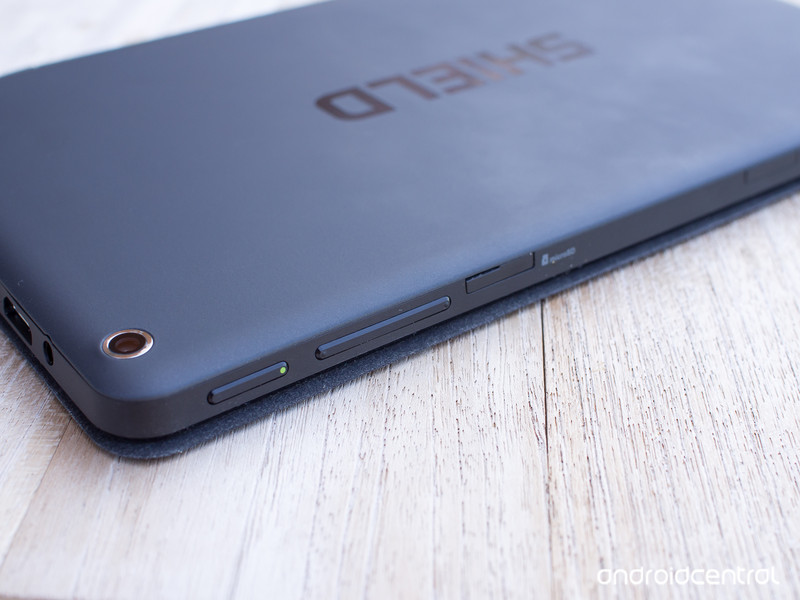
The update is the exact same one that was released a few weeks ago for the newer NVIDIA Shield Tablet K1. Here’s a reminder of what’s included in this over-the-air update.
- Supports the new Vulkan™ API for high-efficiency access to SHIELD’s graphics hardware
- Adds Android 6.0.1 changes including:
- Repositioned Navigation Buttons in Landscape mode & Updated Emoji
- Double Tap Power Button to launch SHIELD Camera app
- Do Not Disturb Until Next Alarm
- Support for Android Doze mode & additional power optimizations
- Adds USB MIDI support
- Adds memory compression enhancement
- Improved Wi-Fi connectivity when waking from sleep
- Fixed Compass functionality
- Fixed Gamepad Mapper issues
- Fixed issues with moving apps to SD card
- Fixed Doom 3 HDMI output issue
- Repositioned Lasso Capture icons in landscape mode
- Update to Android 6.0 Security Patch Level March 1, 2016
- Overall stability and security enhancements
As usual, the over-the-air update has just started rolling out so it make take a few days for your tablet to get the upgrade.
Evernote makes it easy to add your Google Drive files to notes

Popular note-taking, and all-around productivity app Evernote has received a bit of a boost today with tighter Google Drive integration. Instead of simply linking to the files, the new integration allows users to easily drag and drop linked thumbnails for images and documents into their notes.
To make the whole process easier, you can also now search your Google Drive files from within Evernote. And, of course, any changes you make to the files in your Google Drive will also be reflected in your Evernote notes.
The feature is rolling out to users on the web and on Android starting now, so you should get a chance to start using it fairly soon.
Huawei MediaPad M2 10.0 review: The B-team tablet

Huawei’s latest Android slate is a decent piece of hardware that doesn’t know what it wants to be, let down by half-assed software.
The quick take
The Huawei MediaPad M2 10.0 is a product of the old, weird Huawei, not the promising top-tier manufacturer responsible for great phones like the P9. As a media playback slate it works well enough, partly thanks to the harman/kardon-certified speakers. But overall performance is average at best, and EMUI features bugs unfixed from the company’s 2015 phones. And to top it all off, it commits the cardinal sin of shipping on Lollipop in mid-2016. Like most Huawei products, the hardware is solid, and the bundled accessories are a welcome touch. But the overall package is mediocre, and that’s mostly the software’s fault.
The Good
- Quick, accurate fingerprint scanner
- Decent audio capabilities
- Camera not terrible
- Good battery life for video streaming
The Bad
- Mediocre performance
- Low resolution display
- Notification glitches with some Google apps
- Shipping on Android 5.1
Huawei MediaPad M2 10.0 Full Review
The Huawei MediaPad M2 10.0 is a tablet with a 10.1-inch screen. It says so right on the box. Yet it’s the Huawei MediaPad M2 10.0. Not the Huawei MediaPad M2 10.1. In fact, I’ve had to correct myself twice writing those last two sentences. It’s a bit of a mess.
That was the first little bit of logical dissonance that confronted me in this product. The second was the setup process, during which the tablet referred to itself as a “phone.” We weren’t off to a good start.
This is a tablet that doesn’t really know what it wants to be. A 10.0 10.1-inch slate with optional pen input, a bundled case and software scaled up from Huawei’s smartphones. It’s running an old version of Android and an older version of the EMUI interface, with software bugs first spotted more than a year ago on the Huawei P8, still unfixed.
Are you ready for another Huawei review where the hardware’s nice but the software’s kind of a dumpster fire?
Read on.
About this review
We’re publishing this review after 2 weeks with the Huawei MediaPad M2 10.1 (Premium Edition, model M2-A01W) in white and silver. Our review unit was the “Premium Edition,” with 3GB of RAM and 64GB of storage built in, bundled with a free flip case and “M Pen” stylus. (There’s also a standard edition with 2GB of RAM and 16GB of storage, and no bundled accessories.)
Our device updated at first boot to software version M2-A01WV100R001C100B005, based on Android 5.1.1 Lollipop, with the January 2016 Android security patch.

Metal and plastic
Huawei MediaPad M2 10.0 Hardware
If we had to describe design the Huawei MediaPad M2 10.0 in a word, it’d be “generic.” It doesn’t particularly stand out in the sea of mid-level Android tablets. If anything, its front-mounted fingerprint scanner brings echoes of a pair of ancient Samsung tabs.
But its metal-backed frame is sturdy and well-built, borrowing one or two design cues from the Chinese company’s Android phones. A metallic-effect plastic trim surrounds the 10.1-inch screen, with has a white bezel in the version we’re using. And around the back it’s mostly just metal, except for the camera bump and plastic section up top for antenna visibility.


Well-built but entirely generic.
Weighing in at 500 grams, the MediaPad M2 is reasonably hefty, but still easy enough to hold with one hand. If you were expecting something as unnaturally light as an iPad Air or Galaxy Tab S2, however, you’ll be disappointed.
The outer trim houses a predictable array of ports and buttons — power and volume on the right edge, micro-USB and micro-SD (behind a SIM tray-like enclosure) on the left. And on the top and bottom you’ll find four harman/kardon certified speakers.
The speakers are a big selling point for the M2, and they’re pretty good — up to a point. At half volume they’re impressive, putting most tablets (especially in the mid-range) to shame. But distortion creeps in beyond around 75% volume, where the lack of decent bass reproduction becomes apparent. They’re above average speakers for a tablet, don’t get us wrong. But equally don’t expect them to replace a quality Bluetooth setup.
The display too is a mixed bag. It’s a 1920×1200-resolution panel, which at 10.1 inches gives a disappointing 224 pixels per inch. Aside from its resolution deficiency, it’s actually not a bad panel, with reasonable daylight visibility and vibrant colors that don’t appear over-saturated.
The decision to stick to 1080p (or thereabouts) likely has to do with the MediaPad M2’s processor. It’s running Huawei’s Kirin 930 CPU, a relatively old chip first seen in the Huawei P8 last year, paired with 3GB of RAM in the “Premium Edition” M2 we tested.

Kirin 930 is basically pushed to its limits on a Full HD display.
General tablet performance isn’t exactly slow, but we’re definitely seeing some slowdown in relatively mundane tasks, such as app switching, scrolling in Chrome, and firing up apps that aren’t already in memory. Nevertheless, the built-in 64GB of internal storage (again, Premium Edition only — the standard edition has 16GB) coupled with micro-SD expandability, means you shouldn’t run out of storage space anytime soon.
And the M2 also benefits from Huawei’s excellent fingerprint scanner, front-mounted in this case, which reliably unlocks the tablet about as quickly as any Android phone. EMUI also brings some additional software tricks to the sensor, allowing you to swipe left to go back, or right to open the recent apps menu. It’s a nice touch, if not entirely necessary. (After all, the on-screen keys are often right above the fingerprint sensor.)


This tablet’s accessories are its most interesting hardware feature.
The tablet’s most interesting hardware features are its accessories. The version we’re reviewing comes with a leather Huawei flip case, which the M2 easily clips into. In addition to protecting it from knocks and scrapes, a magnetic sensor can power on the slate when it’s opened, and a groove in the middle of the case allows you to stand it upright. It’s not as elegant as Apple’s (highly patented) magic covers, but it does the job.

More impressive is the optional “M Pen” stylus bundled with our unit. It’s powered by a single AAAA battery, which hasn’t needed replacing during our two weeks with the MediaPad, and offers Galaxy Note 5-like levels of pressure sensitivity (2,048 levels) when used with compatible apps. The only problem is there aren’t a whole lot of apps to use it with. The preloaded Bamboo Paper app offers an enjoyable writing and drawing experience, with palm detection that’s generally accurate.
And you can also press one of the pen’s two function buttons to launch a shortcut menu, similar to Samsung’s Air Control window on the Galaxy Note. The only problem is these are hard-coded to display shortcuts to Huawei’s apps for Email and note-taking.
While the stylus doesn’t dock into the tablet anywhere, it’s easy to clip it to the side of the flip case when not in use.

Bitter Lollipops
Huawei MediaPad M2 10.0 Software
We’ve had a love/hate relationship with EMUI over the past year. Some Huawei phones, like the P8 and Mate 8, launched with versions of the company’s software interface that were literally broken. Others, like the excellent P9, offered a more functional, far more enjoyable experience.
The MediaPad M2 10.0, unfortunately, is lumbered with the old and somewhat busted EMUI.
Lollipop on a new tablet in mid-2016 is bad for a wide range of reasons.
It’s version 3.1 of Huawei’s software, atop Android 5.1 Lollipop, with the January 2016 Android security patch. Aside from the fact that being four months out of date on security patches is worrisome, there’s basically no excuse for shipping a new product on Lollipop in mid-2016. The first Marshmallow code drop happened in October 2015, and Huawei has been shipping Android 6.0 on phones since December of that year.
The lack of Marshmallow on a media-centric tablet like this is particularly disappointing. M2 owners will miss out on Android 6.0’s “doze” feature, which can dramatically improve battery life when devices are idle — as a “coffee table” tablet like this might well be for hours or even days at a time.


EMUI doesn’t quite feel at home on such a large display.
As for Huawei’s software, it looks and works much the same as on the company’s phones. (In fact, as previously noted, the slate incorrectly refers to itself as a “phone” during initial setup.) That means you’ve got an iOS-like home screen with no app drawer, and icons that get customized according to the theme you’re using. (And there’s no end of options available through the Huawei Themes app.)
As you might expect from EMUI, there’s an almost endless rabbit hole of settings to explore, including options for tweaking the on-screen buttons, or sliding them to one side for easier use with your thumb. There’s also a useful dual-window multiasking feature, though precious few apps are actually supported — mainly just Huawei’s own apps and a handful of Google apps.

The iOS influence extends to notification shade, where alerts are shown based on arrival time. And Huawei has its own system for deciding which notifications gets to appear on the lock screen, which is as confusing as it is frustrating and unnecessary.
The tablet version of EMUI scales reasonably well to the larger display, with dual-panel lists in the Settings and a home screen view that re-arranges itself as well as can be expected in landscape mode. But there’s a lot about EMUI 3.1 that just doesn’t seem like it was designed around a 10.1-inch screen. In the Calendar and Tablet Manager apps, for instance, there’s a lot of awkward dead space. And in the Contacts app, entries are displayed in one very wide list when in landscape. It’s pretty clear most of this stuff was ported over from a smartphone UI.

Year-old bugs continue to plague EMUI 3.1. And that’s not okay.

Elsewhere, nagging EMUI bugs persist. In gmail, for instance, it’s almost impossible to see details of individual messages, because they’re displayed in black on a black background. (See the image on the right.) And many Google apps are excluded from the lock screen notifications, because they’re not listed in Huawei’s notification manager. And we still have to take issue with icons being hard-coded into EMUI’s themes, so you’re presented with ancient icons for many bundled Google apps, like Gmail. (Again, see the image on the right. That’s the pre-Material Design Gmail icon. In 2016.)
These are issues affecting bundled apps from the operating system provider that we’ve been seeing for over a year now on Huawei devices. It’s staggering that Huawei is still shipping software that is borderline broken in this way. (And given that it’s fixed these bugs in some EMUI 3.1 devices, like the Honor 5X, why is it still shipping new products affected by year-old glitches?)
“Paint the back of the fence” is a mantra often attributed to Steve Jobs’ father, enapsulating the idea of taking pride in the minor, often unseen details of your work. I mention it here because it’s the antithesis of what we’ve witnessed in EMUI on the MediaPad M2, where we’re confronted by lack of attention to detail at every turn.
To take that metaphor a bit further, Huawei might start by painting the front of the fence.

You’ll still look like an idiot
Huawei MediaPad M2 10.0 Camera
Tablet cameras are often an afterthought, especially on larger models. And yes, you’ll still look like an imbecile taking a photo with a 10.1-inch tablet.
A surprisingly decent camera for a mid-range tablet.
But when it comes to actually taking pictures, the MediaPad M2 actually isn’t bad at all. It’s got a rear-facing 13-megapixel shooter that’s surprisingly capable in daylight, and even moderately lit indoor conditions. Fine detail is a little mushy, and low-light performance is patchy at best, but it’s absolutely usable a snap. What’s more, the handy quick-launch shortcut on the lock screen means you’ll be able to launch into the camera app faster than you can track down a stray smartphone to take your shot.
There’s also a 5-megapixel camera for selfie duties and video calls, which is fairly basic, but does benefit from all the beauty options present in Huawei’s “Perfect Selfie” mode, if you’re into that sort of thing.


The MediaPad’s camera app is another holdover from the company’s Android phones, with a handful of options making their way across from Huawei’s high-end shooters. These include manual shooting options (for ISO, white balance, exposure and so on) hidden away in the Settings menu, and more standard features like HDR, Panorama and “Best photo” modes in a top-level menu.
It’s about as much as you could hope for from a tablet camera at this price point.
But yes, people are still going to judge you for taking pictures with a 10.1-inch piece of metal and glass.

All juice, no doze
Huawei MediaPad M2 10.0 Battery Life
Huawei quotes battery life of 10 hours in video playback from the MediaPad M2’s fixed 6,600mAh battery, and that matches our experiences using the tablet for playback from Netflix and YouTube in our time with the device.
Battery life is decent, but you’ll miss out on Marshmallow’s power-saving features.
Similarly, web browsing through Chrome depleted the battery at a similar rate, about matching the quoted 9.5 hours of Wi-Fi browsing per charge. Naturally, you can expect to take an additional hit there should you opt for the LTE-equipped model.
Because of the sheer size of the battery, it’s that screen, not the relatively power-efficient processor, that’s going to be your main battery drain. Hence we’ve found battery life heavily tied to screen-on time in most use cases.
Again, we have to note that it’s disappointing to see this tablet shipping without Android 6.0 Marshmallow as that large battery could surely extend its standby time considerably with the benefit of the new “doze” capability.
The Bottom Line
Should you buy the Huawei MediaPad M2 10.0? No
Software bugs aside, the Huawei MediaPad M2 10.0 just doesn’t feel like a complete thought, and it beaten by others in this category when it comes to performance, weight and display quality. Considering the hefty price of £329.99 for the Premium Edition, we’d go for the larger of Samsung’s Tab S2 devices instead.

The cheaper standard edition, at £249.99, may be a more tempting proposition. But you’ll miss out on the bundled accessories, as well as coming away with a lower-specced tablet. And again, the Samsung also offers a more complete, less buggy experience at this price point, with the Tab S2 8.0.
What really cripples the MediaPad, however, is the the lack of attention to detail in the software. Once again, we’re left wondering whether anyone at Huawei actually used this device with core Google apps like Gmail before shoving it out the door. That’s before you get to the fact that launching with not just an old version of Android, but an old version of EMUI as well.
Did anyone at Huawei actually use core apps like Gmail on this device before shoving it out the door?
Maybe Huawei will eventually develop a tablet that matches the excellent P9 in design and software quality. That phone shows the company can do great things when it applies itself. By comparison the MediaPad M2 10.0 feels like a product developed by the Huawei B-team.
Western Digital finalizes $16 billion SanDisk acquisition
In an effort that will create a storage giant, Western Digital has officially completed its purchase of SanDisk. The deal was originally announced in late 2015, carrying a total value of about $19 billion. According to a report from The Verge, however, that amount was lowered to $16 billion after Chinese firm Unisplendour backed out on its plans to purchase a 15% stake in Western Digital.

No matter how you slice it, the combined might of Western Digital and SanDisk is quite the proposition. Both are huge names in the storage market, and the merger will allow Western Digital to add SanDisk’s expertise with producing solid state drives and SD storage solutions to its own slate of hard drive offerings.
Press Release
Western Digital Completes Acquisition of SanDisk, Creating A Global leader In Storage Technology
IRVINE, Calif. — May 12, 2016 — Western Digital® Corporation (NASDAQ: WDC) today announced that its wholly-owned subsidiary Western Digital Technologies, Inc. has completed the acquisition of SanDisk Corporation (NASDAQ: SNDK). The addition of SanDisk makes Western Digital Corporation a comprehensive storage solutions provider with global reach, and an extensive product and technology platform that includes deep expertise in both rotating magnetic storage and non-volatile memory (NVM).
The Company also indicated that the debt financing associated with this transaction has been consummated and that the previously obtained funds from this financing have been released from escrow to Western Digital Technologies, Inc.
“Today is a significant day in the history of Western Digital,” said Steve Milligan, chief executive officer of Western Digital. “We are delighted to welcome SanDisk into the Western Digital family. This transformational combination creates a media-agnostic leader in storage technology with a robust portfolio of products and solutions that will address a wide range of applications in almost all of the world’s computing and mobile devices. We are excited to now begin focusing on the many opportunities before us, from leading innovation to bringing the best of what we can offer as a combined company to our customers. In addition, we will begin the work to fully realize the value of this combination through executing on our synergies, generating significant cash flow, as well as rapidly deleveraging our balance sheet, and creating significant long-term value for our shareholders.”
The integration process will begin immediately through the joint efforts of teams from both companies. As previously announced, Steve Milligan will continue to serve as chief executive officer of Western Digital, which will remain headquartered in Irvine, California. Sanjay Mehrotra, co-founder, president and chief executive officer of SanDisk, will serve as a member of the Western Digital Board of Directors, effective immediately.
“As a combined company, we will be best positioned to address the demands for data storage, which is growing exponentially every year,” said Sanjay Mehrotra. “Growth and change go hand in hand, and we couldn’t be happier to grow and change together with Western Digital. I look forward to contributing to realizing the potential of this combination as a member of the board.”
Under the terms of the transaction, each outstanding share of SanDisk common stock was converted into the right to receive $67.50 per share in cash and 0.2387 shares of Western Digital common stock.
SanDisk shareholders looking for information with regard to the payment of the merger consideration should review the Public FAQ available in the Investor Relations section of our website at investor.wdc.com or click here.
About Western Digital
Western Digital Corporation (NASDAQ: WDC) is an industry-leading provider of storage technologies and solutions that enable people to create, leverage, experience and preserve data. The company addresses ever-changing market needs by providing a full portfolio of compelling, high-quality storage solutions with customer-focused innovation, high efficiency, flexibility and speed. Our products are marketed under the HGST, SanDisk and WD brands to OEMs, distributors, resellers, cloud infrastructure providers and consumers. For more information, please visit http://www.hgst.com, http://www.wd.com, and http://www.sandisk.com.
Forward-Looking Statements
Statements contained in this press release that refer to future events or other non-historical facts are forward-looking statements that reflect Western Digital Corporation’s (“Western Digital”) current perspective of existing trends and information as of the date of this release. Except as expressly required by law, Western Digital disclaims any intent or obligation to update these forward-looking statements. Actual results may differ materially from Western Digital’s current expectations depending upon a number of factors affecting Western Digital’s business. These factors include, among others, the impact of competitive products and pricing; market acceptance of and continued demand for Western Digital’s products; risks associated with acquisitions, mergers and joint ventures; difficulties or delays in manufacturing; and other risks and uncertainties detailed in Western Digital’s periodic public filings with the Securities and Exchange Commission, including but not limited to Western Digital’s most recent Annual Report on Form 10-K. Except as expressly required by law, Western Digital disclaims any intent or obligation to update these forward-looking statements.
 AIVAnet