


The Pokémon Trading Card game arrives for Android tablets

The official Pokémon Trading Card game is now available for Android tablets. The card game lets you collect and do battle with a wide variety of digital Pokémon cards, each featuring Pokémon from the various eras of the franchise. You can build your collection through booster packs, and easily transfer your progress between the Android and web versions of the game with your Pokémon Trader Club account.

The Pokémon Trading Card Game features the following:
- EASY TO START: Choose from Grass, Fire, or Water decks, step right into a game, and learn as you go in an easy play experience.
- EXPAND YOUR COLLECTION: Earn cards, open booster packs, trade with other players, and build the perfect deck around your favorite cards. Your collection grows with you!
- CUSTOMIZE YOUR EXPERIENCE: Build your own decks, customize the look of your cards, deck boxes, and avatar, and join your friends online.
- HONE YOUR SKILLS: Play against the computer until you are ready to challenge other players.
- CHALLENGE THE WORLD: When you feel your deck design is ready, challenge other players or join a tournament to show your skill and knowledge.
You can grab the Pokémon Trading Card game from the Google Play Store now.
Twitter could soon stop counting links and photos against your character limit
Twitter will reportedly stop counting links and photos as part of the 140-character limit for tweets, giving people a little more room to express themselves. Both links and photos currently take up a significant number of characters per post.
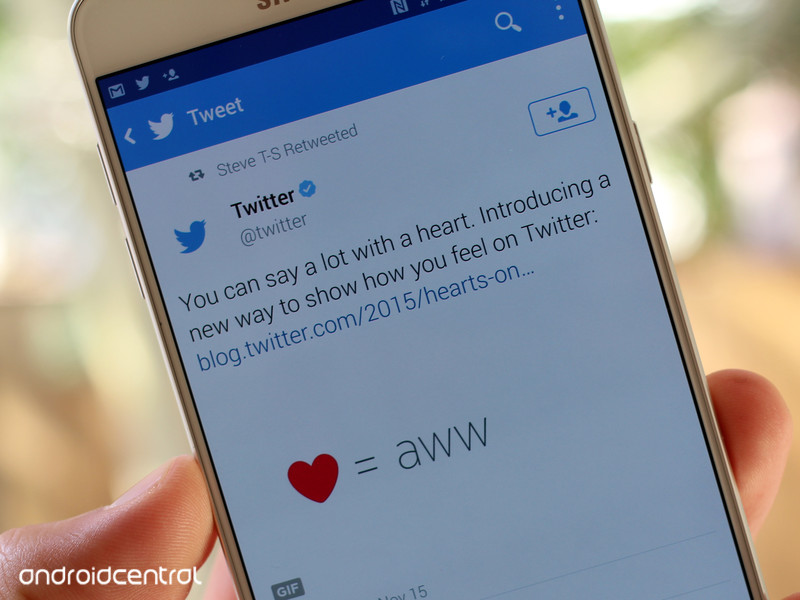
According to Bloomberg, this change could come soon:
The change could happen in the next two weeks, said the person who asked not to be named because the decision isn’t yet public. Links currently take up 23 characters, even after Twitter automatically shortens them. The company declined to comment.
Twitter has been experimenting with different methods for increasing the flexibility of the service. After increasing the character limit in direct messages to 10,000, it was reported that it would do the same to standard tweets. CEO Jack Dorsey later denied the move, calling the 140-character limit a “good constraint.”
Watch any YouTube video in VR mode – CNET
YouTube is home to several zillion videos, but until recently, only Android users could take advantage of Cardboard mode — a split-screen view designed for use with Google Cardboard and other VR headsets.
That changed today with the release of YouTube 11.18 for iOS, which adds support for Google Cardboard. Now anything on YouTube can be viewed in VR mode — even if it’s not a VR or 360 video.
This bears a bit of explanation, starting with how you actually activate the setting:
Step 1: Open the YouTube app and start playing any video. (Might I recommend something from CNET, or perhaps this episode of “Comedians in Cars Getting Coffee”?)
 Enlarge Image
Tap the three-dot More icon to access Cardboard mode, unless there’s already a Cardboard icon showing, in which case tap that.
Screenshot by Rick Broida/CNET
Step 2: Tap the three-dot “More” icon in the upper-right corner of the screen.
Step 3: Tap Cardboard, then insert your phone into your VR headset.
Presto! Assuming it’s an ordinary video, Cardboard mode effectively gives you the equivalent of movie-theater viewing.
More about Google Cardboard
- Goodbye Cardboard, hello Google VR?
- Google courts iPhone VR developers
- Take a virtual tour of Abbey Road
However, if you head to YouTube’s 360 Videos channel, you’ll find a huge collection of clips that really take advantage of Cardboard mode. That’s because they were shot in 360 degrees, which is where the whole VR thing really starts to shine.
In fact, these videos are so VR-ready they have a Cardboard icon right on the main screen; no need to venture into the More menu.
This is just the latest step in Google’s increased support for iPhone VR. Back in March, the company introduced a Cardboard-oriented SDK designed to make it easier for software developers to integrate 360-degree video.
Meanwhile, Google’s I/O conference kicks off Wednesday, and if the scheduled VR at Google session is any indication, there’s more VR news to come. (My prediction: “Google Cardboard” gives way to a bigger, broader “Google VR” branding.)
Meizu dips its toes into the U.S. market with a crowdfunded wireless speaker
Meizu, a name you most likely associate with its Chinese-market Android phones, is looking to dip its toes into the U.S. via an unexpected product: a wireless speaker. However, rather than going with a more traditional launch, Meizu has opted to introduce its “floating” wireless speaker via a crowdfunding effort on Indiegogo.
Called Gravity, the speaker features a design that make it look as if it’s floating mid-air. That’s due to its position atop a transparent acrylic block. What’s even more interesting, however, is the speaker’s display, which appears on top of the acrylic prism sitting above the speaker. When not in use, the display simply disappears, making the acrylic transparent once more.
It’s definitely an interesting concept, and one that Meizu says will produce solid audio output. For example, the company says it has worked with Swedish acoustics firm Dirac to fine tune the audio output of the speaker.
As far as input chops go, Meizu says the speaker will work over Bluetooth or Wi-Fi, as well as an auxiliary port. The company has also created a Gravity app for both iOS and Android that will interact with the speaker. Meanwhile, with the help of Wi-Fi, the speaker can also work on its own with integrated services like Spotify, SoundCloud, Last.fm and more.
For more on the Meizu Gravity speaker, you can check out the Indiegogo campaign, where you can back the speaker for $169. And if you’re interested in the speaker’s design, you can view the video embed below.
Disney’s Movies VR app transports you to its wonderful worlds
Disney has released a new virtual reality experience for fans that own an HTC Vive or Oculus Rift headset. With Disney Movies VR, you can travel to several themed worlds featuring characters and objects from Disney, Marvel, and Lucasfilm movies like The Jungle Book and Star Wars.

From Disney:
Transport yourself into the wonderful world of Disney from your very own living room with Disney Movies VR. This app is a fully-immersive experience where you visit themed worlds, including Disney, Marvel and Lucasfilm, and interact with some of your favorite characters in their natural environments. Choose from multiple scenes in Disney movies including The Jungle Book, Captain America and Star Wars and be a part of the action!
Disney Movies VR is available on Steam right now as a free download, so if you have a Vive or Rift, go ahead and check it out.
Check out Disney Movies VR on Steam
Google I/O 2016 keynote to get VR treatment with 360-degree live stream

Even if you’re not going to Google I/O 2016 in person, you’ll still be able to get a small taste of what it’s like to be there thanks to a 360-degree live stream of the day-one keynote.

The stream will take place live on YouTube, allowing you to look all around as if you were sitting right in the audience yourself.
VR you ready? Watch the #io16 keynote live on @YouTube 360 this Wed 10AM PT. https://t.co/eZ3yrQCfK0 pic.twitter.com/h5ppO9sVWe
— Google Cardboard (@googlecardboard) May 16, 2016
If you want to make things even more immersive, you can, of course, slot your phone into a Google Cardboard headset to get the full virtual reality experience as well.
As a reminder, Google I/O kicks off at 10 a.m. PT on May 18, and we’ll be here with a liveblog and all of the latest news as it unfolds. So be sure to keep it locked to Android Central and, in the meantime, let us know in the comments how you’re planning to stream the keynote.
You prefer to charge your phone next to the bed

Making sure your phone has the juice to get through the day is integral.
In last week’s poll we asked where you charge your phone at night. The easiest time to charge your phone without needing to use it every few minutes is during the few hours of rest you get. It helps ensure that when you get up to start your day, your phone has a full battery. Not everybody likes to charge their phone in the same place though, and that’s fine.

In first place, with an overwhelming majority of 77.31 percent of votes, was charging your phone next to the bed. In second place, with only 9 percent of the vote was charging your phone anywhere but the bedroom. Charging your phone across the room managed to snag 7.21 percent of the overall vote to grab up third place. Charging your phone next to the computer came in last place, with only 6.48 percent of the vote.
Do you prefer to charge your phone right next to the bed? Do you not charge your phone at night? Pop into the comments and let us know about it!
YouTube for iOS finally supports Google Cardboard: Here’s how it all works
YouTube is fully embracing virtual reality, as of today.
YouTube has long offered 360-degree videos so that you can pan around and watch and feel like you’re in the middle of the action, though it’s not the same as strapping on an immersive VR headset like Oculus Rift, which would undoubtedly be more captivating. Well, Google-owned YouTube must’ve felt the same way, because it’s finally adding virtual reality capabilities with the latest update to its iOS app.
YouTube for iOS now supports Cardboard, Google’s own viewer that lets you experience virtual reality. All you need is an iPhone, the latest version of the YouTube app, and Google Cardboard (or any certified viewing peripheral, which you can read more about from here). With Cardboard and the YouTube app, you can watch both 360-degree videos and regular videos for an immersive experience.
Keep in mind the Android version of YouTube has offered support for Google Cardboard since last November. Still, if you want to know how to watch a 360-degree video in virtual reality or any other video on a flat screen in a VR environment, we’ve explained exactly what to do.
What is Google Cardboard?
Google Cardboard is a do-it-yourself cardboard kit that Google introduced in 2014 but only recently began directly selling via the Google Play Store. You can buy it for $15 and then assemble it to end up with a virtual-reality headset. It’s technically considered a simple viewer – because it’s not a standalone device that’s ready to work from the get-go. It requires an Android or iOS smartphone for a display and processing power.
You can learn more about how Cardboard works from these Pocket-lint pieces:
- Best Google Cardboard rivals: Which cheap VR headset should you buy?
- Google Cardboard review: The cornerstone of mobile VR
- Here are the Star Wars Cardboard headsets
- Google Cardboard Camera app: What you need to know
What are 360-degree videos?
A 360 video is created with a camera system that simultaneously records all 360 degrees of a scene. When watching a 360-degree video either using a computer or mobile device, you can pan and rotate the video’s perspective to watch it from different angles. Ever want to see from the perspective of a race car driver? Thanks to 360-degree video and virtual reality, you can.
Many companies and websites now support 360-degree content, including Google-owned YouTube and Facebook, so you don’t need a full-blown VR headset, such as Oculus Rift, in order to view this type of media or immerse yourself in the footage. Just open the YouTube app or Facebook app, for instance, or point your browser to the video’s URL, and you’re good to go.
Here’s a playlist of VR-enabled videos on YouTube. You can also go to YouTube’s own 360 Video channel by searching for “#360Video”. Once you find a 360-degree video in the YouTube app, start playback, then slot your phone in a Google Cardboard viewer, and you’ll get that additional sense of depth that YouTube claims makes you feel as though you’re actually there.
You can learn more about how to make 360-degree videos from here:
- 360-degree cameras: The best VR cams, no matter your budget
How do you watch 360-degree videos in Cardboard?
YouTube
- Get your Google Cardboard viewer (see above).
- Download and open the YouTube app.
- Find and playback a 360-degree video (see above).
- Tap the cardboard icon. You’ll see the screen splits into two screens.
- Insert your phone into Cardboard.
- Look around to view the video’s perspective from all angles.
Can you watch regular YouTube videos in Cardboard?
Yes. YouTube has also added the ability to watch any video with the Cardboard headset – and that includes vlogs, unboxing videos, etc. Using the same setup, Cardboard will create a secluded, virtual, movie theater-style experience. It’ll seem like your watching a large screen in a dark room, but the idea is you should feel immersed. It’s not VR, but close.
Check out this YouTube blog post for more details.
Fresh crowdfunding rules give you a bigger stake in startups
If you’ve ever wanted to support a young company beyond pledging money toward its products, it’s time to act. After years of waiting, the US has enacted new rules that make it much easier to crowdfund a company through investments. Before, you had to be an accredited investor with some wealth (making over $200,000 per year, or a net worth of over $1 million) to contribute significant money and get a stake. Now, anyone can invest $2,000 or more online and get a say. Companies can’t raise more than $1 million per year through this method, but that could frequently be enough to get the ball rolling.
There are worries about the rules. Even with the funding cap, there’s a concern that fraudsters will prey on rookie investors willing to spend big without investigating a company’s prospects. And the likelihood of a crowdfunded company becoming the next big thing is rather small — a truly hot startup probably won’t need this, since it can usually raise capital the old-fashioned way. Still, the new rules could make all the difference for up-and-comers that missed out on professional investments, want to involve their communities or just need a little nudge to make their dreams come true.
Source: New York Times
‘Mr. Robot’ season 2 trailer makes us giddy for revolution
After last year’s surprising (but not completely unexpected) Mr. Robot season finale, hacker Elliot Alderson (Rami Malek) and the fsociety are back. But, if you’re hoping the season two trailer will shed any light about what’s happening with Alderson and his hactivist collective, you’re out of luck.
The Golden Globe-winning series has been lauded not only for its compelling characters and storyline, but also its realistic portrayal of hacking. Don’t worry if you haven’t caught up with the show, though. Season two premieres July 13th, so you still have plenty of time to binge-watch the compelling adventures of a genius who might also be insane.
Source: Mr. Robot
 AIVAnet