


Todoist update brings material design makeover,themes, and easier task creation
Todoist, an ultra-productive application that enables users to create and manage tasks easily, just received a major overhaul. The app has just been redesigned to Material Design, Google’s latest standard for Android app design.
“Today, we’re bidding a (not-so-tearful) farewell to a grey, utilitarian Todoist in favor of bold color, beautiful animations, and seamless interactions. After nearly a year of code wrangling and pixel perfecting, Todoist for Android’s Material redesign is finally here! “
What’s New
Quick-Add: simply tap the ‘add’ button floating at the bottom of the screen and type a task, priority, label, and due dates all in that one line. Use start and end dates to stay on top of your busy schedule.

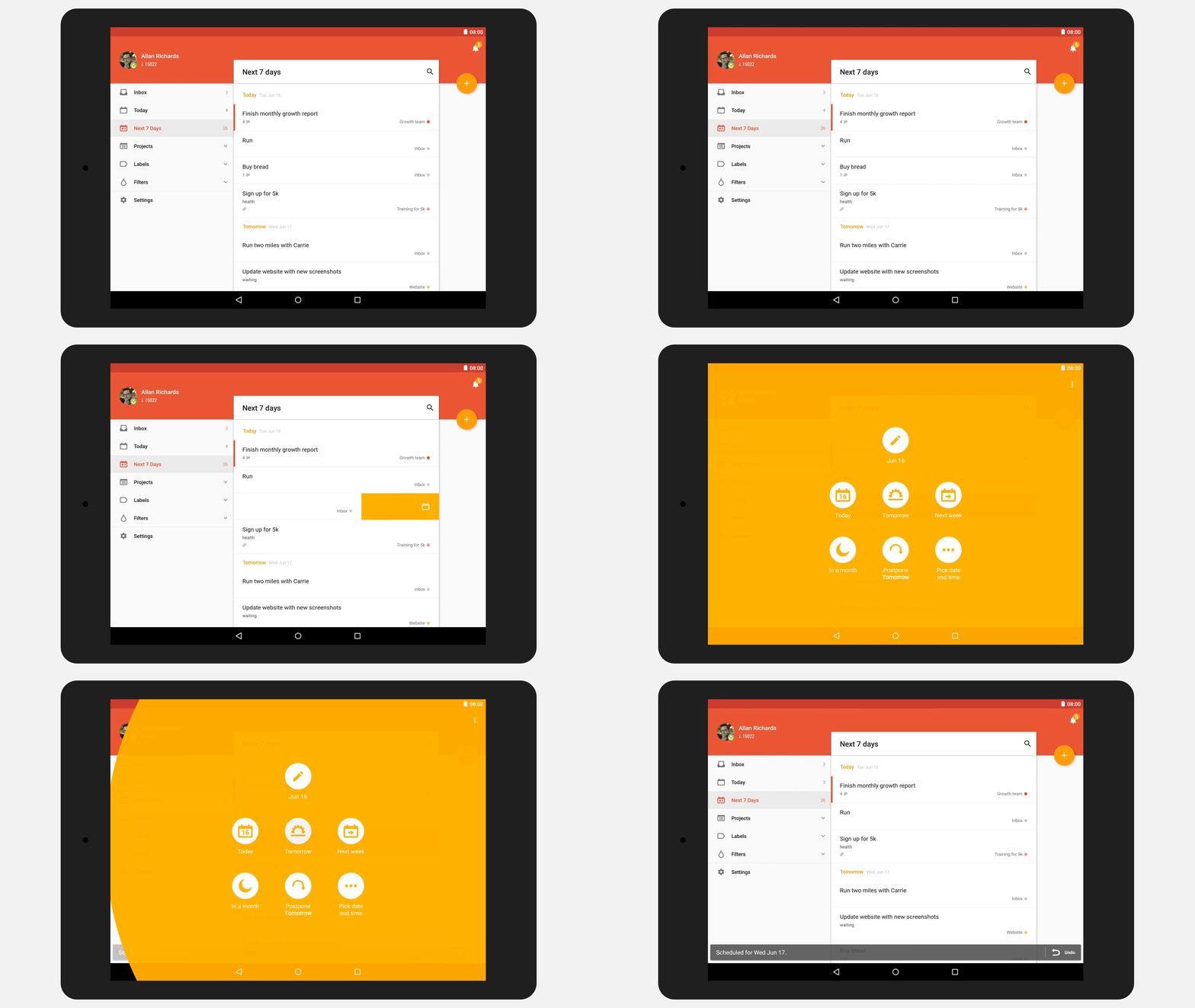
Tablet Optimized: with a simple swipe to the left, you can schedule a task, while a right swipe will complete a task . These new gestures make the application smooth and intuitive.
| Features Sumary | |
|---|---|
|
• A complete Material redesign
• Color themes to fit any mood & personality
• Intelligent quick-add with natural date recognition
• Start & end dates!
• Turn a new task into a sub-task during quick-add
|
• Swipe to complete and schedule your tasks
• Add collaborators while creating a new project
• All-new app navigation
• Beautiful new tablet interface
|
Final Thoughts
The Todoist teams goal was to make an already useful tool more colorful and beautiful. The Material Redesign allowed the application to become more familiar and user friendly. The addition of being able to change themes, gesture support, and a quick add option allows users to quickly add, complete, adjust and overall be much more productive. If you have not tried out Todoist it is available for download in the Google Play Store. Try it out and let us know what you thought by leaving comments below!
The post Todoist update brings material design makeover,themes, and easier task creation appeared first on AndroidGuys.
 AIVAnet