



LG refreshed G Pad 8.0 tablet with LTE variant

LG has announced another tablet headed to market. Meet the LG G Pad 8.0, with LTE. While LG does have a G Pad that is LTE enabled, that was the LG G Pad 7.0 that AT&T recently launched. Now we have the 8-inch variety picking up the new mobile connection trick. Spec wise you are looking at the same hardware as the Wi-Fi only model.
- 8-inch screen
- 1280 x 800 display
- 1.2GHz quad-core processor
- 1GB of RAM
- 16GB internal storage
- Expandable SD card slot
- 5MP rear camera
- 1.3MO front-facing camera
- 4,200 mAh battery
It will also offer up many of the same software perks like Knock Code and Q-Pair. A LTE version of this tablet certainly makes Q-Pair seem a it more useful to me. Q-Pair is the sync software that sends calls and texts from your LG phone, particularly the G3, to the tablet.
“With the G Pad 8.0 LTE, LG is setting a higher standard for connectivity in emerging 4G markets,” said Dr. Jong-seok Park, president and CEO of the LG Electronics Mobile Communications Company. “Today’s on-the-go consumers demand speed and convenience wherever they are, at any time. If a 4G LTE infrastructure is in place, we want LG products to be first to take advantage of the fast network.”
The tablet will come in black, white, luminous orange and luminous blue. LG doesn’t offer up a price point in their press release, but they do offer up a time line with Europe taking the lead with devices shipping this week. Following up key European markets with Central and South America, Asia and CIS in following weeks.
LG BEGINS SHIPPING LTE VERSION OF G PAD 8.0
Latest Tablet Offers More Portability and
Advanced UX and Camera Features of LG G3
SEOUL, Aug. 14, 2014 — In an effort to expand its leadership in LTE from smartphones to tablets, LG Electronics (LG) today unveiled an LTE version of the G Pad 8.0, offering blazing fast outdoor connectivity and portability for on-the-go media consumption. The LG G Pad 8.0 LTE offers the right balance of performance and price competitiveness and comes preloaded with the best of the LG G3 smartphone’s premium user experience (UX), delivering smooth multitasking capabilities and an immersive multimedia experience.
The LG G Pad 8.0 LTE includes a unique sync feature that delivers easy connectivity with other Android devices. With QPair 2.0, users can connect to their smartphones with Bluetooth to conveniently answer phone calls, receive notifications, and send text messages, directly from their LG tablet.
Other noteworthy features in the LG G Pad 8.0 LTE include:
■ Touch & Shoot helps capture special moments quickly and intuitively by letting users tap anywhere on the G Pad display to focus and trigger the shutter in one single step, eliminating a time-consuming two-step process.
■ Gesture Shot makes taking selfies simple and fun. Opening and closing one’s hand in front of the lens starts a three-second countdown before triggering the shutter for brilliant, blur-free selfies.
■ Smart Keyboard makes typing on an 8-inch tablet display just as easy as typing on a smartphone. Smart Keyboard reduces input errors by up to 75 percent by tracking and analyzing typing habits and intuitively “knowing” what words the user intended to type.
■ Knock Code™, LG’s proprietary security feature that makes powering on and unlocking one fluid action, gives up to four users their own personal knock pattern so family members can share the LG G Pad without sharing their personal information.
“With the G Pad 8.0 LTE, LG is setting a higher standard for connectivity in emerging 4G markets,” said Dr. Jong-seok Park, president and CEO of the LG Electronics Mobile Communications Company. “Today’s on-the-go consumers demand speed and convenience wherever they are, at any time. If a 4G LTE infrastructure is in place, we want LG products to be first to take advantage of the fast network.”
The G Pad 8.0 LTE will begin shipping in key European countries starting this week followed by markets in Central and South America, Asia and CIS in the weeks to follow.
G Pad 8.0 Key Specifications:
■ Display: 8.0-inch IPS (1280 x 800 / WXGA)
■ Chipset: 1.2GHz Quad-Core
■ Memory: 16GB eMMC / 1GB RAM / microSD slot
■ Camera: Rear 5MP / Front 1.3MP
■ Battery: 4200mAh
■ Size: 210.8 x 124.2 x 9.9mm
■ Weight: 344g
■ Connectivity: Wi-Fi / LTE
■ Color: Black / White / Luminous Orange / Luminous Blue
■ Other: QPair 2.0 / Touch & Shoot / Gesture Shot / Smart Keyboard / Knock CodeTM
//<![CDATA[
ord = window.ord || Math.floor(Math.random()*1E16);
document.write('’);
//]]>
The post LG refreshed G Pad 8.0 tablet with LTE variant appeared first on AndroidSPIN.
.CPlase_panel display:none;

Intel Preparing to Launch New Xeon Processors for Potential Mac Pro Upgrade
After nearly three and a half years with only a minor processor bump, Apple late last year launched its redesigned Mac Pro, moving to a compact cylindrical design relying on a slew of Thunderbolt 2 ports for expandability. While the new machine began shipping in the last few days of 2013, extreme shortages of the machine persisted for months and it wasn’t until two months ago that shipping estimates reached the “within 24 hours” level and Apple’s own retail stores began stocking the Mac Pro for immediate purchase.

Potential Mac Pro customers may now, however, be starting to look forward to the first update for the redesigned Mac Pro, as Intel appears set to launch new processors appropriate for the Mac Pro next month. As highlighted by Macworld UK, Intel’s “Grantley” Xeon E5 v3 chips are nearly ready to ship as successors to the current “Romley” Xeon E5 v2 chips used in the Mac Pro.
Intel announced last month that it had begun shipping at least some versions of the new Xeon E5 v3 chips to server makers, and widespread availability is reportedly set for September. ChipLoco outlined a significant set of E5-2600 v3 series chips, including several that recently became available for pre-order and could be used as an upgrade to the current top-of-the-line 2.7 GHz 12-core E5-2697 v2 chip found in the Mac Pro.
The direct successor to the current chip is the 2.6 GHz 14-core E5-2697 v3 chip, although the new chip does come with a higher thermal rating and it is unclear whether that change would have any impact on Apple’s willingness to use the chip in the Mac Pro. Other variants in the new high-end E5-269x v3 series range from 12 to 18 cores.
Below the top end, Apple currently uses E5-1600 v2 series processors, and Intel is reportedly preparing a full set of successor v3 chips for launch next month.
– 4-core: 3.7 GHz E5-1620 v2 moves to 3.5 GHz E5-1620 v3 or 3.7 GHz E5-1630 v3
– 6-core: 3.5 GHz E5-1650 v2 moves to 3.5 GHz E5-1650 v3
– 8-core: 3.0 GHz E5-1680 v2 moves to 3.2 GHz E5-1680 v3
As with the E5-2600 v3 series chips, these E5-1600 v3 series chips come with higher thermal ratings than their predecessors. All of the new chips in both series also support faster DDR4-2133 memory, which will also contribute to improved performance.
On the graphics side, Apple uses customized versions of AMD’s FirePro series of high-end graphics cards, although Apple’s D300, D500, and D700 options can be roughly equated with AMD’s W7000, W8000, and W9000 on the PC side. Over the last several months, AMD has been updating its FirePro cards, culminating with this week’s introduction of four new cards, including the W7100 successor to the W7000 card. Alex4D summarizes how the W9100/W8100/W7100 cards introduced in recent months compare to their predecessors and collates a handy comparison chart showing how these new and old cards compare to Apple’s D-series cards.
At each level AMD have at least doubled the VRAM, added 40% more stream processors. The W8100 and W9100 have wider memory buses (so more information can be transferred for each command) and many more transistors.
Although Apple can specify any number of stream processors, clock speeds or VRAM, these more recent cards show what AMD considers is the low-, medium- and high-end when it comes to PCs. For Mac owners perspective, they show how much card for a similar amount of money AMD can now make compared with the cards in the Mac Pro and 2012.
As for when updated Mac Pro models might arrive, that remains unclear, but the good news is that the pieces supporting a potential upgrade are starting to fall into place. While Intel’s new processors are reportedly scheduled to arrive next month, it is unlikely a Mac Pro upgrade is that close given Apple’s usual iPhone focus for that month. But it seems possible an upgrade could be in the works by late this year or early next year depending on how Apple decides to space out its product launches and at what point it views the Mac Pro as in need of a boost.
.CPlase_panel display:none;

Higher-End 4.7 and 5.5-Inch iPhone 6 to Get Sapphire Displays, Higher Price Tags
 Apple has plans to use a sapphire crystal display in the higher-end models of the two versions of the iPhone 6 that it plans to debut this fall, reports The Wall Street Journal. Because of the higher cost of sapphire, Apple may also charge more for the high-end versions of the devices.
Apple is considering using sapphire screens in more-expensive models of the two new, larger iPhones it plans to debut this fall, if it can get enough of the material, people familiar with the matter say. Some analysts expect Apple to charge more for the phones than previous new models, because of increased component costs.
Multiple iPhone 6 rumors have speculated that sapphire could be constrained to either the larger 5.5-inch iPhone 6 or the higher-end models due to cost and production issues, but The Wall Street Journal is the first mainstream publication to confirm those rumors.
If Apple is only planning to use sapphire in the higher-end models of the 4.7 and 5.5-inch iPhone 6, that could explain why a sandpaper test on a leaked iPhone 6 front panel revealed that it was not made of pure sapphire.
Apple is investing a considerable amount of money into partner GT Advanced’s sapphire plant, shelling out more than $500 million to outfit the factory with high-output furnaces for sapphire production. Rumors have suggested GT Advanced has the capability to eventually produce enough sapphire to outfit 100 to 200 million iPhones, but other rumors have pointed towards high costs and production problems as limiting factors. Apple is also expected to use sapphire for the upcoming iWatch.
Sapphire is seen as a desirable material due to its extreme durability and scratch resistance, but many smartphone manufacturers have suggested Apple’s plan to use the material is just a marketing gimmick due to its prohibitive cost.
While Apple may not be able to produce the entire lineup of iPhone 6 displays in sapphire, rumors have suggested that when the factory is fully functional, it will give the company a way to produce massive quantities of sapphire at a low cost, which means a full sapphire lineup could be more feasible for future devices.
.CPlase_panel display:none;

StackSocial Offers 8 Mac Apps in ‘MacLovin’ Bundle for $39.99 [Mac Blog]

StackSocial is currently offering a bundle of 8 Mac apps, featuring several that have won awards from Apple and Macworld. All buyers receive the following apps for just $39.99, a significant discount compared to the total retail value of $362:
– Cinemagraph Pro ($40)
– djay ($20)
– NetSpot Pro ($149)
– Keyboard Maestro ($36)
– Hype 2 ($30)
– Dropzone 3 ($10)
– Moom ($10)
– Boom ($70)
Notably, djay was included in Apple’s “Best of Mac App Store” list in 2011 and was updated earlier this year to include full Spotify integration. Cinemagraph Pro was selected as an Apple Design Award winner at WWDC in June.
The first 5,000 buyers of the MacLovin’ bundle also receive the OS X App Masterclass, a Mac app development e-learning course that has a retail value of $499, which bumps the total retail value of the bundle to $861.
The MacLovin’ bundle is available through August 19.
MacRumors is an affiliate partner of StackSocial. 
.CPlase_panel display:none;
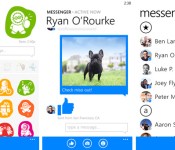
Facebook brings voice to its Windows Phone Messenger app

Facebook Messenger for Windows Phone hasn’t always been quite as feature rich as its counterparts on other platforms — it’s just over five months old now, after all — but the social giant is quickly trying to close that gap. Case in point: the latest Messenger update finally packs the ability to send voice messages, something users have apparently been clamoring over for ages now. Since you’ll now have the ability to verbally chatter with your compadres (alas, there’s still no proper voice calling), it’s probably for the best that the update also comes with tweaks to reduce the amount of data the app consumes. Throw in the ability to fire off emoticons at your pals and you’ve got yourself this new build in a nutshell — it’s waiting in the Windows Store for you whenever you’re ready to gab.
Filed under: Mobile
Via: PhoneScoop
Source: Windows Store
.CPlase_panel display:none;

How a keyboard case can turn your 8-inch tablet into a productivity machine

What’s up with 8-inch tablets? Microsoft reportedly canceled the Surface Mini at the last minute. Samsung’s Galaxy Note 8.0 is long overdue for a refresh. Even the current class leader, the iPad mini, only came about after years of procrastination at Apple. Perhaps it’s just a little harder to convince people of the merits of this category of device, compared to the greater pocketability of a phablet, the affordability of a 7-inch Android slate or the extra productivity offered by a full-sized tablet, hybrid or laptop. However, I’m happy to report that with a bit of smart accessorizing — namely, the addition of a high-quality keyboard case that allows for proper touch-typing — an 8-inch tablet has plenty of scope to operate as a serious productivity tool, if not an outright laptop replacement.

Due to the sheer size of Apple’s following, the iPad mini offers the greatest choice of tailored keyboard cases of any 8-inch tablet. Demand for iPad mini keyboards has evidently persisted since launch, because new products from reputable companies have continued to hit the market in the past six months. This includes a miniature version of the ClamCase Pro, which was the winner of my full-size iPad keyboard roundup last year and which can bend backwards to work as a stand. There’s also now an intriguing rugged keyboard from ZAGG, which has a magnetic hinge allowing you to quickly detach the tablet section from the keyboard. I’ve spent a few weeks with both of these, as well as with a more lightweight ZAGG keyboard for the Samsung Galaxy Note 8.0, in an effort to acclimatize to what are inevitably more-cramped conditions.
These accessories may be small, but none of them are half-hearted add-ons — something that is reflected in both their designs and their price tags. Crucially, all three keyboards have backlit, chiclet-style keys, and they also have proper hinges to replicate a laptop-style experience. In other words, if fast, comfortable typing is ever going to be possible on this sort of accessory, these examples probably stand the best chance of making it happen. What’s more, with all these cases, the combined size, weight and cost of the tablet-plus-keyboard combo is significantly less than a MacBook Air or Microsoft Surface Pro 3 — which is a key reason to be interested in this sort of solution in the first place.
(Incidentally, I haven’t been able to find any similar hinged cases for 8-inch Windows 8 tablets like the Lenovo ThinkPad 8 or Dell Venue 8 Pro. For now, it seems, those tablets are stuck with more casual folding cases that prop the tablet up at an angle.)
| Price | Weight (with tablet) | Thickness | |
|---|---|---|---|
| ClamCase Pro for Apple iPad mini | $100 | 391g (699g) | 17.5mm (0.69 inch) |
| ZAGG Rugged Folio for Apple iPad mini | $140 | 529g (837g) |
24mm (0.94 inch) |
| ZAGG Folio for Samsung Galaxy Note 8 | $100 | 367g (707g) | 18mm (0.71 inch) |
Typing speed

Let’s start with the most important statistic: words per minute. I define “touch-typing” as typing without looking at the keyboard, rather than following any sort of specific method taught at a secretarial school (do those things even exist anymore?). So all the numbers in the table below reflect typing while mostly staring at the screen, and with all errors corrected on the fly in order to produce a clean passage of relatively complicated text (which included some large numbers, special characters and people’s names, so that autocorrect couldn’t fix everything).
|
Words per minute |
|
|---|---|
| 15-inch MacBook Pro (benchmark) | 69 |
| iPad mini Retina onscreen keyboard | 31 |
| ZAGG Rugged Folio for iPad mini | 56 |
| ClamCase Pro for iPad mini | 53 |
| ZAGG Folio for Galaxy Note 8 | 45 |
As you can see, I wasn’t able to match my natural typing speed (69 wpm, as achieved on a 15-inch MacBook Pro) on any of the 8-inch accessories. The closest I came was with the ZAGG Rugged Folio, which yielded 56 words per minute, with the ClamCase Pro not far behind at 53 wpm. These latter two products honestly felt about equal to me in terms of typing comfort, and their sensible layouts actually allowed me to type just as fast as on a 10-inch iPad keyboard case — in other words, trading down from a full-size iPad to a mini didn’t seem to come with a huge sacrifice in potential typing speed. That was quite a revelation.
Bear in mind, many of the simpler errors I made during these tests were fixed by iOS’ autocorrect before they had a chance to slow me down. This actually explains why the ZAGG for Galaxy Note 8.0 got such a low score — it wasn’t the keyboard’s fault so much as Samsung’s, because the autocorrect function in TouchWiz let many more errors slip through, forcing me to go back and fix them manually. For some reason, in order to use a Bluetooth keyboard with the Note 8.0, you have to use Samsung’s default keyboard, which means the user can’t benefit from the superior autocorrect offered by SwiftKey or Google Keyboard. That’s a major nuisance.
Design and usability

There’s more bad news for ZAGG on the Galaxy Note 8.0: The Bluetooth connection sometimes took a while and often failed unless I messed around in the settings menu, which seems like another TouchWiz issue. I also encountered repeat presses, where I’d hit a key once and see the letter repeated five times in succession on the screen. Worryingly, this was even worse with the Backspace key — I’d try to delete a word and it’d go haywire and delete a whole sentence or paragraph. This ZAGG also doesn’t allow any of the flipping or detaching contortions that are possible with the two iPad mini models — it’s stuck in a traditional laptop mode. Suffice to say, my Galaxy Note 8.0 has come out of the case and gone back to dressing in its birthday suit.
By contrast, the iPad mini’s Bluetooth connection and processing was absolutely flawless, and both the ZAGG Rugged and ClamCase Pro were effortless to use. It was easy to turn the keyboards off to break the wireless connection and re-enable the onscreen keyboard. And it was just as easy to turn them back on to re-establish the connection and start typing again. During the course of testing the accessories, I made two big trips without my MBP, just relying on the keyboard-equipped iPad mini as my primary work laptop, plus a Wacom stylus for note-taking. Overall, I think I could cope with this as a permanent laptop replacement, if it wasn’t for an occasional need to batch-process images and cut video.
Wrap-up

Overall, it’s safe to conclude that touch-typing is possible on an 8-inch tablet keyboard, so long as you make an effort to get used to it, and so long as your particular keyboard is nicely designed. I’d forget about the ZAGG keyboard for the Galaxy Note 8.0, mostly due to the software issues, but both the iPad accessories covered here are solid purchases. If I had to choose one, it’d probably be the ZAGG Rugged — not because of its slight advantage in typing speed, but because of its Toughbook-style tactility and the ease with which it lets you pull the iPad section away from the keyboard section. Both of these features came in handy on cramped flights, or when passing the iPad to someone across a desk during a meeting. Of course, many people will be put off by the ZAGG’s extra bulk, in which case they can default to the ClamCase Pro instead. But ultimately, I’ve arrived at the same conclusion that I did in my last roundup a year ago: I think a great keyboard accessory is one that is bold enough to totally transform a device’s function for as long as it is attached, rather than just trying to be as small and inconspicuous as possible.
Filed under: Peripherals, Tablets, Mobile, Apple, Samsung
.CPlase_panel display:none;

Tinder owner just bought troubled Q&A startup Ask.fm

Now that the company’s started trying to clean up its image, what’s next for it? It looks like the deal was meant to give Ask.com a foothold in the social networking realm, though the BBC reports that talks first began because Ask.com was worried about the startup mucking with its brand. Exactly how that sort of synergy’s going to work remains a mystery for now, though TechCrunch adds that the Ask.com and Ask.fm products aren’t going to actually merge just yet.
Source: New York Times
.CPlase_panel display:none;

T-Mobile won’t throttle P2P users but will try to change their behaviors

You know the report that said T-Mobile would be throttling those who abuse their 4G LTE network for peer-to-peer file sharing and wrongful tethering? It appears that this is not exactly the case and that T-Mobile wants to, instead, reach out to help these people change. And, as far as there only being a select few… Read more »
The post T-Mobile won’t throttle P2P users but will try to change their behaviors appeared first on AndroidGuys.
.CPlase_panel display:none;
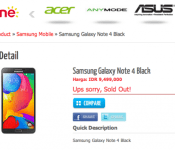
Samsung Galaxy Note 4 specs leaked with 4GB RAM, QHD display

As many of you know, the Samsung Galaxy Note 4 is expected to be announced at the upcoming IFA event on September 3rd in Berlin. Apparently Indonesian company Erafone thought it would generate news by posting what appears to be the upcoming spec sheet of the new Note 4 on its website earlier today. Not that… Read more »
The post Samsung Galaxy Note 4 specs leaked with 4GB RAM, QHD display appeared first on AndroidGuys.
.CPlase_panel display:none;
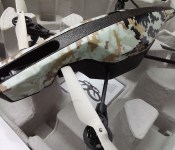
Parrot AR Drone 2.0 Elite Edition A Redesigned Toy

Thanks to the Android OS we here at AndroidSPIN get to play with quite a few toys here and there. Some of these devices blow our mind while others just fall short, thankfully the Parrot AR Drone 2.0 is mind dynamite, oh yeah I went there. I got to review the Parrot AR Drone 2.0 for AndroidSPIN and after playing around with this fun little toy I am happy to say the Parrot AR Drone 2.0 met all my expectations, well almost all of them. Let me show you what I mean in this review of the Parrot AR Drone 2.0. Elite Edition.

What’s In The Box:
- Parrot AR Drone 2.0
- Outdoor Hull
- Indoor Hull
- Battery
- Wall Charger
- Assorted Wall Outlet Plugs
- Infrared Stickers (For AR Drone Game)
Features:

Android Control App:
This is the main reason I wanted to test out the AR Drone 2.0. I wanted to see how well it would perform with the Android OS and see if there would be any issues when using the device outside. The Android app has a pretty functional design although I did get some force close pop ups here and there. The one thing I would definitely change is the placement of the emergency-landing button. When there was a real emergency it sucked having to reach across my Note 3 screen to hit that little button. Hiccups aside, the app controlled the drone beautifully. The thing I enjoyed the most was the settings section of the app, why you may ask? Well I enjoyed it because of what you can enable in the settings. The first setting is the option to enable the Drone flip. This is after all the coolest thing to do with the AR Drone so it was nice of Parrot to make it so easy to do. All you have to do is go into settings and choose what direction you want the flip to go (left, right, forward, backward). Then head back to the main screen and double tap; voila you just flipped your AR Drone in midair. This, for me, was the coolest thing about the Android app.
I did not really find myself using the direct video feed from the Parrot Drone 2.0 on my phone simply because it sucks when it comes to actually controlling the AR Parrot Drone. The camera has a limited view (forward facing) so you can’t really see what is behind or on the side of the drone. That paired with a small testing area made for some pretty nasty accidents. It a bit difficult to focus on the live video feed when having to a playful dog. The Parrot app also has a neat little feature in which you can upload your video directly to YouTube, which is a nice little bonus. Again, this something I did not use more than once.

Built-In Camera:
Now this was one of the reasons that I really wanted to test out the Parrot 2.0 drone, the built-in camera. This camera is pretty small but it can record at 720p, downside is that if you record at this rate battery life disappears pretty damn quickly. The video is pretty smooth when recording and well the camera video quality is passable but not amazing. Still it was a lot of fun getting a bird’s eye view. There is also a down facing camera but the quality is about the same quality video you would get with an old school flip phone video camera so I did not find myself using it as much.

Battery Life:
If you want to have decent battery life with the Parrot AR Drone 2.0 Elite I suggest you purchase the 1500 mAh extended battery. Maybe purchase 3. I know that time really flew by (get it J) when I was using the Drone. Seems like I had just turned it on and the low battery warning was already flashing. That is the one big downside to the Elite 2.0, battery life. If you want to use this over a long period of time make sure you get extra batteries, the 1000 mAh battery that’s included is not enough. I was only able to get about 5-7 minutes of flight time with the standard battery. When I used the camera at full resolution the number dropped down to about 4-5 minutes, tops.

Wall Charger:
When I initially received the Elite Edition Drone I had an issue with the wall charger. The battery was not receiving a charge from it and if it did it was barely trickling in. Due to this issue I had to wait for Parrot to send me a replacement charger for this review. The new charger worked perfectly, I was able to charge the battery in a few hours. Parrot also includes different plugs for their wall charger, so international customers you can rest easy.
Distance:
The Parrot AR Drone 2.0 Elite Edition got some great distance when controlled with my Note 3. Even the gyro controls performed well for me. The one thing I did not like was how high the Parrot Drone could go. Now don’t get me wrong this is obviously something we all want, height, but the issue wasn’t that it couldn’t go up high enough, no, the problem was that it went so high that I lost my connection to the drone. I got it up to about 120 feet and that’s when I lost the wireless connection. The Drone just hovered in place while I ran around looking for a way to get close enough to the drone to re-establish my connection. Sure enough I did not have to do any of that as a pretty big gust of wind came in and pushed the Drone into a tree branch causing some damage to the indoor hull and propellers. This loss of connection is a big problem.
I would have loved to see Parrot put in some sort of fail safe in which when the connection is lost the Drone flies back to the last known location of the controlling Android device and lands. That would be a much-welcomed feature. No one wants to have his or her $300 drone just hover in mid-air without any control until the battery dies. That is not a good feeling, trust me on that.
Conclusion:
The Elite AR Parrot Drone 2.0 is a great toy and the fact that it works with your mobile device is a great bonus. With that said it is still a toy, a very expensive toy to boot. It is a lot of fun when you first start playing with it but after a while you start to realize that the limitations (short battery life and connection loss) really keep you from doing too much with it. To me, this is a toy that I have to play with inside or in a very big field where I can easily go recover the drone should something happen. The $300 price tag is pretty steep for this device but if you were looking for your first drone, I would say look no further than the AR Parrot Elite 2.0 Drone. It is a beginner’s drone and you can learn a lot from it.
//<![CDATA[
ord = window.ord || Math.floor(Math.random()*1E16);
document.write('’);
//]]>
The post Parrot AR Drone 2.0 Elite Edition A Redesigned Toy appeared first on AndroidSPIN.
.CPlase_panel display:none;
 AIVAnet