



Google Chrome will start flagging misleading downloads

Not surprisingly, Google wants to keep everyone on the internet as protected as possible — after all, it has to stay true to its “don’t be evil” ways. Today, in an effort to continue guarding you from virtual harm, the search giant has introduced a new feature that’s part of its Safe Browsing initiative. According to Google, the goal with this expansion is to protect people “against additional kinds of deceptive software,” something like a malware program that may be looking to make abrupt changes to a computer. On the Chrome browser, soon you’ll start seeing a warning every time a third-party tries to lure you into downloading a piece of software — ultimately, though, it’s up to you to determine whether or not to install it. Naturally, Google’s blog post does emphasize that you should always beware of the sources you trust, but you already knew that, right? Life 101, folks.

[Image credit: Shutterstock/bioraven]
Filed under: Internet, Software, Google
Source: Google
.CPlase_panel display:none;

Most new Android phones sell for less than $200

Want to know a big reason why Android smartphones are virtually ubiquitous these days? Because many of them are very affordable, that’s why. IDC’s latest market share estimates show that 58.6 percent of Android phones shipped in the second quarter cost less than $200, many of them from surging Chinese manufacturers like Huawei, Lenovo and Xiaomi. Simply speaking, many in China and other developing countries can’t (or won’t) justify buying the expensive phones that thrive in regions like Europe and North America. It’s no wonder that Samsung is losing the battle at the moment, then — while the company has budget handsets, it’s heavily invested in high-end hardware like the Galaxy S line.
The influx of low-cost devices also helps to explain year-over-year dips in market share for both iOS (11.7 percent) and Windows Phone (2.5 percent), which pale next to Android’s 84.7 percent slice of the pie. Apple doesn’t participate in the sub-$200 realm to start with, so it won’t compete in terms of sheer units; it’s doing fine profit-wise. Windows Phone, meanwhile, has few bona fide hits in this space outside of the aging Lumia 520. There are new iPhones and more budget-friendly Windows Phone makers right around the corner, though, so it won’t be shocking if there’s a different story in the months ahead.

Filed under: Cellphones, Mobile, Apple, Microsoft, Google, Blackberry
Source: IDC
.CPlase_panel display:none;
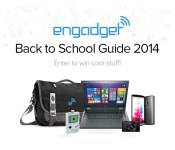
Engadget’s Back to School 2014 sweepstakes: Enter to win one of 15 gadget-stuffed bags!

As another summer comes to a close, wallets are beginning to open up in anticipation of the new school year. Whether you’re looking to start fresh with new gadgets before heading off to campus or simply hoping to find a few dorm-room accessories, our guide has you covered. And for 15 lucky readers, our back-to-school sweepstakes will have them more than covered. We’ve rounded up 15 custom-made Timbuk2 messenger bags stuffed with all the tech you could possibly need for the new school (or work) year.
a Rafflecopter giveaway
Laptop
Lenovo IdeaPad Yoga 2 13

As far as notebooks go, it doesn’t get more versatile than this. The Yoga 2 works in standard laptop mode along with tablet, stand and tent modes. We like the solid build quality and the 1080p, 13-inch touchscreen.
Smartphone
LG G3 (AT&T)

The G3′s one of our favorite Android phones for several reasons, not the least of which is that beautiful Quad HD display.
Digital Camera
Sony RX100 III

This point-and-shoot delivers excellent photos, and our lucky winners won’t have to stomach the $800 price.
Tablet
Samsung Galaxy Tab S 10.5

With a beautiful display, a thin design and long battery life, the Tab S is one of the best Android tablets on the market. Samsung also offers a fingerprint reader and free popular magazines.
Headphones
Beats Solo2

The Solo2 on-ears deliver plenty of bass, though they’ll still sound plenty good when you fire up that classical playlist come finals time.
Hard drive
Western Digital My Passport Ultra

This My Passport Ultra gives you 1TB of storage — more than enough space for a year’s worth of papers, music and photos.
Bag
Timbuk2 Command Messenger

Timbuk2′s medium-sized messenger includes plenty of pockets and internal organizers for keeping everything nice and tidy. The Engadget logo sits front and center so you’ll never forget who’s to thank for all your newfound tech.
Monitor
AOC Q2963PM

This 29-inch, IPS monitor makes a great second screen for visual-arts projects and impromptu movie nights.
Accessories
Nerdtendo Gamebooze

This stainless steel flask holds eight ounces of your favorite alcohol and looks great doing it.
Keyport Slide 2.0 Bundle

If you acquire more than a few keys over the course of the year, this accessory will keep them all in one place. There’s also a 32GB USB flash drive, a mini flashlight and a bottle opener built in.
Gear Ties

Organize the mess of cords that will inevitably find a home on your desk. The ties also come in handy for keeping things neat in your bag.
Scosche smartBOX 2-in-1 retractable charge & sync cable

This portable charger includes a sliding adapter for juicing up your device via a Lightning or micro-USB connector.
Engadget’s Back to School Giveaway
Official Rules
No Purchase Required to Enter or Win
Eligibility: Engadget’s Back to School Giveaway (the “Giveaway”) is open only to individuals who are legal residents of the fifty (50) United States (including the District of Columbia) and Canada (excluding Quebec) who are 18 years of age or older. Employees of AOL Inc., its advertising or promotion agencies, those involved in the production, development, implementation or handling of Giveaways, any agents acting for, or on behalf of the above entities, their respective parent companies, officers, directors, subsidiaries, affiliates, licensees, service providers, prize suppliers any other person or entity associated with the Giveaways (collectively “Giveaway Entities”) and/or the immediate family (spouse, parents, siblings and children) and household members (whether related or not) of each such employee, are not eligible. All U.S., federal, state and local and Canadian federal, provincial, and municipal laws and regulations apply. Void in Quebec, Puerto Rico and where prohibited by law.
Sponsor: The Giveaway is sponsored by AOL Inc., 770 Broadway, New York, NY 10003 (“Sponsor”).
Agreement to Official Rules: Participation in the Giveaway constitutes entrant’s full and unconditional agreement to and acceptance of these Official Rules and the decisions of the Sponsor, which are final and binding. Winning a prize is contingent upon fulfilling all requirements set forth herein.
Giveaway Period: The Giveaway begins at 3:30 pm ET on August 14, 2014 and ends at 11:59 pm ET on September 13, 2014 (the “Giveaway Period”). The Giveaway Period shall be divided into fifteen (15) separate Entry Periods:
Entry Period 1 begins at 3:30PM ET on August 14, 2014 and ends at 11:59PM ET on September 13, 2014.
Entry Period 2 begins at 3:45PM ET on August 14, 2014 and ends at 11:59PM ET on September 13, 2014.
Entry Period 3 begins at 12PM ET on August 15, 2014 and ends at 11:59PM ET on September 13, 2014.
Entry Period 4 begins at 12PM ET on August 20, 2014 and ends at 11:59PM ET on September 13, 2014.
Entry Period 5 begins at 12PM ET on August 22, 2014 and ends at 11:59PM ET on September 13, 2014.
Entry Period 6 begins at 12PM ET on August 25, 2014 and ends at 11:59PM ET on September 13, 2014.
Entry Period 7 begins at 12PM ET on August 28, 2014 and ends at 11:59PM ET on September 13, 2014.
Entry Period 8 begins at 12PM ET on August 29, 2014 and ends at 11:59PM ET on September 13, 2014.
Entry Period 9 begins at 12PM ET on September 3, 2014 and ends at 11:59PM ET on September 13, 2014.
Entry Period 10 begins at 12PM ET on September 4, 2014 and ends at 11:59PM ET on September 13, 2014.
Entry Period 11 begins at 12PM ET on September 5, 2014 and ends at 11:59PM ET on September 13, 2014.
Entry Period 12 begins at 12PM ET on September 10, 2014 and ends at 11:59PM ET on September 13, 2014.
Entry Period 13 begins at 12PM ET on September 11, 2014 and ends at 11:59PM ET on September 13, 2014.
Entry Period 14 begins at 12PM ET on September 12, 2014 and ends at 11:59PM ET on September 13, 2014.
Entry Period 15 begins at 1PM ET on September 12, 2014 and ends at 11:59PM ET on September 13, 2014.
Entry: During the Giveaway Period, go to http://www.engadget.com/2013/08/12/back-to-school-sweepstakes and follow the instructions to submit your entry. The use of any agencies or automated software to submit entries will void all entries submitted by that person. Limit one (1) entry per person per Entry Period. Non-winning entries from one Entry Period do not carry over into subsequent Entry Periods.
Drawing: At the conclusion of the Giveaway Period, Sponsor will select the name of one (1) Grand Prize Winner from each of the fifteen (15) separate Entry Periods in a random drawing of all eligible entries received during each Entry Period. The odds of being selected as a potential winner depend on the number of eligible entries received during the applicable Entry Period. Potential Winners will be contacted via email and asked to provide their full name, age and mailing address within a specified time period. If a potential winner does not respond within the timeframe stated in the notification email, the Sponsor may select an alternate potential winner in his/her place at random from all entries received during the Entry Period.
Requirements of the Potential Winners: Except where prohibited, the potential winners will be required to complete and return an affidavit of eligibility and liability/publicity release (the “Affidavit/Release”) and IRS W-9 form within seven (7) days of being notified. If a potential winner fails to sign and return the Affidavit/Release and W-9 form within the required time period, an alternate entrant may be selected in his/her place in a random drawing of all entries received. Acceptance of a prize constitutes consent to use winner’s name and likeness for editorial, advertising and publicity purposes without additional compensation, except where prohibited by law. In the event the potential winner of any prize is a Canadian resident, he/she will also be required to correctly answer a time-limited mathematical question to be administered by email, mail or phone to receive the prize. Limit one (1) prize per household.
Prizes: Fifteen (15) Grand Prize Winners will each receive a Back to School Prize Pack containing the following items: Lenovo IdeaPad Yoga 2 13, Sony RX100 III, Samsung Galaxy Tab S 10.5, LG G3 (AT&T), Beats Solo2 headphones, Western Digital My Passport Ultra (1TB) hard drive, Timbuk2 Command messenger bag, AOC 29″ Q2963PM monitor, Nerdtendo Gamebooze flask, Keyport Slide 2.0 Bundle, Gear Ties, Scosche 12-watt USB wall charger. Approximate Retail Value of each Prize Pack is $3,200. Subscriptions are subject to issuer’s terms and conditions. Activation fees and monthly service fees not included with any smartphone/digital devices. No cash or other substitution may be made, except by the Sponsor, who reserves the right to substitute a prize or portion of a prize with another prize of equal or greater value if the prize is not available for any reason as determined by the Sponsor in its sole discretion. Winners are responsible for any taxes and fees associated with receipt or use of a prize.
General Conditions: In the event that the operation, security, or administration of the Giveaway is impaired in any way for any reason, including, but not limited to fraud, virus, or other technical problem, the Sponsor may, in its sole discretion, either: (a) suspend the Giveaway to address the impairment and then resume the Giveaway in a manner that best conforms to the spirit of these Official Rules; or (b) award the prizes at random from among the eligible entries received up to the time of the impairment. The Sponsor reserves the right in its sole discretion to disqualify any individual it finds to be tampering with the entry process or the operation of the Giveaway or to be acting in violation of these Official Rules or in an unsportsmanlike or disruptive manner. Any attempt by any person to undermine the legitimate operation of the Giveaway may be a violation of criminal and civil law, and, should such an attempt be made, the Sponsor reserves the right to seek damages from any such person to the fullest extent permitted by law. The Sponsor’s failure to enforce any term of these Official Rules shall not constitute a waiver of that provision. In case of a dispute as to the owner of an entry, entry will be deemed to have been submitted by the authorized account holder of the screen name from which the entry is made. The authorized account holder is defined as the natural person who is assigned to an e-mail address by an Internet access provider, online service provider, or other organization responsible for assigning e-mail addresses for the domain associated with the submitted e-mail address.
Release and Limitations of Liability: By participating in the Giveaway, entrants agree to release, defend indemnify and hold harmless the Giveaway Entities from and against any claim or cause of action, including without limitation, any third party claim, arising out of participation in the Giveaway or receipt, use or misuse of any prize, including, but not limited to: (a) unauthorized human intervention in the Giveaway; (b) technical errors related to computers, servers, providers, or telephone or network lines; (c) printing errors; (d) lost, late, postage-due, misdirected, or undeliverable mail; (e) errors in the administration of the Giveaway or the processing of entries; or (f) injury or damage to persons or property which may be caused, directly or indirectly, in whole or in part, from entrant’s participation in the Giveaway or receipt, use or misuse of any prize. Entrant further agrees that in any cause of action, the Giveaway Entities’ liability will be limited to the cost of entering and participating in the Giveaway, and in no event shall the Giveaway Entities be liable for attorney’s fees. Entrant waives the right to claim any damages whatsoever, including, but not limited to, punitive, consequential, direct, or indirect damages.
TO THE MAXIMUM EXTENT PERMITTED BY APPLICABLE LAW, THE PRIZES AND ALL ELEMENTS THEREOF ARE PROVIDED “AS IS” WITHOUT WARRANTY OR CONDITION OF ANY KIND. SPONSOR DISCLAIMS ALL EXPRESS AND IMPLIED WARRANTIES, INCLUDING WITHOUT LIMITATION, OF MERCHANTABILITY, FITNESS FOR A PARTICULAR PURPOSE, TITLE AND/OR NON-INFRINGEMENT. Some jurisdictions do not allow the disclaimer of implied warranties. In such jurisdictions, some of the foregoing disclaimers may not apply to you insofar as they relate to implied warranties.
Disputes: Except where prohibited, entrant agrees that any and all disputes, claims and causes of action arising out of, or connected with, the Giveaway or any prize awarded shall be resolved individually, without resort to any form of class action, and exclusively by the appropriate court located in the Commonwealth of Virginia. All issues and questions concerning the construction, validity, interpretation and enforceability of these Official Rules, entrant’s rights and obligations, or the rights and obligations of the Sponsor in connection with the Giveaway, shall be governed by, and construed in accordance with, the laws of the Commonwealth of Virginia, without giving effect to any choice of law or conflict of law rules (whether of the Commonwealth of Virginia or any other jurisdiction), which would cause the application of the laws of any jurisdiction other than the Commonwealth of Virginia.
Giveaway Results: To request the names of the winners, send a self-addressed stamped envelope to Engadget Back to School Giveaway Winners, 770 Broadway, Attn: Jon Turi, New York, NY 10003. Requests must be received by November 30, 2014.
Filed under: Announcements
.CPlase_panel display:none;

As your kid grows, this bike will transform to fit them

Like clothes, children tend to outgrow bikes pretty quickly. But what if there was a way to buy one and have it convert to fit a growing kid? Well, that’s just what designer Andreas Bhend has done with the Miilo bike. What starts has a simple scoot along option with no pedals can adapt to fit an older child by flipping the frame and adding pedals. The handlebars and seat are also meant to adjust so that the bicycle can remain an option riders between the ages of 2.5 and 7 — unless your kid hits a crazy growth spurt, of course. The project was inspired by another training bike that Bhend made by hacking up a pair IKEA stools, and from there, the idea to have a model that transforms began.

Filed under: Transportation
Via: Fast Company
Source: Coroflot
.CPlase_panel display:none;

Check out our 2014 Back to School guide!

Crazily enough, the fall semester is about to begin. For that very reason, we’re kicking off our Back to School 2014 guide, with comprehensive gadget recommendations to fit every budget. Even if your college days are behind you, we guarantee you’ll find some new gear worthy of a place in your cubicle — be it a new laptop or a Rubik’s Cube lamp. Click here to check out all eight sections in the guide, and make sure to enter our back-to-school giveaway both below and via the 14 other links posted throughout the month on our sweepstakes page.
Filed under: Announcements
.CPlase_panel display:none;

NVIDIA Shield tablet review: a solid slate with a gaming addiction

NVIDIA’s Shield gaming handheld was a peculiar, singular device: an expensive Android portable aimed squarely at consumers that had already purchased high-end desktop GPUs. It was novel and fun, but it wasn’t for everybody: If you weren’t a gamer, there wasn’t much point to owning a Shield. Now, that’s changing: NVIDIA’s second-generation gaming device isn’t a quirky handheld; it’s a tablet. Specifically, the Shield tablet is a $299 8-inch gaming slate powered by NVIDIA’s new Tegra K1 processor. It wants to be everything to everyone: a high-end gaming device, a superb media tablet and a performance benchmark that will drive the mobile industry forward. Most of all, it wants to appeal to more than just the hardcore gamer. Does it? Let’s find out.
Hardware

Black, green and silver were the colors that defined the original Shield, but this year’s model is decidedly more monochrome: The slate is draped in a mix of glossy and reflective blacks. It’s a clean, if less distinctive, look, but the absence of color doesn’t mean the Shield is just another cookie-cutter tablet. If anything, it looks more like an HTC One than a Nexus 7, sporting long, matte black speakers on the device’s top and bottom edges.
The top speaker bar is split in half by a 5-megapixel front-facing camera with an same shooter (sans autofocus) on the rear of the device. Let’s not flip the tablet over just yet, though — a handful of ports, holes and buttons run around the edges. Most of the action is on the right: a power button, volume toggles, a microSD slot and an embedded, passive stylus for pen input. The WiFi model also features a walled-in cutout for a micro-SIM card slot — an ever-present reminder that you could have waited for the upcoming LTE model. The bottom edge is host to a simple bass speaker vent, while the left side is marked only by the magnetic connectors that latch onto an optional screen cover. The top has a little more going on: another bass vent, a headphone jack, micro-HDMI connectivity and the all-important power/micro-USB port. Oh, and that backside? Just a smooth, matte surface accented only by the word “Shield,” etched in glossy black lettering. Classy.
Although the tablet feels sturdy and well-built, it isn’t perfect. Putting all of the Shield’s ports on one half of the top edge leaves it feeling a little crowded, and thumbing its physical toggles gave me second thoughts about its build quality. It’s not that it feels cheap or painful to hold (a tiny, chamfered edge between the screen and tablet sides ensures a comfortable grip), but the buttons’ tactile response is a little mushy. The soft depressions are okay for tweaking volume, but I was never sure if I was using the power button correctly. Did it go down all the way? Did I miss it? Until the screen reacted, I just couldn’t tell. The tablet’s folding, magnetic cover (sold separately) soon became my favorite way of waking the device: just flip it open, and the screen is on.

Looking for precise specs? Okay, we’ve got those, too: The Shield tablet measures 8.8 inches (221mm) long, five inches (126mm) wide and 0.35 inch (9.2mm) thick. For comparison’s sake, that makes it taller, wider and thicker than the Nexus 7 — though it does sport a larger 8-inch, 1,920 x 1,200 display. Weighing in at 390g (13.7 ounces) it’s a bit heavier, too, though it’s still lighter than both versions of the Kindle Fire HD.
If you were to crack the Shield open (please don’t), you’d find NVIDIA’s latest mobile chip: a 192-core Kepler GPU paired with a 2.2GHz quad-core Cortex-A15 processor. The Tegra K1 is the company’s pride and joy (at least for now; a 64-bit variant is currently in development). It features a mobile GPU designed specifically to push the limits of Android and offer “PC class” and “modern console class” graphics on a small screen (more on that later). The tablet also packs 2GB of RAM, 802.11a/b/g/n WiFi with 2.4GHz and 5GHz support, Bluetooth 4.0 LE and a GPS radio.
Right now, the Shield can be had only as a WiFi tablet with 16GB of storage, but NVIDIA plans to offer an LTE version later this year, which will come with twice the storage space and access to five LTE bands (2/4/5/7/17) and four HSPA+ bands (1/2/4/5). It’ll be unlocked, too, but heavy users may be tempted to wait just for the extra storage. Because really, it doesn’t take long to fill up 16GB — especially on a device geared toward gaming.
Display and sound

The Shield tablet’s 8-inch, 283-ppi, 1,920 x 1,200 IPS screen may not be the brightest or sharpest tablet display, but I was hard-pressed to find a legitimate complaint. Contrast, color quality and a 380-nit brightness were all more than enough for indoor use, though like most glossy displays, it can be difficult to read in direct sunlight. Still, it has clear, balanced colors, great contrast and wide viewing angles. I read a half-dozen comics, watched a movie and played hours of games without thinking twice about the display quality.
Earlier, I made a point of calling out the Shield’s speakers. They were the first thing I noticed about the tablet, and with good reason: Their design enables a true hand-held stereo experience. It’s an exception to an irksome standard; many tablets and smartphones cripple themselves by banishing their speakers to one end of the device, making stereo sound separation impossible. Considering how much media we consume on these devices, that’s just unacceptable. Thankfully, NVIDIA got it right, placing a speaker on each end of the tablet.
So, how does it sound? Just okay. The Shield’s speakers don’t crackle or distort, but they aren’t incredibly loud either. The sound is balanced, and good overall, but it won’t fill a room and it definitely can’t replace a good set of headphones. This makes the Shield tablet’s audio experience a little mixed: It’s not as loud as its predecessor, but its speakers aren’t as tinny either. At the end of the day, however, the tablet’s design makes it impossible to accidentally “block” the speakers by holding the device “incorrectly,” and that’s worth at least some credit.
Direct Stylus 2.0

One of the best ways to add value to a tablet is to bake in stylus support. The problem is, active, pressure-sensitive pens (e.g., the Wacom tech used in the Samsung Galaxy Note) are expensive. Passive stylus technology is cheap, but offers an inferior pen experience. NVIDIA’s solution was to create Direct Stylus: a carefully designed passive pen that mimics an active stylus via clever software tricks and a little GPU wizardry. This not-so-active stylus first showed up in the Tegra Note 7, but NVIDIA gave it an upgrade on the Shield, renaming it Direct Stylus 2.0.
That numerical identifier mostly adds up to a redesigned pen, starting with a longer, narrower tip that curves slightly. That’s important because whereas most styli imprint a dot-like shape on the surface of the tablet’s screen, this pen leaves more of an apostrophe. The added surface area might make the pen more accurate, but most of the pen’s performance improvements can be chalked up to better software. The Shield’s best showcase of this is Dabbler, a painting app that leverages the tablet’s GPU to simulate the effect of paint on real materials.

Dabbler is actually quite impressive — it takes the type of paint, material, lighting and even the tablet’s position into account. A line drawn in the app’s watercolor mode, for instance, will slowly soak into the surface of the simulated paper, and will even bleed down into other sections of the material if the app’s “gravity” mode is turned on. Similarly, oil paints can glob and cake up on the surface of a canvas, and the artist can change the direction of the light source to affect how the final painting looks. It’s a neat concept, but it’s short on features: There aren’t many tool or paint styles to choose from, and it lacks the simulated pressure sensitivity that the technology is capable of.
While I’m not much of a fine artist myself, I did find writing with the stylus to be a pleasure. The passive pen worked well enough in notebook apps like Evernote and JusWrite, but I was most impressed by its handwriting recognition. My childish penmanship — said to be unreadable by my K-12 teachers, college professors and employers — was consistently recognized by the Shield’s software. This feature can be used in any app that accepts text input, too: All you have to do is hold down the spacebar for a second and switch to the handwriting keyboard. Pretty smooth.
Shield Wireless Controller

The Shield makes a nice standalone tablet, but let’s not kid ourselves: If you want to get any serious gaming done on this device, you’re going to need a controller. Don’t worry, NVIDIA has you covered. Introducing the Shield Wireless Controller, a $60 WiFi gamepad that promises lower latency than your average Android controller. It isn’t the only option Shield buyers have (the tablet also connects to any Bluetooth gamepad), but it has the advantage of being designed specifically for Shield devices. This means it has a few extra features — namely, a clickable mousepad and a dedicated NVIDIA button (for launching the NVIDIA hub).
That first feature may seem like an odd thing to tack onto a gaming controller, but for the Shield, it makes a lot of sense. One of the device’s flagship features is NVIDIA GameStream, its ability to wirelessly stream high-end PC games directly from a GeForce GTX-powered Windows machine — but desktop games don’t always play nicely with the streaming setup. Some have mouse-operated launcher menus, or refuse to recognize the gamepad until the user activates a specific setting. The official gamepad’s mousing surface makes it easy to navigate these menus without fiddling with the tablet’s touchscreen or the host computer itself. It’s a little under-sensitive (NVIDIA says it’s working on this), but still convenient. It’s compatible with the original Shield too. All told, it’s the perfect companion for either device when connected to a TV in console mode.

The rest of the gamepad looks pretty standard: two analog thumbsticks, a directional pad, four face buttons, two bumpers and a pair of triggers. It’s a good-feeling controller — like an oversized Xbox 360 pad with the PlayStation thumbstick layout — but it’s hardly a revolution in gamepad design. The only standard it’s missing is force feedback vibration, though it does have a few other bells and whistles: volume controls, a built-in mic and a headset jack that pipes in all audio from the tablet. Unfortunately, the microphone only works in Android: Games streamed from the PC simply won’t recognize it. While it’s handy to have an internal microphone for Twitch streaming, I found that it had an annoying tendency to pick up button presses and other controller noises. If you’re planning to stream your gameplay, use a headset.
Finally, the controller has one more quirk: capacitive start, back and Android home buttons. These touch-sensitive toggles are a little odd at first, but considering they’re designed for an Android tablet, they feel fine. They also pull double-duty: Long-pressing the back or start buttons often brings up context-sensitive menus, and it doesn’t take long to get used to them. My only disappointment with Shield’s wireless controller is how single-minded it is — it works like a dream with NVIDIA’s own hardware, but wiring it up to your computer to use as a standard gamepad produces null results. I expected this, sure, but having an extra PC controller would have been a nice perk.
Software

The Shield runs a version of Android 4.4.2 that’s pretty close to stock, although NVIDIA did manage to weave in a few extra features. The best of these, without a doubt, is the tablet’s integrated Twitch support: Pull down the notification menu at any time, in any app, and you can immediately stream your tablet’s screen, microphone and front-facing camera to Twitch. Technically, this is the tablet’s “share” menu, and it’s the mobile equivalent of NVIDIA’s GeForce Experience ShadowPlay feature. The pop-up menu can stream to Twitch, capture the last five minutes of screen time, manually record the screen and save it to memory or simply take a screenshot. The menu can also be called up with a long-press on the gamepad’s back button too, making it easy to access in any situation. The whole thing is robust, beautiful and seamlessly integrated into the OS.
Most of the OS’ other tweaks are carryovers from previous products. Holding the gamepad’s start button will bring up NVIDIA’s gamepad mapper, for instance. This overlay allows you to create virtual “touch” spaces that you can manipulate with the gamepad, making it possible for any game with touch controls to be played with the controller. Making profiles can be a little tedious, but almost every game already has a mapping sourced from the community, which can be downloaded with the touch of a button. The DirectStylus features found in the Tegra Note slate are here too — pulling out the pen brings up a menu of compatible apps, and additional buttons can be added to the navigation bar for quick access to stylus-exclusive controls.
These are all nice tweaks to the OS, but the true Shield experience hinges on launching the Shield Hub app, formerly known as “TegraZone.” Despite the rebranding, the Shield Hub is largely the same experience NVIDIA baked into (and repeatedly updated for) its last portable gaming device. It’s basically the device’s “console” interface, a launcher for all of the Shield’s gaming functions. There’s a store section that redirects to the Google Play page for featured and optimized games, a news feed for NVIDIA announcements and disparate app drawers for Android games, media apps and PC games. There are search and settings options in NVIDIA’s menu, too, but these just kick the user back to the standard Android interface.
While the NVIDIA hub isn’t technically new, it’s gone through several major overhauls since its introduction on the original Shield. It’s better designed, easier to navigate with a controller and generally more pleasing to the eye. In fact, when the tablet is connected to a television, it almost feels like a proper console OS — although the controller has a mouse emulator for a reason. It still isn’t perfect, but it’s come a long way.
Camera

In general, tablets shouldn’t be used as your primary camera for capturing life’s precious moments: They’re big, awkward and shooting pictures with them makes you look silly. You shouldn’t do it, ever — and you definitely shouldn’t do it with NVIDIA’s Shield tablet. Not only will you look ridiculous, but also your pictures will turn out lousy. The Shield’s rear-facing 5-megapixel shooter is mediocre at best.
The Shield can produce clear, if muted images in a well-lit interior space, but it stumbles in darker rooms and the great outdoors. The camera simply can’t compromise between shadows and highlights, and blows out images in the presence of any bright surface. My test shots are full of over-brightened flowers that bleed together and soft images lacking texture depth. The Shield’s rear-facing camera will probably do in a pinch, but chances are it’s outclassed by your smartphone.
Most tablets skimp on the front-facing camera, opting for a lower-resolution sensor. Not the Shield, though. The tablet’s front camera is the very same as the rear one. It still won’t land you any award-winning shots, but I can appreciate the higher-resolution selfie cam for the sake of the device’s Twitch integration: If you’re going to stream your face to the internet, it may as well be shot with the best camera available.
Performance and battery life

Ask NVIDIA about its new Tegra K1 mobile processor and it’ll beam at you like a proud parent. This is a mobile GPU boasting 192 Kepler cores and the wherewithal to keep up with PC gaming standards: Open GL, DirectX 12 and even support for Unreal Engine 4. Kepler is the key buzzword here: Tegra K1 is built on the same architecture that powers NVIDIA’s desktop-class GPUs. Combined with a 2.2GHz quad-core Cortex-A15 processor (with an extra “+1″ core to handle menial, low-power tasks), the Shield runs on what NVIDIA is claiming to be the “world’s fastest mobile processor.”
| NVIDIA Shield Tablet | Tegra Note 7 | Nexus 7 | Samsung Galaxy Tab S | |
|---|---|---|---|---|
| Quadrant 2.0 | 20,556 | 16,066 | 6,133 | 18,597 |
| Vellamo | 3,055 | 3,314 | 1,597 | 1,672 |
| 3DMark IS Unlimited | 30,970 | 16,473 | 10,271 | 12,431 |
| SunSpider 1.0 (ms) | 463 | 586 | 602 | 1,109 |
| GFXBench 3.0 Manhattan Offscreen (fps) | 31 | N/A | 5 | 5.5 |
| CF-Bench | 43,033 | 34,386 | 15,366 | 31,695 |
| SunSpider: Lower scores are better. | ||||
All told, the NVIDIA Shield tablet is delightfully fast, offering one of the smoothest, most stutter-free experiences I’ve ever had with an Android tablet. Switching between apps and menus feels fluid, and even processor-heavy applications load in mere seconds (not including extra loading time for high-end games, of course). More often than not, I found myself waiting on my network connection to catch up to the device — slowly watching a status bar as it downloaded the next issue of the comic I was reading or waiting for a server to deliver my web page. If you’re hooked on numbers, take a look at the table above: The Shield made notched marks in every single benchmark.
The Shield kept pace with average battery life expectancies, too: It lasted for nine hours of near-constant use, including a good deal of comics reading and Netflix streaming. Engadget’s battery rundown test (video looping at a fixed brightness) matched my lazy-Sunday test pretty closely; the 5,300mAh battery gave out after almost eight and a half hours. With lighter usage, the Shield can also last for a day and a half or more without needing a recharge. That’s about an hour more than last year’s Nexus tablet, but it’s hardly best in class — the Shield still falls four hours short of Samsung’s 8-inch Galaxy Tab S.
| Tablet | Battery Life |
|---|---|
| NVIDIA Shield Tablet | 8:23 |
| Microsoft Surface 2 | 14:22 (LTE) |
| Apple iPad Air | 13:45 (LTE) |
| Samsung Galaxy Tab S (10-inch) | 12:30 |
| Samsung Galaxy Tab S (8-inch) | 12:22 |
| Apple iPad mini with Retina display | 11:55 (LTE) |
| Amazon Kindle Fire HDX (7-inch) | 10:41 (WiFi) |
| Nexus 7 (2012) | 9:49 |
| Kindle Fire HD (8.9-inch) | 9:01 |
| Sony Xperia Z2 Tablet (2012) | 7:57 |
| Nexus 7 (2013) | 7:15 |
Gaming

This is why you’re really here, right? Yes, the Shield makes an admirable media tablet, but that’s not why NVIDIA built it. This is a device billed as the “ultimate gaming tablet,” a slate to take mobile gaming to a new level. That’s pretty much the same promise NVIDIA gave us with the original Shield. Does the tablet form factor and the company’s new Tegra K1 processor make that much of a difference? Yes, and no — it kind of depends on what your goal is.
While it’s true the tablet’s Tegra K1 outclasses the Tegra 4 chip found in the hand-held Shield, it’s hard to tell in most games. With the exception of a few NVIDIA-optimized titles, most Android games simply aren’t designed with high-performance graphics chips in mind. Titles like Sonic The Hedgehog 4: Episode II, Grand Theft Auto III or Jet Set Radio aren’t going to look appreciably different on either device — though all of them run great. In fact, the only titles where we could see any notable difference were ones designed specifically for NVIDIA Shield devices — namely, Valve’s Android ports of Portal and Half-Life 2.
Valve’s classic shooter and Stockholm Syndrome puzzler made their way to the NVIDIA Shield handheld back in May, but they were slightly downgraded ports. Both games suffered occasional lag in tense moments and lacked more robust lighting effects. They’re still playable on NVIDIA’s original Shield, but on the tablet, they’re a bit better. Textures seem to be a bit more crisp and dynamic lighting now reflects off of in-game surfaces. Most importantly, the games run more smoothly and stutter less often.

While these games do look better on the Shield tablet, they’re available on the older device as well. That said, tablet-exclusive games are coming. Trine 2, for instance, ships with every Shield tablet and requires a Tegra K1 processor to run. It looks pretty fantastic too, and features textures and lighting on par with the game’s console and PC ports. Sadly, it’s only a hint of the power the K1 has to offer. NVIDIA has shown impressive demos of the processor (and indeed, the Shield tablet itself) featuring stunning graphics powered by Unreal Engine 4, but no top-tier games take advantage of this power. In fact, the only UE4 game currently available for the device is Tappy Chicken, a simple clone game created as an example of a scripting system.
Is the NVIDIA Shield tablet the most powerful Android gaming device available? Probably, but right now that power is underutilized. It’s a problem the original Shield device faced too — a bizarre, but tantalizingly capable product with precious few apps that could leverage its power. While it’s true that NVIDIA is continually pushing to get more Tegra-optimized games on the market, the fact of the matter is that these titles trickle out at an inconsistent pace. Fortunately, Shield owners aren’t shackled by the limits of the Android marketplace.
GameStream and Console Mode

Both the NVIDIA Shield tablet and hand-held Shield are powerful, well-made Android devices, but let’s be frank: The aforementioned GameStream technology is easily half the reason gamers are buying these products. We covered the feature in our original Shield review, but it’s worth revisiting — it’s the device’s killer app, and it’s better than ever.
Over the past year, NVIDIA has slowly been pushing updates to its existing Shield handheld, improving its PC-streaming features and building a smoother experience. Naturally, these updates have found their way to the tablet, and it shows: GameStream is noticeably more reliable than it was a year ago. It has lower latency and crashes less often (hardly at all, in fact). It’s not perfect, but most of the time input lag was low enough that I don’t notice it. On my home network, the experience was good enough that I could almost hold my own in Titanfall over GameStream. That’s a huge improvement.

Streaming PC games to a tablet is OK, but I found the experience to be more enjoyable on a big screen. Plugging a micro-HDMI cable into the Shield prompts it to reboot into “console mode,” disabling the tablet screen and optimizing video output for your television (there’s also a mirror mode, but this leaves Android’s navigation buttons on your TV screen). With NVIDIA’s updated Tegra Hub and the official Shield gamepad, this setup works like a dream. The Tegra Hub serves as an easy-to-navigate, well-thought-out console interface, and the controller’s aforementioned touchpad makes it easy to sort out PC-streaming problems (unexpected pop-up windows and the like) from the couch. Technically, this experience was, and still is, possible with the original Shield, but it’s worth noting that a year of updates have significantly improved the experience. The only drawback to console mode? You can’t wake it from sleep using the controller. The only option is to fiddle with that mushy power button. Blergh.
The competition
If you’re looking at the Shield tablet for high-end Android gaming and PC streaming, you really only have one other option: the Shield portable. NVIDIA’s GameStream technology is proprietary — and although some enterprising folks in the Android community have reverse-engineered it, no other Android product on the market offers a comparable feature. It isn’t a tablet, and isn’t quite as powerful, but NVIDIA’s original Shield can be had for $100 less than our $299 Shield tablet review unit (and you won’t have to shell out an additional $60 for the Shield controller, either).
If you’re just looking for a solid tablet, on the other hand, then you’ve got choices. If the Shield’s 1,920 x 1,200 IPS screen isn’t good enough for you, take a look at the $400 Samsung Galaxy Tab S 8.4 – it has a bright 2,560 x 1,600 display and a big enough battery to keep it running for over 12 hours. Prefer iOS? Apple’s iPad mini with Retina display offers a similar runtime and resolution for the same price. Google hasn’t unveiled its latest Nexus tablet yet, but last year’s model is a contender on its own: At $230, it offers all of the non-gaming features a potential Shield buyer could want at a significantly reduced price. If you’re looking for more battery life, however, take a look at Amazon’s 7-inch Kindle Fire HDX: it won’t cost a dime more than the Nexus 7, but it’ll last longer.
Wrap-up

When Engadget reviewed NVIDIA’s original Shield handheld, we called it a “truly strange device,” albeit a fun, powerful and completely worthwhile one. The Shield tablet is everything that device was, but less odd. As a tablet, it’s far more versatile than the handheld was, making its lack of Tegra-optimized (and exclusive) games easier to forgive. It’s still a powerful gaming device, but it’s no longer an outlier. At the end of the day, the NVIDIA Shield is a solid, worthwhile 8-inch Android tablet in its own right, and it just happens to have a host of novel features, to boot. Sadly, making the most of the device requires an extra $60 controller and an NVIDIA GTX GPU — making the full Shield experience an expensive proposition.
.CPlase_panel display:none;

Twitter promises more hands-on approach to harassment following Robin Williams’ death

Want to create a monster? Expose an otherwise normal human being to the anonymity of the internet and you’re halfway there. Having the security of an obfuscated identity can bring out the worst in some people, and cyber-bullies remain a constant problem on social networks and online forums. Now, the untimely death of actor Robin Williams is calling public attention to the issue — Zelda Williams, the performers daughter, has decided to leave Twitter and Instagram following a series of attacks harassing her over her father’s death.
Williams deleted the social networking apps from her phone after receiving several messages blaming her for her father’s suicide, as well as several photoshopped images in shockingly bad taste. Twitter stepped in and deleted some of the abuser’s accounts, but admits its efforts aren’t enough. “We will not tolerate abuse of this nature on Twitter,” Del Harvey, company VP of trust and safety told the Washington Post. “We are in the process of evaluating how we can further improve our policies to better handle tragic situations like this one.”
The company plans to revise how it handles private information and situations relating to self-harm, further pledging to offer more support for family members of the deceased. How these plans will pan out in the long run isn’t clear, but it’s at least a step in the right direction. As for Ms. Williams, she says she won’t return to social networking for a “good long time.” Hopefully, Twitter will have found a better solution to harassment when she returns.
Source: Washington Post
.CPlase_panel display:none;
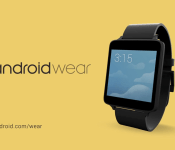
Google shows off Android Wear in four new TV spots

Don’t be quick to fast forward those television commercials over the next few days, there’s some Android Wear stuff that could be popping up on your TV set. Google has released four short (15-30 sec) clips online which figure to make their way to a television near you. Designed around some of the more common and…… Read more »
The post Google shows off Android Wear in four new TV spots appeared first on AndroidGuys.
.CPlase_panel display:none;

Asus to debut first Android Wear watch in early September, report claims

Asus will introduce its first Android Wear-powered smartwatch at IFA in early September, reports Focus Taiwan. According to their sources, the device is “well-received” by Google and looks better than those currently offered by LG and Samsung. What’s more, the Asus product will allegedly come in with a lower price point, which means less than $199……. Read more »
The post Asus to debut first Android Wear watch in early September, report claims appeared first on AndroidGuys.
.CPlase_panel display:none;

Moto 360 expected at September 4 press event

Motorola’s foray into Android Wear and the world of smartwatches is expected to get officially underway on September 4. At least that’s what we’re gathering from the preliminary press invitation being sent out this morning. Clicking the email we received brings to a page with an origami fortune teller that displays multiple images. Two of…… Read more »
The post Moto 360 expected at September 4 press event appeared first on AndroidGuys.
.CPlase_panel display:none;
 AIVAnet