



AT&T Offers $100 Bill Credit for New Next Line Activations [iOS Blog]
As of today, both new customers and existing AT&T subscribers who activate a new line with a smartphone using AT&T’s Next upgrade program will get a $100 bill credit.
Whether you already have an AT&T account, or you’re choosing AT&T for the first time, it’s easy to receive a $100 bill credit:
Purchase a new smartphone on AT&T Next.
Activate a new qualified wireless line of service on your new smartphone.
Remain active and in good standing.
Receive your $100 bill credit within 3 bill cycles
AT&T’s Next upgrade program allows customers to purchase a smartphone or tablet with no money down and no contract, making monthly payments towards the retail cost of the device instead. Next also allows AT&T customers to upgrade their smartphone or tablet every 12 to 18 months after trading in their old devices.
AT&T offers both 20 and 24-month Next installment plans, which equate to a $32.50 or $27.09 monthly payment for an iPhone 5s, in addition to plan fees.
The Next promotion will end on 9/30/14, which means it will likely still be valid when Apple releases the iPhone 6. It is, however, limited to new lines and not available for upgrades.
.CPlase_panel display:none;

Browse astronaut photos taken from the ISS with this handy map

While you’re gearing up for the weekend, why not peruse a collection of photos snapped from high above Earth’s surface. Thanks to Dave MacLean’s interactive map, you can do just that with over 650 images taken by astronauts aboard the International Space Station. The cartographic library plots the location each photograph was captured, color-coded orbiter on Expeditions 40 and 41. On top of that, you’re able to see exactly were the ISS is currently in orbit. Pretty neat, if you ask us.
St Helena Island, South Carolina, USA #ISS HQ in blog #BlueDot http://t.co/sTgUKsrmDq pic.twitter.com/OQeDKOOtnL
– Oleg Artemyev (@OlegMKS) July 12, 2014
Filed under: Misc
Via: io9
Source: Dave MacLean (Twitter)
.CPlase_panel display:none;

HTC’s plasticky One E8 lands in the US courtesy of Sprint

Jonesing for a taste of the HTC One M8 lifestyle but don’t have the cash to make it happen? Never fear — Sprint has just started offering the fantastic-in-plastic HTC One E8 to customers who want M8 horsepower without the matching price tag. No, really: in case you’ve forgotten, the E8 features the exact same screen, BoomSound speakers, processor and RAM as its slightly upmarket brother. The only real difference is that the E8 only comes with 16GB of internal storage (which is mitigated pretty nicely by its microSD card slot) and the fact that HTC ditched the Duo camera setup in favor of a more traditional 13-megapixel sensor ’round the back. In the event that your gear acquisition syndrome just started flaring up, you can lay claim to your very own E8 (in either white or gray) for $400 outright, $0 down and $20.84/month for 2 years with Sprint’s Easy Pay option, or $99 with a standard 2 year contract.
Filed under: Mobile
Source: Sprint
.CPlase_panel display:none;

Yahoo Mail for Android now lets you filter emails while on the move

If you’re an email fiend, you already know the value of filters — you can easily color code and label incoming emails with a few simple rules so that your inbox isn’t a cluttered mess. Unfortunately, however, if you’re a Gmail user, you were only able to create and edit those filters on the web and not on the Android app, which seems like a weird oversight. It’s even more embarrassing, then, that Google rival Yahoo has just introduced this feature into its own Android app. Yep, as of today, Yahoo Mail for Android will let you create, update and remove filters. Simply tap the option at the bottom of the sidebar and you’ll be guided through setting one up — as usual, you can filter emails by sender, recipient or its content. Of course, you’ll have to be a Yahoo Mail user to take advantage of all this in the first place; hopefully this will light a fire under the folks at Mountain View to add this much-needed feature so Gmail users won’t feel left out. If you do use Yahoo Mail on Android, however, go on and download the latest update so that you can get to reaching Inbox Zero that much faster.
Via: Android Police
Source: Yahoo Mail
.CPlase_panel display:none;

So what is it like to drive with Nissan’s Smart rearview mirror?

Despite all the changes going on in automobiles lately, one thing that’s remained pretty consistent in every car I’ve driven has been the rearview mirror. We can check that one off now though, now that I’ve taken a test drive in a Nissan Rogue equipped with the new Smart rearview mirror. Due to roll out on the company’s cars in North America next year, it’s a simple augmentation that combines a traditional mirror with a video screen. Flipping the dimmer switch usually meant for night driving drops you into video camera mode, with a feed streamed directly from a 1.3MP camera mounted in the trunk that drops out the usual blockages from the car’s interior for a clear view of what’s behind you. Back up cameras are already common — and highly necessary if you have my (lack of) parallel parking skills — but is it time to change out something that’s worked pretty well for the last century or so?

Based on my experience the answer is yes. Of course, I wasn’t driving a race car like the Zeod RC which doesn’t have a normal window for the driver to see behind in, but a common situation like transporting people or cargo can interfere with a normal mirror easily. According to Nissan’s Steven Diehlman, the normal FOV of a rearview mirror is about 17 degrees, while its camera not only frees the view of the normal C-pillar obstructions, but also expands that to cover 48 degrees. The difference was immediately apparent just backing out of my driveway — instead of having to turn my head to fill in the gaps between the mirrors, I could just see a fair amount of the street without shifting my viewpoint (there’s still a normal backup camera in place that feeds the display in the console, complete with the Around View birds-eye vision).
It does take some getting used to though — since the camera is right at the back of the car, everything is suddenly close up instead of 5-6~ feet in the distance. When you’re stopped in traffic it means suddenly getting very familiar with the car behind you, and depending on the height and zoom (which are adjustable) you might be able to see all of it in the 4:1 aspect ratio mirror.

Still, it easily became a part of the drive and not a distraction, and since switching back and forth between operation as a regular mirror is so easy, it could let others drive without even worrying about it (the focusing delay seen in the clip is from my camera, not the mirror). In Japan, the add-on costs around $600, but we don’t have a US price yet. Rolled into the price of a new car, it seems like a worthy feature, although I’m not sure if it would change my preference of which car to buy just to get it.
Filed under: Transportation
.CPlase_panel display:none;
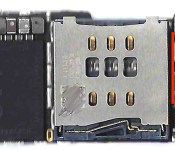
4.7-Inch iPhone 6 Logic Board Equipped With Qualcomm’s MDM9625 LTE Modem
Amid all of the leaks today based on photos and videos from luxury modified iPhone vendor Feld & Volk [Instagram page], one additional point worth mentioning is the device’s LTE modem. While photos posted to reveal the existence of an NFC chip from NXP has seen identifying marks on many of the other components blurred, a portion of the text printed on the LTE modem is visible, confirming the board does indeed contain Qualcomm’s MDM9625M as had been previously rumored.
 MDM9625M boxed in red
The MDM9625 is a Category 4 LTE modem, supporting speeds of up to 150 Mbps, compared to the MDM9615 Category 3 modem at up to 100 Mbps, which is found in the iPhone 5s, 5c, and 5. Some observers had been holding out hope that Apple might use Qualcomm’s even faster MDM9635 Category 6 modem as is reportedly lined up for Samsung’s upcoming Galaxy Alpha handset, but with Apple’s history of conservatism in choosing its cellular technology and questions about production ramp-up for the MDM9635 make it unsurprising that Apple has opted for the MDM9625.
 Likely WTR1625L boxed in red and WFR1620 boxed in blue
Part of the speed benefits of the MDM9625 and new LTE-Advanced technology compared to earlier generations of modems comes from the use of carrier aggregation to combine channels for greater bandwidth. With the MDM9625, this carrier aggregation requires a pair of companion chips, a WTR1625L transceiver chip and a WFR1620 chip. These chips appear to be located on the opposite of the iPhone 6 logic board from the LTE modem itself.
On the whole, the use of the MDM9625 in the iPhone 6 sets the stage for faster cellular data connectivity as networks are built out to support its capabilities, and Apple will likely tout some of these improvements during its media event scheduled for September 9.
(Thanks, chrmjenkins!)
.CPlase_panel display:none;

iPhone 6 Roundup Update
Our iPhone 6 roundup has been updated with the latest information, including several details about the 4.7-inch model divined from a completed logic board, and an official September 9 unveiling date.
Check our our full roundup for details.
.CPlase_panel display:none;

Sound Off! Are you sticking with Facebook Messenger?

Facebook’s Messenger app isn’t new — it’s been around since 2011. It was up to users to decide if they wanted a separate app or if they liked exchanging messages inside the regular Facebook app. Now if users tap the message icon on Facebook, a message appears telling them to move over to Messenger. It’s no longer an option; it’s a requirement Facebook put in place to deliver “the best mobile messaging experience possible.”
This sudden shift isn’t sitting too well with users, evidenced by a 1.5-star rating in the App Store and lots of complaints on Twitter, ironically. Though I used to send messages often, it’s not important enough to warrant having another app on my phone and so I’ve parted ways with that feature. Doesn’t matter how adorable Pusheen may be. What’s your take? If you’re using Facebook regularly, have you complied with Facebook’s demand or have you given up? Head on over to our forums and let it out.
Filed under: Software, Mobile, Facebook
.CPlase_panel display:none;

Snapchat’s photo-sharing live feed is finally ready for the masses

For a number of recent events, including the World Cup and Lollapalooza, Snapchat let users beam their event photos to a crowd-contributed feed known as Our Story. After over 350 hours of snaps were uploaded during the test events, the outfit is now letting everyone in on the action. With the latest update, a new Live section rests just below Recent Updates in the app after you capture a photo or some video footage (it’s also accessible from the Stories button on the edit screen). From there, simply select the appropriate option you’re attending to share your spinet of coverage with the masses. Of course, you don’t have to be in attendance to browse the feed and catch on what you’re missing from afar.
Via: TechCrunch
Source: Snapchat
.CPlase_panel display:none;

Use YouTube to queue videos for Chromecast viewing

Chromecast and YouTube are like a match made in heaven. And, since they’re both part of Google’s big picture strategy, it makes sense for both things to be as friendly as possible with each other. To that end, YouTube’s taken to to Google+ (how meta, eh?) to reveal that Chromecast owners can now use its site to queue videos — essentially, this is meant to simplify the process, since it lets you arrange what to play next from a single tab on your browser. Just as well, there are more changes coming to the YouTube watch page on the web (pictured below), including an easier way to create playlists and share videos across social networks, plus a new description box. The Chromecast feature is available now, while the other tweaks to YouTube.com are expected to rollout over the next few days.

Filed under: Home Entertainment, Internet, HD, Google
Source: YouTube (Google+)
.CPlase_panel display:none;
 AIVAnet