



Apple Building Massive Structure at Flint Center for iPhone 6 Event
Apple today issued invitations for its upcoming iPhone 6 event on September 9, which is also said to include its much-anticipated wearable device. According to the invitations, Apple is planning to host the event at the Flint Center for the Performing Arts at De Anza College in Cupertino, the same location where Steve Jobs introduced the original Mac 30 years ago.
For the occasion, it appears that Apple has been building a massive structure on the campus, which has been kept under tight wraps with a white barricade. A MacRumors reader has sent in images of a mysterious structure at the Flint Center, which appears to span three stories and is protected by “scads” of security people. Administrators had previously declined to comment on what the structure is for, stating only “We are not at liberty to discuss that due to client wishes.”
 Image of mysterious structure taken on August 20
Apple has not held an event at the Flint Center in many years, so the company’s return to the site of the original Mac unveiling suggests its upcoming announcement will be a major one. The Flint Center has a much higher seating capacity than other venues where Apple has unveiled products in the past, including the Yerba Buena Center and its own Cupertino campus.
Earlier this year, Apple iTunes chief Eddy Cue said that Apple’s got the “best product pipeline” he’d seen in his 25 years at the company in the works, and Tim Cook promised “really great stuff” in new product categories.
Despite the cryptic “Wish we could say more” message on the media invitations, rumors have suggested Apple is planning to unveil both the iPhone 6 and a new wearable device at the September 9 event.
It is unknown whether Apple has plans to broadcast the event on the web and Apple TV as it has done for recent events, but MacRumors will provide live coverage both on MacRumors.com and through the MacRumorsLive Twitter account.
.CPlase_panel display:none;

‘BioShock’ arrives on iOS with a heavy price tag

It took 2K Games a little longer than originally expected, but the publisher has finally released its iOS version of the original BioShock. The mobile version of the popular title is compatible with newer iPhones, iPads and iPod touches, which means you’re out of luck if you have, say, an aging 4S handset or an older tablet from Apple. Naturally, you can expect a familiar storyline, so be ready to shoot a lot of weird-looking creatures. For those of you looking forward to it, just be prepared to pay a premium — BioShock for iOS is a whopping $15 on the App Store. There are no in-app purchases in sight, however, meaning that you’ll get the full game experience from the get go, rather than having to buy add-ons here and there.
Filed under: Gaming, Software, HD, Mobile, Apple
Source: App Store
.CPlase_panel display:none;

Apple’s new iPhone might really, seriously have NFC this time (maybe)

Smartphone prognosticators have claimed for years that the next iPhone would have NFC for mobile payments, and for years they’ve written follow-ups explaining why it never happened. As always, there’s plenty of NFC smoke in the air, but is there actually a fire? A new report from Wired’s Gadget Lab says yes – according to the usual unnamed sources, Apple’s going to show off a shiny new mobile payments platform at its September 9 event (we’re still waiting for our invite) and NFC is expected to play a part. Just how big a part remains shrouded in mystery — after all, Apple SVP Phil Schiller said at an AllThingsD event that NFC wasn’t a solution to any current problem consumers faced.
As always, you should take such notions with a grain of salt, but Wired’s is the latest in a litany of reports that claim that NFC is really happening this time. Putting aside the fact that the Wall Street Journal and The Information have pointed to the existence of Apple’s payments plans, sites like VentureBeat and BrightWire have spoken to sources who have also said NFC will appear in the iPhone 6, echoing sentiments delivered by KGI Securities analyst Ming-Chi Kuo. Oh, and let’s not forget the purported logic board schematics making the rounds purportedly reveal right where the NFC chip will sit. That’s arguably too much chatter to dismiss at this point in the game — thankfully, we shouldn’t have to wait long to find out for sure.
Filed under: Mobile
Source: Wired
.CPlase_panel display:none;

Enter our Back to School 2014 sweepstakes for a gadget-filled Timbuk2 bag!

If you haven’t entered our Back to School 2014 sweepstakes yet, you’ve got some catching up to do. We’re giving away 15 Timbuk2 Command messenger bags stuffed with a Lenovo IdeaPad Yoga 2 13 laptop, an LG G3 smartphone from AT&T and much, much more. For a chance to make one of these prizes yours, simply enter the raffle here and on the 14 other eligible Back To School posts (you’ll find the complete list at the giveaway page here). Good luck!
Filed under: Announcements
.CPlase_panel display:none;

Apple’s next iPhone event confirmed for September 9th

We’ve been hearing rumblings about an iPhone 6 event next month for some time now, but Apple has made it official: the company’s next affair will indeed be held on September 9th. While there aren’t the usual clues as to what we can expect — the invite merely states “Wish we could say more” — the change in seasons this time of year usually signals the arrival of a new iPhone. And of course, there’s been some talk of a wearable, too. As always, you can bet we’ll be there to bring all the news as it happens starting at 10AM PT/1PM ET in Cupertino.
Filed under: Cellphones, Mobile, Apple
.CPlase_panel display:none;

Sprints Samsung Galaxy S4 gaining International Wi-Fi calling OTA

Sprint released some news this morning pertaining to the Samsung Galaxy S4 with Spark that resides on their network. Owners of the device will start to see an OTA update coming through that will focus primarily on Wi-Fi calling. More importantly though, the Wi-Fi calling aspect is geared towards international travelers and will allow users to call and text abroad on Wi-Fi networks for no additional cost.
“We are excited to roll out International Wi-Fi Calling as part of our commitment to enhancing the customer experience and expanding the calling reach for our customers,” said Wayne Ward, vice president-Business & Product Development, Sprint. “As this international capability becomes available on more of our devices, Sprint customers won’t have to think twice about calling home while on vacation or away on business. This is one more tool we are giving our customers to stay easily connected with those who matter most.”
The ability will cover you in more than 100 countries around the globe on private, office and public Wi-Fi networks. It is only free to message and call back to the US, US Virgin Islands and Puerto Rico though, so don’t expect to make reservations at Al Covo in Venice. Sprint plans to add the international Wi-Fi calling ability to more device throughout the rest of this year.
On a side note, Sprint does offer Wi-Fi calling on 11 total devices currently available on the market, but those don’t have the international aspect activated just yet.
Source: Sprint
//<![CDATA[
ord = window.ord || Math.floor(Math.random()*1E16);
document.write('‘);
//]]>
The post Sprints Samsung Galaxy S4 gaining International Wi-Fi calling OTA appeared first on AndroidSPIN.
.CPlase_panel display:none;
NFC-Based Mobile Payments Said to Be a ‘Hallmark’ Feature of iPhone 6
 Apple’s next iPhone may indeed include a mobile payment platform, claims WIRED in a report released Thursday. Wired‘s sources didn’t not reveal how the system would work, but the publication was told that near field communications (NFC) technology will be part of the system.
The company’s next iPhone will feature its own payment platform, sources familiar with the matter told WIRED. In fact, that platform will be one of the hallmark features of the device when it’s unveiled on September 9. We’re told the solution will involve NFC.
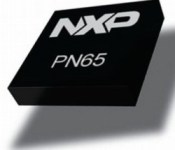
Rumors of NFC support in the iPhone have been an annual occurrence over the past several years, but things may finally be coming together for Apple with NFC and its rumored mobile payments initiative. Additional evidence for NFC was spotted in schematics leaked by GeekBar, which suggest Apple may be using a version of the PN65 NFC package from NXP, which measures 5 mm x 5 mm and has 32 terminals for connectivity. A comparison of this component with alleged iPhone 6 logic boards published recently by Nowherelse.fr reveal an unused spot on the board that could accommodate this NFC chip.
A growing body of evidence suggests Apple is working on a mobile payments solution with NFC as an important component. NFC has been mentioned along with Bluetooth LE in patent applications that describe possible mobile payment solutions. Analysts from Morgan Stanley and Brightwire, as well as high-profile KGI Securities analyst Ming-Chi Kuo all believe Apple will be adopting NFC as a core technology for the iPhone 6.
Apple is rumored to be working on an upcoming mobile payment solution that leverages the credit card data stored in millions of iTunes accounts. Apple is said to be working with credit card companies such as Visa about a possible partnership that would allow it to bypass third-party payment processors. Apple CEO Tim Cook also alluded to mobile payments earlier this year, noting that mobile payments were “one of the thoughts” behind Touch ID.
.CPlase_panel display:none;

IBM lets scientists pay to play with its thinking supercomputer

IBM’s Watson promises to usher in a new era of “cognitive computing,” but, so far, all the system has demonstrated is a knack for game shows. Now, however, IBM has announced Watson Discovery Advisor, a cloud-based service that’ll enable researchers to harness those smarts to do more than put Ken Jennings out of a job. Using the platform, scientists can ask Watson natural-language questions, sending the system to scour every publicly available research paper ever written in every available field. Digesting this information, Watson is then able to identify connections that it would have taken a lifetime for a person to find, which promises to accelerate the speed of scientific discovery. In one instance, the Baylor College of Medicine used Watson to crunch six years worth of cancer protein research into “a matter of weeks.” Now all we need to do is scrape together the cash to ask the supercomputer the ultimate question…
Filed under: Desktops
Via: VentureBeat
.CPlase_panel display:none;

Leap Motion’s next sensor is designed specifically for virtual reality

Virtual reality has made huge strides in headgear recently, but developers are still grappling with control. How do we interact with an artificial world in a natural way? There are plenty of devices to answer this: gamepads, the Sixense Stem system and even purpose-built game controllers — but the folks at Leap Motion think they have a better solution: just use your hands. Independent developers have been strapping Leap’s motion controller onto the Oculus Rift since almost day one, but application isn’t consistent. Leap Motion wants to fix that, and has announced that its both creating a VR mount for its existing hardware and building a new sensor specifically for virtual reality.
“We’re not releasing this to make money,” Leap CEO Michael Buckwald said of the VR Developer Mount, “but to solve a problem that a lot of developers run into — which is a consistent way to use the leap with VR.” Buckwald says that VR projects using leap vary in application: some mount the device on headgear, others place it on a nearby table. It creates a kind of chaos, an inconsistent experience across Leap-supported VR projects. By introducing a standardized mount, Buckwald hopes to make all Leap-based VR consistent. To help facilitate this, the company is pushing a massive update to its beta SDK, enabling native top-down tracking and giving developers direct access to the Leap sensor’s raw image.

I dropped by the company’s San Francisco office to see what this looked like, and was surprised to find myself looking at the world in black and white. The current generation Leap Motion devices is powered by infrared cameras — hardware that allows it to track human limbs in a dark room, but strips the image of color and fine detail. Wearing a Leap-equipped Oculus Rift is a lot like stereoscopic wearing night-vision goggles. While this experience is novel in its own right, the experience came to life when I looked at my hands: rather than seeing a virtual representation of my digits rendered on a computer, I was looking at my actual fingers, overlaid with a skeletal wireframe. It’s the same software that powers Leap’s V2 motion tracking, but the overlay of reality flipped a switch — it was instantly clear that I was now in a virtual space that had the same human input paradigm as normal reality. The software demo itself contained very little (just a collection of floating objects that wafted around in reaction to my waving arms), but the potential was obvious.
Still, the novelty of the infrared image would make a poor augmented reality experience, which is why Leap is looking to the future: a new motion sensor it calls Dragonfly. Dragonfly is similar to it existing sensor, but outfitted with high definition RGB / infrared combo cameras. Buckwald strapped me into a prototype unit, and the difference was immediately apparent: the new sensor had the same ten finger tracking, first person hand tracking, but now in full color.

That sensor too, has tons of potential, but you won’t be able to buy one. “This is not something we’re selling,” Buckwald explains, “but something we’re demoing to OEMs to embed in VR devices.” It’s not a product itself, but a potential part of a future product. The CEO wouldn’t say who the sensor is being shopped around to, but we wouldn’t rule out the obvious parties – a best case scenario for leap would see this technology embedded in the consumer versions of the Oculus Rift, Project Morpheus or both. That vision, however, is still ways off; for now the company is focusing on getting the current hardware’s VR Developer Mount in the hands of content creators. Interested in creating some first-person, hand tracking VR? Leap says the kit will be available started today on its online store for $20.
Source: Leap Motion
.CPlase_panel display:none;

Samsung Galaxy Tab 4 Nook review: good for reading, but hardly the best budget tablet

There was a time when Barnes & Noble was so big, so dominating, that even Tom Hanks managed to look like a jerk when he played a book-chain executive. But times have changed, and as people began to order their books online — or even download them — B&N found itself struggling to keep up. After losing a lot of money last year, the company decided it was time for a change: It vowed to stop making its own tablets, and instead team up with some third-party company to better take on Amazon and its Kindle Fire line. Turns out, that third party was none other than Samsung, and the fruits of their partnership, the $179 Galaxy Tab 4 Nook, is basically a repackaged version of the existing Galaxy Tab 4 7.0. Well, almost, anyway. The 7-inch slate comes pre-loaded with $200 worth of free content, and the core Nook app has been redesigned to the point that it actually offers a better reading experience than the regular Nook Android app. But is that a good enough reason to buy this instead of a Kindle Fire? Or any other Android tablet, for that matter?
Hardware

As you’ve already gathered, this is the same hardware you’ll find on the 7-inch Galaxy Tab 4, which came out four months ago. Since we never got around to reviewing that, though, I’ll do a thorough walk-through here as if it were a brand-new device. What’s funny is that depending on how you look at it, you actually have seen this tablet before: The Nook (available in black and white) has the same textured plastic backing as other recent Samsung devices. As I’ve said about other products, like the Chromebook 2, the leathery plastic and chrome accents go a long way in making an otherwise generic device look more expensive than it is. As a bonus, the textured plastic doesn’t pick up fingerprints, and it’s pretty scratch-resistant, too. During my testing, I routinely tossed the tablet in a bag with pointy items like pens and keys, and it never emerged worse for wear.
The Galaxy Tab 4 Nook is a 7-inch device, so of course it’s small, lightweight and easy to hold. At 0.35 inch thick, it’s a little chubby compared to other small-screen slates, like the 8-inch Galaxy Tab S. Even so, it weighs just 0.6 pound, so let’s not nitpick to the point where we’re calling this thing “heavy.” It’s not. And besides, you might even find that those wide, flat edges make the tablet easier to hold.

For a budget device, the screen is actually quite lovely. Sure, the 1,280 x 800 resolution translates to a not-so-great pixel density of 216 ppi, but then again, what more did you expect on a $179 tablet? For the money, you get a bright panel with good viewing angles that’s well-suited for reading and movie-watching. Even at half-brightness, I had no problems using it on a long rail trip, with daylight streaming in through the window next to me.
Flip the device around and you’ll find the usual spate of ports: a headphone jack up top, a micro-USB charging socket on the bottom, a speaker and 3-megapixel camera around back and a 1.3MP one up front. The right edge, meanwhile, is home to a volume rocker, power button and IR blaster — a fairly uncommon feature on a budget tablet. Nearby, you’ll also find a microSD slot supporting cards up to 32GB. It’s a shame that’s not a microSDXC slot, capable of holding higher-capacity cards — you’ll need every last bit of storage space to augment the device’s skimpy 8GB of built-in memory, only 2GB of which is user-accessible.
Software

The way Samsung and Barnes & Noble pitched the device, this is Samsung hardware mixed with B&N’s Nook software. That’s a little misleading: This is a Samsung tablet, with Samsung’s user interface, but with some Nook apps sprinkled in, too. What we have here is the same TouchWiz experience — everything from the icons to the onscreen keyboard to the settings menu is the same as on other Samsung tablets. Likewise, there’s Samsung’s signature Multi Window feature, allowing you to view two apps side by side. It even has Google Play access, so you can download all the apps you’d install on any other Android device — yes, including Amazon Kindle. What’s nice, though, is that unlike other Samsung tablets, this one doesn’t include Sammy’s intrusive My Magazine — big panels that sit to the left of the home screen and can’t be removed. I don’t really like the Galaxy Tab 4 Nook, as you’ll see, but I do wish other Samsung products had this scaled-back UI.
Other than that, the biggest difference is that Sammy pre-loaded the Nook tablet with some key Barnes & Noble applications, including Nook Apps, Nook Library, Nook Search, Nook Settings, Nook Shop, Nook Today (a personalized recommendation engine) and Nook Highlights (useful if you choose to underline stuff as you’re reading). You’ll also find (removable) widgets for your library and the Nook Store — in fact, both were waiting for me on the home screen when I booted up the device.
Additionally, Samsung and Barnes & Noble tossed in some free content — a motley collection of books, magazines, movies and TV shows said to be worth $200. There’s something for everyone here; the flip side is that much of it will probably register as junk. On your bookshelf, To Kill a Mockingbird sits alongside a Danielle Steel romance and the kid’s title Pete the Cat. For film and TV, there’s the pilot episode of Veep, among other shows, as well as The Lego Movie. (Fortunately, the Nook has a parental control feature allowing for different user profiles.) If it’s magazines you’re after, you have a choice of three: Us Weekly, National Geographic and Sports Illustrated. Finally, you’ll get $5 in Nook Store credit. It’s a nice gesture, but it won’t go far: Five bucks isn’t enough to buy most e-books in B&N’s catalog. Again, I’m sure the two companies meant well, but if it were a choice between extra content and a tablet with faster performance and longer battery life, I’d choose the latter in a heartbeat.
What’s surprised me is that this is not a copy-and-paste of the regular Nook for Android app. Whereas the Nook application on my Moto X combines the library, search and store functions into one place, the Galaxy Tab 4 Nook contains different apps for all those things. Whichever you use, the core functionality is the same: In addition to reading content, you can access the store, highlight passages and rate/review stuff. But here, the icons are different, and you don’t always have to drill as far into menus to get what you want (see: font options, search, table of contents). Highlighting text is also easier in the Samsung app than the regular Android one. If anything, the UI feels more similar to Barnes & Noble’s e-ink e-readers, which is funny because that would seem to be an entirely different class of product. Certainly, this is a more pleasant Nook experience than what you’d get on other Android devices. Something to keep in mind if you’re already a loyal Barnes & Noble customer.
Beside the various Nook apps, Samsung installed a few other third-party programs as well, including Dropbox, Hancom Office 2014, Netflix, OfficeSuite 7 (the more robust of the two office programs here) and the game Rayman Jungle Run. You’ll also find a shortcut to Samsung’s own curated app store — you know, should Google Play not be enough. Obviously, this is a bit of a mixed bag, but to each his own. You can at least uninstall anything that doesn’t suit you.
Performance and battery life
| Samsung Galaxy Tab 4 Nook | ASUS MeMO Pad 7 and 8 ** | Nexus 7 (2013) | Samsung Galaxy Tab S *** | Amazon Kindle Fire HDX (7-inch) | |
|---|---|---|---|---|---|
| Quadrant 2.0 | 4,224 | 19,495 | 6,133 | 18,591 | 19,655 |
| Vellamo 2.0 | 1,058 | 1,933 | 1,597 | 1,672 | N/A |
| SunSpider 1.0.2 (ms)* | 1,636 | 607 | 602 | 1,109 | 554 |
| 3DMark IS Unlimited | 2,659 | 14,171 | N/A | 12,431 | N/A |
| CF-Bench | 11,474 | 22,284 | 15,366 | 31,695 | N/A |
|
*SunSpider: Lower scores are better. **Average score for the 7- and 8-inch models. ***Average score for the 8.4- and 10.5-inch models. |
|||||
I only saw the Galaxy Tab 4 Nook for the first time last week, but already I’ve heard Barnes & Noble reps say several times that the tablet is built for reading. To some extent, they’re just stating the obvious: Samsung and Barnes & Noble built a tablet together, and it’s supposed to offer a great reading experience, because that’s what B&N is good at. Duh. But I also suspect the two companies have been trying to keep our expectations in check. Even for a budget tablet, this thing is kinda slow, and I think Samsung and Barnes & Noble both know it. Under the hood, it has the same internals as the regular Galaxy Tab 4 7.0 — a 1.2GHz quad-core Marvell PXA 1088 processor and 1.5GB of RAM, a combination that sorely trails the competition in benchmark tests. The results were so bad, in fact, that I thought at first the numbers might be flukes. Indeed, I ran the tests many, many times, and the results were always far below other tablets, even the similarly priced ASUS MeMO Pad 7, last year’s Nexus 7 and the 7-inch Amazon Fire HDX.
That sluggishness rears its head in real-word use, too. The accelerometer was often slow to catch up as I flipped the device from portrait to landscape mode and back. Web browsing is smooth enough, though the benchmarks suggest you’d have an even snappier experience on competing devices. Cold-booting the device takes a long 24 seconds, forcing you to wait through animated splash screens for both Samsung and Nook. Multi Window mode works, but it can take a second or two for a new app to load if you decide to replace one of the two panes. Even the Nook library — the app that matters most — was often slow to load up my bookshelf. Like other Samsung devices, the Nook was initially slow to minimize apps when I pressed the home button. Luckily, there’s a solution, and it actually has to do with S Voice, of all things: Just go into S Voice settings and uncheck the box “open via the home key.” That way, when you press the home button, the device won’t wait to see if you’ll do a double-press to launch the voice assistant. With that issue, at least, I was able to improve the performance.
The problem, too, is that for the folks buying this, the Galaxy Tab 4 Nook isn’t just for reading. If it were, they’d get a standalone e-reader and call it a day. But if you’re going to get an Android tablet, particularly one with multi-window support and access to the Google Play store, you probably want to do more than just read e-books. You want to download apps. Stream movies. Browse the web. Maybe play the occasional game. The Galaxy Tab 4 Nook can do most of that, but not always smoothly. Another device — even a competing budget tablet — will probably feel faster.
| Tablet | Battery Life |
|---|---|
| Samsung Galaxy Tab 4 Nook | 7:34 |
| Microsoft Surface 2 | 14:22 (LTE) |
| Apple iPad Air | 13:45 (LTE) |
| Samsung Galaxy Tab S (10-inch) | 12:30 |
| Samsung Galaxy Tab S (8-inch) | 12:22 |
| Apple iPad mini with Retina display | 11:55 (LTE) |
| Amazon Kindle Fire HDX (7-inch) | 10:41 (WiFi) |
| Nexus 7 (2012) | 9:49 |
| ASUS MeMO Pad 8 | 9:21 |
| Kindle Fire HD (8.9-inch) | 9:01 |
| ASUS MeMO Pad 7 | 8:36 |
| NVIDIA Shield tablet | 8:23 |
| Sony Xperia Z2 Tablet (2012) | 7:57 |
| Nexus 7 (2013) | 7:15 |
Samsung says the Galaxy Tab 4 Nook’s battery can last up to 10 hours. With light usage, that might well be true. But in our (admittedly taxing) video rundown test, the battery died out a few hours sooner. All in all, the tablet was able to last through about seven and a half hours of looping a 1080p video at fixed brightness, with social networks periodically refreshing in the background. Again, your mileage will vary, but it’s worth noting that other devices can do better. ASUS’ MeMO Pad 7 also got about an hour more than the Nook. Meanwhile, the 7-inch Amazon Kindle Fire HDX managed nearly 11 hours in the same grueling test. Even the 2013 Nexus 7 gets about the same runtime as the Galaxy Tab 4 Nook — and the performance is slightly better, too.
The competition

When the original Nook Tablet came out, it was easy to forgive some of its shortcomings, just because the price was fairly low. At the time, $249 was cheap for an Android tablet, especially when flagships routinely sold for $500 and up. This is a different time, though, and while $170 isn’t bad for this new Nook device, it also faces stiffer competition. The ASUS MeMO Pad 7, for instance, has a lower price of $150, complete with an IPS display, double the internal storage, longer battery life, a microSDXC slot supporting higher-capacity cards and a quad-core processor that creams the Galaxy Tab 4 Nook in benchmarks.
Meanwhile, Dell sells the $160 Venue 7, which has a 1,280 x 800 IPS screen and a higher-resolution 5MP rear camera. (I haven’t tested that, so I can’t vouch for the performance.) Finally, it comes with 16GB of storage, and can accommodate memory cards as large as 64GB. It goes without saying, too, that any Android tablet is capable of running the standard Nook app. So far as I can tell, then, the one thing the Galaxy Tab 4 Nook has going for it is Multi Window support, but what good is that if the processor is too weak to handle it?
If you’re willing to spend more, the 7-inch Amazon Kindle Fire HDX starts at $229 with 16GB of storage ($244 without ads on the lock screen). For the money, almost everything is better: The battery life is several hours longer, and the performance is stronger, thanks to a fairly up-to-date Snapdragon 800 processor and 2GB of RAM. The screen is sharper too, with 1,920 x 1,200 resolution and a tight pixel density of 323 ppi. You won’t get Google Play access, unfortunately, but Amazon’s own app store has grown steadily over the years, and its digital content selection is just as diverse as Barnes & Noble’s.
Amazon even basically matches B&N on technical support: Whereas Barnes & Noble offers lifetime in-store service for its Nook tablets, Amazon’s built-in “Mayday” feature lets you access live help anytime. Other than the fact that Amazon’s tablet costs $50 more, it’s hard to say why you’d get the Galaxy Tab 4 Nook instead. Because even if having access to Google Play is important to you, you’d still be better off with last year’s Nexus 7. It costs $229, just like the Kindle Fire HDX, and it too has a 1,920 x 1,200 screen. The performance won’t be quite as brisk as the HDX, but it should still be snappier than the new Nook tablet. The battery life is similar to the Nook as well, so you’re not giving up anything in the way of endurance.
Wrap-up

This should come as a shock to no one, but the Galaxy Tab 4 Nook is only a good idea if you’re already a loyal Barnes & Noble customer. Setting aside the fact that it comes with free content (a gimmick, if you ask me), this tablet is appealing because it offers a better reading experience than even the regular Nook for Android app. Until Barnes & Noble redesigns its standard Android application, this is the best Nook experience you’re going to get, short of buying one of B&N’s standalone, e-ink e-readers.
Even then, that’s a stretch: It’s not like the regular Nook app is so bad that you shouldn’t consider other Android tablets. If you’re not even a Nook customer, then there’s definitely no reason to buy this. Sure, the design is nice, and the screen is bright, but the battery life is short compared to competing devices, and the performance is slower. Adding insult to injury, you get less built-in storage for apps, books, photos and music, and the microSD slot doesn’t accept cards larger than 32GB. For people who just want a budget Android tab, and don’t care where they buy their books, you can do better, even for $179.
Filed under: Tablets, Mobile, Samsung
.CPlase_panel display:none;
 AIVAnet