


Facebook Messenger sorts notifications and voice replies with Android Wear

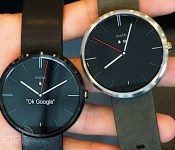
Thanks to a recent update, Facebook Messenger is the latest mobile app to play nice with Google’s wrist initiative. Outfitting Android Wear smartwatches with notifications and the ability to respond with voice notes, Android Central reports alerts pop up on the wearable’s screen where you can swipe to respond or tap to “like.” The latest version of the app also allows you to give messages the ol’ thumbs up and mute conversations right from your phone or tablet’s notifications menu — assuming you’re still doing your chatting the old fashioned way.
Filed under: Wearables, Software, Mobile, Facebook
Via: Android Central
Source: Facebook Messenger (Google Play)
.CPlase_panel display:none;
Google Play Music v5.6.1616P update brings new widgets, public playlist search and more [APK Download]
Google is on a roll today. We know of four Google apps that all picked up some updates, some better than others. One Google app that has updated that many of you probably use often is the Google Play Music app. The app now resides at version 5.6.1616P and brings in some much-needed widget changes and additions.


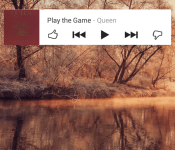
 Up first we have a new 1×1 ‘I’m Feeling Lucky’ widget that will randomly start a song for you. It offers up a cool little animation of the dice number changing until it settles on a track for you. You can see it in the images above in the upper right hand corner. Along with the 1×1, you also have a new resizable widget for music. You can keep the 4×1 or increase it to a 4×4. The larger it is, the larger your album artwork becomes and your controls shift slightly.
The “View Download Queue” is now “Manage Downloads” and the downloads screen offers up a storage meter at the top. One final thing to note that Android Police also found is that you can now search public playlists.
As always, hit up the Play Store for the update. If for some reason you don’t see it and want to grab it now, you can hit the link below to go download the APK and side it load it on your own.
Download – Google Play Music apk v5.6.1616P
Via Android Police
//<![CDATA[
ord = window.ord || Math.floor(Math.random()*1E16);
document.write('’);
//]]>
The post Google Play Music v5.6.1616P update brings new widgets, public playlist search and more [APK Download] appeared first on AndroidSPIN.
.CPlase_panel display:none;

Google Search gets an update to v3.6 [APK Download]
Along with the Google Play Music app update, there was an update to the wonderful Google Search app. The update moved the app to version 3.6.13.1319286 and gained nearly 5MBs in size. I poked around a little but didn’t notice anything. I am sure you super slews out there will discover plenty that I didn’t catch.

There was one thing that came back during a search to see what could be new though. Seems there should be a new API added to this version for developer to tap into. It is listed on the Google Developer page as an App Indexing API that can be found in Google Search v3.6 and above. The API is said to provide a way for developers to notify Google about deep links in their native apps. In short, it will let you search out stuff on inner pages inside apps.
You can pick up the latest update in the Play Store when it pops up, or you can hit the link below to go grab the APK and side load it at your leisure.
Download – Google Search V3.6
//<![CDATA[
ord = window.ord || Math.floor(Math.random()*1E16);
document.write('’);
//]]>
The post Google Search gets an update to v3.6 [APK Download] appeared first on AndroidSPIN.
.CPlase_panel display:none;

ESPN lets you get closer to the action during MLS All-Star Game

Goal-line technology is still a relatively new thing in football, having faced its first real test only about a month ago at the World Cup in Brazil. Here in the US, ESPN is doing something along those lines, mostly for entertainment purposes, during the 2014 MLS All-Star Game — a match between a collection of Major League Soccer’s best players and German club Bayern Munich. As Sports Video Group reports, ESPN has installed a set of cameras inside the goalposts of the Timbers’ Providence Park, located in Portland, Oregon, to give viewers at home a better (and much closer) look at what happens in such a critical zone of the field. Bob Frattaroli, the man in charge of directing ESPN’s game broadcast, told SVG that having this system in place is perfect for fans to experience “what’s going on in the 6-yard box” and to see what movements players are making around it. “First of all, it’s a really unique angle, but there’s also an intimacy to it that you’re not expecting,” he said.
The system features a total of four cameras, two inside each goal post, and has apparently been in test mode since February. And now, after a number of successful trial runs, the MLS has finally approved the use of it in a real match scenario, as it has done in the past with other types of technology. Above all, it brings this one step closer to being a part of every MLS broadcast, which would be a great addition for soccer fans who can’t make it to the games. Tune in tonight to see for yourself — the MLS All-Star Game will kick off at 9:30PM ET on ESPN 2 as well as WatchESPN.
[Image credit: Sports Video Group]
Filed under: Misc, Home Entertainment, HD
Source: Sports Video Group
.CPlase_panel display:none;

Pinterest finally lets its users talk to each other

So let’s say you just made this awesome Pinterest board for apartment decorations and want your future-roommate to see the Joker print that’s going in the hallway. More importantly, you’re curious if she feels the same way about it as you. Well, now neither of you have to leave the app or website to find out because Pinterest has just introduced a messaging feature to the service. As TechCrunch points out, it’s an extension of the Send a Pin feature from last year, and it should make collaborating much easier. It’s also a natural step toward the project-board app becoming a fully fleshed-out social network. We doubt it’ll make your personal style any more palatable to the person that’s splitting the bills with you, though.
Via: TechCrunch
Source: Pinterest
.CPlase_panel display:none;

Twitch won’t store your full game broadcasts forever, and it’s muting ‘unauthorized’ audio

You might not want to count on revisiting that favorite League of Legends match or Playdate stream in a few years’ time — not as long as it’s hosted on Twitch, anyway. The game video service has implemented new policies that delete the full copies of past broadcasts after a fixed period. You’ll keep them for two weeks if you’re a free user, and 60 days if you’re either a Turbo subscriber or one of Twitch’s partners. Only highlights (up to two hours each) will stick around indefinitely. Your clips are safe for the three weeks following this post, but you’ll want to quickly move them elsewhere if you’re bent on keeping them for posterity. The site is also starting to mute audio (in recordings, not during live streams) that you don’t have the rights to play, so you may not want to blast tunes in between rounds — it’s using the same tech that YouTube does, which adds a little more weight to those Google acquisition rumors.
Twitch explains the new time limits as necessary for tackling many of the limitations of its current video on demand system. The company wants to allow on-demand streams on mobile devices, simplify video exports and make backups more secure, but it would simply be too costly to offer those and preserve every video ever made. Something has to give, Twitch says. It also argues that you probably won’t notice the difference, since 84 percent of views happen within those first two weeks. The claim likely holds water, unless you’re a die-hard spectator.
IM DEAD pic.twitter.com/STP80SAQSD
– Xkeeper (@xkeepah) August 6, 2014
Competitors like Hitbox.tv or Azubu.tv may pick up a few streamers unhappy with the new policies, although some users have already noticed that just pausing and resuming the video defeats the muting system. The technology likely needs some tweaking though, as even Twitch’s own archives have fallen victim to the Audio Magic silencer. However you feel about all the new changes, it’s evident that Twitch is no longer a one-stop shop for game videos; you’ll probably have to divide your attention between multiple sites if you want to watch classic tournaments or other long gaming sessions.
Source: Twitch Official Blog (1), (2)
.CPlase_panel display:none;

Internet Explorer will block old plugins that leave your PC open to attack

Internet Explorer is generally safe for your web browsing needs these days, but that’s not necessarily true of the plugins it runs; one old piece of code could leave your PC open to attack. To that end, Microsoft has announced that Internet Explorer 8 through 11 will start blocking outdated ActiveX controls (Internet Explorer-specific add-ons) when an update arrives on August 12th. Much like what you see in Chrome, you’ll get a warning if a website wants to use an older plugin. While you can force the obsolete software to run, it won’t load automatically until you either upgrade or disable the warnings altogether. IE’s blocking will initially focus on ancient versions of Java, the most frequent target of web-based exploits, but it should expand to other plugins over time.
Yes, this likely won’t affect your day-to-day browsing if you use alternatives like Chrome or Firefox. However, it still promises a safer internet for everyone, not just Internet Explorer users — it should reduce the chances that botnets and other malware will spread. The big catch is that the update won’t affect the many people worldwide (roughly 25 percent in July, according to NetMarketshare) who run Windows XP. Unless they either switch browsers or get newer versions of Windows, they’ll remain susceptible to the rogue code that Microsoft is trying to stop.
Filed under: Internet, Software, Microsoft
Source: IEBlog
.CPlase_panel display:none;

Filmmakers turn to Kickstarter to finish their Power Glove documentary

Controlling a computer with gestures is almost passé these days, but how quickly we forget that Nintendo and Mattel released a kooky gadget that basically let people do just that back in 1989. Now, a new Kickstarter project aims to revisit that most maligned of wearables: the Power Glove. Yeah, we know, it’s so bad… but that didn’t stop a trio of filmmakers from tracing the thing’s trajectory from Christmas must-have to disappointing punchline to cultural touchstone to repurposed creative tool. The documentary — lovingly titled The Power of Glove — has already been in the works for over a year, and there’s plenty to show for it in the team’s trailer (check it out after the jump). All they need to bring the project home now is another $15,000 to complete the final round of interviews and assemble the finished product, a process they hope to power through before the end of next year.
Via: Eurogamer
Source: Kickstarter
.CPlase_panel display:none;

RJD2 will join us at our free Engadget Expand event in NYC!

On November 7th and 8th, Engadget Expand heads back to New York City’s Javits Center and this time around, admission is free! And if the Big Apple isn’t where you’ll be that weekend, no sweat — we’ll keep you updated with live streams from the stage and dispatches from the show floor. Now that we’ve got your attention (hopefully), let’s experience the future of technology together, shall we?
Get inspired, without being bored
At last year’s event, LeVar Burton, Reggie Watts, Ben Heck, Spike Lee and Ben Huh were among the big names who graced us with their presence. This year, we’ll fill our stage with even more technology and science luminaries who will not only inform and inspire, but entertain you, too.

On November 7th, producer and musician RJD2 will join us for a fireside chat and treat us to a one-hour performance. To get an idea of his sound, check out “Descended From Myth” below.
In other sessions throughout the weekend, we’ll welcome back our friend Becky Stern, to catch us up on all the wearable goodness coming out of Adafruit. Matt Bell, Matterport‘s Co-Founder and Chief Strategy Officer will also join us too. And we’ve got plenty more speaker announcements to come.
Feast your eyes (and hands) on interactive exhibits
You’ll get to go hands-on with some of the latest and greatest gadgets and experience technologies you wouldn’t have expected to see (or touch). Our friends at Chevrolet, Quirky, littleBits, Singtrix and Make Magazine treated attendees last year to interactive and memorable exhibits.
We’ll have more to announce on what fun stuff you can expect to see this year in the near future, but for now, check out the gallery below to see highlights from the show floor last year.
That’s not all
We’re barely scratching the surface here. In the coming weeks leading up to Expand, we’ll announce all the other amazing things you’ll expect to see this year. It’d be a good idea to follow Engadget Events on Twitter and Facebook and be first to know what’s happening.
In the meantime, let’s seal the deal. Go ahead and get your tickets right here. On that same page you’ll also find information if you fancy speaking at or sponsoring Expand. We’ll see you there!
.CPlase_panel display:none;

Vizio recalls 245,000 HDTVs to fix stands that might let them tip over

Vizio’s E-Series has been excellent cheap option for big HDTVs with full-array LED backlighting that enhances picture quality, but several versions are being recalled for a serious safety issue. According to the details posted by the Consumer Product Safety Commission, 39- and 42-inch models sold since late last year have a stand that can fail and lead to the TV tipping over. Vizio says there haven’t been any injuries as a result of 51 tipovers reported among the recalled sets, but HDGuru points out stats indicating thousands are injured every year in such accidents — meaning we should probably all take a second look at our TV stands, or at consider a wall-mount. If you have one of the 245,000 or so TVs being recalled, the recommendation is to detach the stand immediately and request a replacement (even if yours is wall-mounted you should request one, just in case it’s taken down later). Vizio is notifying owners, and has a website where they can check their set’s serial number to see if it’s affected before requesting the fix.
VIZIO announces safety notice for the stand assembly of E390-B0, E390i-B0, and E420i-B0. Please visit http://t.co/35AZMF96iP for more info.
– VIZIO (@VIZIO) August 6, 2014
Filed under: Home Entertainment, HD
Source: Consumer Product Safety Commission, Vizio Safety Notice
.CPlase_panel display:none;
 AIVAnet
