


Must Have Windows Phone 8 Apps
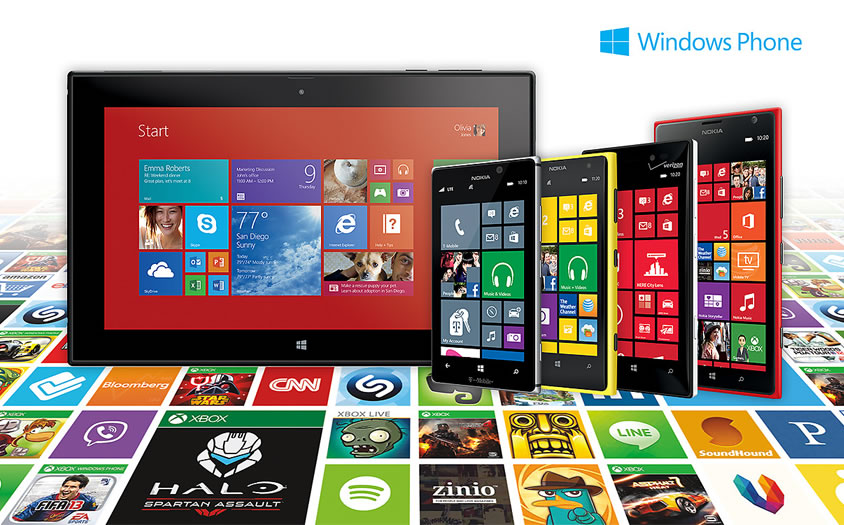
Microsoft has been a little slow coming on to the smartphone scene, but it is starting to make some headway with the introduction of Windows Phone 8. The slick and easy to use UI is very comfortable for both those new to the smartphone experience, and those familiar with the Windows 8 OS.
The partnership with Nokia, as well as still providing the Windows platform to third-party manufacturers like HTC has resulted in some very nice handsets at a very competitive price – some even under £100.
Though they are still playing catch up in the app department, the Windows App store now offers over 100,000 titles. Though that is dwarfed by Android’s and Apple’s 1,000,000 titles, Microsoft follows strict guidelines on what apps can be sold for their platform, much like Apple does. This guarantees that the apps you get will behave properly, and work well, ensuring a smoother overall experience.
Windows Phone 8 comes loaded with many handy Apps like Microsoft Office, Polished Email, Calendar, News, Photo and Music Apps. Here’s a short list of some must-have apps that goes beyond these basics:
1.WhatsApp – If you have any familiarity with smartphones, chances are you’ve already heard of WhatsApp. If not, this is a smartphone messenger that is available for all popular platforms like Android, iOS, and now Windows Phone 8.
The latest iteration has fixed many of the previous version‘s bugs, and runs much smoother. WhatsApp allows you to use your 3G, 4G or Wi-Fi connection to message family and friends who have the same app.
This is a great way to save on texting charges, especially when travelling abroad.
2.Skype – Much like WhatsApp, Skype is the omnipresent video chat software available for connections from phone-to-phone, phone-to-computer (or vice versa), computer-to-computer, and even connections to landlines.
Though the video chat is the nicest feature of the app, it will allow you to make phone calls and texts as well. This is another great way to make free calls using a Wi-Fi connection, which could save you a bundle when you learn to use this procedure correctly.
Be sure that when you are using Skype, you are calling someone who is also running Skype. Though you can call any phone, if it doesn’t go through Skype on the receiving end, you will get connection surcharges, and be charged like a normal phone call.
3.Networking Apps (Facebook, Twitter, etc.) – These have been linked together, because most people understand the idea of social (or business) networks already. Many of the major players like the two mentioned offer apps for Windows Phone 8.
These apps allow you to share thoughts, information, pictures, and your location, even what you’re eating – anytime, anywhere. If you frequent the Social Networks (even if it’s just to play some of their games), and would like the convenience of mobile access, these apps are a must.
4.Indigo – This is a Siri-like voice enabled personal assistant app for Windows Phone. Though the interface is more command based than conversation, you can still accomplish a great deal with this PA, such as: updating Facebook, interacting with Twitter, get recommendations for local restaurants, bars and other venues, get directions, create and store diary entries, create notes and reminders (with alerts), play music stored on your phone and more.
Indigo is a definite must for the ultimate hands-free Windows Phone 8 experience.
5.Yelp – Indigo can tell you how to get somewhere, and Yelp can help you decide where to go. With reviews of near-by hotels, restaurants, and other social gathering places, Yelp is a must have for the user on the go.
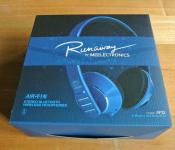
MEElectronics Air-Fi AF32 Bluetooth Wireless Headphones Review: connect to your device and Runaway
 I’ve never been a huge advocate of wireless accessories; being an avid gamer, the idea of a wireless peripheral running out of battery while in the midst of battle is basically the most horrifying thought. However, with the torrents of Bluetooth devices now available, ranging from speakers to smartwatches and even lifeloggers, it’s increasingly hard to ignore the benefits of going wireless. What really changed my mind about wireless accessories, in particular Bluetooth headphones, are the MEElectronics Air-Fi AF32 Bluetooth Wireless Headphones. Let’s check them out.
The headphones
I’ve reviewed a MEElectronics product once before, their M9P earphones (which you can read the review for here), and what stood out to me most about that pair of earphones was the bang for buck you got from what is essentially a budget audio product. The MEElectronics Air-Fi AF32 Bluetooth Wireless Headphones, or simply the ‘Runaway’ headphones, appear to be no different as you will discover as soon as you open its box.
 Inside you will find the headphones themselves, a USB charging cable, a physical 3.5mm-to-3.5mm audio cable, a user manual and a felt carry bag to put everything in. As you can see, the Runaway is collapsible into quite a small package, and while this feature is already a nice plus, I like that MEElectronics has also included a bag to store it in, particuarly as the headphones are quite glossy and potentially susceptible to dirty and damage. Naturally, the bag also serves as a nice place to store the included cables so that you can charge them wherever you can find a USB port.
 While the folding of the headphones is a great travel convenience, I did notice, especially after playing around with it for a few minutes, that the join between the two edges coming together are quite close and often emitted a sharp clicking noise when unfurling the headphones. This was actually caused by the plastic inner layer being pulled back and released, snapping back and causing the sound. Whether or not the headphones can put up with this continued abuse remains to be seen, but the fact that it fits so flush when the headphones are in place does make the Runaway one attractive set of audio equipment.
The Runaway is part of MEElectonics’ Air-Fi line of headphones and is available in six different colours schemes: bubblegum pop pink, hot chart topper red, classic black, classic white, vinyl black and vintage red, and the rhythm & blues blue which we are reviewing here.
 The Runaway comes with just 6 buttons, all located on the right side, including a power button, answer call button, skip forward and back, and volume up and down. It’s pretty much all the buttons you’ll ever need from a mobile headset and setting it up is pretty simple; all it takes is to hold the power button for a few seconds and the pairing can begin. Above the buttons are two LEDs which help indicate things such as charging, Bluetooth connection and searching for pairings. A flashing blue LED is pretty standard issue for most Bluetooth devices, but I felt myself loathing the blue light on the Runaway as it routinely illuminated my room while I listened to music before I slept. It’s not a huge issue, but for people who are pedantic about these things, it can be irritating. Otherwise, the lights are a nice, simple way of indicating the few things that the Runaway does.
 As I mentioned earlier, a 3.5mm-to-3.5mm audio cable is included with the Runaway which will enable you to continue listening to music using the headphones even when the batteries have run flat. It’s a very nice touch to allow passive audio listening when the headphones are unpowered, though the cable is only a stereo cable which means you won’t be able to use the Runaway as a mobile headset while using it in this configuration. I did find it unusual though that the audio cable plugs into the right side of the headphones whereas the majority of wired headphones will have only a wire coming out of the left side; again, just a niggling issue. And yes, the Runaway does actually have a hidden microphone located on the right side which can be used to receive calls when connected via Bluetooth.
The comfort
 It might be difficult to tell from these photos, but the Runaway headphones are insanely light. MEElectronics has really boiled the Runaway down to the bare essentials and it’s resulted in a pair of headphones that weigh almost nothing. As you can expect then, the Runaways are a dream to wear. Since they are so light, the head cushion almost feels like its not there and the ear cushions are fantastically soft.
The Runaway isn’t a tight set of headphones either which makes them probably one of the most comfortable headphones I’ve ever worn, right up there with the Steelseries 5Hv3 (which I reviewed here). Unfortunately, this does affect the sound of the headphones, which we’ll get onto next.
The sound
 The audio quality is sharp and precise. The treble and mid ranges are clear and crisp and the bass is good. The bass could probably stand to be a little beefier, but in this day and age or bass-heavy headphones, the Runaway’s balanced sound is a nice change of pace. That said, if you turn it up, the bass can become incredibly intense, and indeed, the sound of the Runaway doesn’t appear to be phased by the increase in volume. If anything, the only weakness the audio of the Runaway has is the Bluetooth connection itself, which from my experience, has a few too many glitches in it to be enjoyable. Of course, you can always connect to it via audio cable which does away with the problem, but then you have to endure the fact that it’s no longer wireless.
 Returning to the fact that the Runaway is a ‘loose’ set of headphones: while the Runaway does fit quite snugly, there is no active or passive noise cancellation meaning that sound can get in and out of the headphones quite easily. This might not be an issue for most, but those commuters among you who will be listening to music in the hustle and bustle may have to turn it up a little during their travels.
The verdict
Rating: 4/5
 As a travel audio accessory, the Runaway is a pretty good one: able to fold up into a tiny footprint and with a carry bag provided, the Runaway looks like a good option if you’re travelling quite a lot. They’re not terrible big or incredibly heavy which makes them a good fit for the bill.
Furthermore, I think they are a really nice looking set of headphones. Particularly in the rhythm & blues blue, I think the looks of the Runaway rivals that of a set of Beats Solo headphones (gasp). Yeah, I said it. Having said that, I don’t exactly like the look of the buttons on the Runaway; somehow I feel like the straight bumper buttons clash with the whole curved, sleek vibe of the headphones, but that might just be me.
 The Runaway sounds damn good too which makes it an exceptional choice for personal headphones. And at $99.99 USD, it’s right in the sweet spot for a pair of Bluetooth headphones, and the fact they sound amazing is a huge bonus. My only gripe of course is that my Bluetooth experience wasn’t as smooth as it could be, but the benefits of having wireless headphones is significant. Using it as a mobile headset is also practical as the mic is clear and call quality is pretty much the same as if you had the phone to your ear.
All in all, the MEElectronics Air-Fi AF32 Bluetooth Wireless Headphones are a fantastic package for a great price. And as of 20/01/2014, MEElectronics are actually having a sale on their store, cutting the price of the Runaway down to $74.99. If you weren’t convinced that they were great value before, they’re now 25% better. Check out the MEElectronics links down below to jump on the offer or check out some of MEElectronics’ other products.
Gallery of photos



Kim Dotcom previews new music streaming site with his own europop album

Kim Dotcom has done it again. Two years after he rented a bunch of musicians (including Will.i.am) to promote his doomed Megaupload service, he’s turned to a group of presumably more affordable artists to support his next project, Baboom. The music streaming site launched in preview mode today, with a design that looks like a cross between Rdio and the new MySpace, and with just a single album in its library: a sort of europop medley made by Dotcom himself with contributions from Printz Board (one of Will.i.am’s buddies), Mona Dotcom (Kim’s wife) and some others we’ve never heard of.
Although this teaser album is free, Baboom will ultimately let you pay to download music in addition to streaming it, and the site appears to offer a degree of support for high-definition audio too (including FLAC and MP3 320Kbps). The big selling point, however, will be a reward scheme that gives you free music in exchange for installing an advertising plugin into your browser — but that’s likely still a few months off. In the meantime, Dotcom’s talent for self-publicity (if not singing) seems to be working: Baboom is reporting 80,000 plays in its first hour online.
[Image credit: Thierry Ehrmann, Flickr]
Source: Baboom

Android 4.4 for LG Optimus G and Optimus G Pro spotted in Testing
 After HTC announced that its HTC One X and One X+ would not be moving past Android 4.2.2, many phone owners could be forgiven for thinking that their manufacturer would also be leaving them high and dry without a software update past Jelly Bean. Not so for some LG owners as Android 4.4 for LG Optimus G and LG Optimus G Pro has been spotted in the wild being tested.
The User Agent profiles, first seen on Phone Arena, appear to list quite a few models of both the LG Optimus G and LG Optimus G Pro suggesting that Android 4.4 is being tested for these devices. This is great news for Optimus G owners in particular as many of them have been wondering what’s been taking so long seeing as it is basically the same device as the Nexus 4. All the same, it’s great to know that LG is still support at least some of its devices, even if Android 4.4 for its flagship LG G2 is still no where to be seen. No word on when the update will become available, but we’ll let you know when we do.
 Any owners of an Optimus G or Optimus G Pro excited to hear that Android 4.4 exists for your device and is being tested right now? Let us know how you feel in the comments.
Source: Phone Arena
[LEAK] The Sony D6503 “Sirius” gets a few more leaked Details
 A few days ago, we were treated to some candid photos of a device simply known as the Sony D6503, code named “Sirius”. While it wasn’t clear whether this device is going to be a refresh of the Sony Xperia Z1 or a completely new flagship i.e. the Sony Xperia Z2, what was clear was that the device was based on the Z1′s hardware with a few key tweaks (check out the photos here). XperiaBlog has gotten the next scoop on this Sony D6503, apparently getting a hold of new information about the device’s hardware specs.
According to the leak, the “Sirius” will have a Qualcomm MSM8974AB chipset clocked at 2.3GHz (and for those that don’t speak the lingo, that’s a Snapdragon 800 processor), as well as a 5-inch screen with 1080p resolution, 3GB RAM, a 20.7 megapixel camera and a 2.1 megapixel front camera. Overall, these specs are only a minor upgrade over the Z1 (slightly faster processor, a bit more RAM and a slightly better front camera), so if this leak is to be believed, it looks like the Sony D6503 is more likely a refreshed model of the Xperia Z1, probably to be released at MWC 2014.
 One more leak about this device will probably make those of you bummed that the Z1 ships with Android 4.2.2 Jelly Bean a little happier; XperiaBlog has revealed that this device will mostly likely launch with Android 4.4 KitKat, which should but it in a good position to do battle with its other Snapdragon 800 toting competitors.
What do you think about the Sony D6503? Do you think its a refreshed Xperia Z1 or the Xperia Z2? Give us your opinion in the comments below.
Note: There is a poll embedded within this post, please visit the site to participate in this post’s poll.
Source: XperiaBlog

Sony’s Smart Tennis Sensor hits Japan in May, offers topspin advice for $175

Sony’s theme for its CES press event was “Play” and part of the fun was a smart tennis sensor that adds vibrational and gyro detection to your racket, linking up with your smartphone through Bluetooth to offer up improvement suggestions and surprisingly deep information on your racket game. While we got in a few serves and forehands right after the event, the announcement, like its incoming Core life-logging / wearable sensor, was a broad one. A spokesperson told us back in Vegas that Sony hadn’t yet decided on a concrete name, let alone a price or release date. Well, Sony had plenty of answers at today’s press event, announcing at a tennis club near its Shinagawa HQ that the sensor will launch (in Japan only, for now) this May, priced at 18,000 yen (around $175).
We’ll admit, we had some suspicions that Sony’s Smart Tennis Sensor might never arrive in the real world (the demonstration area wasn’t that far away from a row of conceptual smart glasses), but it seems that Sony’s taking this new possible market pretty seriously. The sensor will launch compatible with around six Yonex EZone and VCore tennis rackets, with more models promised after launch. At the moment, you’ll need a dedicated sensor for each player: if your buddy uses your racket, their data will be folded into yours, but the team added that this is something that they’ll be working on in the future.
Sony has also readied a companion app on both iOS and Android to launch alongside the sensor hardware when it arrives in late May. The app, alongside displaying stats and heat maps of where the ball hits the racket, will also be able to record a video of your earth-shattering serve and replay it alongside the metrics captured by the sensor. Maybe that ace wasn’t quite so earth-shattering. We’ve added Engadget editor Michael Gorman’s attempts right after the break.
Microsoft fixes some of the Surface Pro 2’s battery and sleep problems

Microsoft vowed that it would fix the numerous bugs plaguing the Surface Pro 2 in the wake of the flawed December update, and it made good on that promise by rolling out a patch this weekend. The company tells us that the update addresses the most serious problems for affected tablet owners, including reduced battery life and unexpected wake-ups. Future software will tackle the remaining glitches, Redmond says. The partial remedy isn’t quite what some were hoping for — we’re still seeing a few complaints — but it’s at least a step in the right direction. Check out Microsoft’s full statement below.
This weekend we released an update that addresses the unexpected wake and battery drain behavior experienced by a small number of Surface Pro 2 customers who installed the December Windows Update. This should have no impact on users already running the October Windows Update. We’re working hard to address the remaining Surface Pro 2 items from the December Windows Update.
Filed under: Tablets, Microsoft
Source: Microsoft Community, Surface Forums

Fujifilm teases a new X-mount camera with full manual dials and possible weather sealing

Fujilfilm’s current range of X-mount cameras have hardly struggled to attract a following, but there’s always room for a fresh addition, especially if it brings quicker manual controls. Judging from the official teaser image above, we should expect just such a camera to arrive on January 28th, with a nice big ISO dial to complement the shutter and exposure compensation dials already found on the X-Pro1. If we’re happy to indulge in a bit of gossip, courtesy of MirrorlessRumors, then it’s also possible that the coming model will add something else the X-Pro1 was missing: a weather-sealed body. If that turns out to be true, then the Nikon Df could have some competition on its hands — not over raw specs perhaps (because it somehow feels unlikely that Fujifilm has suddenly come up with a full-frame X-TRANS sensor that could match the Df’s), but at least over weight and price.
Filed under: Cameras
Via: Engadget Chinese (translated)
Source: Fujifilm-x

The Rise And Fall Of Google Chrome – A Review
Google is acknowledged as the biggest search engine. In fact, it owns two more search engines, Google and YouTube. For quiet a sometime Google search was their bread and butter. No doubt they will strive to continue this business in the foreseeable future, but there is something more. According to financial results (2013), their earnings were in excess of 14 billion, one would say that they are doing quite well, but Google won’t stop here and it is pretty obvious.
Google Chromebooks
In the year 2011, Google launched its new operating system Chrome OS. It was warmly accepted by many, and the other laughed at it. It’s a fact that Chromebooks didn’t fare well in their first year, and Google didn’t expect it too. In 2012, the trend continued. People didn’t believe that a laptop had to be connected to the internet to work effectively. Despite of the fact that laptops are connected to the internet on a dedicated basis. As a result of this skepticism, Google Chromebooks accounted for just 1% of the notebook market.

Believers of Chromebooks were scorned. In the midst of this failure, something else happened like Microsoft launched Windows 8. Immediately, everyone’s attention was drawn from Chrome to Microsoft- the recent innovation. Unfortunately, Windows 8 was not heartily welcomed by the masses, and its sales lagged. In a meanwhile, Google reinvented their strategy and started offering Chromebooks on free of cost basis to both local and international students at affordable rates. No one knew exactly how Chromebooks were doing in 2013, until NPD reported that they have approximately 21% share in the notebook market. The increase in sales is stupendous and is expected to increase.
Devices (announced, not yet released) like LG all in one Chrome PC, showcases the different facets of the Operating System, and there is no doubt notebook sales will continue to rise. According to the latest report the laptops are consuming sales of Macbooks.
Chromecast- New Leap by Google Strategists
The chromebooks were not only pieces of Chrome affiliated hardware; another thing that entered in the scene was the Chromecast. It was a surprise announced by Google Chrome head Sundar Pichai. This allowed users of Android and Ios to share the content with televisions. Google always wanted to enter into a living room, and this innovation made it to do so. Needless to say, it also entered into hearts of individual.
The speculation is rife that in December this year, several new apps will be added in Chromecast line up. Further, Google promised to build their way at times to come. Now, Google wants to enter in new domain-television. We are all keen to see what benefits are in store for consumers.
If anyone didn’t know about the Chrome operating system or was unable to recognize the name of Chrome before 2013, then they probably know it now. This year has proven to be a good year for Google camp, and it is speculated that they will strive to do so in future also.
In a nutshell, technology market has undergone a paradigm shift and Google has been part of it.
This article brought to you by http://bigdropinc.com/
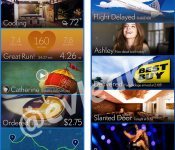
Samsung’s Revamped UI Shows Up in a Screenshot

Looks like Samsung wants to change the game up a little bit, by changing their UI to something “somewhat” fresh. The image above comes from our leak king, evleaks, and it shows a Windows/Google Now-like style UI.
Very similar to Google Now, these “cards” will show you information to get you through your day, but they have also added a somewhat social element to this UI. I guess they are trying to simplify the user experience, which almost resembles HTC’s stab at trying to simplify feeds with Blinkfeed. Let us know what you think about this new Samsung revamped UI. Something you find appealing?
Source: evleaks
 AIVAnet