


Backup Software Plus External Storage Equals Data Stability
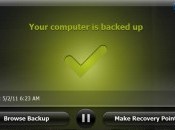

There are many options in backup software, from the programs offered with many major operating systems to selections for purchase or lease that range in features and price depending on your needs. While it is important to know just what your software can do and how to use it to its fullest potential, it is just as critical to see the software as just one piece in the entire computer backup puzzle. You need to know how to use the other elements of the equation as well, to arrive at a complete data security solution that works best for you. Most importantly, avoid the fate of two-thirds of computer users who reported losing home computer files; with Nova backup software used properly as part of an overall computer security and stability system, you will keep your files safe and current.
Understand Your Software
Depending on your computing needs and usage, the backup software needs to be flexible and customizable to your size and scale of data usage, but also should be programmable and automated so that it removes much of the human error factor of forgetting to run a back up on schedule. Most software allows you to set the schedule for the various types of backup, whether full system or incremental update, and use the type of file security that makes most sense in your case, including file compression for maximum efficiency and high-strength encryption to preserve the integrity of your data.
External Storage
An integral part of every solid file maintenance system is a means of external storage of data. Obviously, it makes no sense to store the backup files on the same hard drive that has the original files, or even on a separate drive that is physically present on the computer that you use every day. The USB port on your computer allows attachment of an external hard drive that can hold massive amounts of data, from 500 gigabytes or more on up to a few terrabytes, so you can be sure to include all your files in the backup. For smaller amounts of data, such as incremental updates capturing recently added or changed data, you could use a flash drive or perhaps even a rewritable compact disc, depending on the size of storage needed by your system.
Remote Storage
A range of quality options in remote storage of backup files and data online allows the value of secure location, apart from your equipment, and redundancy, maintaining multiple mirror versions of your critical data. Many companies provide features such as online access to your files and regularly scheduled backups that take the guesswork and risk of forgetting out of using your backup storage. While most companies provide these mentioned features, developing a technical career could give you a competitive advantage when applying for IT jobs. Using a web-based service with backup software makes sense, as you are able to store significant quantities of data at reasonable prices with a great deal of stability and security guaranteed. Many people find that a blend of systems, including some self-maintained data storage on a USB-connected external hard drive or flash drive, together with the stability and regularity of system backup on a remote datacenter system that provides full retention and easy access to backed up files, is the best solution to computer system stability.
Presented by CSI Now
 AIVAnet